Elastic IP Address
Elastic IP Address


Document

- Documentation
 Elastic IP AddressBest PracticesAchieving Internet access via EIP
 Copy page
 Download PDF
Best Practices
Achieving Internet access via EIP
Copy pageDownload PDFAchieving Internet access via EIP
When associating a cloud resource with an Elastic IP Address (EIP), it can communicate with the Internet. This topic describes how to use EIPs in different scenarios.
Outbound internet access
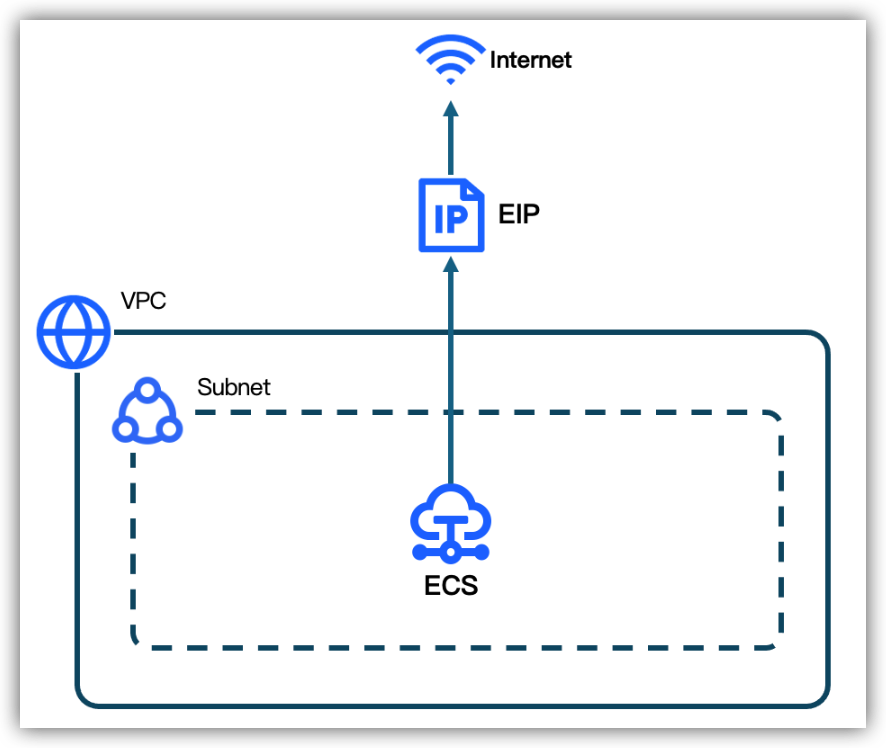
Single ECS instance access
To enable a single Elastic Compute Service (ECS) instance within a Virtual Private Cloud (VPC) to access the Internet, associate an EIP with the instance. For procedure, see Associating a cloud resource.
Multiple ECS instances access
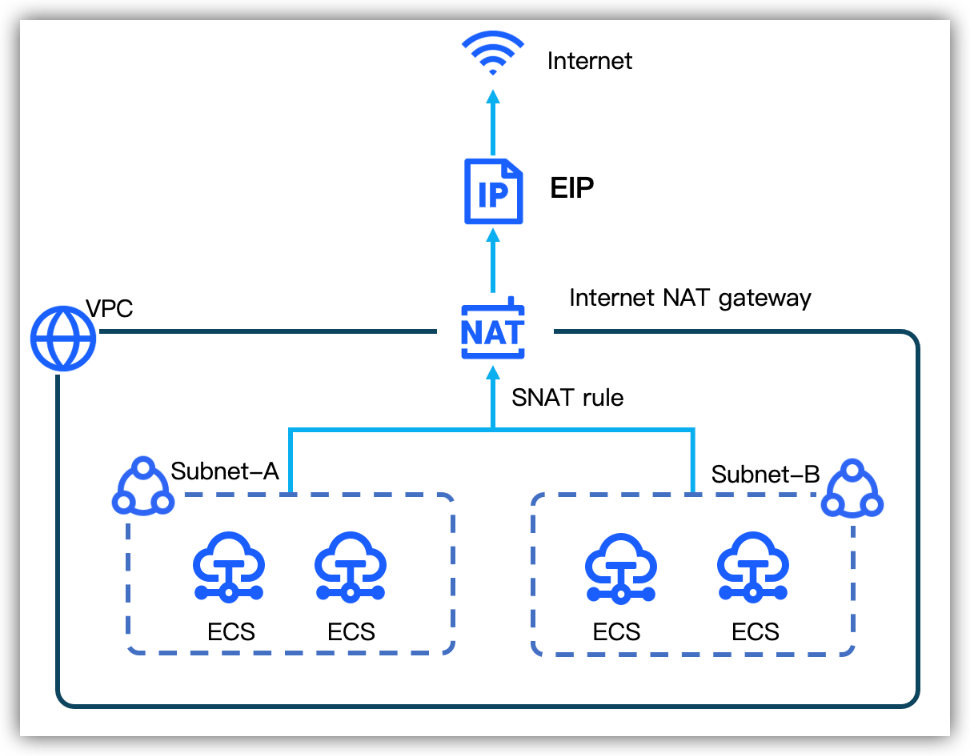
If multiple ECS instances within a VPC require Internet access, create an Internet NAT Gateway within the VPC and configure an SNAT entry. The ECS instances in the SNAT entry share the EIP via the NAT Gateway to access the Internet. For procedure, see Enabling Internet access via SNAT.
Internet access to cloud
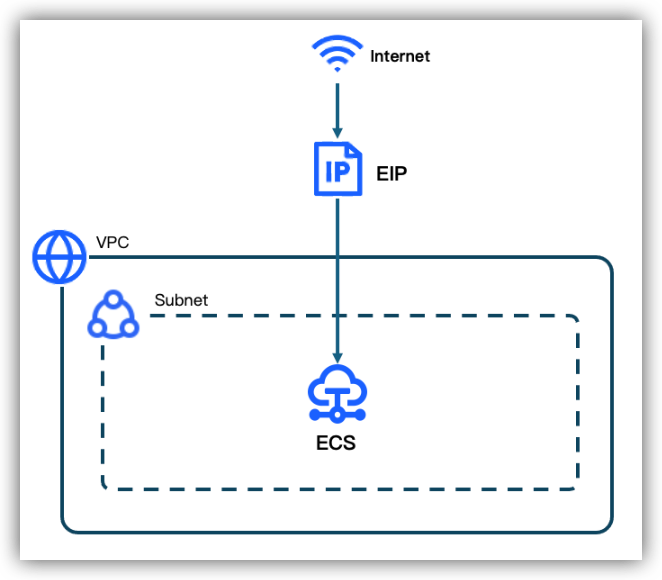
Access a single ECS instance
In low-traffic scenarios, to achieve external access to a single ECS instance within the VPC, you simply associate an EIP to the ECS instance. For procedure, see Associating a cloud resource.
Access multiple ECS instances
- Use an Internet NAT gateway
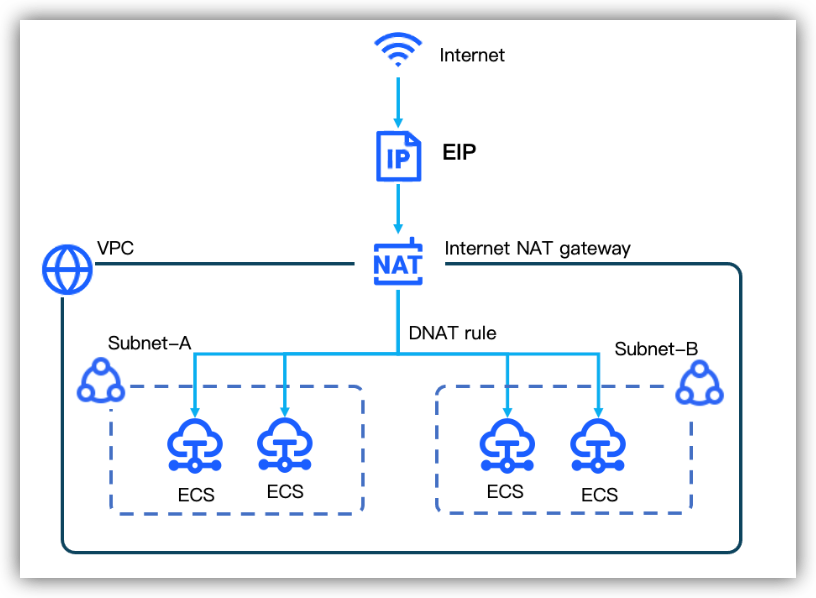
- In scenarios where multiple ECS instances need to provide Internet services and the ECS instances provide different services, you can create an Internet NAT gateway and a DNAT entry within the VPC. The ECS instances in the DNAT entry can share the same EIP to provide Internet services. For procedure, see Configuring DNAT for Internet service access.
- Use a Classic Load Balancer
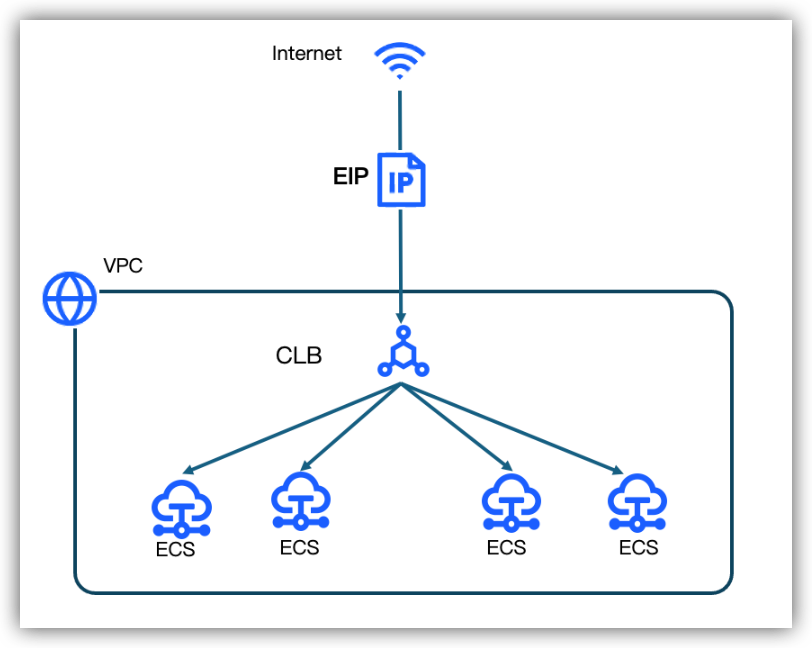
- In high-concurrency scenarios with heavy traffic, numerous external users may access the services within the VPC simultaneously. Direct access may cause excessive load. In this case, you can use a Classic Load Balancer with an associated EIP to distribute the load. With Internet access capabilities provided by the EIP, the CLB distributes traffic elastically and evenly across multiple ECS instances, supporting massive external access. For procedure, see Quick start of Layer-4 CLB and Quick start of Layer-7 CLB.
- Use an NLB
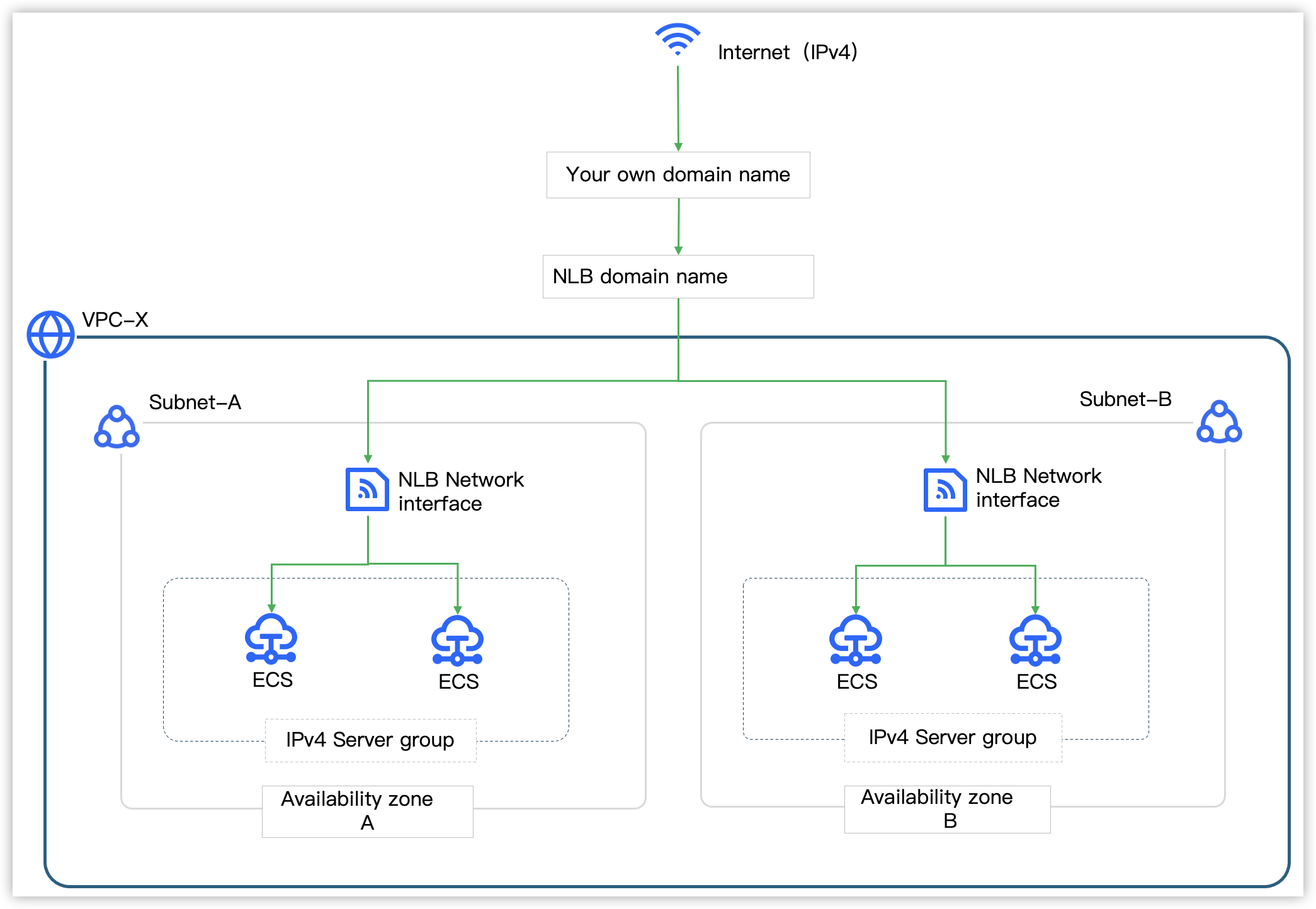
- Network Load Balancer (NLB) is a next-generation Layer-4 load balancing service provided by VolcanoEngine. It supports higher-performance elastic forwarding on Layer-4, helping you easily handle high-concurrency workloads (with a single instance supporting up to 100 million concurrent connections and 100 Gbps bandwidth). It can serve as an ingress for IoT services such as the Internet of Things and Internet of Vehicles. After creating an NLB instance, the system automatically creates a service network interface in each Availability Zone. To achieve cluster-wide internet communication, associate the EIP with the service IP (IPv4 address). For procedure, see Setting up an IPv4 Network Load Balancer.
Last updated: 2026.06.24 18:32:28
All rights reserved © Beijing Volcano Engine Technology Co., Ltd2024
