RDS for PostgreSQL
RDS for PostgreSQL


Document

- Documentation
 RDS for PostgreSQL User guideMonitoring and alertsCreating an alarm strategy
 Copy page
 Download PDF
Monitoring and alerts
Creating an alarm strategy
Copy pageDownload PDFCreating an alarm strategy
RDS for PostgreSQL is integrated with Cloud Monitor to better manage alerting rules.
Precautions
When creating an alarm policy with multiple trigger conditions configured, you need to select the logical relationship between conditions (All or Any), which determines how alarms are triggered:
- All: Indicates that the system will trigger an alarm only when all configured conditions are satisfied simultaneously.
- Any: Indicates that the system will trigger an alarm as long as any one of the configured conditions is satisfied.
Procedure
- Login to the RDS for PostgreSQL console.
- In the upper-left corner of the top menu bar, select the project and region for the instance.
tip
If the project of the instance has not been set, the project should be selected as All resources.
- On the Instances page, click on the target instance name.
- Click on the Monitoring tab at the top of the page.
- Click Create an alert strategy to open the Create alarm strategy page of Cloud Monitor.
tip
- When configuring alert objects on the Create alarm strategy page, you are required to select RDS for PostgreSQL as the resource type.
- Deployment monitoring and proxy monitoring support instance-based alarm strategies, while resource monitoring and engine monitoring support node-based alarm strategies. When creating an alarm policy based on node dimensions, only the primary node and read-only node of the instance are supported for selection. When the primary node is selected, if the instance switches between primary and secondary nodes, the alarm policy will be automatically applied to the new primary node.
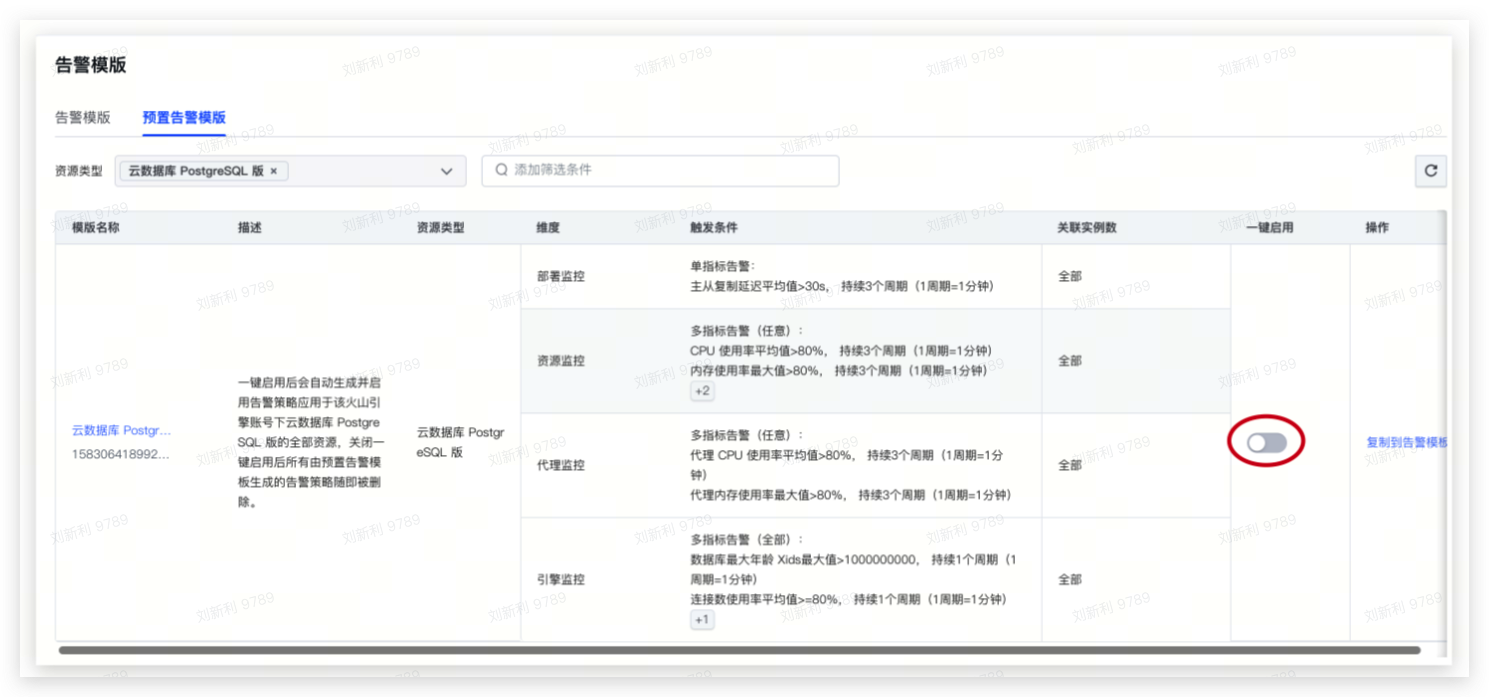
- To simplify the operation process, you can also apply a preset alert template. For more information about the preset alarm templates for RDS for PostgreSQL, refer to List of preset alarm templates. For detailed information about enabling preset alert template, refer to Enabling a preset alert template.
-
Related links
Last updated: 2026.08.20 17:11:35
All rights reserved © Beijing Volcano Engine Technology Co., Ltd2024
