RDS for SQL Server
RDS for SQL Server


Document

- Documentation
 RDS for SQL ServerFAQHow to view the log_reuse_wait_desc attribute value of a database?
 Copy page
 Download PDF
FAQ
How to view the log_reuse_wait_desc attribute value of a database?
Copy pageDownload PDFHow to view the log_reuse_wait_desc attribute value of a database?
This topic describes how to view the log_reuse_wait_desc attribute value of a database. There are two methods:
- Method 1: View in the Volcano Engine console.
- Log in to the RDS for SQL Server console.
- In the upper-left corner of the top menu bar, select the project and region of the instance.
- In the Instances, click the name of the target instance.
- Go to the Summary page and click the Database management tab at the top of the page.
- Click View properties in the Actions column of the target database.
- View the value of the log_reuse_wait_desc attribute.
tip
- If the log_reuse_wait_desc attribute value is NOTHING, then you can shrink the transaction log.
- If the log_reuse_wait_desc attribute value is LOG_BACKUP, wait for the next log backup to finish and the attribute value to change to NOTHING before shrinking the transaction log.
- Method 2: View in SQL Server Management Studio (SSMS).
- Create a new query window and enter the following SQL statement. For example, to view the log_reuse_wait_desc attribute value for testDB, replace testDB with the target database name in the SQL statement.
-
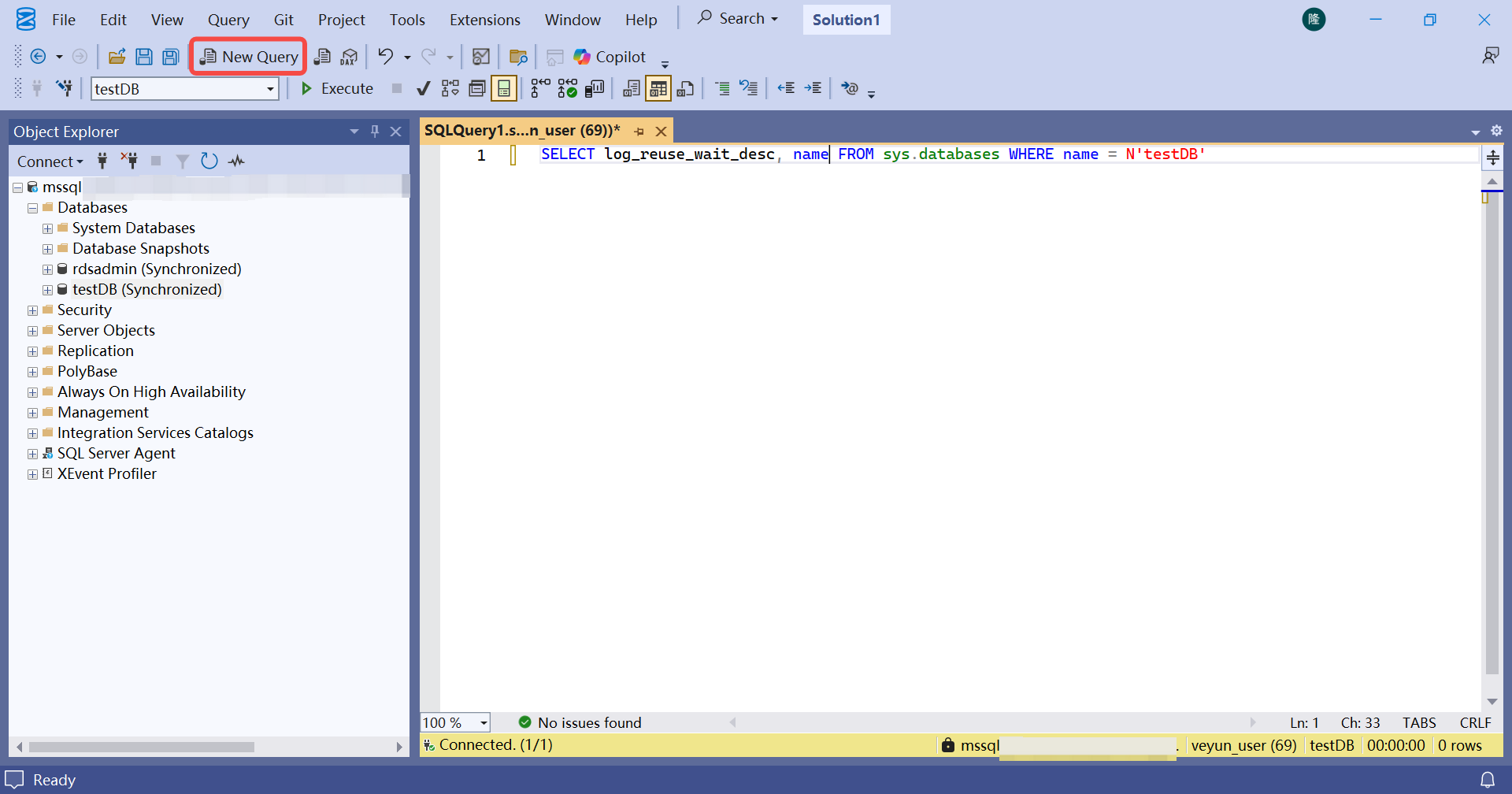
- SELECT log_reuse_wait_desc, name FROM sys.databases WHERE name = N'testDB'
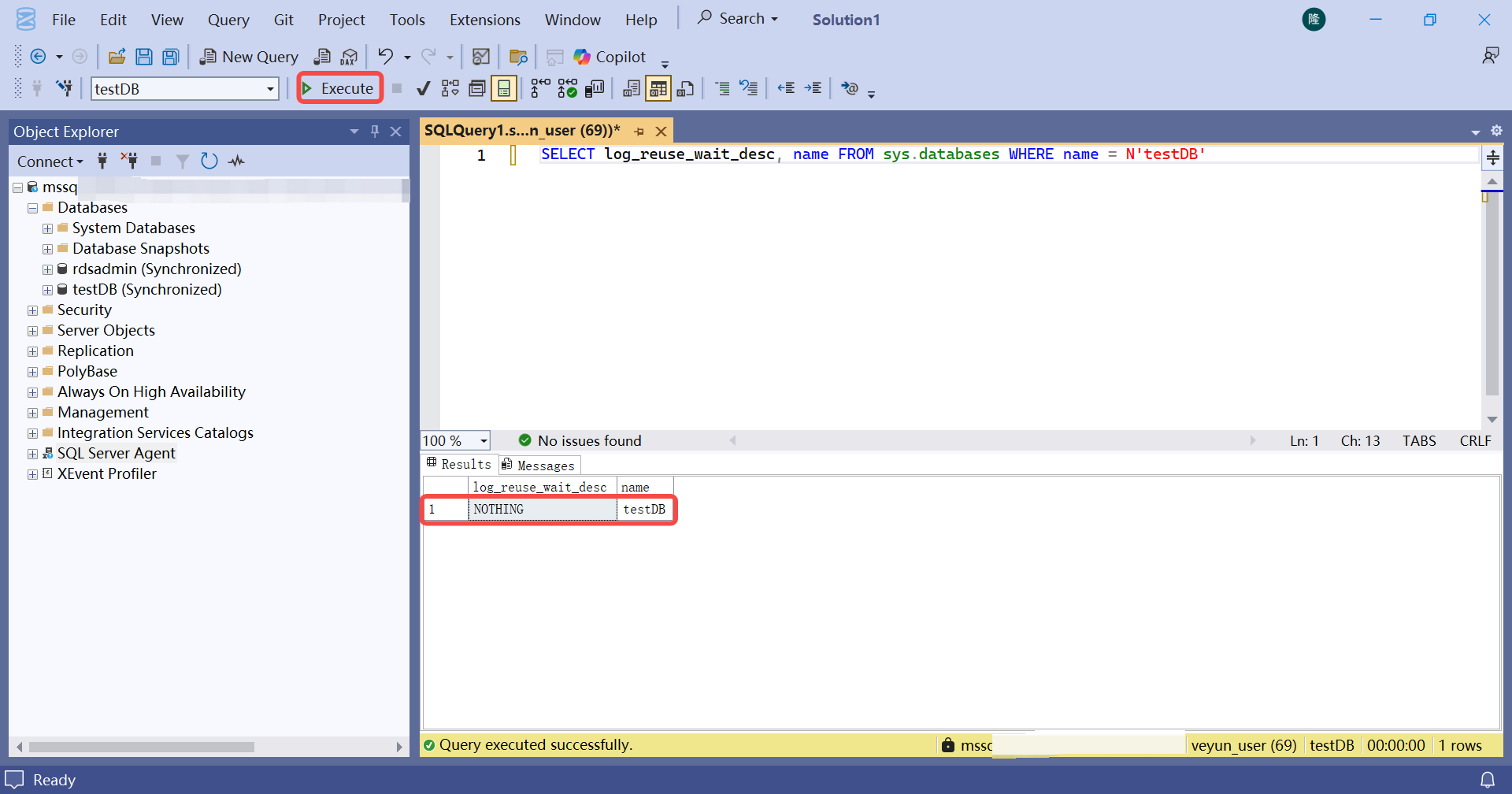
- Click Execute.
-
tip
- If the log_reuse_wait_desc attribute value is NOTHING, then you can shrink the transaction log.
- If the log_reuse_wait_desc attribute value is LOG_BACKUP, wait for the next log backup to finish and the attribute value to change to NOTHING before shrinking the transaction log.
Last updated: 2025.11.25 11:17:03
All rights reserved © Beijing Volcano Engine Technology Co., Ltd2024
