TrafficRoute DNS Suite
TrafficRoute DNS Suite
TrafficRoute DNS Suite


Document
Product Billing
VolcanoEngine DNS
Getting Started
Activate VolcanoEngine DNS And Add a Domain
Route User Requests to a Website Server
Set up an Email Address
Route User Requests to CDN
User Guide
Configure DNS servers provided by DNS for a Domain
Domain Management
DNS Record Management
Load Balancing
Import or Export DNS Records
Batch Operation
Line Group Management
Access Log Management
Value-added Services
API reference
Record Set APIs
Line APIs
DNS Query Metrics APIs
IP-based Line APIs
SDK Reference
IP-based Line Management
Legal
VolcanoEngine GTM
Getting Started
User Guide
GTM Instance Management
Policy Management
Rule Management
Software-defined parsing for AnyMatch
Pool Management
Alarms and Notifications
Statistics and Analysis
Health Check
Route analysis
API Reference
GTM instance management
Policy Management
Health Check Management
Pool Management
Rule Management
Load Feedback Management
Best Practices
FAQs
VolcanoEngine PrivateZone
Product Overview
Getting Started
User Guide
Domain Management
Authoritative domain management for cloud products
Record Management
ECS Hostname Records Management
Import or Export DNS Records
Advanced DNS
Resolver
Forward DNS Requests to An External DNS Server
Forward DNS Requests From On-premise IDC/Third-party Cloud Services to Resolver
Access Log Management
DNS Query M.etrics
Best Practices
Use the DNS Cache Plugin to Improve Availability
API Reference
Domain APIs
DNS Record APIs
Record Set APIs
Cross-account VPC Association APIs
Resolver APIs
ECS Hostname Synchronization APIs
Cross-account resource sharing
SDK Reference
VolcanoEngine HTTPDNS
Getting Started
User Guide
Custom domain resolution
Software-defined parsing: AnyMatch
Access log management
Use the DoH protocol
API Reference
Account management APIs
Key management interface
Domain name management interface
Custom parsing management interface
Encrypted DNS management interface
Client development guide
Use the client SDK
Integrate SDKs
Android SDK
iOS SDK
API Reference
Android SDK
HttpDNS class
Method
iOS SDK
TTDnsResolver class
Attribute
Method
VolcanoEngine PublicDNS
Getting Started
Troubleshooting Guide
- Documentation
 TrafficRoute DNS SuiteVolcanoEngine PrivateZoneGetting StartedTutorial overview
 Copy page
 Download PDF
Getting Started
Tutorial overview
Copy pageDownload PDFTutorial overview
This tutorial demonstrates how to use VolcanoEngine PrivateZone.
Business Scenario
In this quick start, let's assume you have the following business needs:
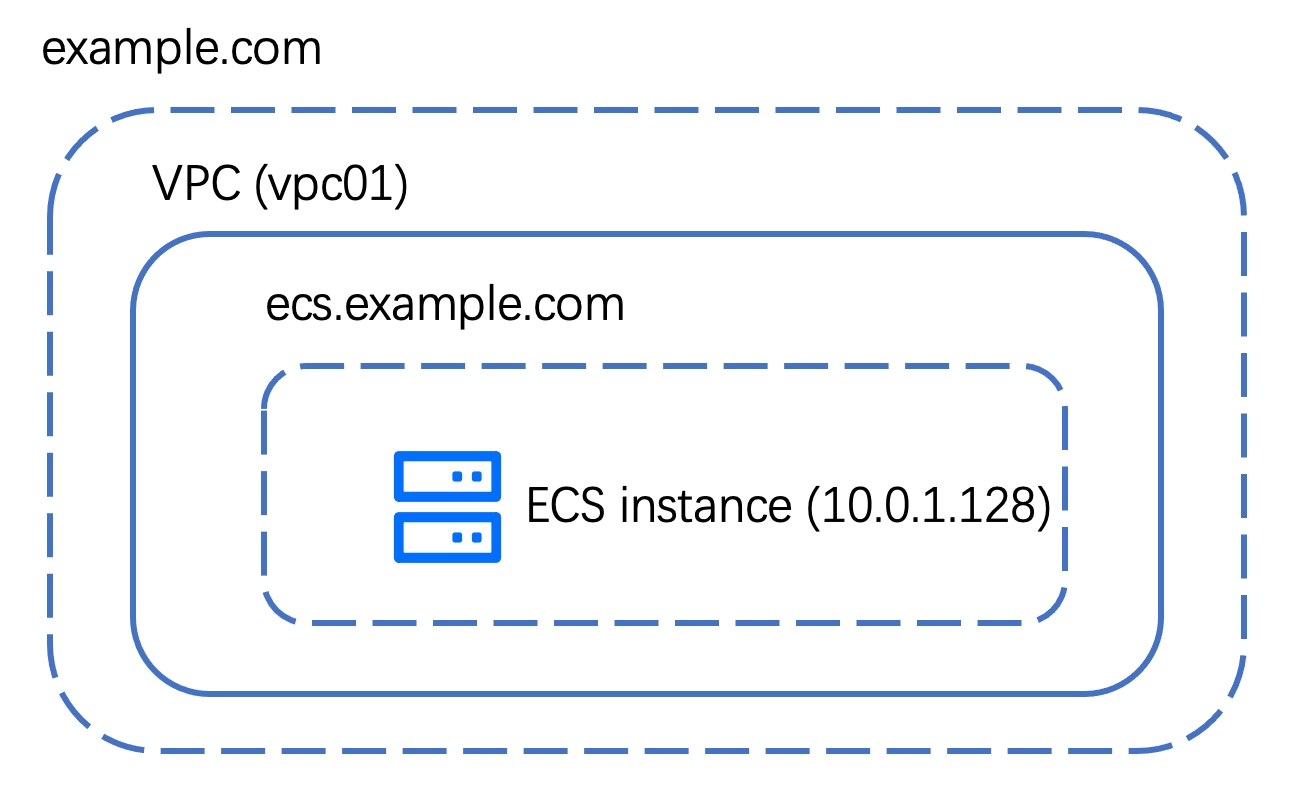
- You have created a VolcanoEngine Virtual Private Cloud (VPC). The VPC is named vpc01, with an ID of vpc-xxxxx.
- You have added a VolcanoEngine Elastic Compute Server(ECS) instance within the VPC. The private IP address of the ECS instance is 10.0.1.128.
You want resources within the VPC to be able to access the ECS instance, which has an IP address of 10.0.1.128, via the domain name ecs.example.com.
The architectural diagram for the business scenario is shown below:
Tasks to Complete
In this tutorial, you will complete the following tasks:
Last updated: 2025.11.04 20:38:47
All rights reserved © Beijing Volcano Engine Technology Co., Ltd2024
