Observability Platform
Observability Platform


Document

- Documentation
 Observability PlatformAlert CenterNotification settingsNotification methodConfiguring DingTalk bots
 Copy page
 Download PDF
Notification method
Configuring DingTalk bots
Copy pageDownload PDFConfiguring DingTalk bots
This topic describes how to configure a DingTalk bot.
Procedure
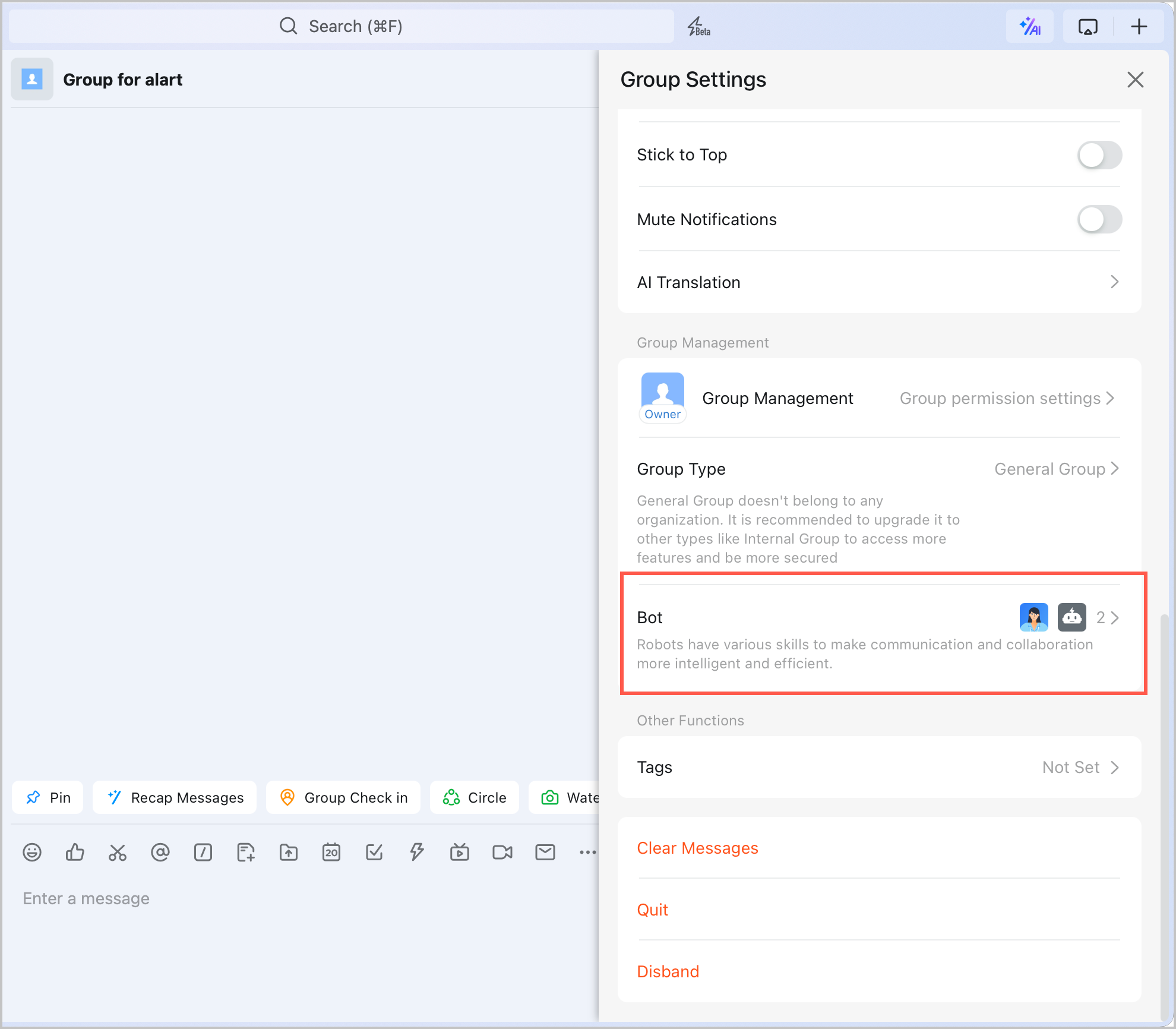
- Log in to DingTalk, and create or find a group that needs to receive alerts. Click the group settings icon in the upper-right corner of the group
 。
。
- In the settings pop-up window, select Bot.
-
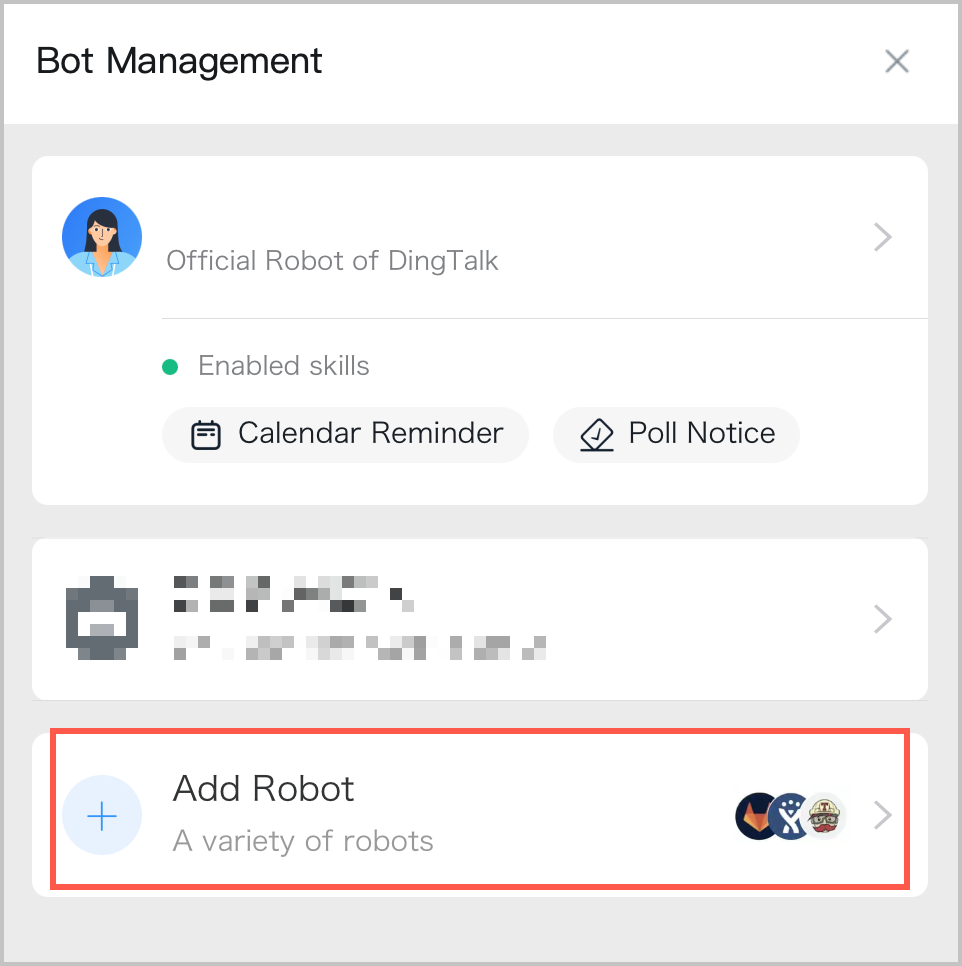
- In the Bot Management window, click Add bot.
-
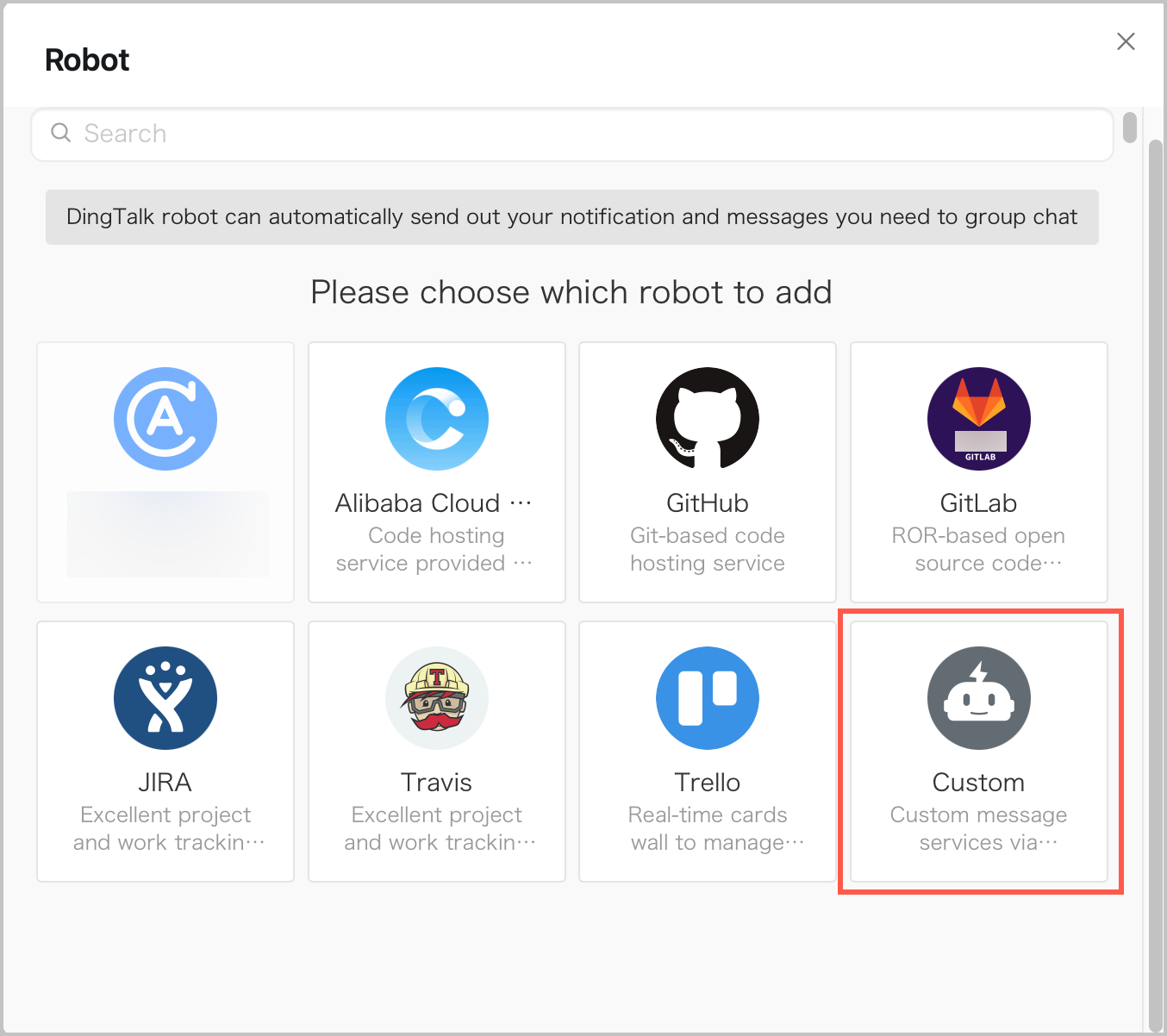
- In the bot list, click Custom.
-
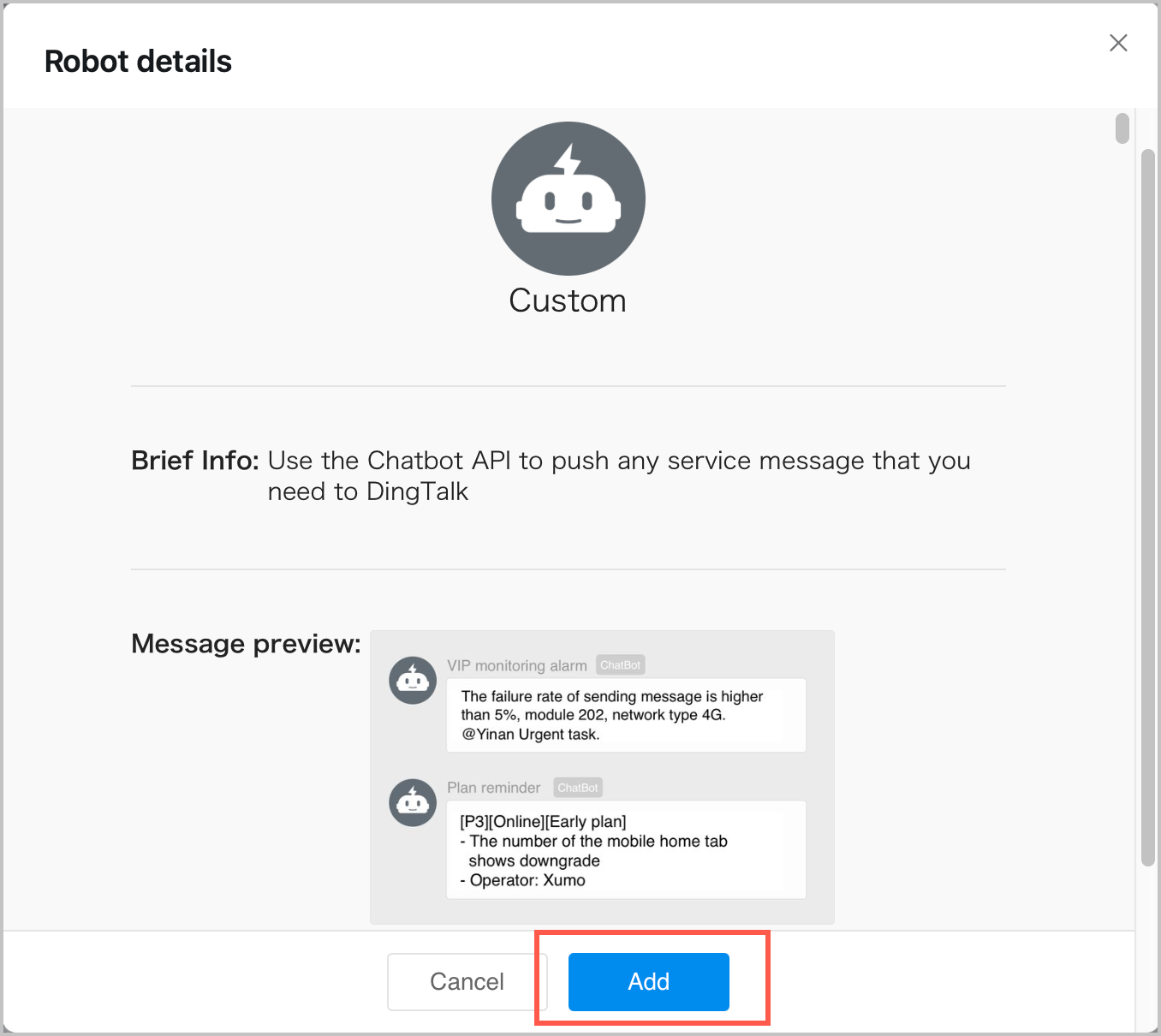
- Click Add to configure the custom bot.
-
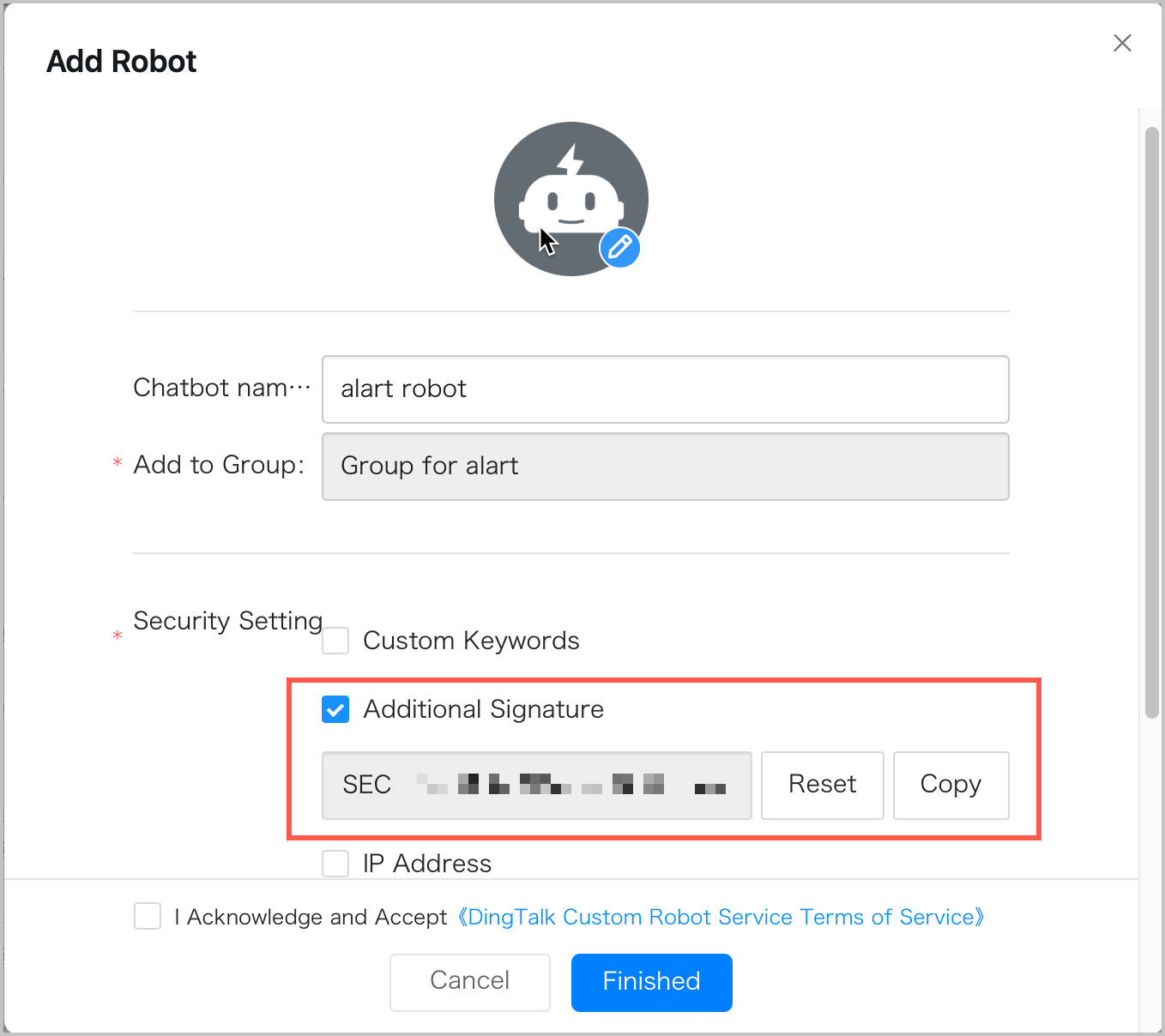
- Configure the relevant information for the bot, select the terms of service, and then click Finished.
warning
The "Additional Signature" option in "Security Setting" corresponds to the DingTalk Secret in the alert settings. If "Additional Signature" is selected here, the DingTalk Secret must be provided when you configure the callback URL for the DingTalk channel. If "Additional Signature" is not selected here, the DingTalk Secret is not required when you configure the callback URL for the DingTalk channel.
-
- Copy the webhook address generated by the DingTalk bot, which will be used in the subsequent configuration.
-
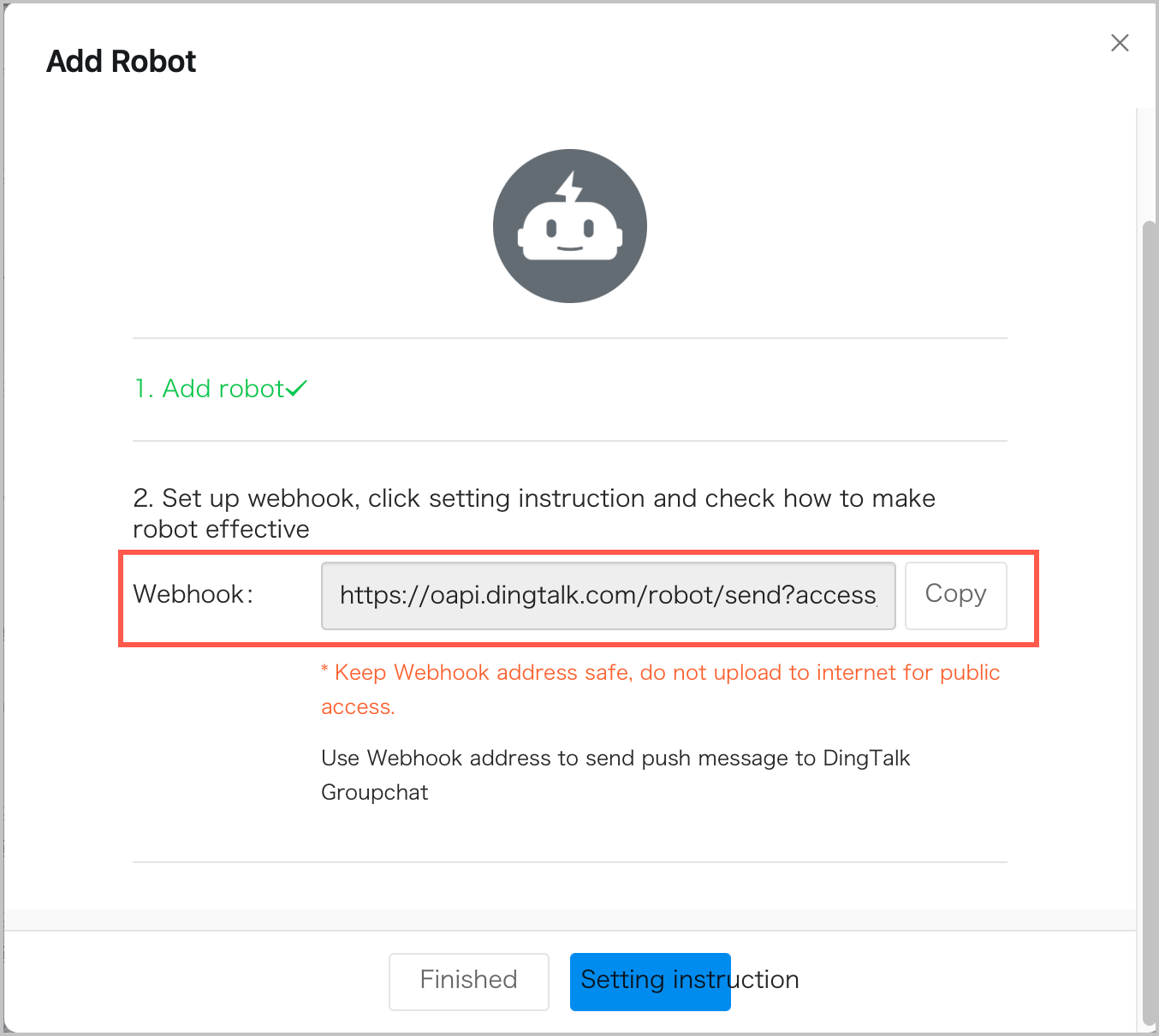
- Click Finished to add the DingTalk bot.
What to do next
After a DingTalk bot is configured, you can use the callback URL and Secret obtained from the bot to add a DingTalk channel in the callback URL configuration. For information about how to create a callback URL, see Callback URLs.
Last updated: 2026.09.07 19:42:35
All rights reserved © Beijing Volcano Engine Technology Co., Ltd2024
