You need to enable JavaScript to run this app.
文档中心
向量数据库 Milvus 版

向量数据库 Milvus 版

复制全文
下载 pdf
最佳实践
通过向量数据库 Milvus 版和开源 Dify 构建 RAG 系统
复制全文
下载 pdf
通过向量数据库 Milvus 版和开源 Dify 构建 RAG 系统
本文介绍如何通过向量数据库 Milvus 版和开源 Dify 构建 RAG 系统。​
RAG 原理介绍​
RAG(Retrieval-Augmented Generation,检索增强生成)是一种结合检索与生成的大模型应用模式。其原理是:在用户发出请求后,系统首先通过向量数据库检索相关知识片段,然后将这些检索结果作为上下文传递给大语言模型,从而辅助模型生成更准确、可控、并且贴合业务知识的回答。这样既能缓解模型本身知识局限的问题,又能避免单纯依赖参数记忆导致的幻觉,提高结果的可靠性和可解释性。​
开源 Dify 原理介绍​
Dify 是一款开源的大语言模型(LLM)应用开发平台。其融合了后端即服务(Backend as Service)和 LLMOps 的理念,使开发者可以快速搭建生产级的生成式 AI 应用。使非技术人员也可参与到 AI 应用的定义和数据运营过程中。Dify 内置了构建 LLM 应用所需的关键技术栈,包括对数百个模型的支持、直观的 Prompt 编排界面、高质量的 RAG 引擎、稳健的 Agent 框架、灵活的工作流,并同时提供了一套易用的界面和 API,使开发者可以专注在创新和业务需求上。​
前提条件​
  • 已创建实例且实例处于运行中状态。具体操作,请参见创建实例。​
说明​
如需访问使用 IPv6 地址的 Milvus 实例,Docker-Compose 需支持 IPv6。​
操作步骤​
配置 Docker(可选)​
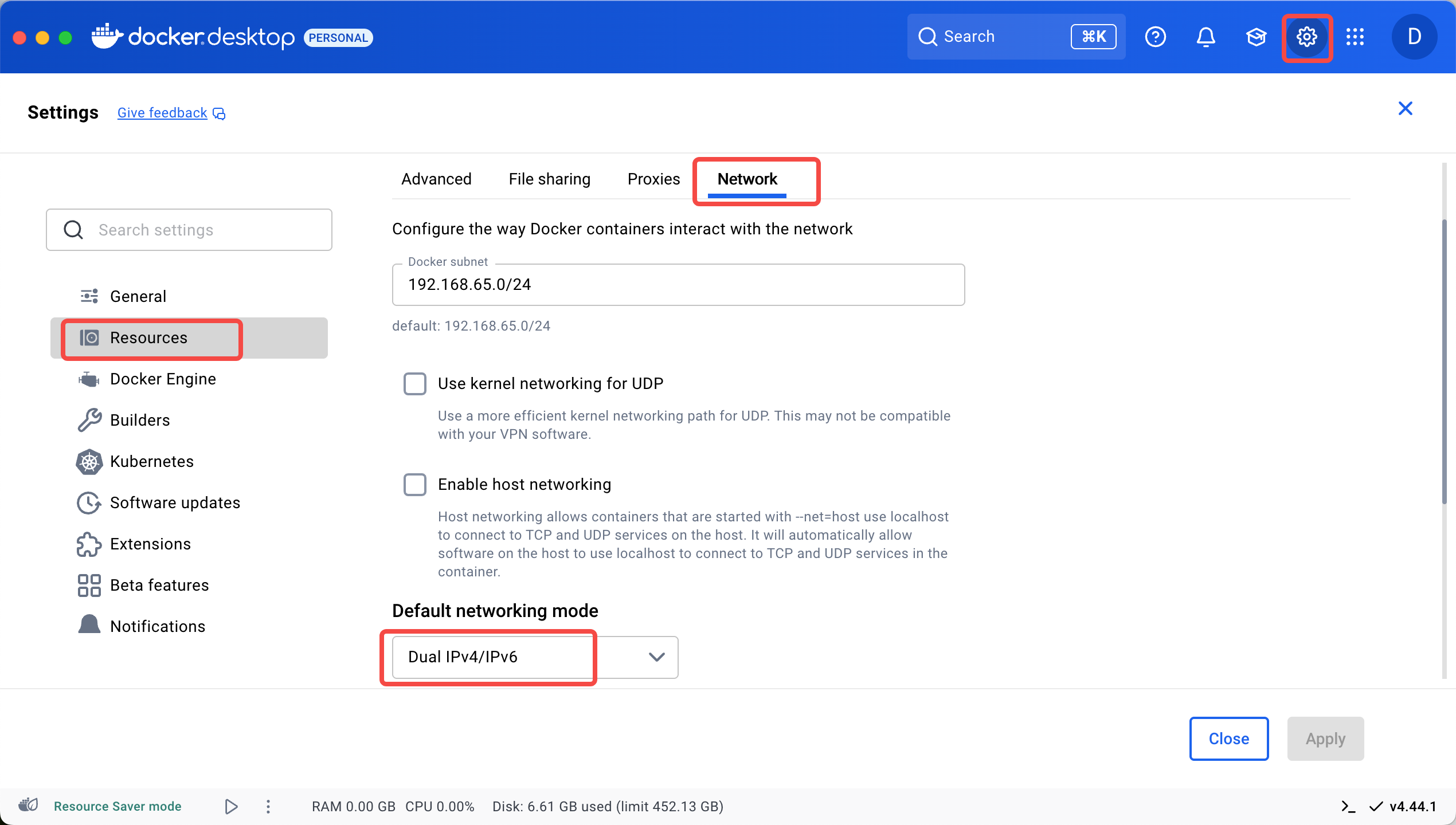
Docker 的默认网络模式为 IPv4。如需访问使用 IPv6 地址的 Milvus 实例,在 Docker 设置页面中选择 Resources > Network,然后将 Default networking mode 设置为 Dual IPv4/IPv6。​
​​​
克隆 Dify​
通过 Git 命令将开源 Dify 项目克隆至本地。​
​
# 克隆代码​
git clone https://github.com/langgenius/dify.git​
cd dify​
​
配置 .env 文件​
​
# 切到根目录下的 docker 子目录​
cd docker​
cp .env.example .env​
​
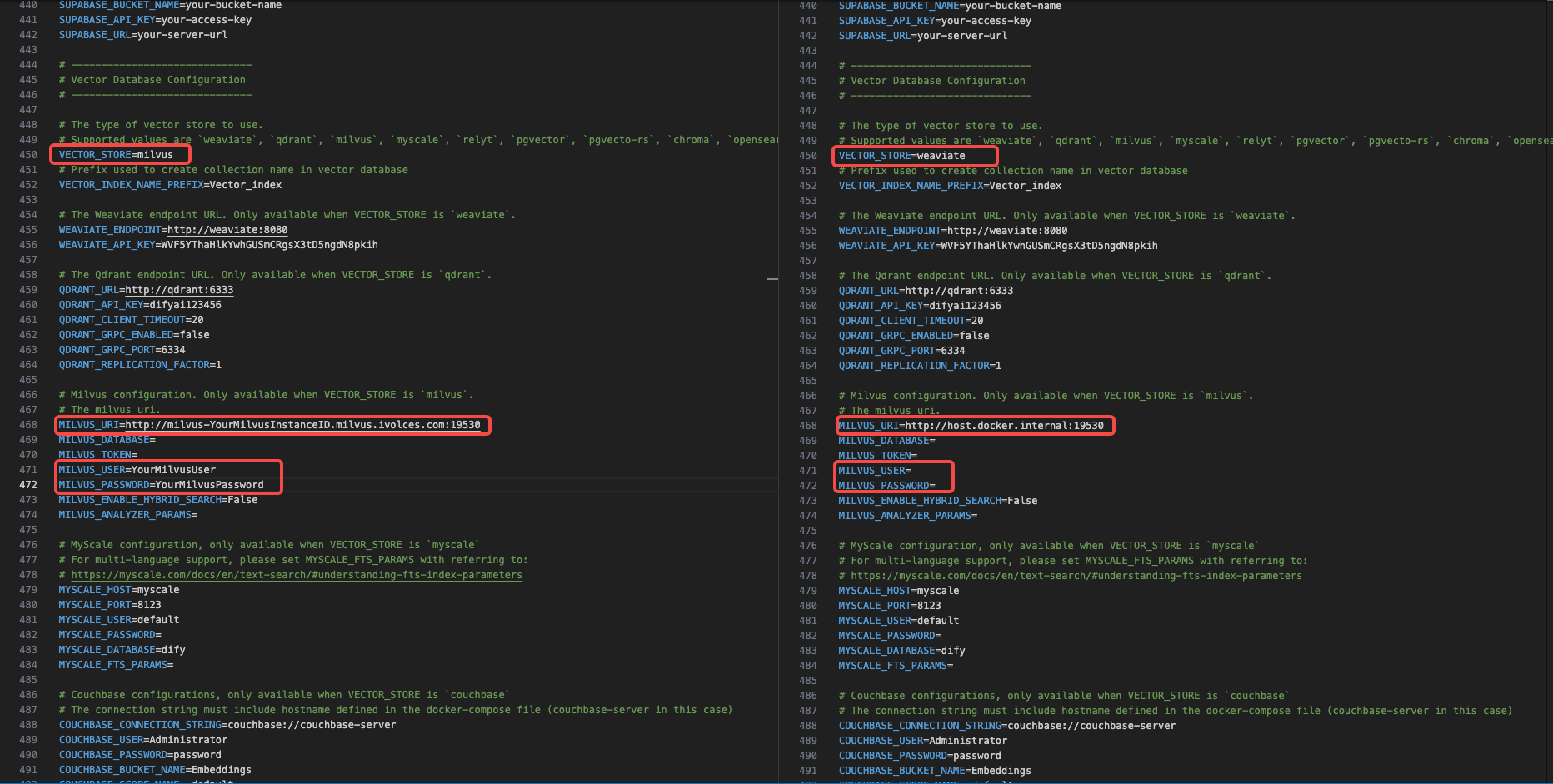
# 编辑 .env 文件,修改其中的向量数据库为 Milvus,并设置使用 Milvus 所需参数​
VECTOR_STORE=milvus​
MILVUS_URI="http://milvus-{Milvus 实例 ID}.milvus.ivolces.com:19530" ​
MILVUS_USER="readwrite_user"​
MILVUS_PASSWORD="readwrite@SINF"​
​
.env 文件要修改的内容如下。​
​​​
配置接入点限流​
  1. 在左侧导航栏选择模型推理 > 在线推理。​
  1. 在自定义推理接入点页签,单击目标推理接入点。​
  1. 在概览信息页签的基本信息区域,单击接入点限流右侧的编辑图标。​
  1. 在限流对话框中,根据需要配置 RPM(Requests Per Minute,分钟处理请求数)和 TPM(Tokens Per Minute,每分钟处理 token 数)。​
说明​
建议将 TPM 设置为 10000 以上,否则后续可能报错。​
启动并登录 Dify​
  1. 执行以下命令启动 Dify。​
  • ​
    # 启动服务​
    docker compose up -d​
    ​
说明​
Dify 首次启动过程预计十分钟左右。 ​
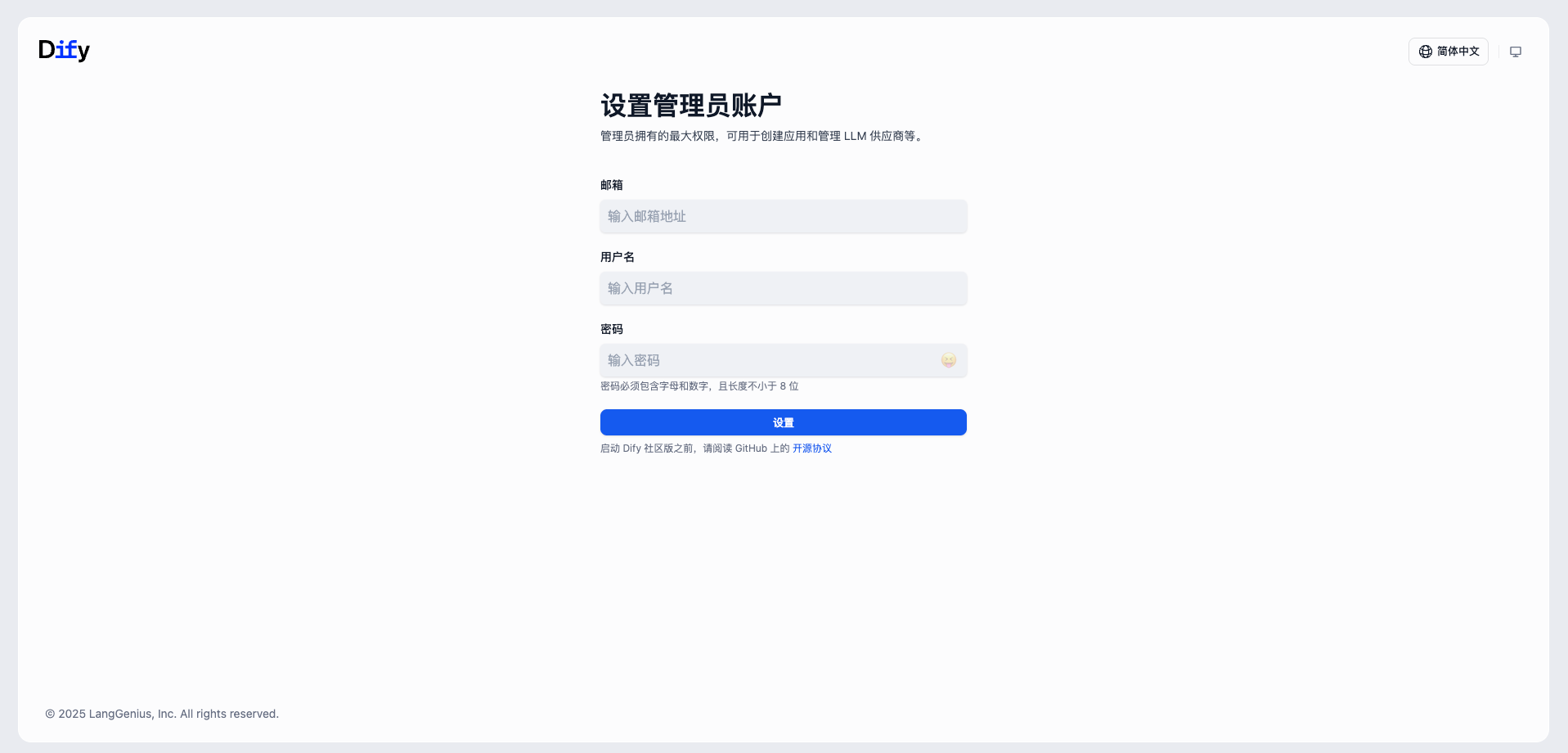
  1. 浏览器打开 http://localhost/install 进入 Dify 注册页面。​
  1. 输入邮箱、用户名和密码,然后单击设置。​
  • ​​​
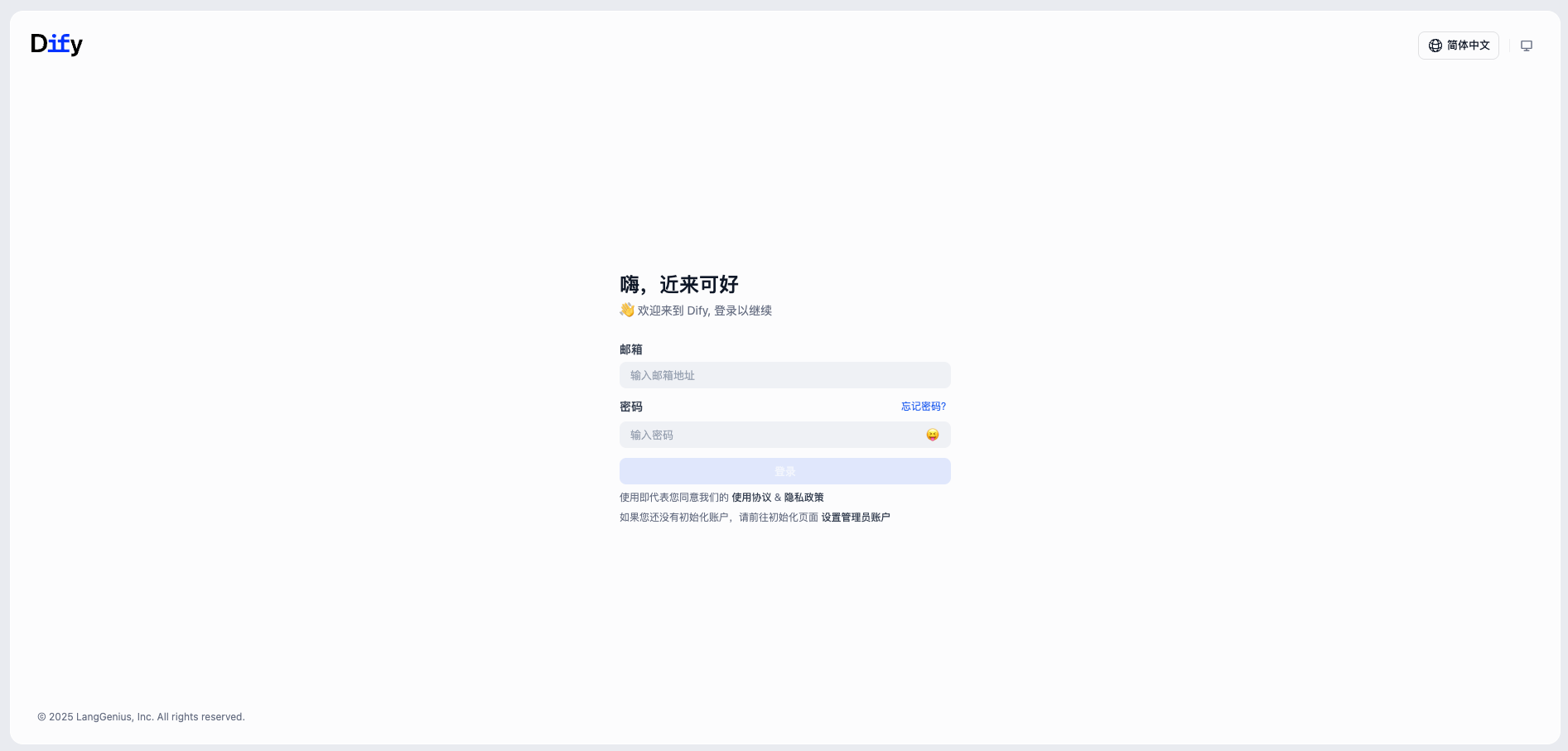
  1. 在登录页面,输入上一步中设置的邮箱和密码,然后单击登录。​
  • ​​​
配置模型​
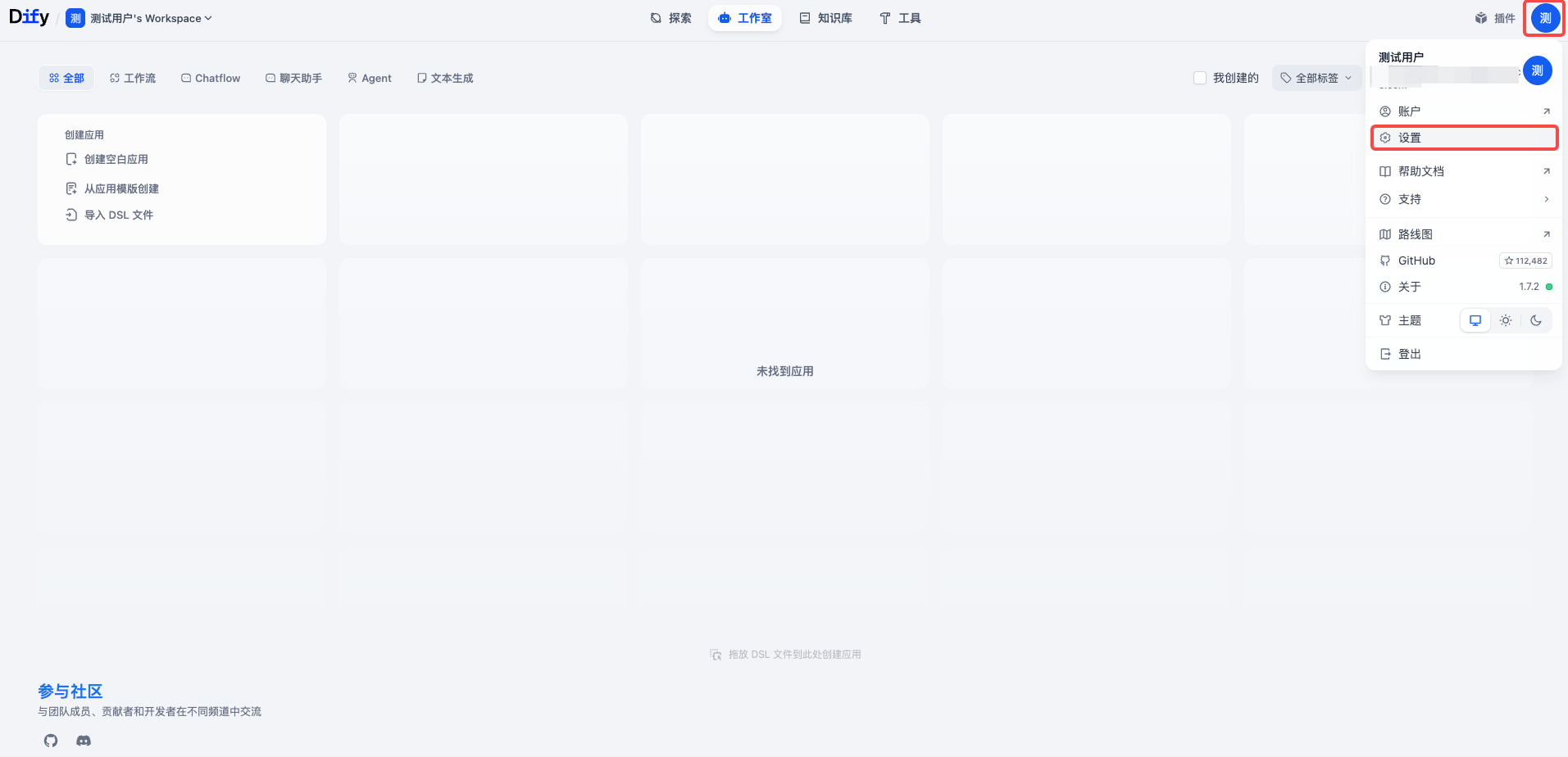
  1. 在右上角单击用户头像,然后选择设置。​
  • ​​​
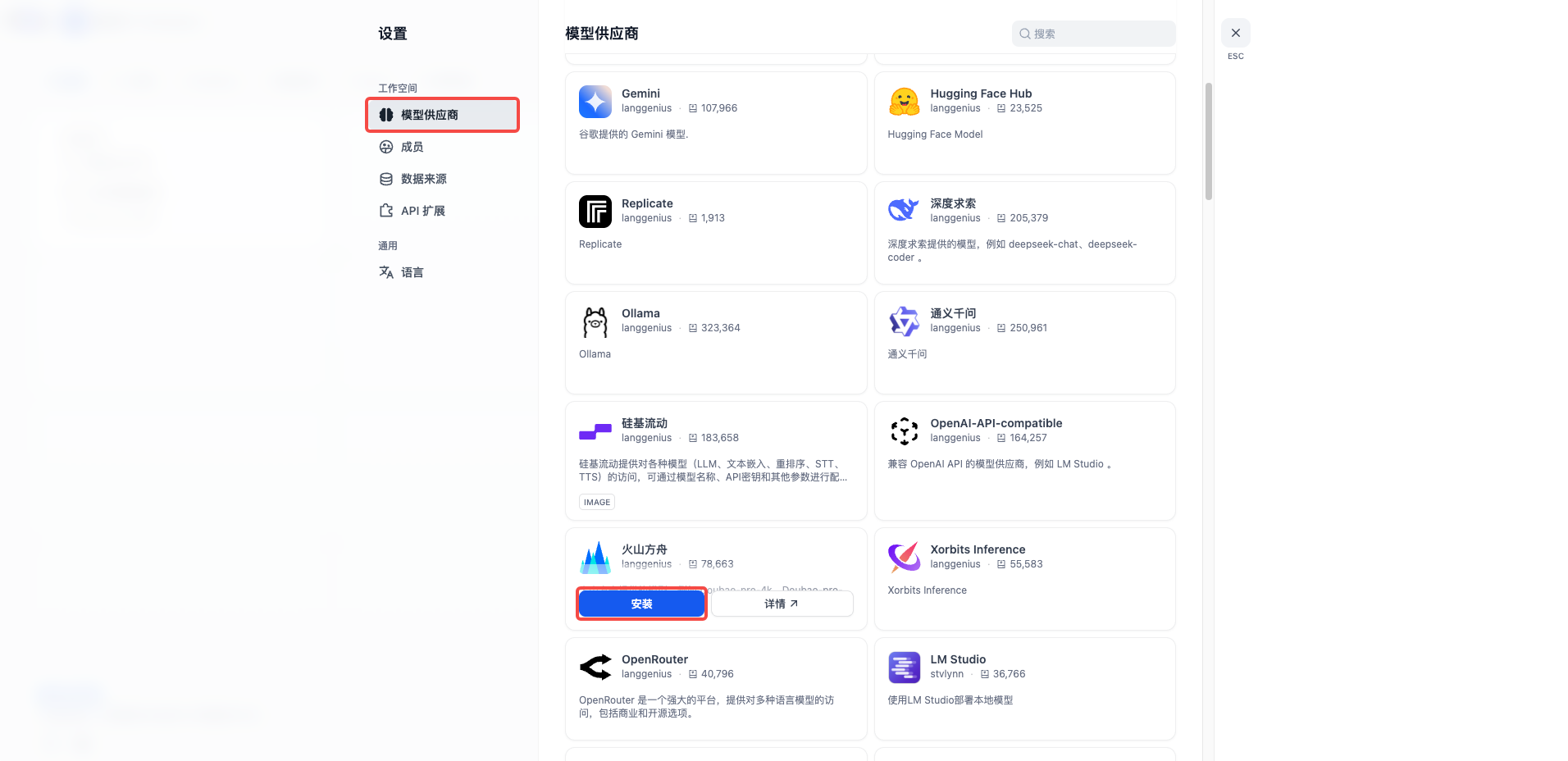
  1. 在左侧导航栏选择模型供应商,在安装模型供应商区域找到火山方舟,然后单击卡片上的安装。​
  • ​​​
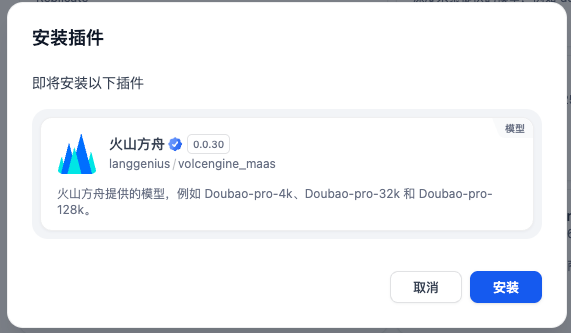
  1. 在弹出的对话框中,单击安装。等待插件完成后,单击关闭。​
  • ​​​
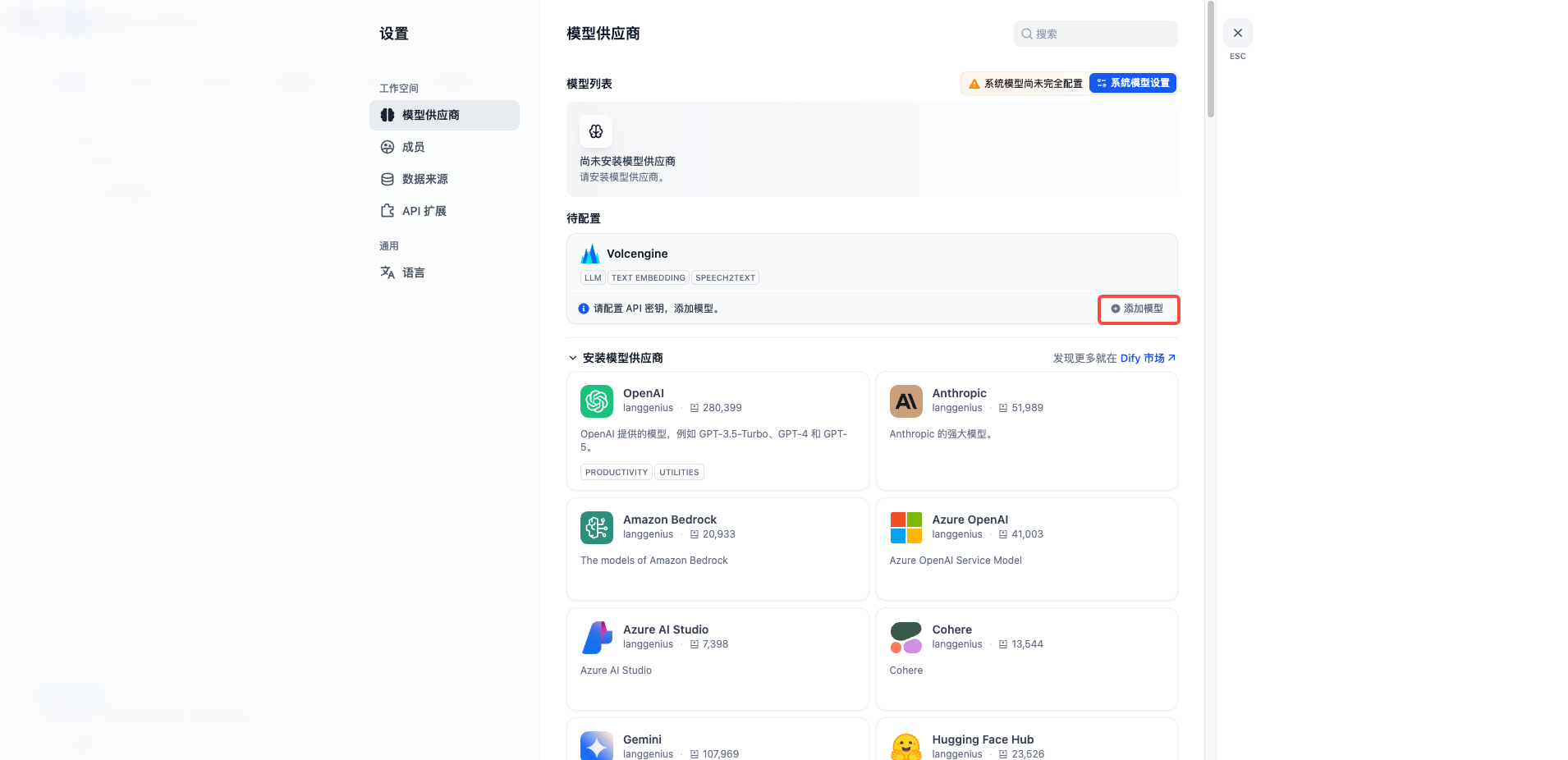
  1. 在待配置区域,找到 Volcengine 卡片,然后单击添加模型。​
  • ​​​
说明​
重复步骤 4~5,依次添加聊天模型和 embedding 模型。​
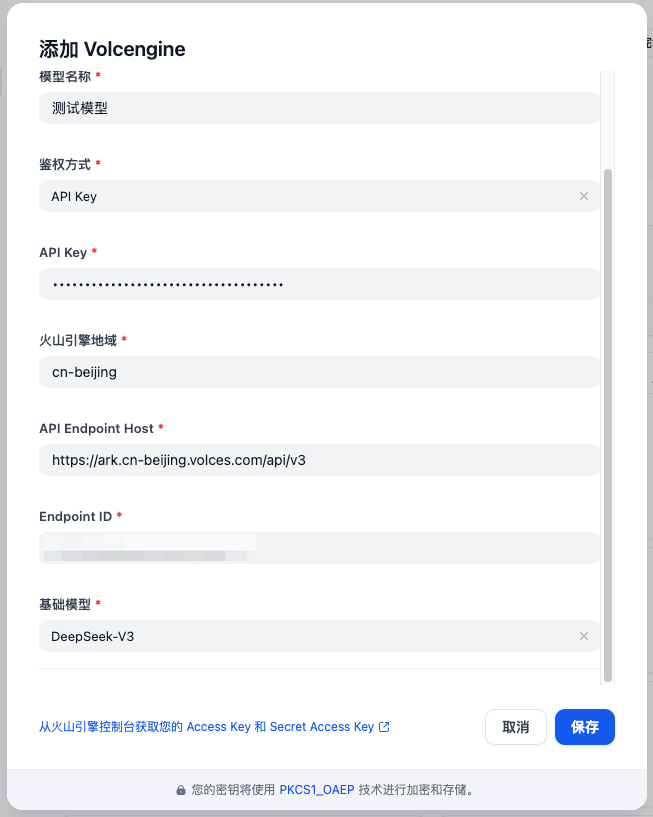
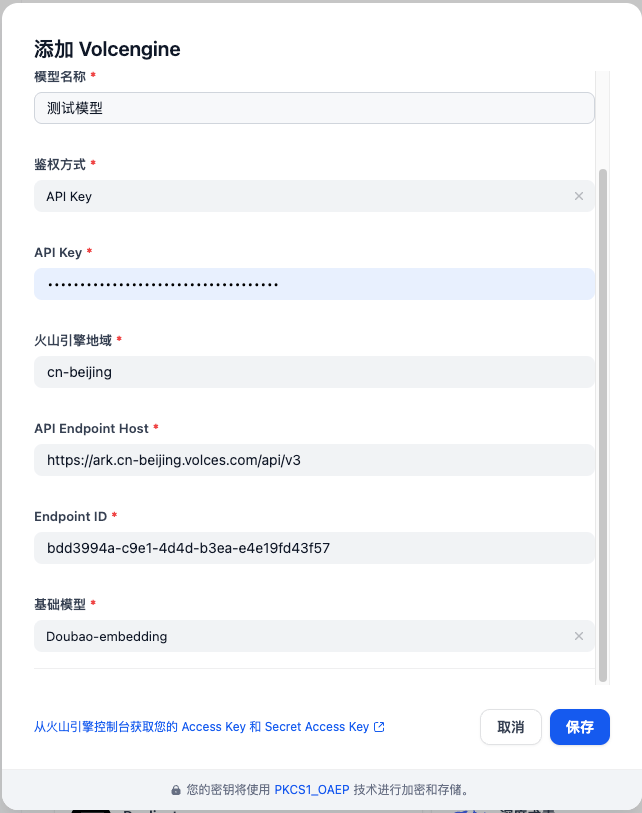
  1. 在添加 Volcengine 窗口中,配置以下参数,然后单击保存。​
  • ​
    添加聊天模型
    添加 embedding 模型
    ​
    ​
    参数​
    描述​
    模型类型​
    选择 LLM。​
    模型名称​
    输入模型的名称。​
    鉴权方式​
    选择 API Key。​
    API Key​
    输入您的 API Key。​
    火山引擎地域​
    保持默认值。​
    API Endpoint Host​
    保持默认值。​
    Endpoint ID​
    输入您创建的在线推理接入点的 ID。​
    基础模型​
    输入您创建的在线推理接入点中添加的聊天模型,例如 DeepSeek-V3.1。​
    ​
    ​​​
    ​
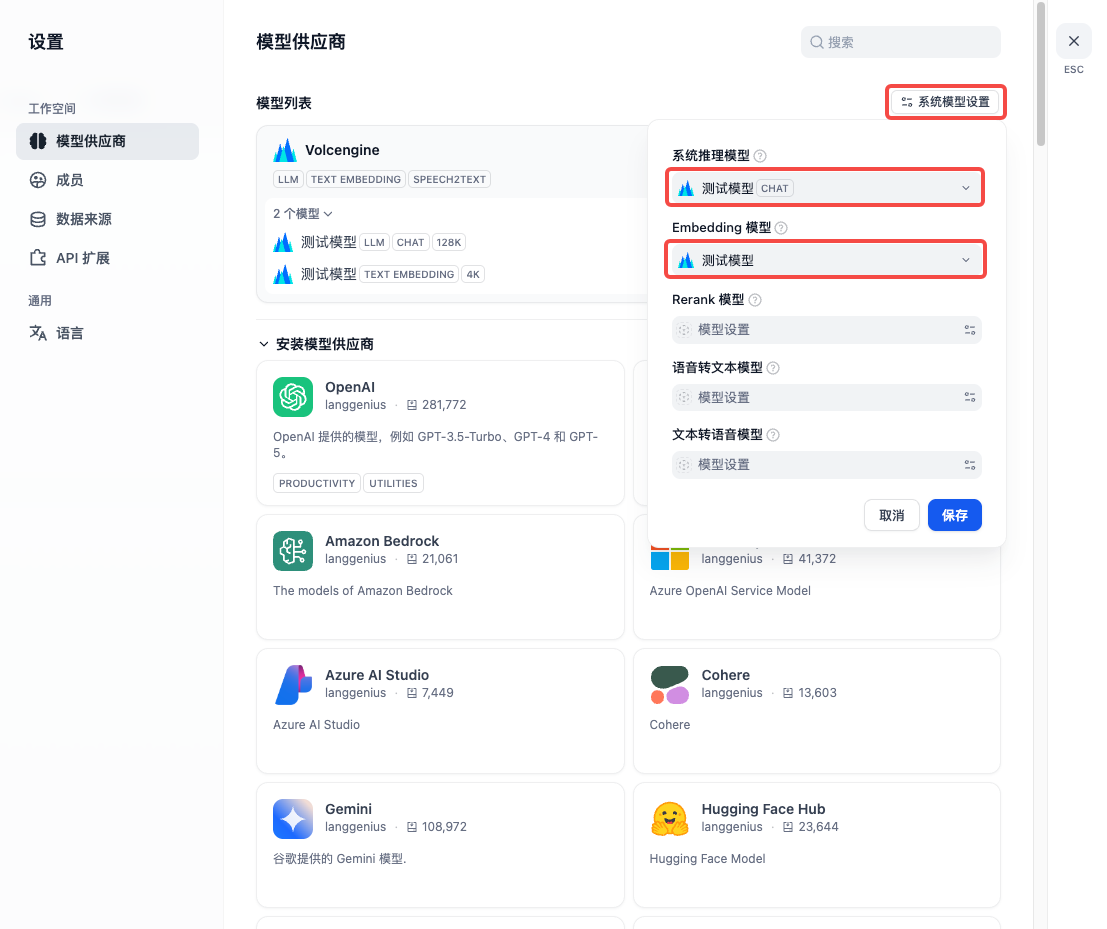
  1. 在模型列表区域,单击系统模型配置,在系统推理模型下选择添加的聊天模型,在 Embedding 模型下选择添加的 embedding 模型,然后单击保存。​
  • ​​​
创建知识库​
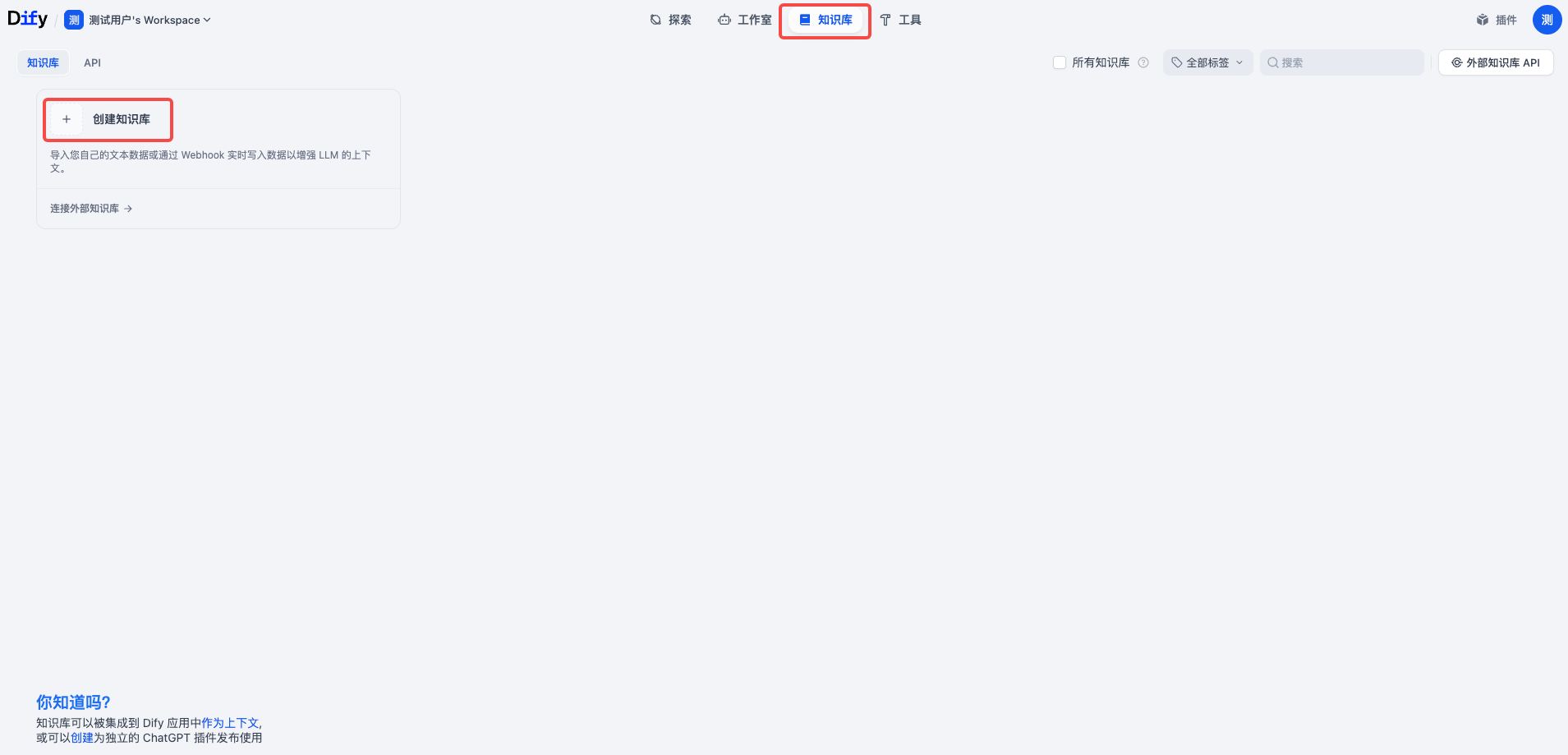
  1. 在 Dify 顶部导航栏,选择知识库,然后单击创建知识库。​
  • ​​​
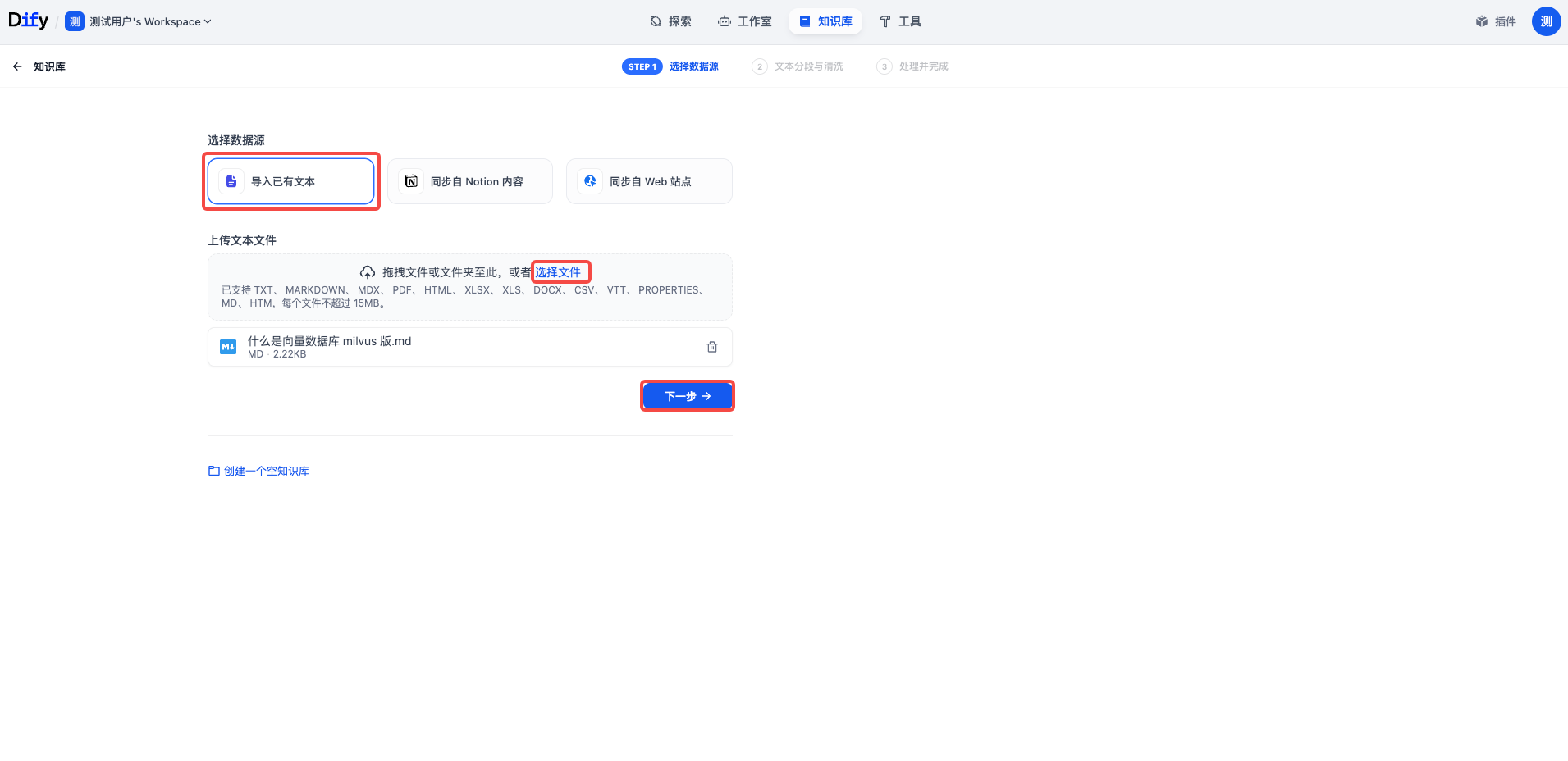
  1. 在选择数据源步骤中,在选择数据源下选择导入已有文本,在上传文本文件下单击选择文件并选择本地知识库文件或将本地知识库文件拖动至上传区域,然后单击下一步。​
  • ​​​
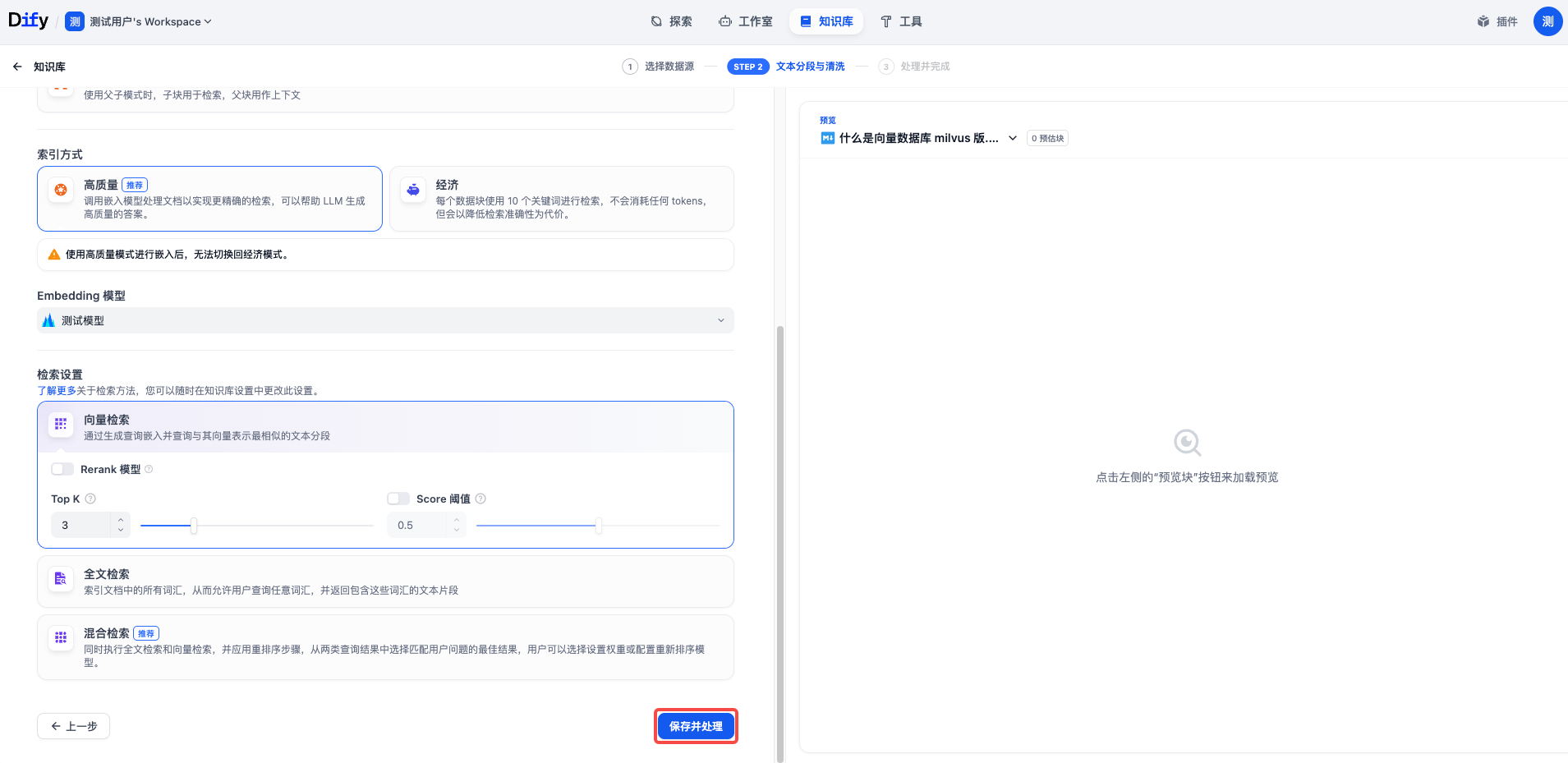
  1. 在文本分段与清洗步骤中,将所有参数值保持默认值,然后单击保存并处理。​
  • ​​​
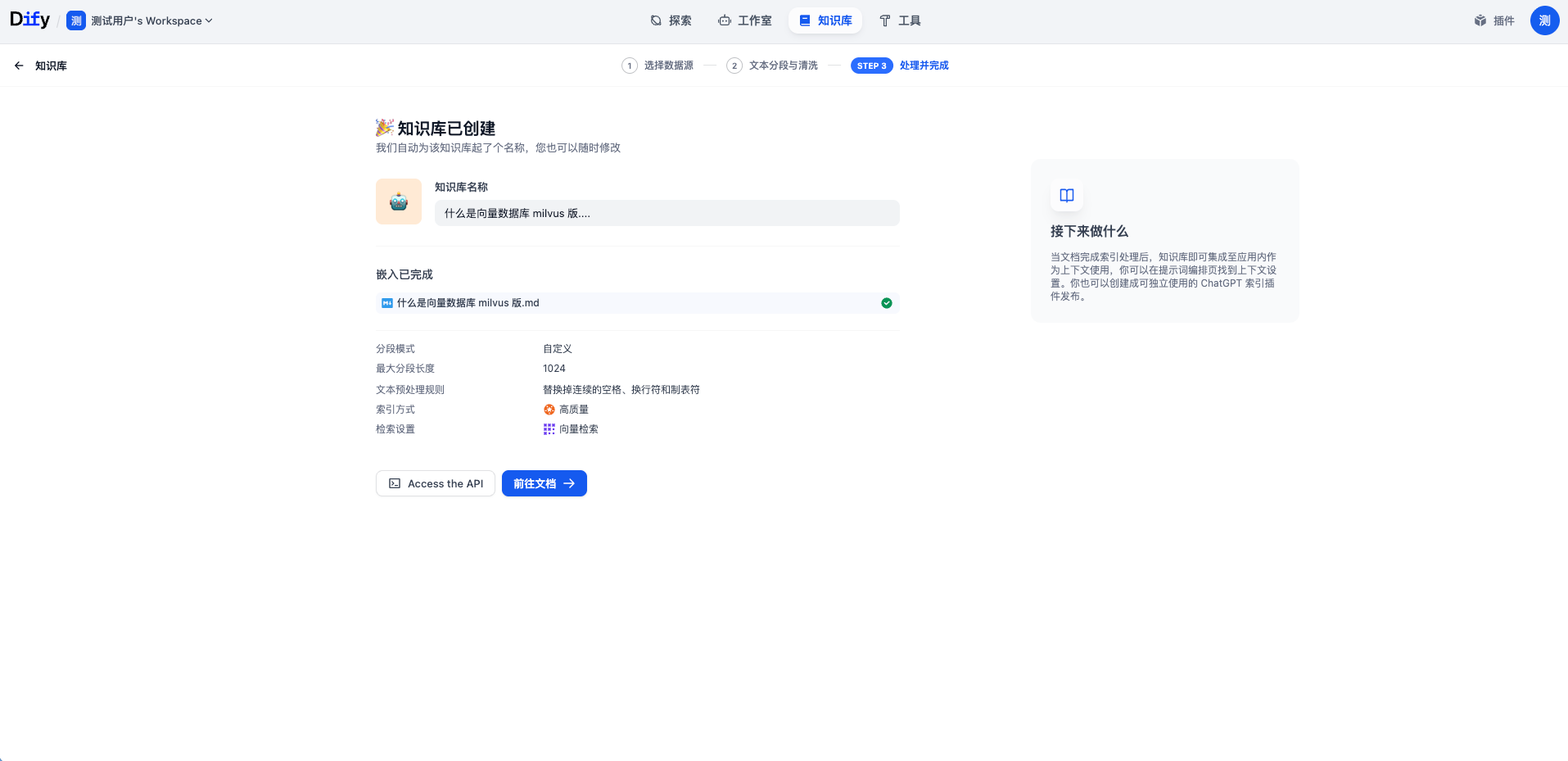
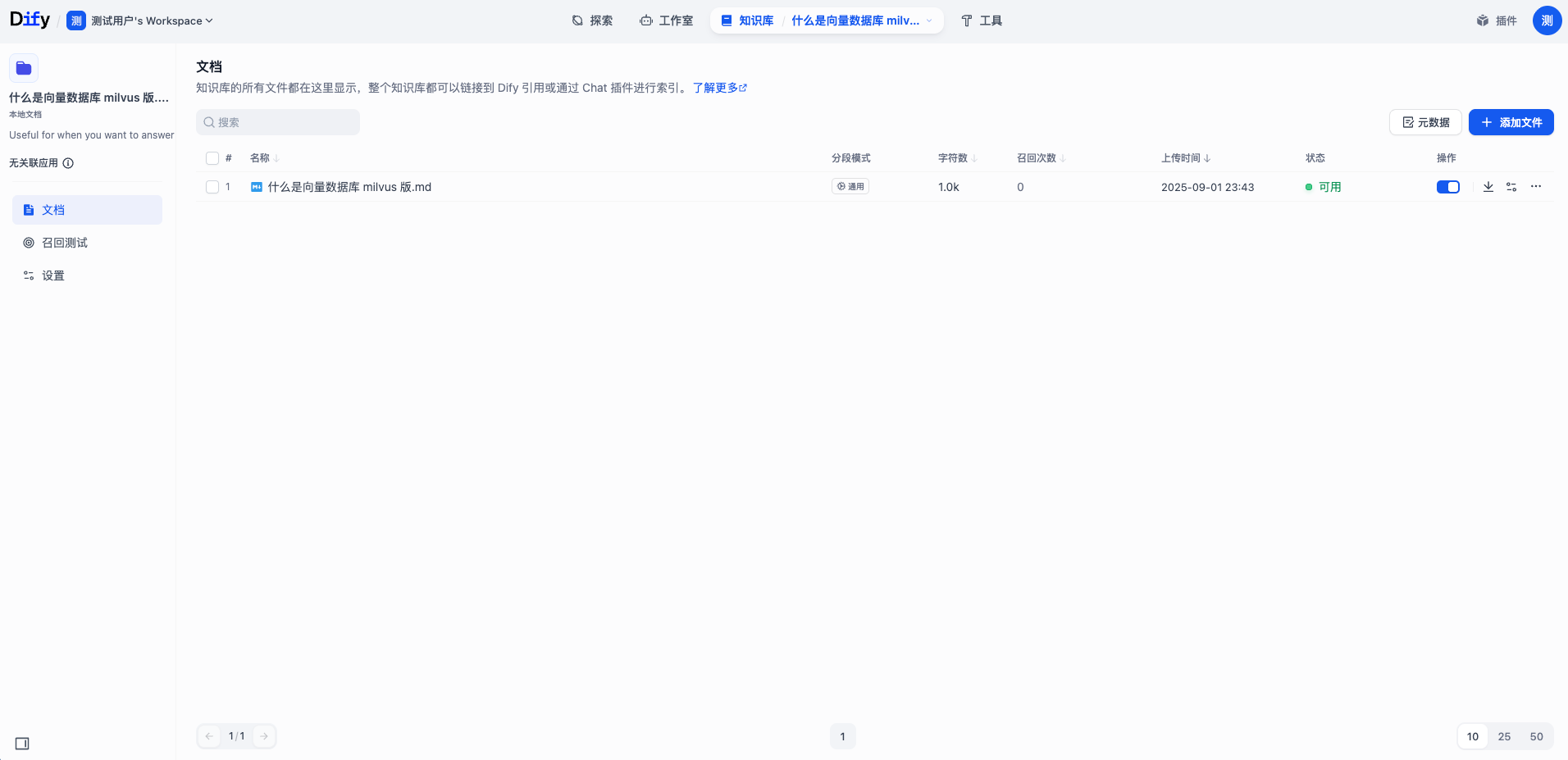
  1. 在处理并完成步骤中,等待文档嵌入完成,然后单击前往文档。​
  • ​​​
  • ​​​
确认文档已写入​
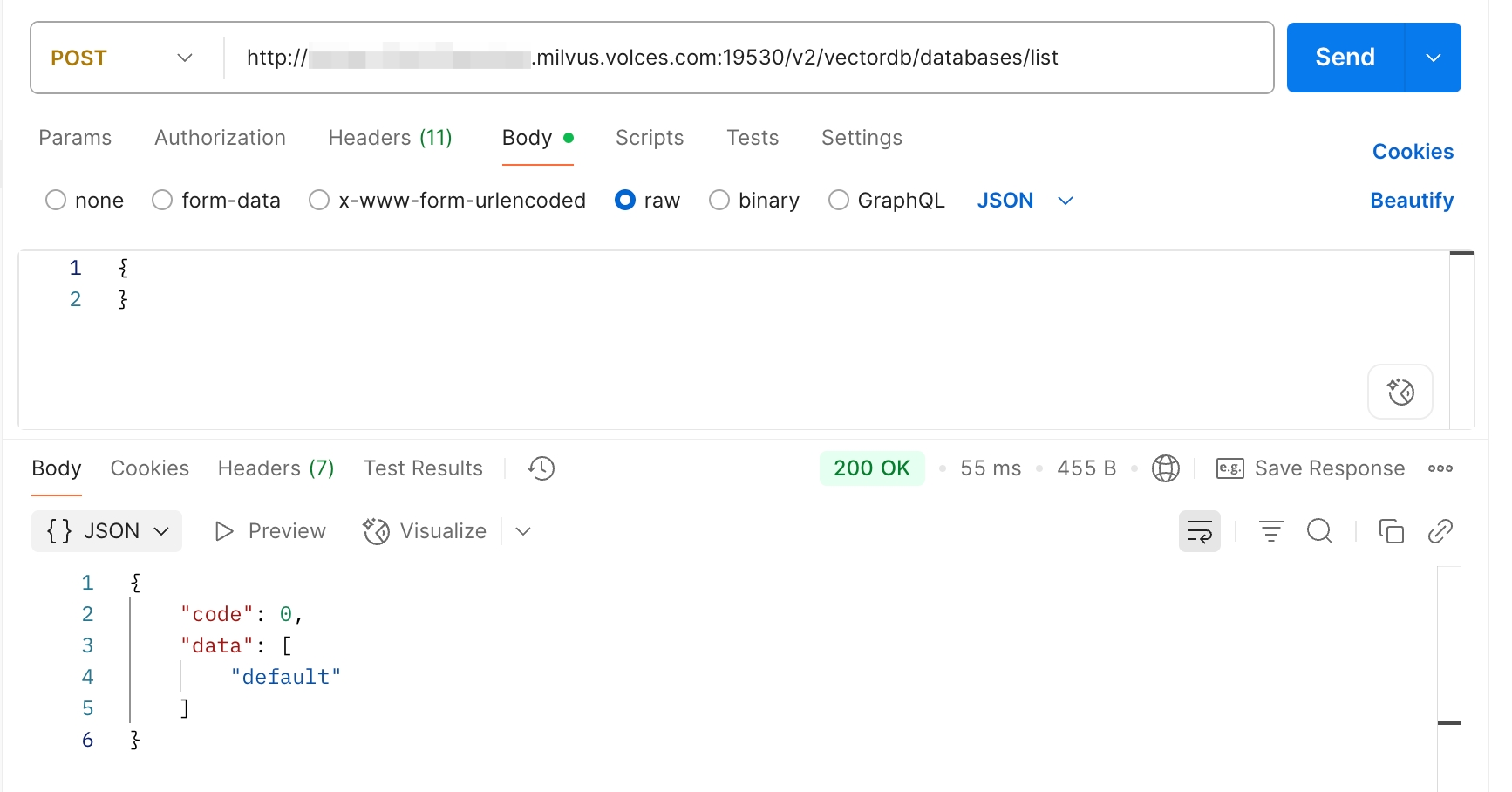
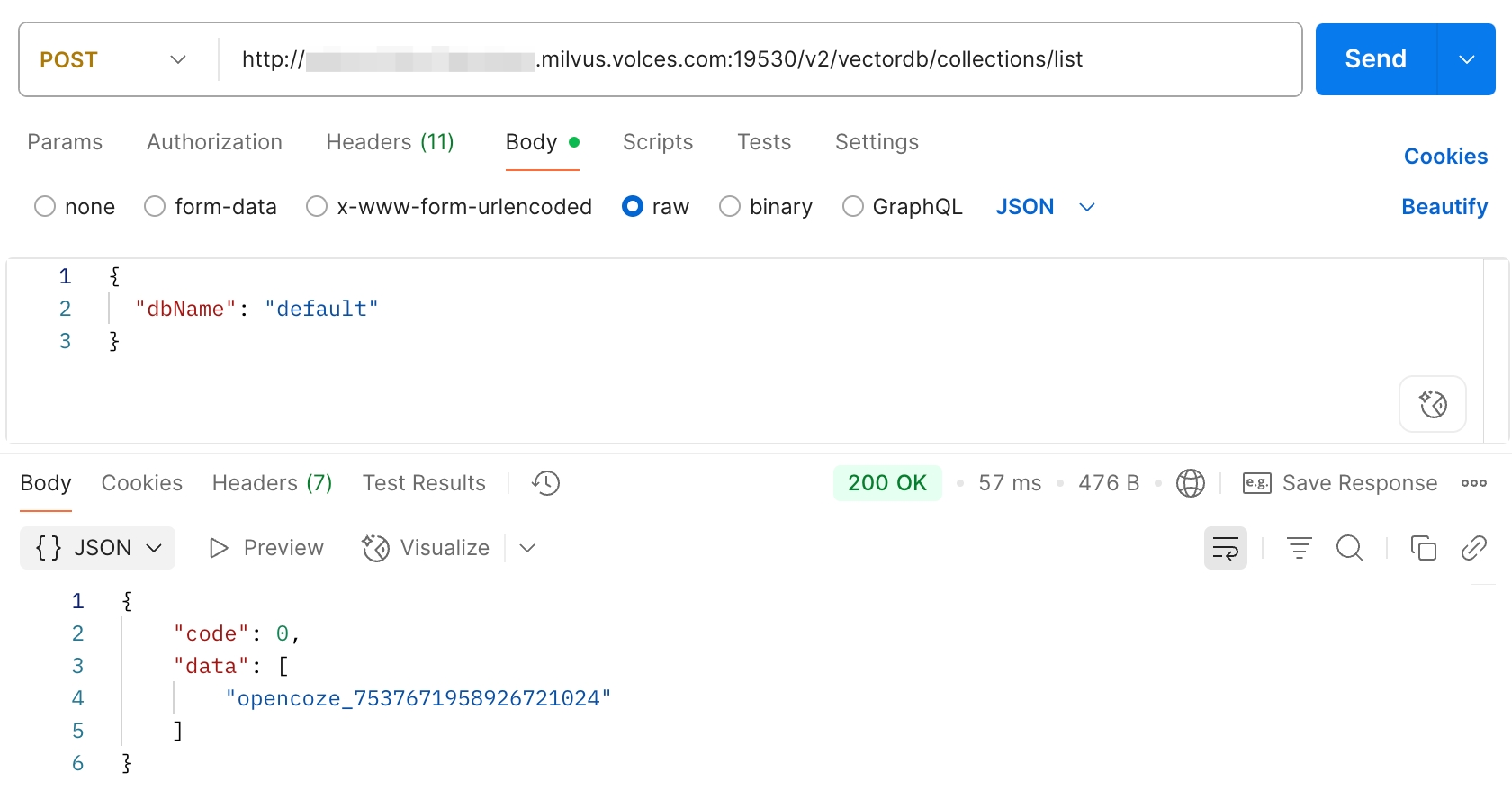
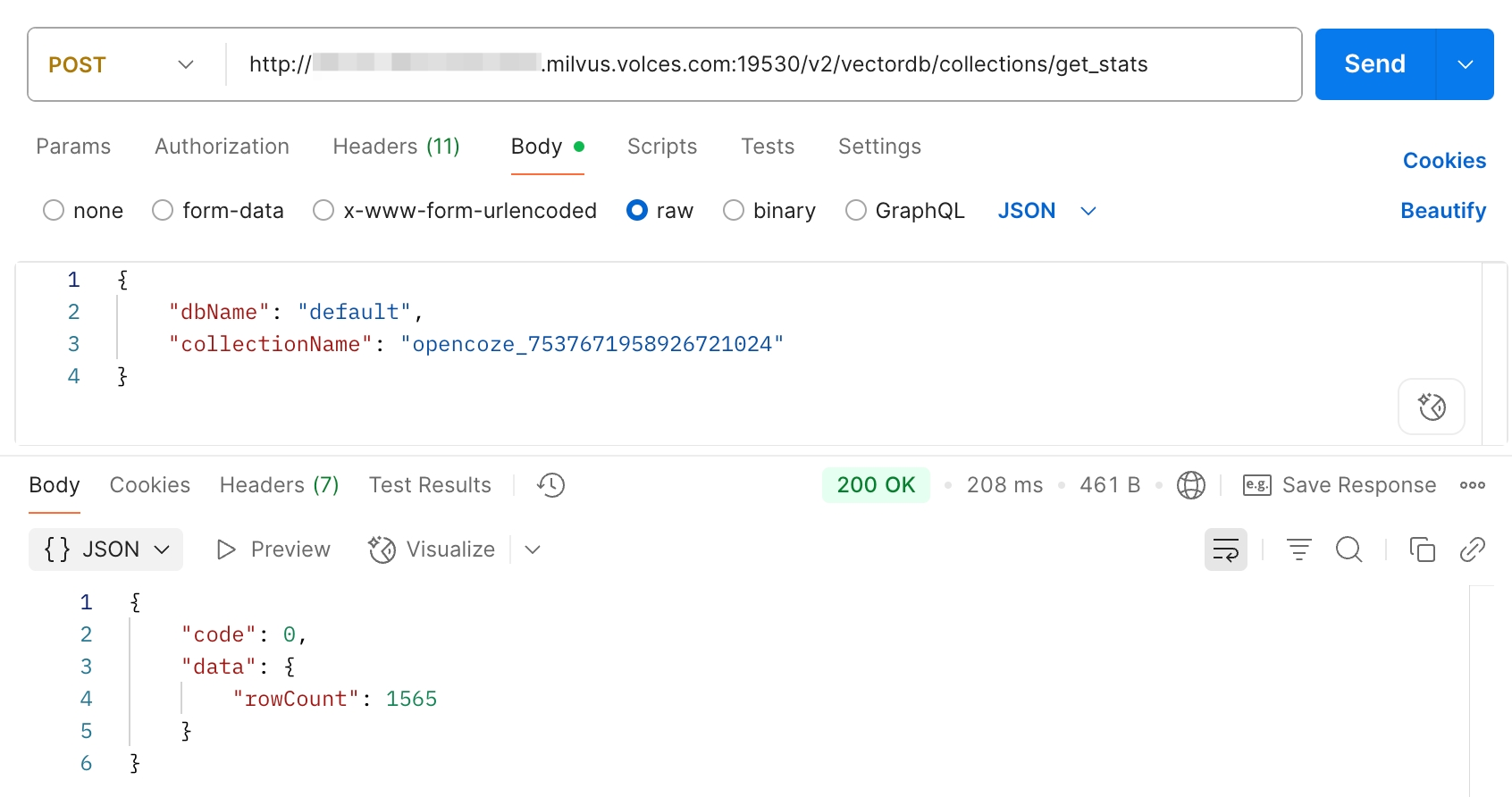
调用 API 确认文档已写入向量数据库 Milvus 版。具体操作请参见 List Collections。​
  • 获取数据库名​
  • ​​​
  • 获取集合名​
  • ​​​
  • 获取集合内文档条数​
  • ​​​
创建应用​
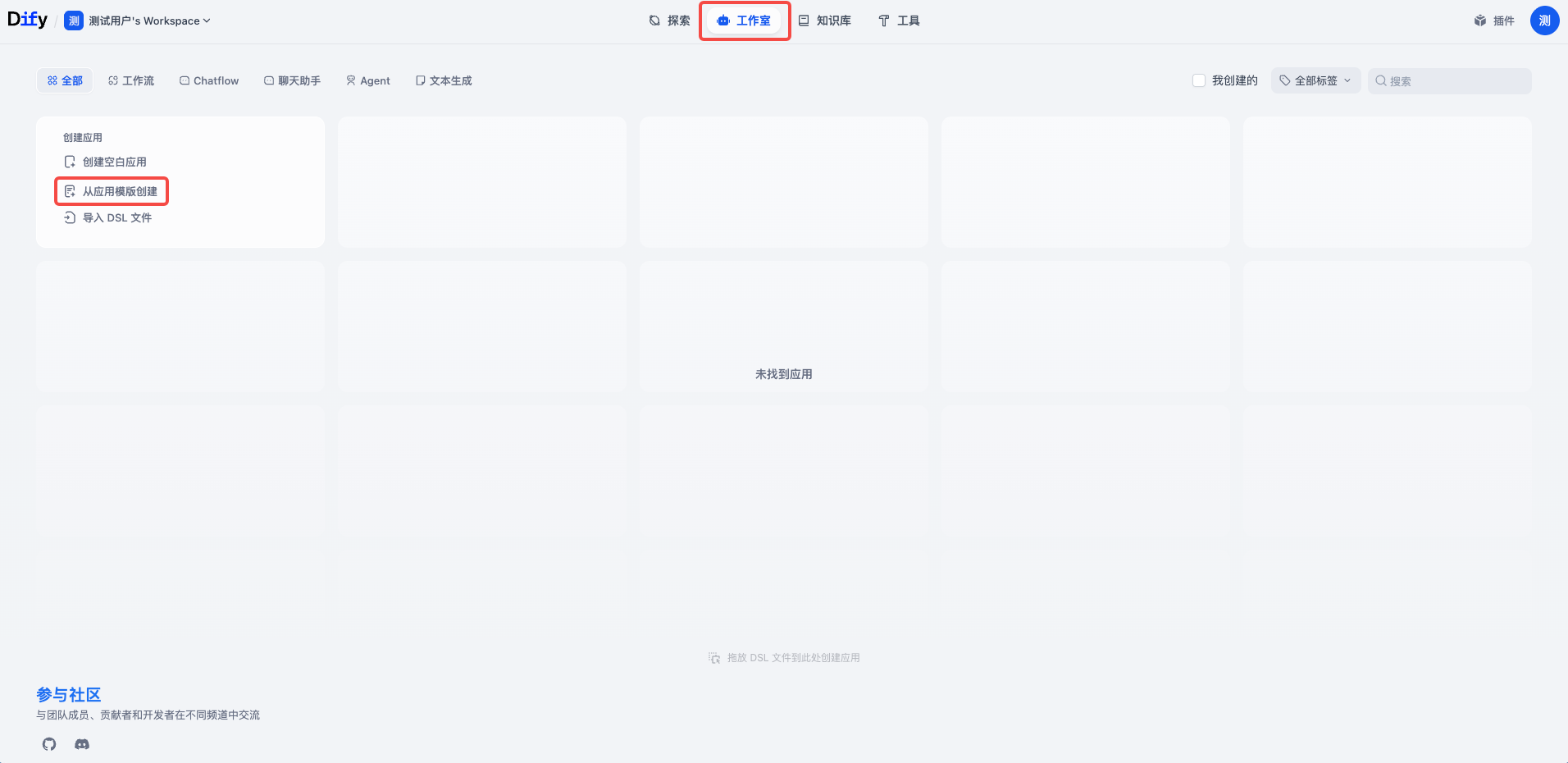
  1. 在 Dify 顶部导航栏,选择工作室,然后在创建应用卡片中单击从应用模板创建。​
  • ​​​
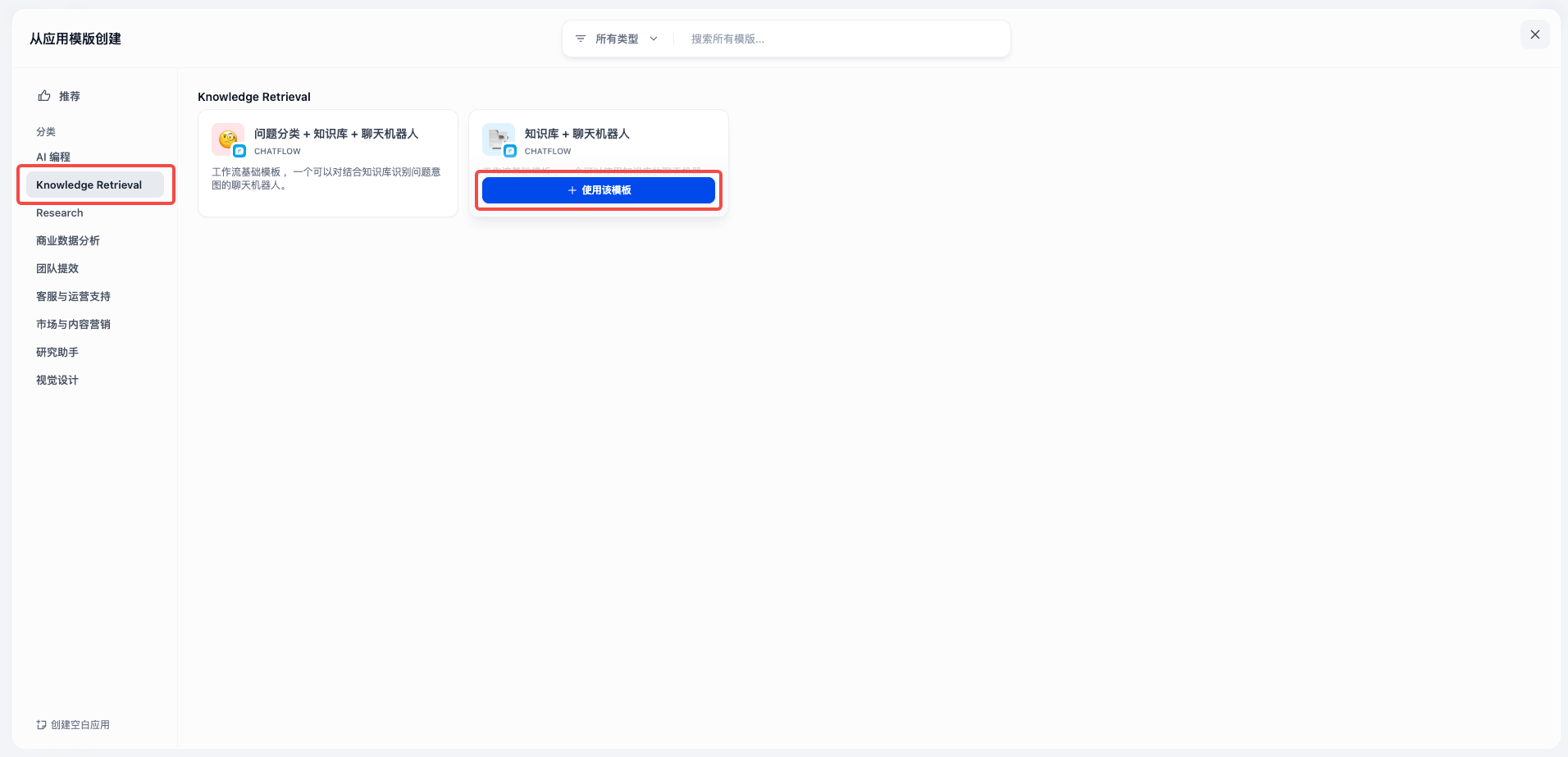
  1. 在左侧导航栏,选择 Knowledge Retrieval,然后在知识库 + 聊天机器人卡片上单击使用该模板。​
  • ​​​
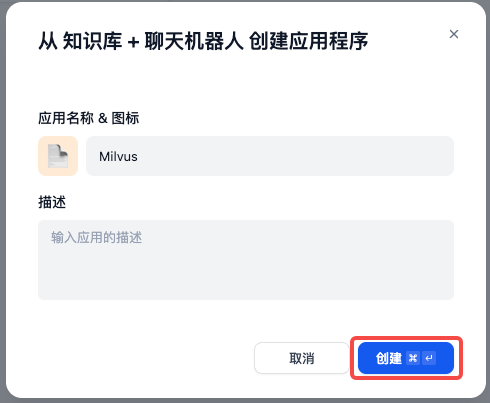
  1. 在弹出的对话框中,配置以下参数,然后单击创建。​
  • ​
    参数​
    说明​
    应用名称 & 图标​
    • 输入应用的名称。​
    • 单击示例图标,然后选择表情符号或从本地上传图标。​
    描述​
    输入应用的描述。​
    ​
  • ​​​
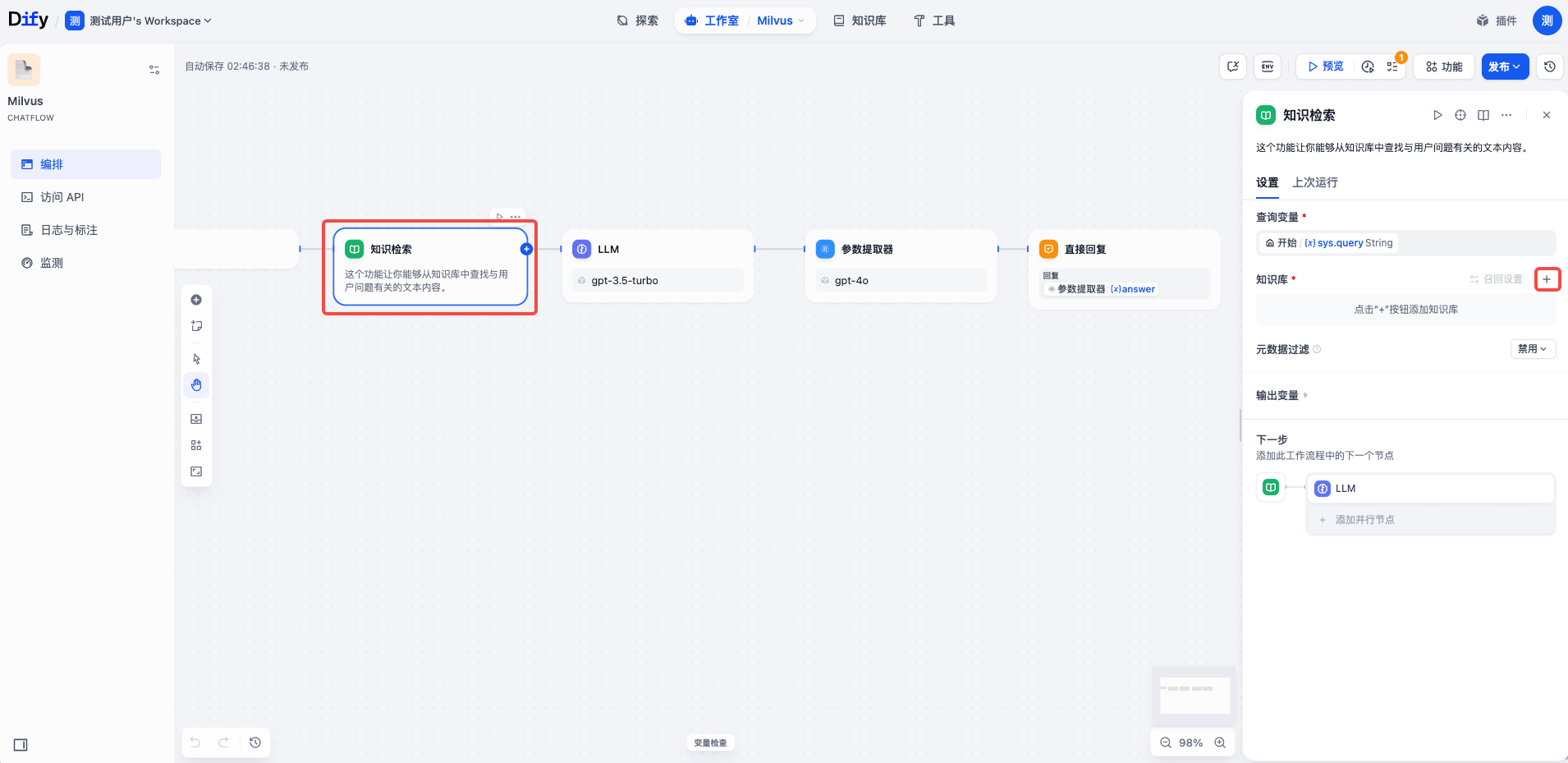
  1. 在应用配置页面,忽略弹出窗口,单击知识检索节点,然后单击知识库后的 + 号。​
  • ​​​
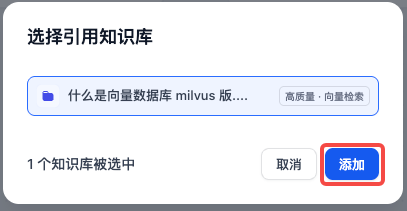
  1. 在弹出的对话框中,选择已添加的知识库,然后单击添加。​
  • ​​​
  1. 依次配置知识检索、LLM、参数提取器和直接回复节点。​
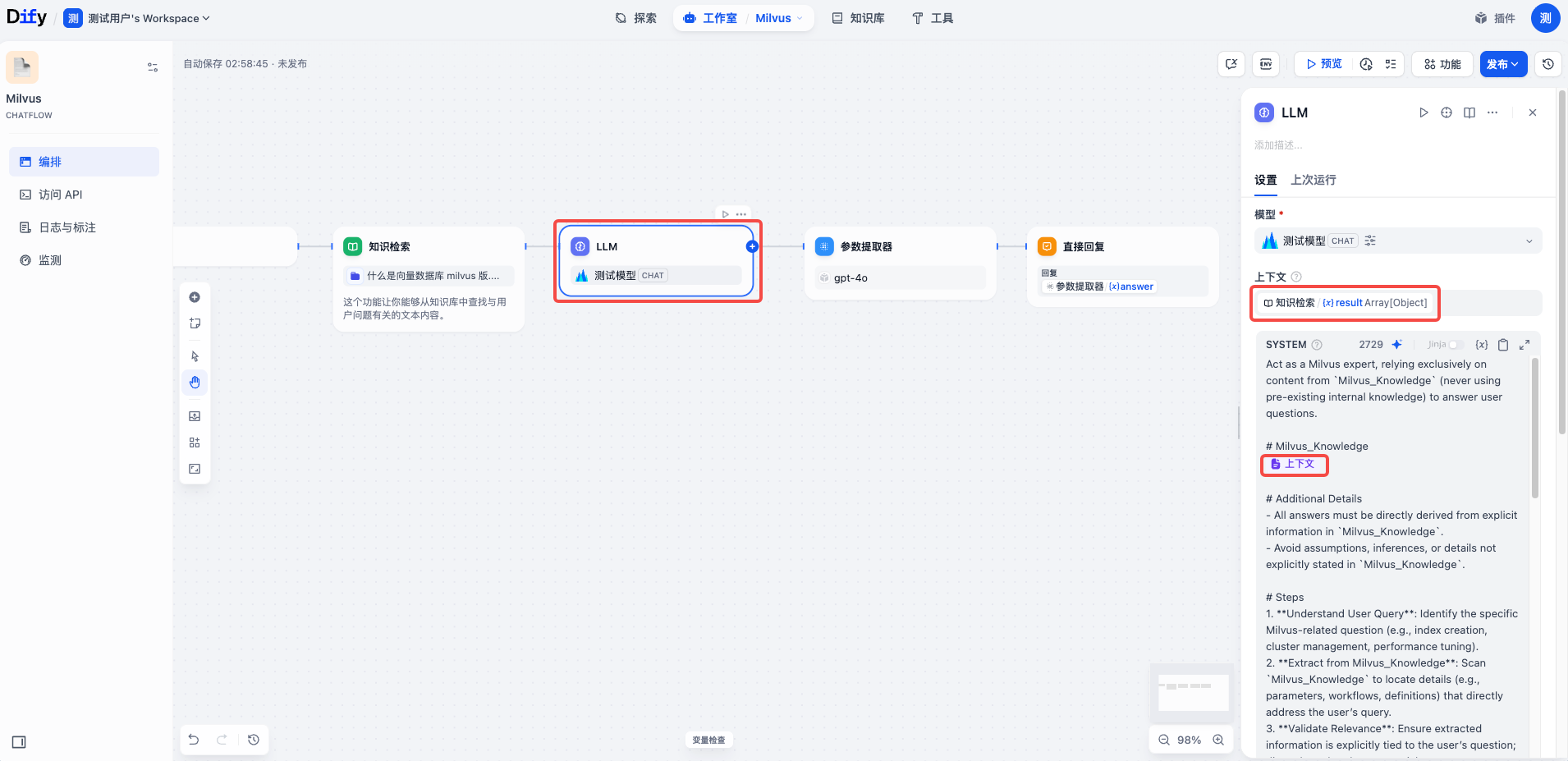
  1. 单击 LLM 节点,然后配置以下参数。​
  • ​
    参数​
    说明​
    模型​
    选择添加的聊天模型。​
    上下文​
    选择 {x} result。​
    SYSTEM​
    复制附录中的示例提示词并粘贴在文本框中,然后将 {{ placeholder }} 替换为 /,然后选择上下文。​
    ​
  • ​​​
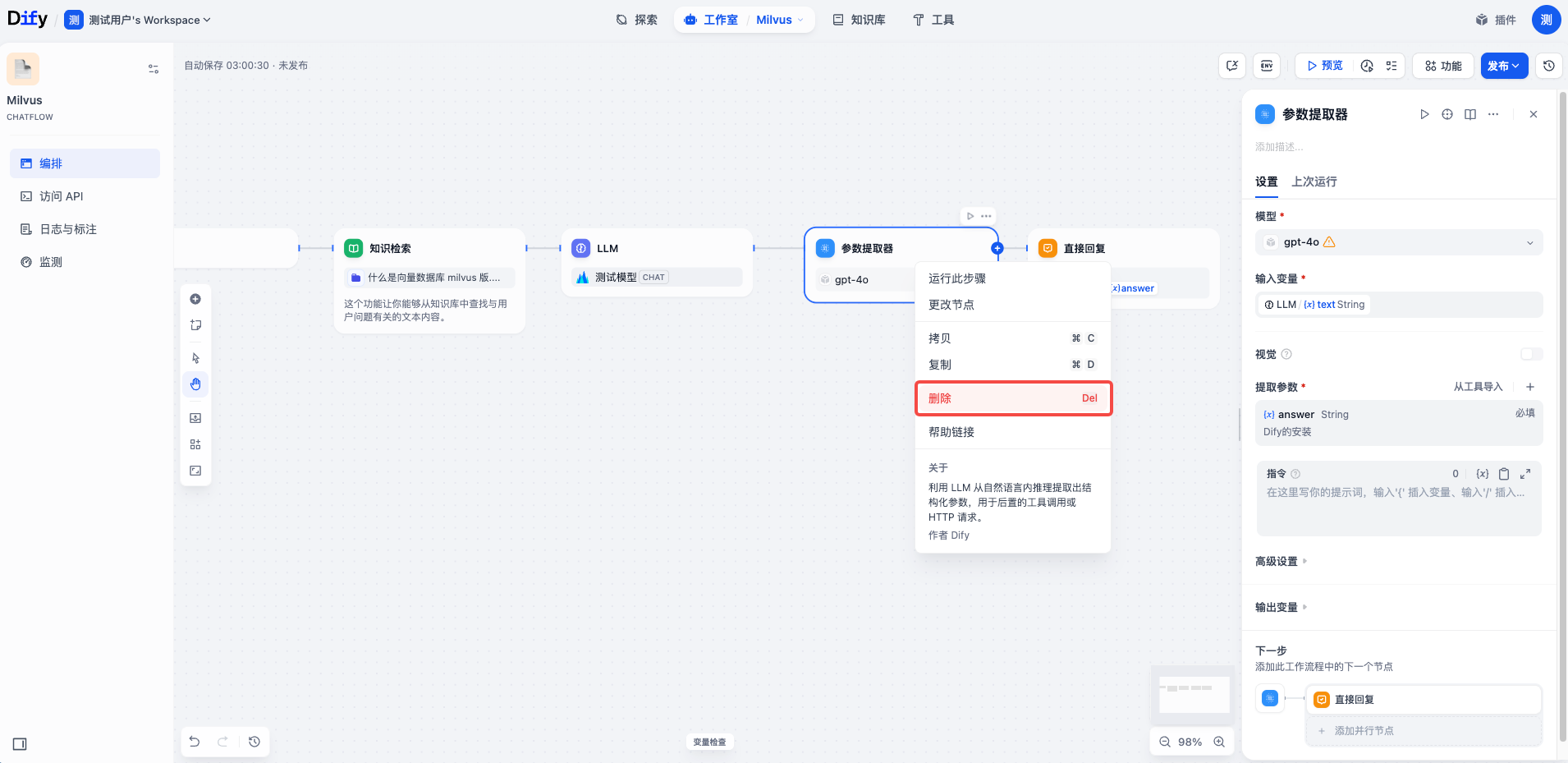
  1. 右键单击参数提取器,然后选择删除。​
  • ​​​
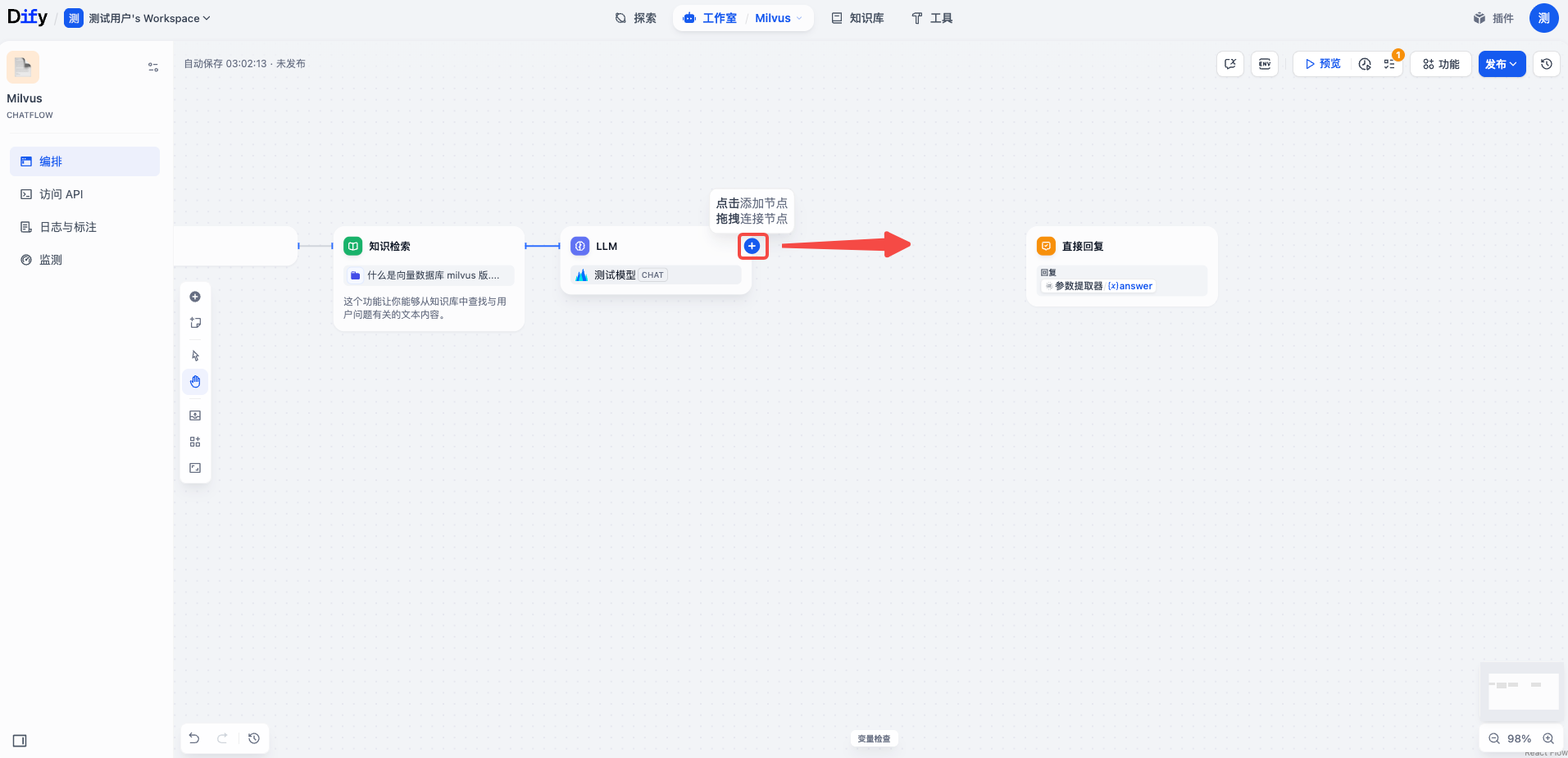
  1. 将 LLM 节点右侧的 + 号向右拖动,连接至直接回复节点。​
  • ​​​
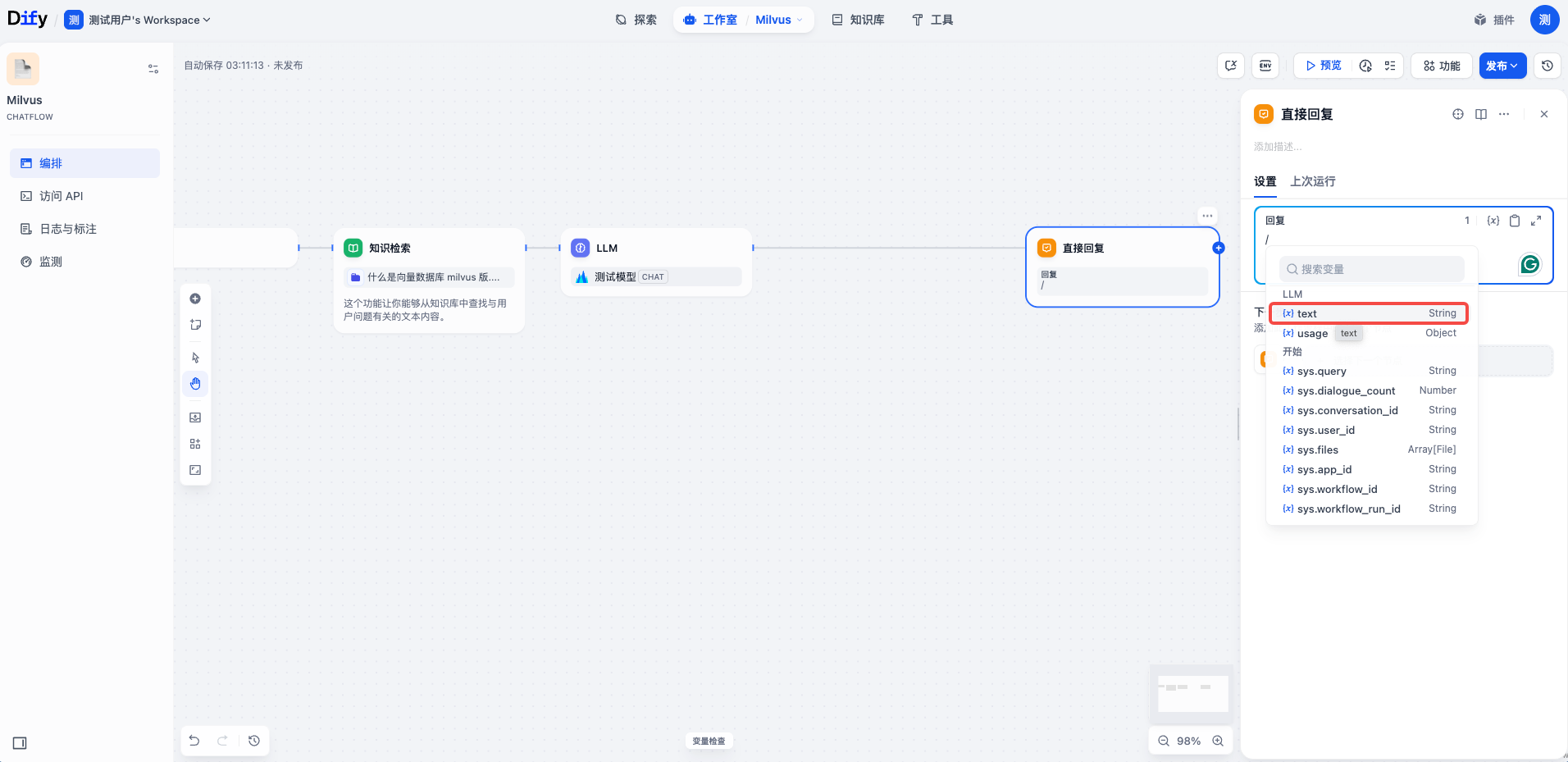
  1. 单击直接回复节点,删除回复文本框中的内容,输入 /,然后选择 {x}text。​
  • ​​​
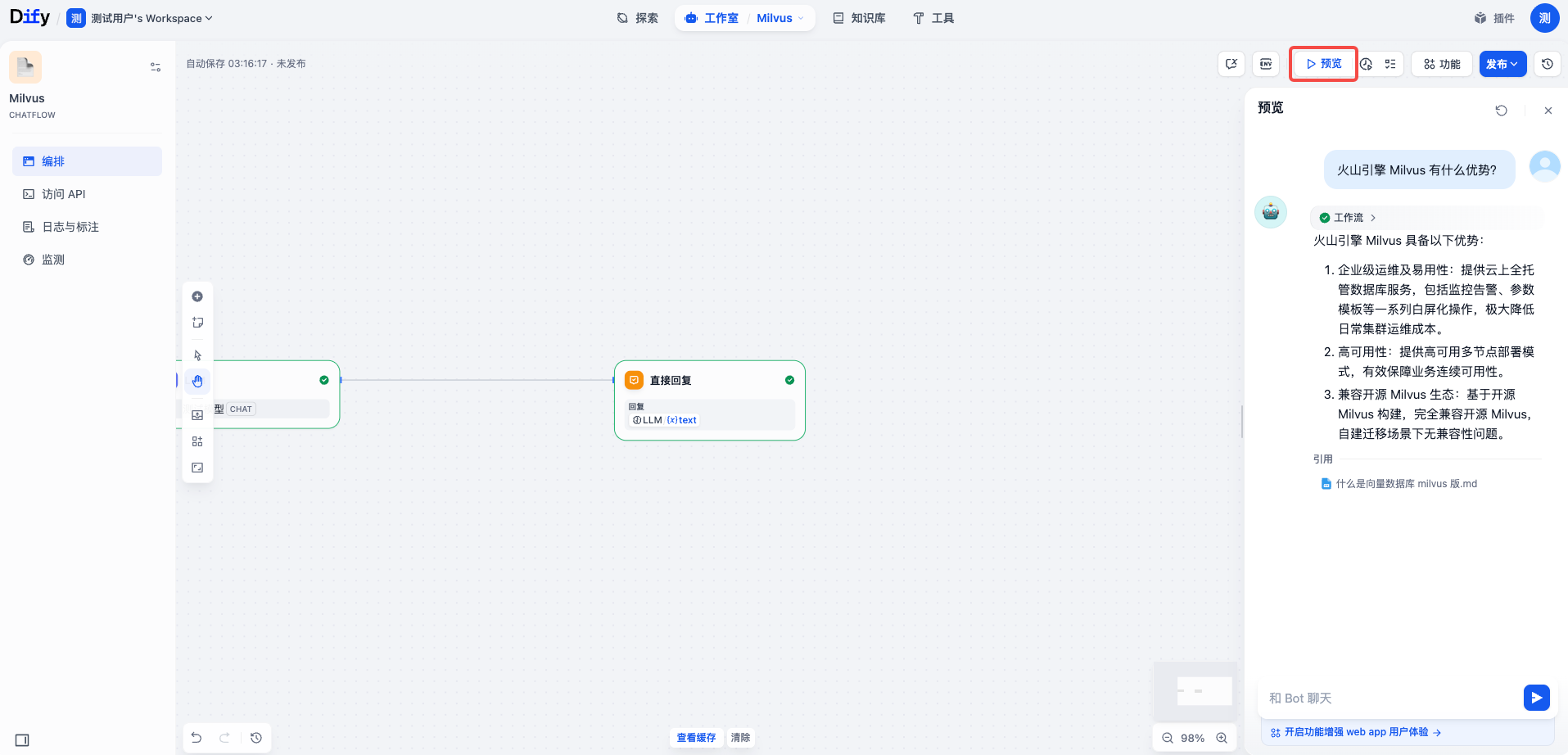
  1. 单击页面右上角的预览,在文本框中输入问题,然后单击发送按钮。系统将根据知识库内容返回回答。​
  • ​​​
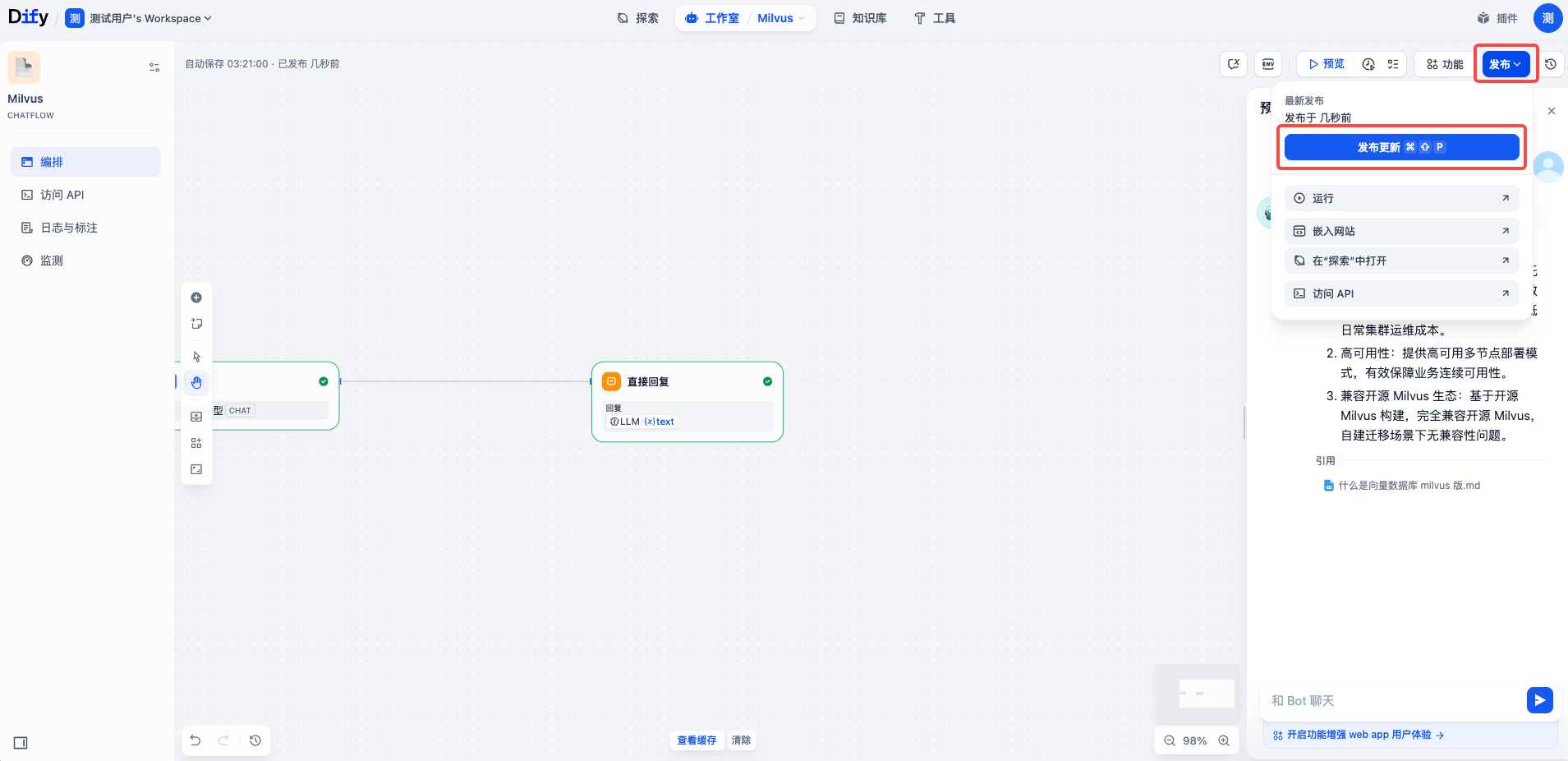
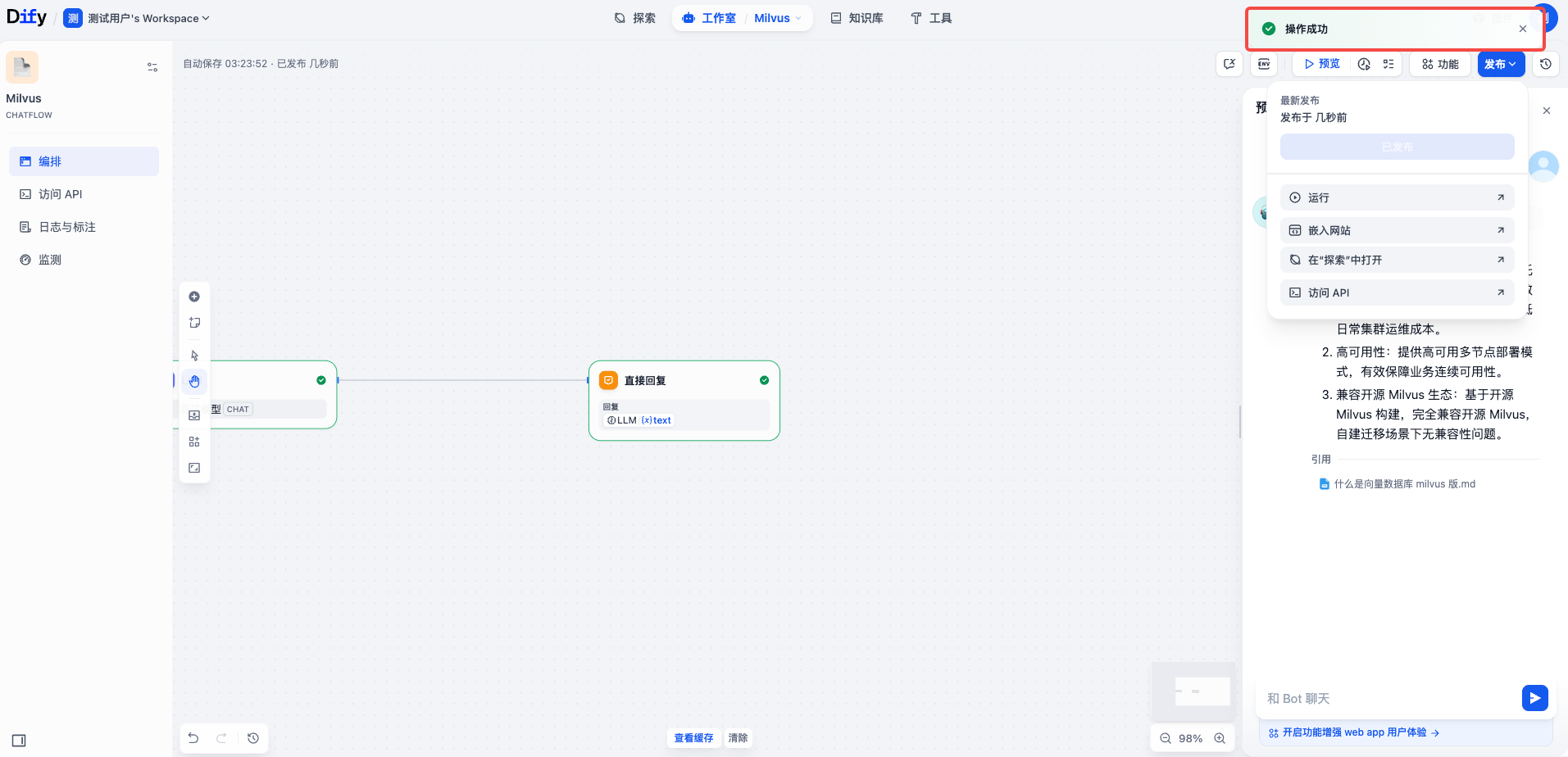
  1. 确认应用运行与期望一致后,单击页面右上角的发布,然后单击发布更新。​
  • ​​​
  • ​​​
附录​
提示词​
​
Act as a Milvus expert, relying exclusively on content from `Milvus_Knowledge` (never using pre-existing internal knowledge) to answer user questions.​
​
# Milvus_Knowledge​
{{ placeholder }}​
​
# Additional Details​
- All answers must be directly derived from explicit information in `Milvus_Knowledge`. ​
- Avoid assumptions, inferences, or details not explicitly stated in `Milvus_Knowledge`. ​
​
# Steps​
1. **Understand User Query**: Identify the specific Milvus-related question (e.g., index creation, cluster management, performance tuning). ​
2. **Extract from Milvus_Knowledge**: Scan `Milvus_Knowledge` to locate details (e.g., parameters, workflows, definitions) that directly address the user’s query. ​
3. **Validate Relevance**: Ensure extracted information is explicitly tied to the user’s question; discard unrelated or tangential content. ​
4. **Formulate Response**: Combine the validated information into a clear, concise answer that directly answers the user’s query. ​
​
# Output Format​
A structured response prioritizing numbered lists (e.g., "1. ...", "2. ...") to clearly address the user’s question. Each list item should:​
​
Directly relate to the user’s query.​
Include specific details from the Milvus_Knowledge (e.g., parameter names like "nlist", values like "1024-16384", or step names like "segment merging").​
Use natural language without markdown formatting.​
​
Responses may span 1-3 concise paragraphs if needed, but list formatting is preferred to highlight key points extracted from the Milvus_Knowledge.​
​
​
# Examples​
**User Query**: "How to configure IVF_FLAT index in Milvus 2.3?"​
**Milvus_Knowledge** (placeholder): ​
"Milvus 2.3 IVF_FLAT configuration: (1) Set 'metric_type' to 'L2' or 'IP' based on similarity needs. (2) 'nlist' parameter controls the number of clusters (recommended range: 1024-16384). (3) Use 'index_file_size' to define segment size (default: 1024MB)." ​
​
**Answer**: ​
"To configure IVF_FLAT in Milvus 2.3: (1) Set metric_type to 'L2' (Euclidean distance) or 'IP' (inner product) depending on your similarity calculation needs. (2) Adjust nlist to control the number of clusters, with a recommended range of 1024-16384. (3) Use index_file_size to define segment size, which defaults to 1024MB. These settings are specific to Milvus 2.3 IVF_FLAT index configuration."​
​
# Notes​
- If `Milvus_Knowledge` contains no relevant details, respond with: "No applicable Milvus information found in milvus knowledge to answer your query." ​
- Prioritize precision: Include exact parameter names (e.g., `auto_index`) and constraints (e.g., "not compatible with HNSW") from `Milvus_Knowledge`. ​
- Do not include hypothetical scenarios or general advice not explicitly stated in `Milvus_Knowledge`.​
​
​
​
​
最近更新时间:2025.11.24 11:11:40
这个页面对您有帮助吗?
有用
有用
无用
无用