Server Migration Center
Server Migration Center


Document

- Documentation
 Server Migration CenterBest PracticesMigration Source tuningDisabling UAC
 Copy page
 Download PDF
Migration Source tuning
Disabling UAC
Copy pageDownload PDFDisabling UAC
UAC (User Account Control) prompts you when a program attempts to make changes that require administrator permissions, and it also blocks certain program actions. Before migration, you need to disable the UAC feature on your migration source server to prevent migration failures.
Procedure
- Log in to the instance as your migration source server using an account with administrator permissions.
tip
This topic uses an instance running Windows Server 2022 Datacenter Edition 64 bit operating system as an example to describe how to disable UAC.
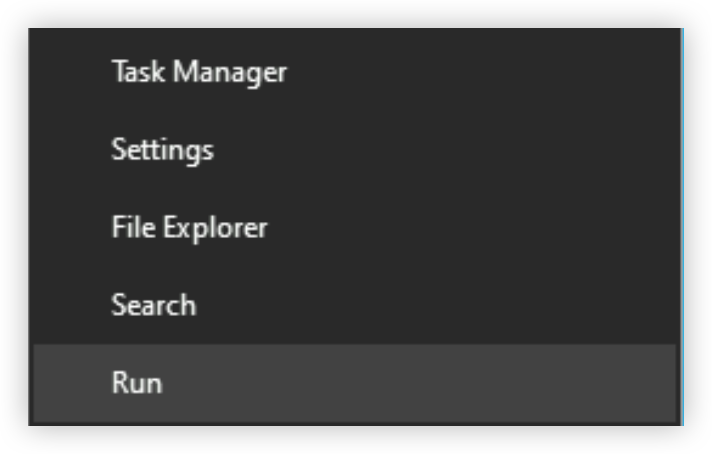
- Right-click the "Start" button and select "Run".
-
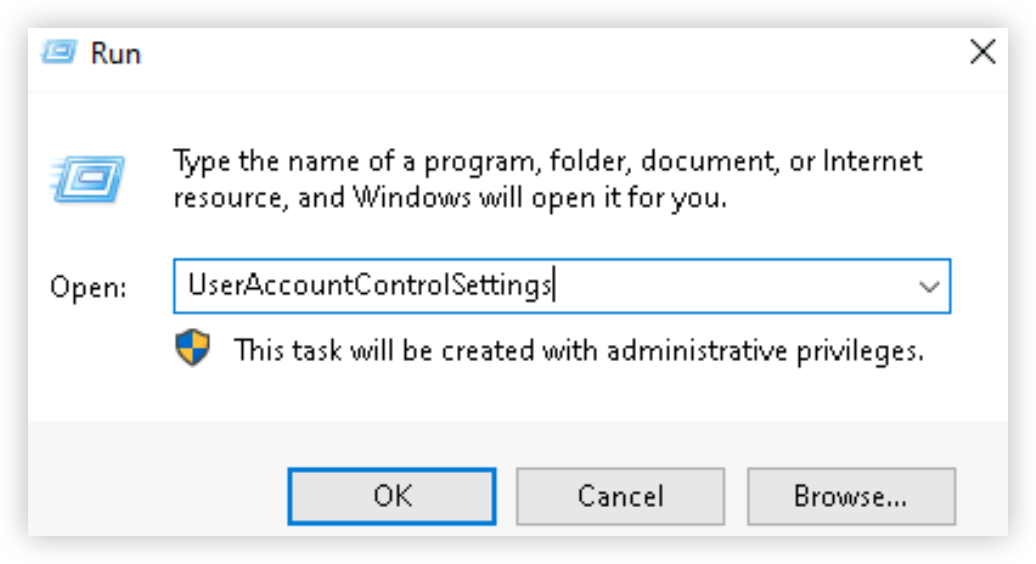
- In the "Run" dialog box, enter the following content, and click the "OK" button.
- UserAccountControlSettings
-
- In the "User Account Control Settings" dialog box, adjust the slider to the lowest level.
-
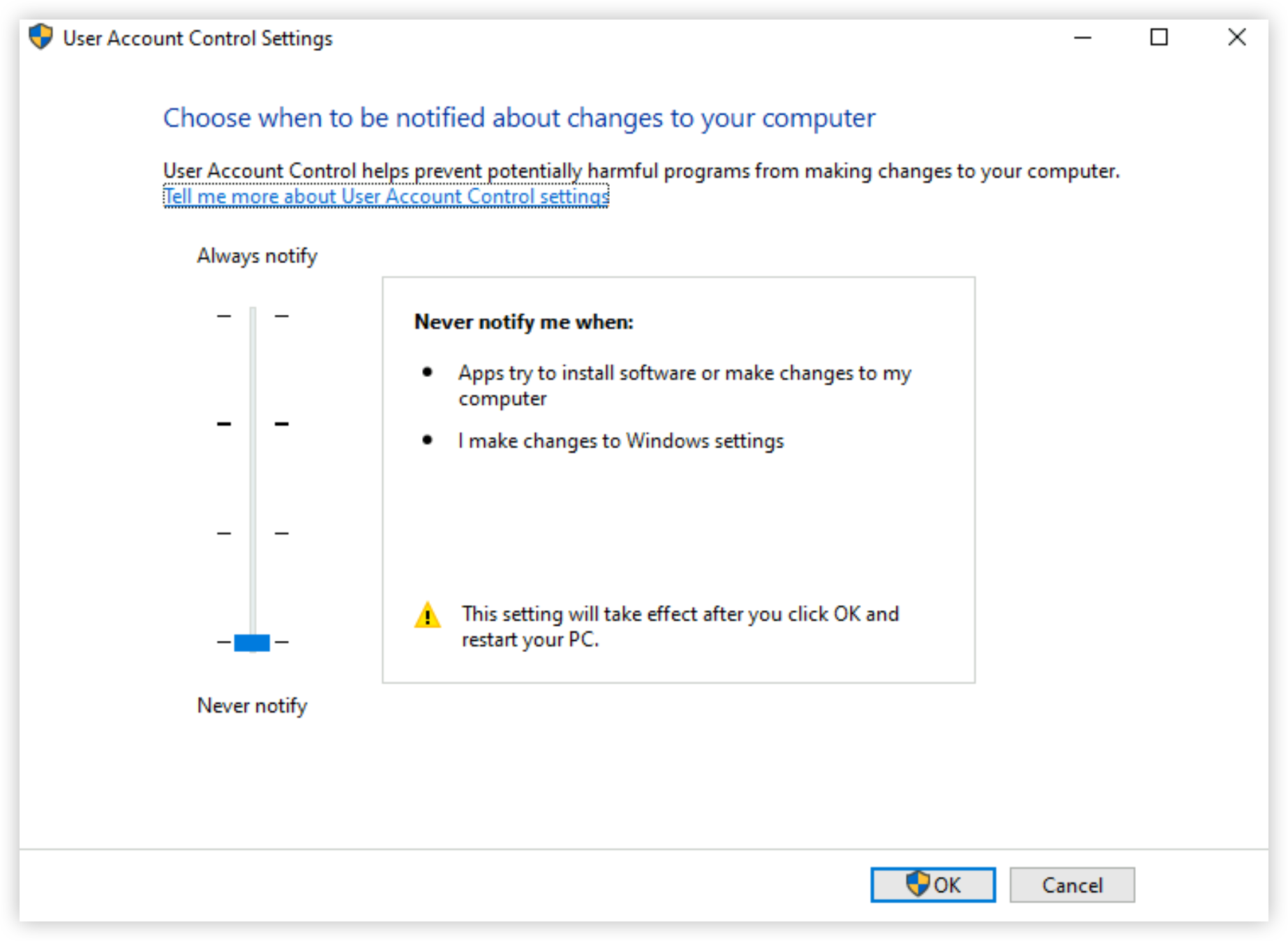
- Click the "OK" button to save the change and then restart the server for the change to take effect.
- Subsequently, you can continue to complete other preparations or perform migration pre-check again.
Last updated: 2026.01.07 15:11:32
All rights reserved © Beijing Volcano Engine Technology Co., Ltd2024
