Server Migration Center
Server Migration Center


Document

- Documentation
 Server Migration CenterBest PracticesServer MigrationStopping services that generate incremental data on source servers
 Copy page
 Download PDF
Server Migration
Stopping services that generate incremental data on source servers
Copy pageDownload PDFStopping services that generate incremental data on source servers
Servers used in scenarios such as gaming, social media, and e-commerce typically have requirements for data consistency. Therefore, before performing the final incremental migration, you need to stop the workloads on the source server that continuously generate data. This prevents data loss or other issues in the migrated business system.
Procedure
- Log in to the source server from which incremental migration is in progress.
- Execute the following command to check whether any non-system applications are running.
tip
In the example provided in this topic, CentOS 7.9 is used as the operating system of the source server.
- ps -ef
- Sample output:
-

- Execute the following command to stop the application that affects data consistency.
tip
In the example provided in this topic, MySQL is to be stopped. Replace mysqld with the actual application you need to stop.
- systemctl stop mysqld
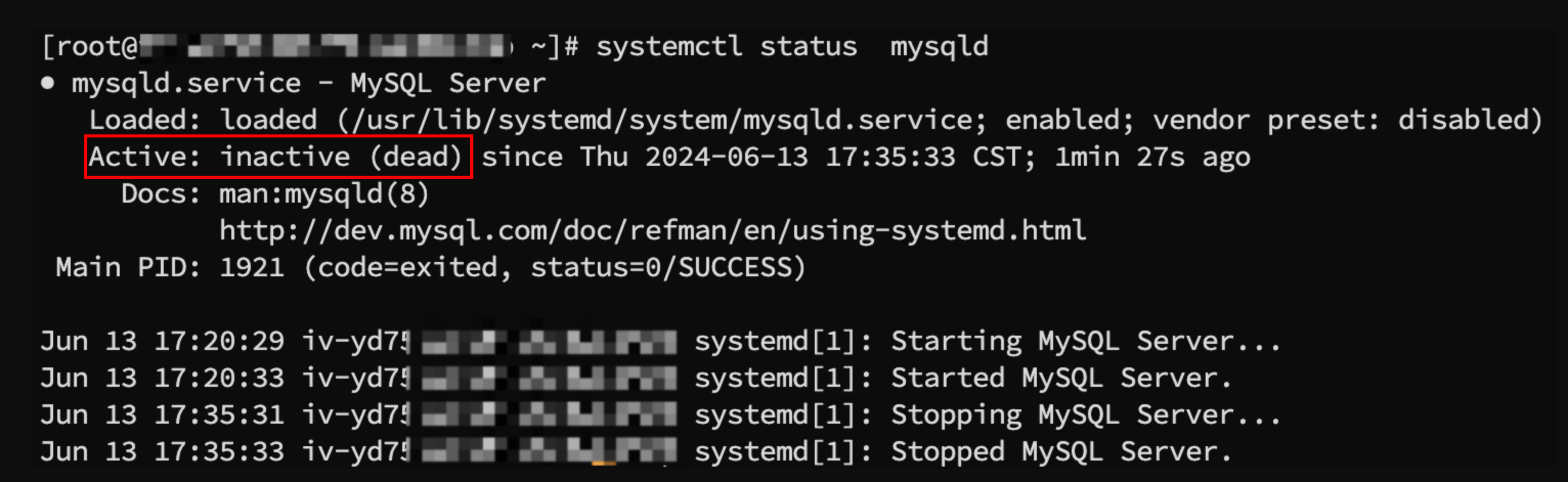
- Execute the following command to check whether the target application has been stopped.
tip
In the example provided in this topic, MySQL is to be stopped. Replace mysqld with the actual application.
- systemctl status mysqld
- If the following output is displayed, the target application has stopped running.
-
Last updated: 2026.01.07 15:11:32
All rights reserved © Beijing Volcano Engine Technology Co., Ltd2024
