Server Migration Center
Server Migration Center


Document

- Documentation
 Server Migration CenterSDK ReferenceViewing SDK example code
 Copy page
 Download PDF
SDK Reference
Viewing SDK example code
Copy pageDownload PDFViewing SDK example code
This topic describes how to search and view the SDK sample code of desired API operation through the VolcanoEngine OpenAPI center.
Step 1: Obtain API usage description
View the API overview, select the required API operation, and review its documentation to understand the configuration instructions and limitations for the request parameters.
Step 2: Obtain SDK sample code
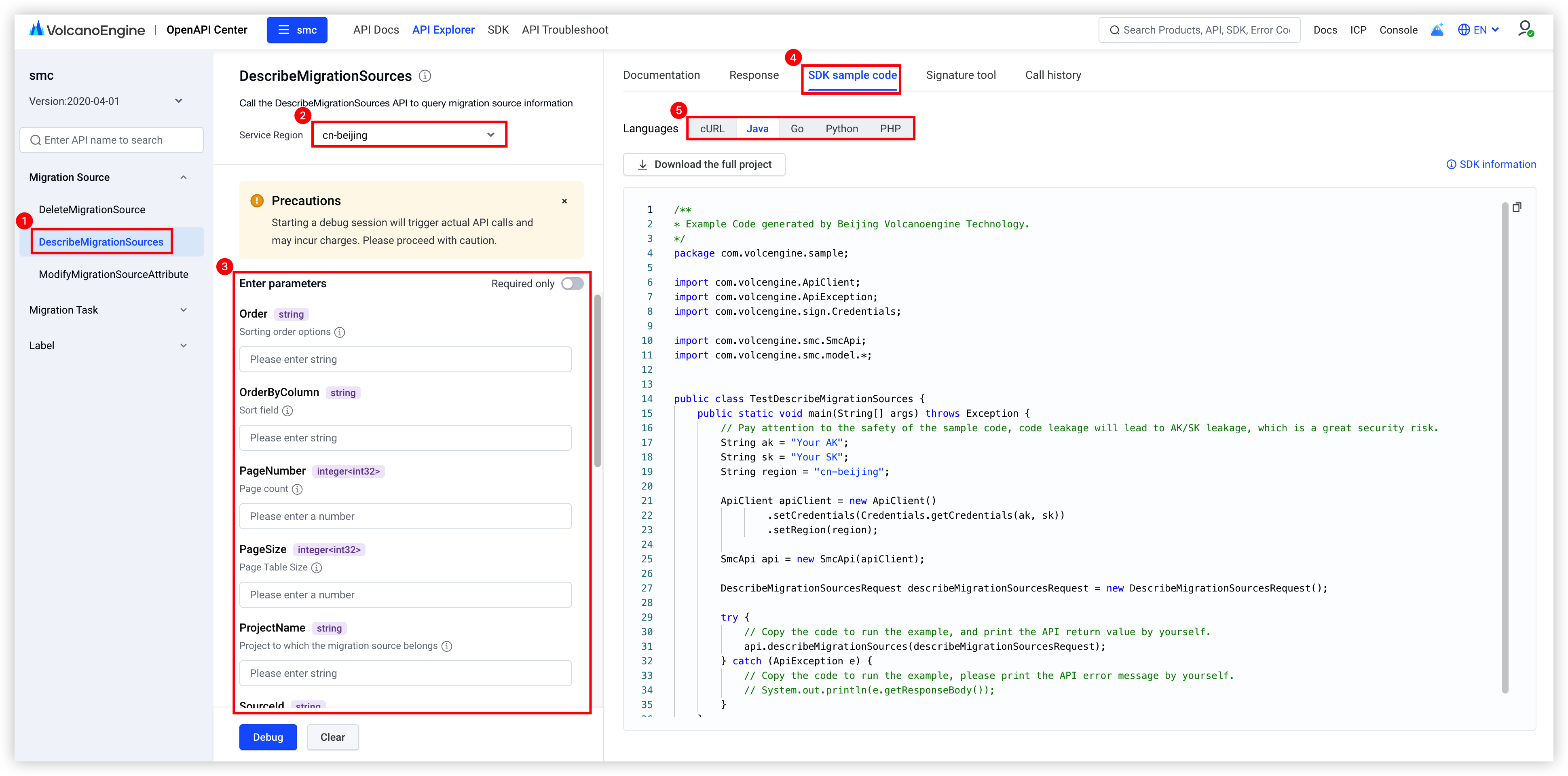
- Visit the SMC API Explorer.
- In the left API overview, search by the target API name to match the corresponding API.
- In the central debugging section, select "Service Region" and enter the request parameters.
- On the right, select the "SDK sample code" tab to view the SDK sample code for your programming language. In the example provided in the following figure, the Java programming language is used to call the DescribeMigrationSources operation.
-
Step 3: Configure the code
The following section uses the DescribeMigrationSources operation as an example to demonstrate how to interpret and use the sample code.
Replace Your AK and Your SK in the red box with your actual values.
Programming language | SDK sample code |
Java | 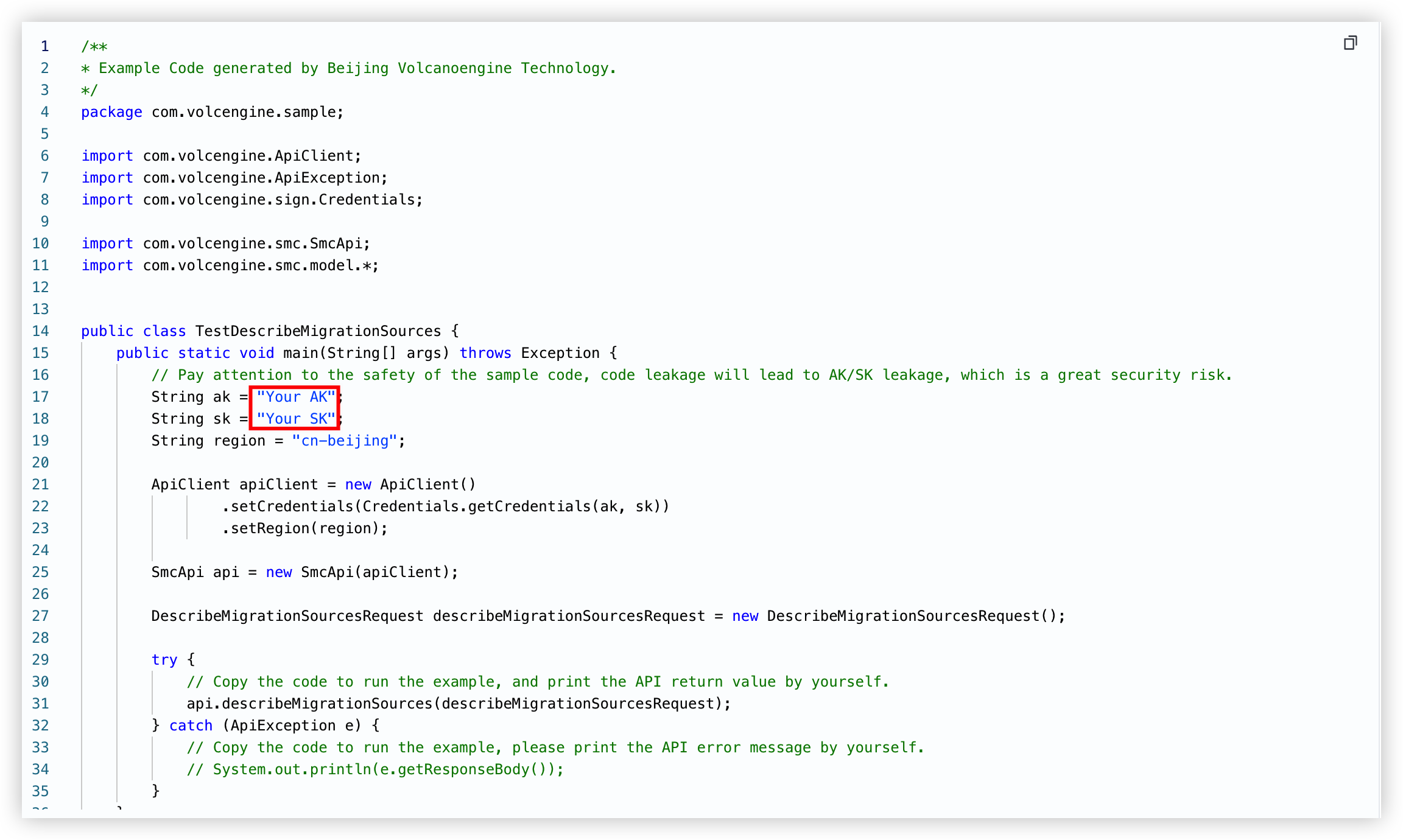 |
Go | 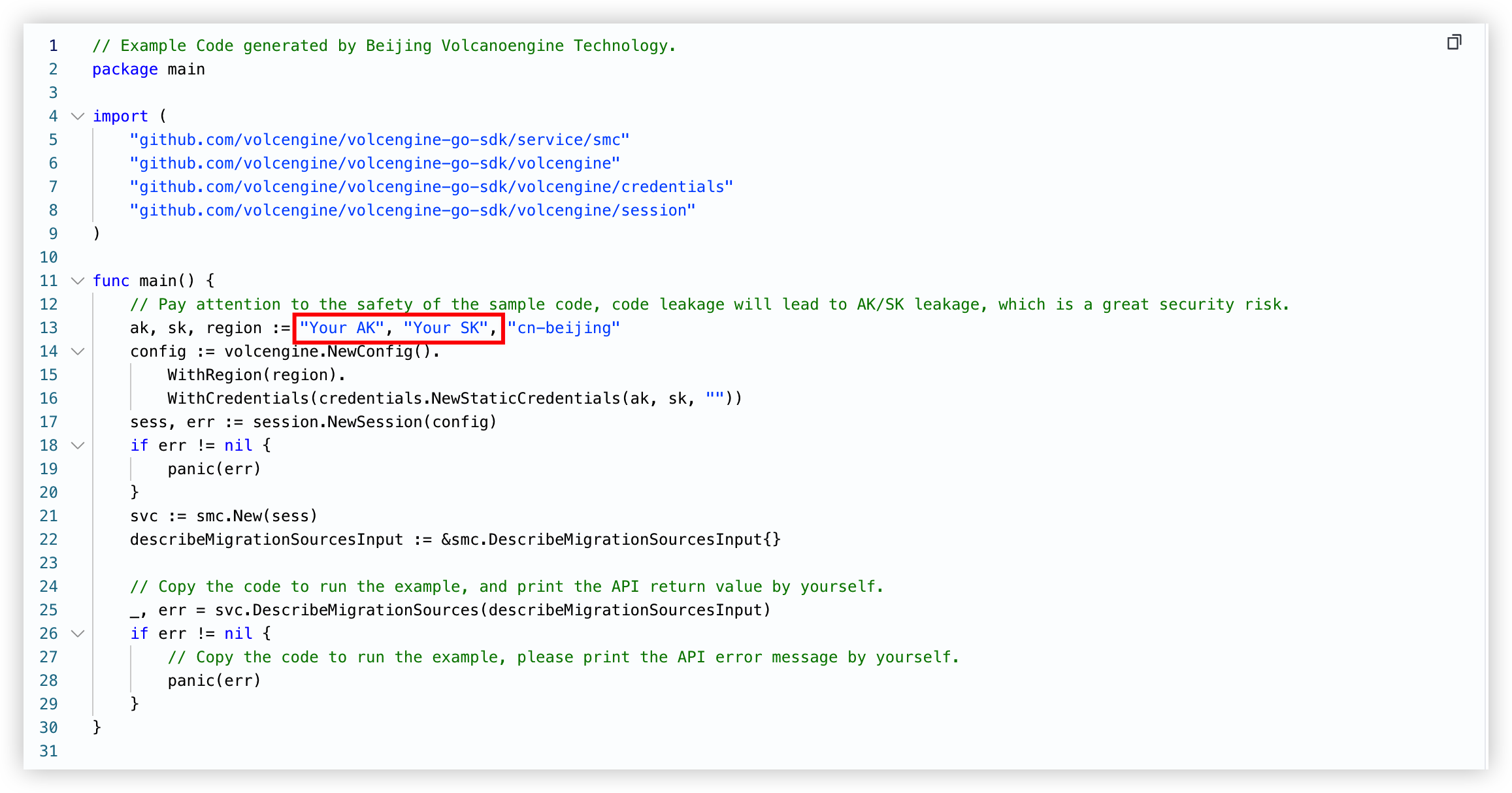 |
Python | 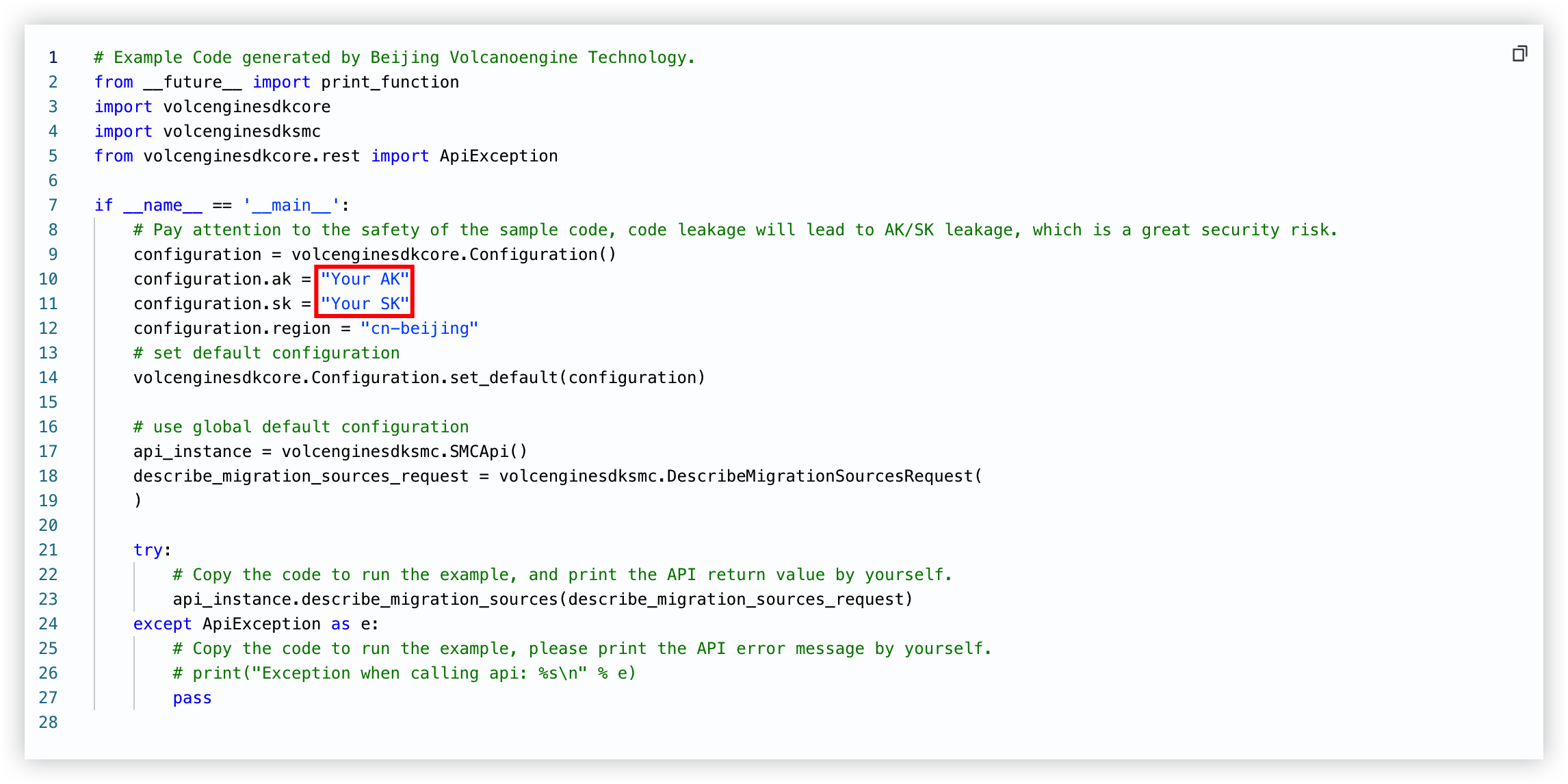 |
PHP | 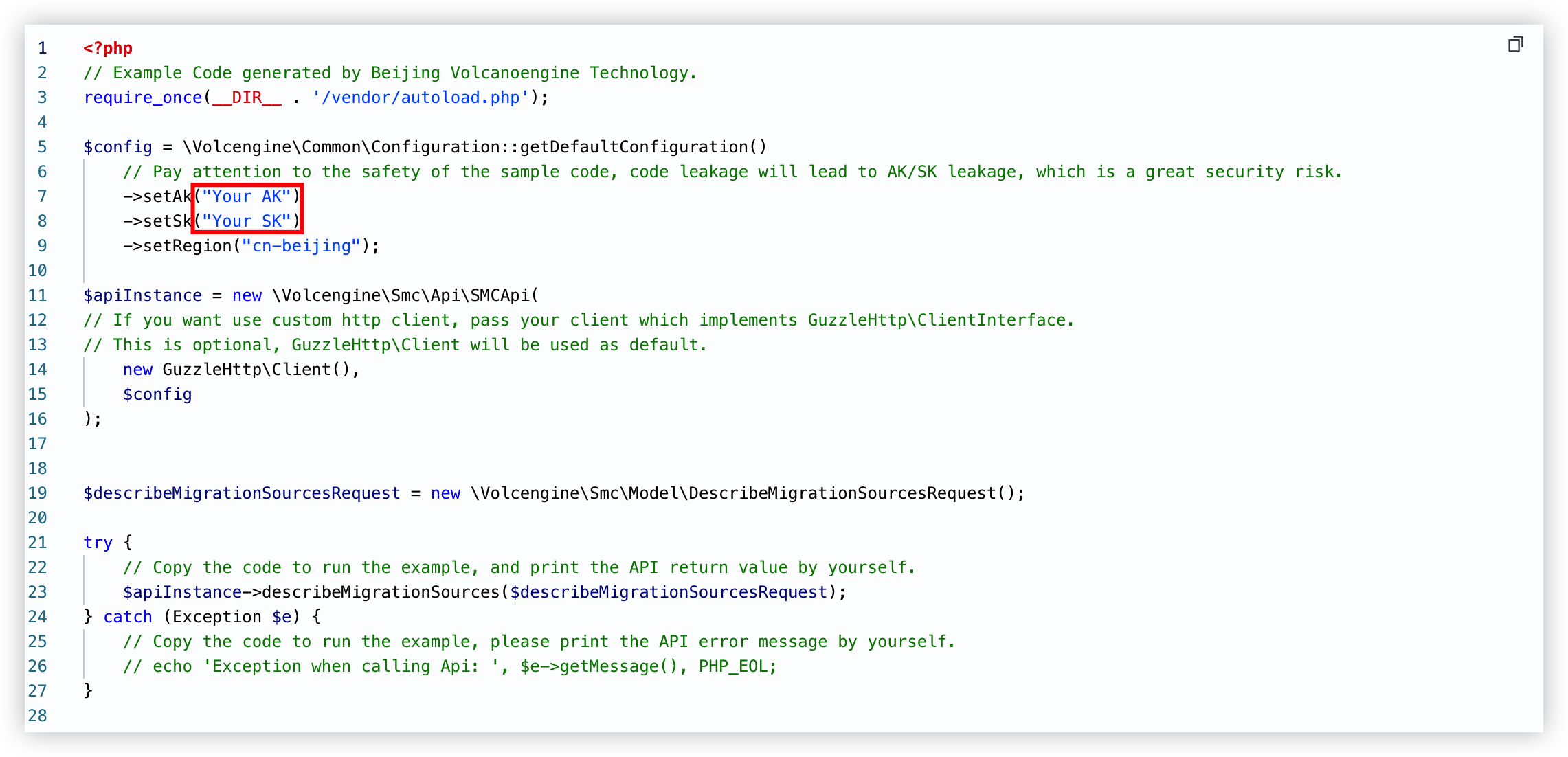 |
Last updated: 2026.01.07 15:11:32
All rights reserved © Beijing Volcano Engine Technology Co., Ltd2024
