Load Balancer
Load Balancer


Document

- Documentation
 Load BalancerClassic Load Balancer (CLB)Best PracticesConfiguration practice of a forwarding ruleForwarding the traffic based on domain name or URL path
 Copy page
 Download PDF
Configuration practice of a forwarding rule
Forwarding the traffic based on domain name or URL path
Copy pageDownload PDFForwarding the traffic based on domain name or URL path
This topic introduces how to forward traffic for specified domain names or URL paths to designated backend server groups to achieve load balancing.
Scenarios
Layer-7 Classic Load Balancer (CLB) forwards requests with different domain names or URLs to different backend server groups by configuring forwarding rules. For detailed information about forwarding rules, see Forwarding rule description.
This article uses domain-based traffic forwarding as an example, explaining how to forward traffic accessing the domain www.test.com to the backend server group group-1, and forward traffic accessing other domains to the backend server group group-2. The principle of URL path–based traffic forwarding is similar and will not be repeated here.
Prerequisites
- The CLB instance clb-test has been created. For more information, see Creating a CLB instance.
- Two backend server groups, group-1 and group-2, have been configured, and backend servers have been added to these groups.
tip
- The security groups associated with the servers in the backend server group have opened the protocols and ports needed to provide services. For details, see Configure backend server security groups.
- The backend servers have completed deployment and configuration of backend services. For details, see Set up HTTP static page or Set up HTTPS static page.
- If you select the secondary network interface as the backend server, you also need to Configure secondary network interface routing to enable the interface to respond to requests from the client or load balancer instance.
- The Layer 7 CLB listener listener-test has been added for the CLB instance. For more information, see Creating an HTTP listener or Creating an HTTPS listener.
Procedures
- Log in to the CLB console.
- In the top menu bar, select the target project and region.
- Click Configure Listener to the right of the target CLB instance.
- Click Configure Forwarding Rules to the right of the target Layer 7 listener.
- Click Add forwarding rules and configure parameters by referring to the table below.
tip
- You cannot configure two forwarding rules with exactly the same domain name and URL in the same listener.
- The backend server group for the default forwarding rule of this listener is set to group-2.
- ParameterValueTrigger conditionDomain namewww.test.comURL/Forwarding actionForwarding actionForward toServer groupgroup-1
- Click Add to complete the action.
Result verification
The following steps use the HTTP protocol as an example.
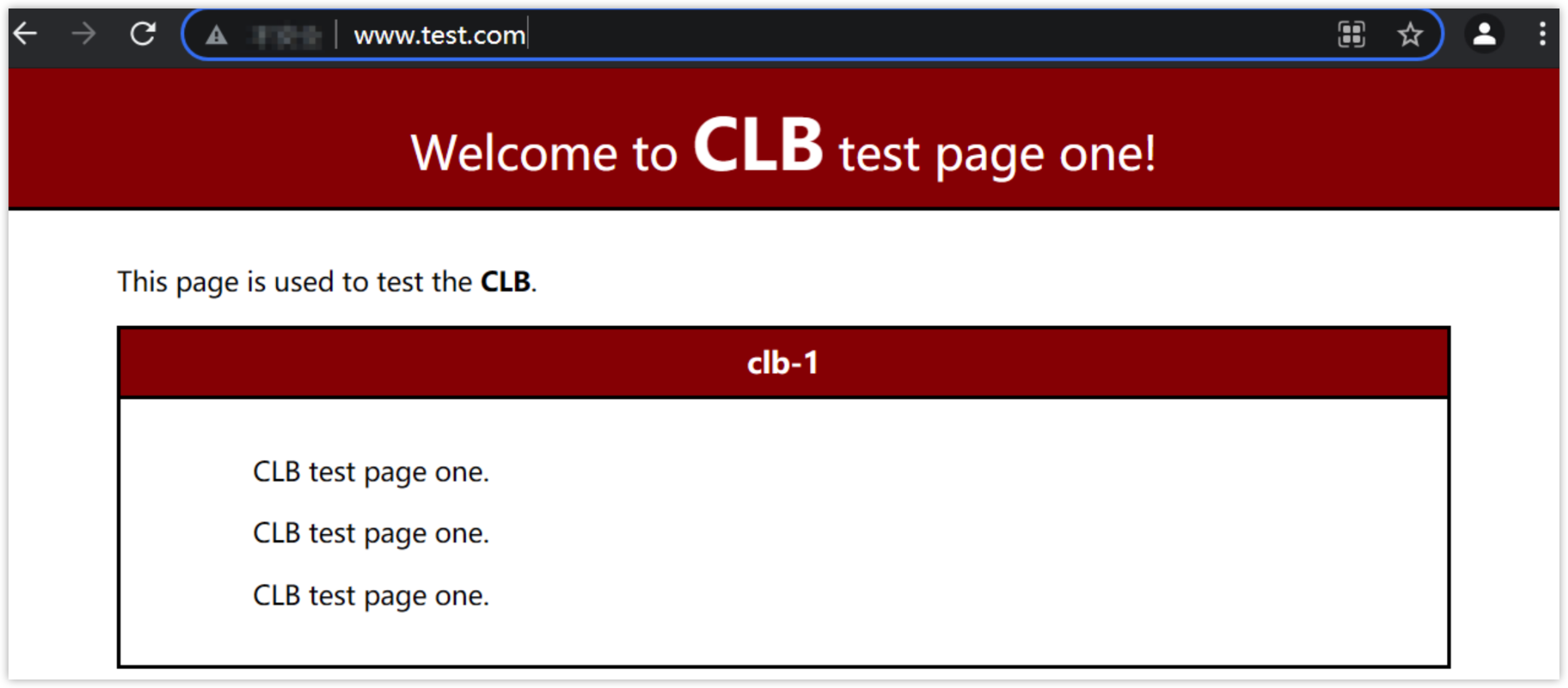
- Access http://www.test.com using a browser. The page displayed as shown below (taking Nginx 1.14.1 as an example) indicates that the access request was forwarded by the Cloud Load Balancer instance to backend Server Group group-1, and the backend server successfully processed the request and returned the requested page.
-
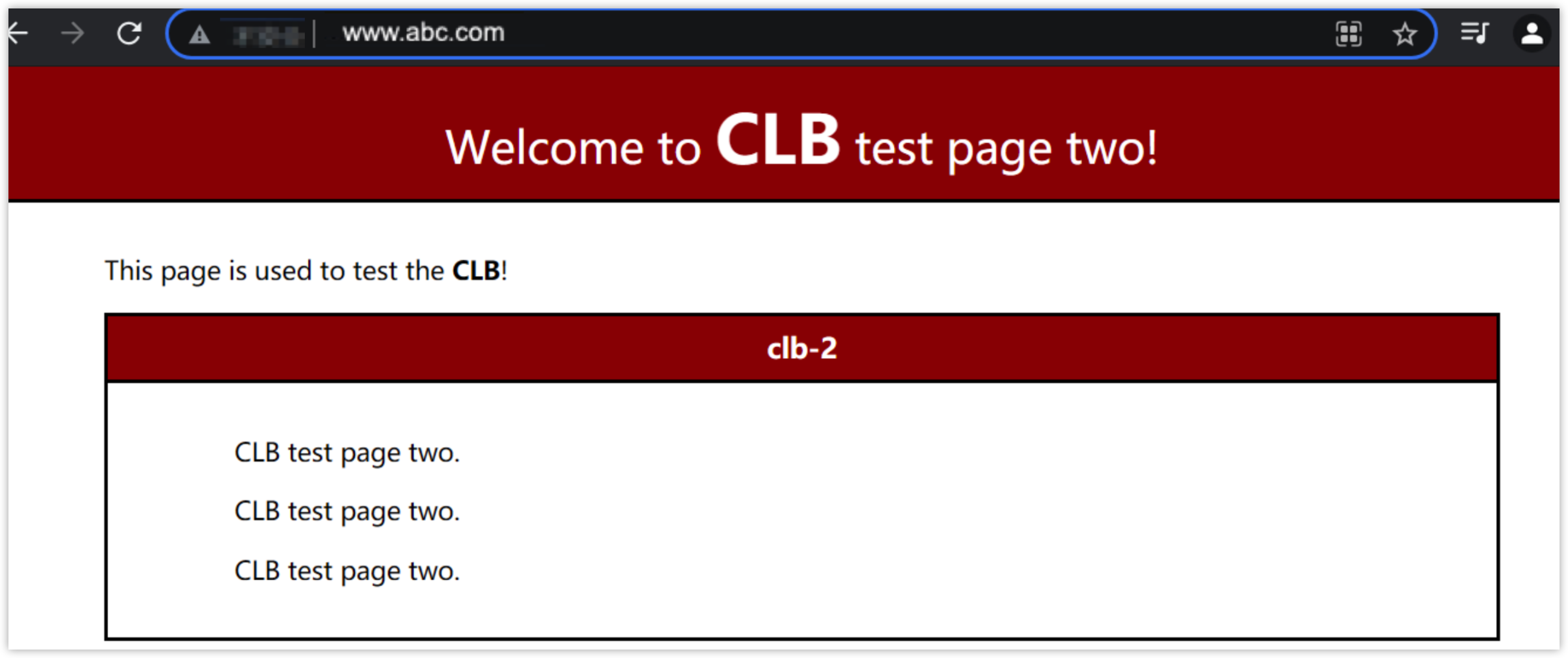
- Access other domain names using a browser, For example: http://www.abc.com. The page displayed as shown below (taking Nginx 1.14.1 as an example) indicates that the domain name of the frontend access request did not match any forwarding rules and was forwarded by the CLB instance to the default backend Elastic Compute Service (ECS) group group-2. The backend server successfully processed the request and returned the requested page.
-
Last updated: 2026.06.17 14:07:09
All rights reserved © Beijing Volcano Engine Technology Co., Ltd2024
