Billing Center
Billing Center


Document

- Documentation
 Billing CenterResource PackagesUsage rate
 Copy page
 Download PDF
Resource Packages
Usage rate
Copy pageDownload PDFUsage rate
1. Definitions
Usage rate, that is, the rate at which the effect package is used;
From the perspective of effect package, check the situation that you are deductible as a deductible asset and deducted by a volume-based billing instance; users can refer to the usage data to evaluate whether there is waste in effect package;
Special instructions:
1) Currently only instance coupons and reserved storage capacity packages are reserved to support viewing usage data;
2) The usage data is subject to the results of the query after T + 3. The data queried before this is continuously updated and is for reference only, not as a basis for verification.
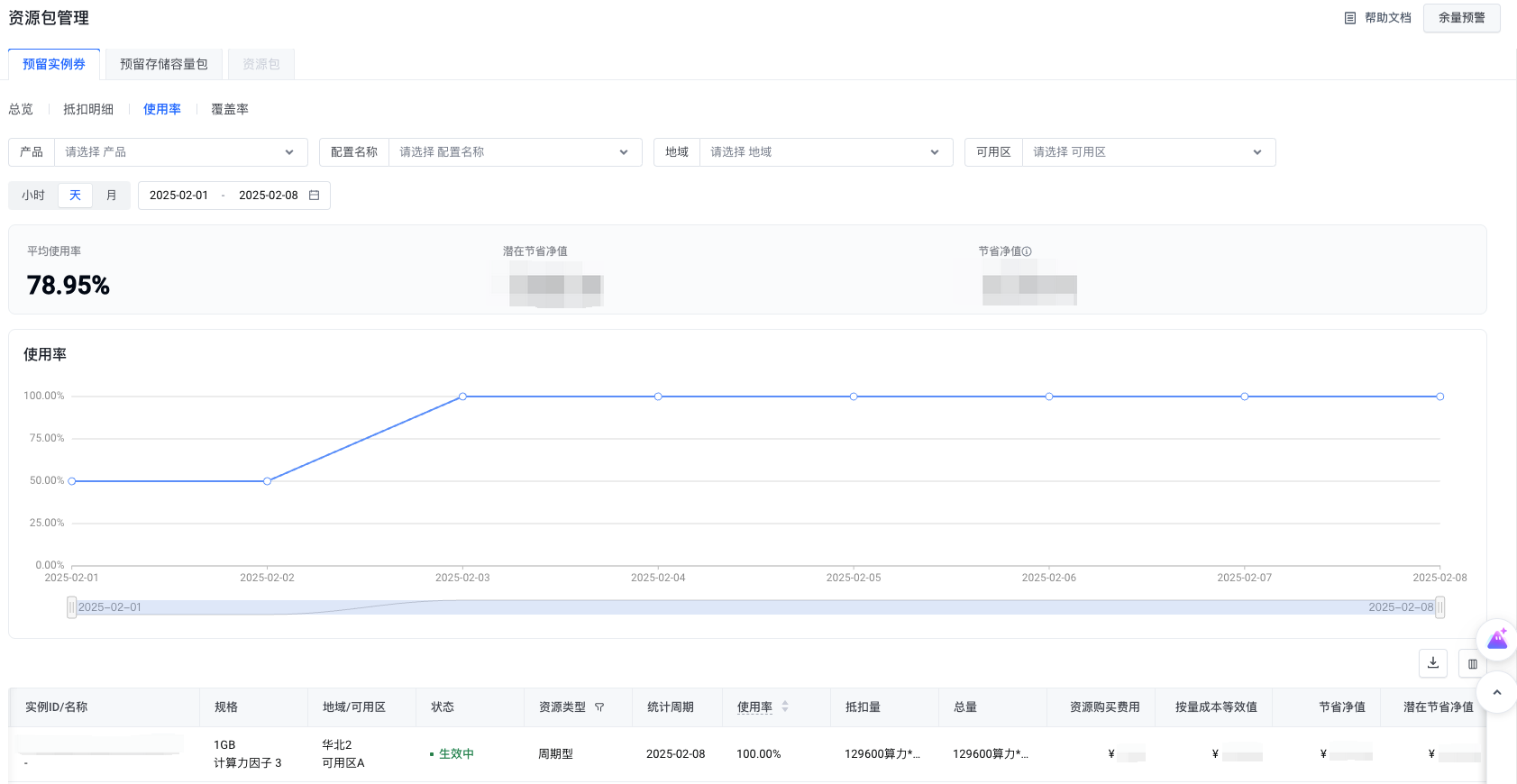
2. Filtering criteria
- Type: reserved instance coupon, reserved storage capacity package, radio selection, can switch to view the data of different types of effect packages;
- Product: Support screening Chinese names of cloud products;
- Configuration name: Support filtering configuration Chinese name;
- Region: Support screening regions;
- Availability Zones: Support filtering availability zones.
- Reference period: support 3 reference periods, hours, days, months;
3. Data overview
- Average Usage Rate: The average usage rate under the screening conditions is equal to "Deduction Amount/Total Amount * 100%";
- Net potential savings: the total net potential savings under the filter conditions, that is, the net savings amount when the effect package usage rate is equal to 100%;
- Net Savings: The total net savings under the filter condition is equal to "Cost Equivalent by Volume - Resource Purchase Expenses";
4. Table parameters
- Owner account: the account to which the effect package belongs;
- Product: the Chinese name of the cloud product;
- Configuration name: Configuration Chinese name;
- Instance ID: the instance ID of the effect package, unique identifier;
- Instance name: the instance name of the effect package;
- Specifications: effect package specifications; if an instance coupon is reserved for the periodic type, the computing power factor parameter will be increased;
- Region: the region where the effect package belongs;
- Availability zone: the availability zone to which the effect package belongs;
- Status: The status of the effect package, including not in effect, in effect, used up, refunded, expired, failed to create, etc.;
- Resource type: the type of effect package, including decreasing, periodic, and mixed;
- Reference period: the deduction period corresponding to the effect package, including 3 time granularities of hours, days and months;
- Usage rate: equal to "deduction amount/total amount * 100%";
- Deduction amount: the amount of the deduction effect package;
- Total: the total amount of the effect package; if it is periodic & hybrid, it represents the total amount of each reset cycle;
- Resource purchase cost: the consumption amount of the effect package allocated to the reference period shall be apportioned according to the discounted price;
- Volume cost equivalent value: the amount deducted by the effect package in the reference period, assuming that it is not deducted, the discounted price before erasing is calculated according to the volume billing example;
- Net Savings: The amount saved in the reference period, equal to "Cost Equivalent - Resource Purchase Expenses";
- Net potential savings: the amount of net savings when the utilization rate of the effect package in the reference period is equal to 100%;
- Service subject: the name of the subject providing the service.
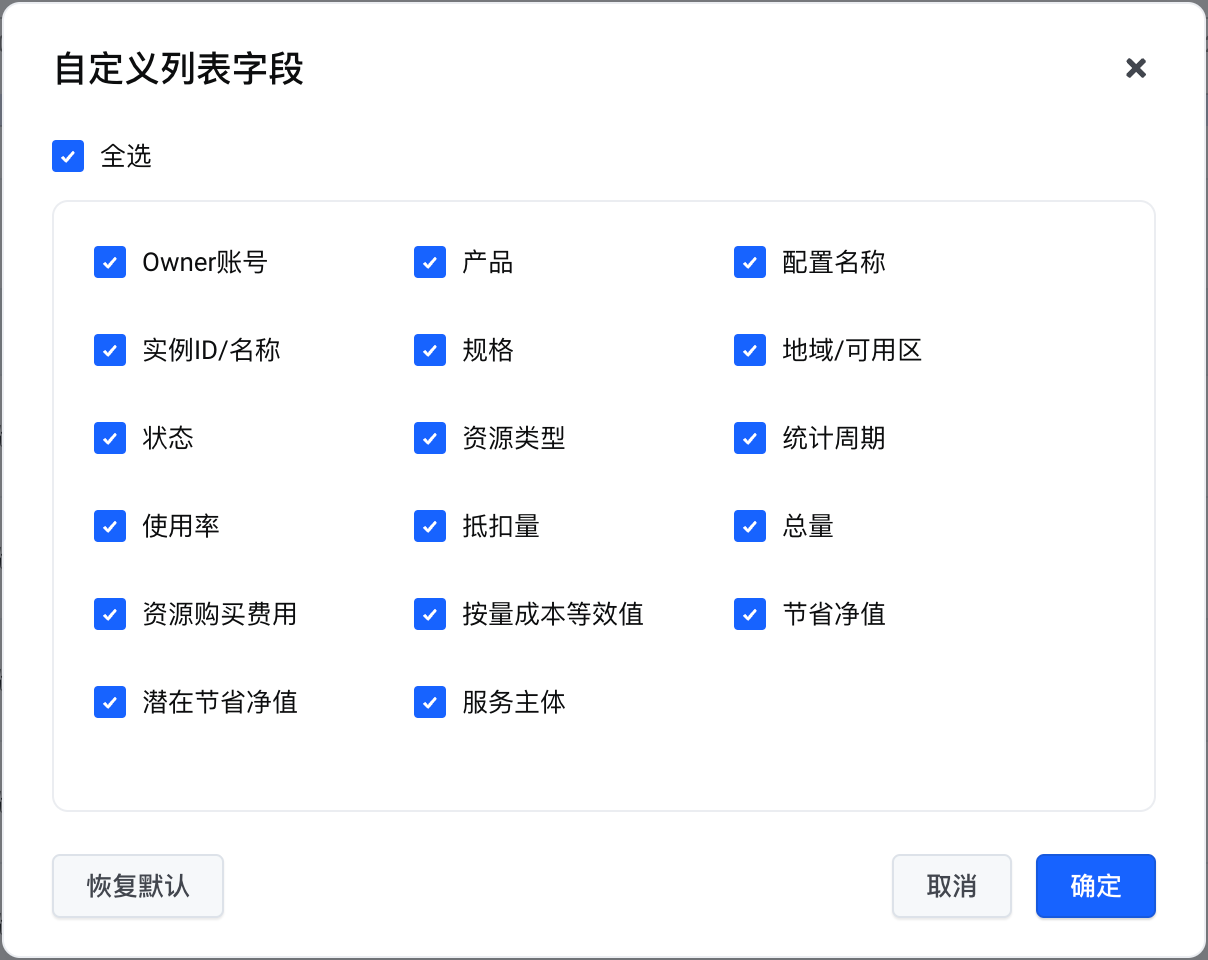
5. Custom columns
You can choose the column parameters to be displayed on demand.
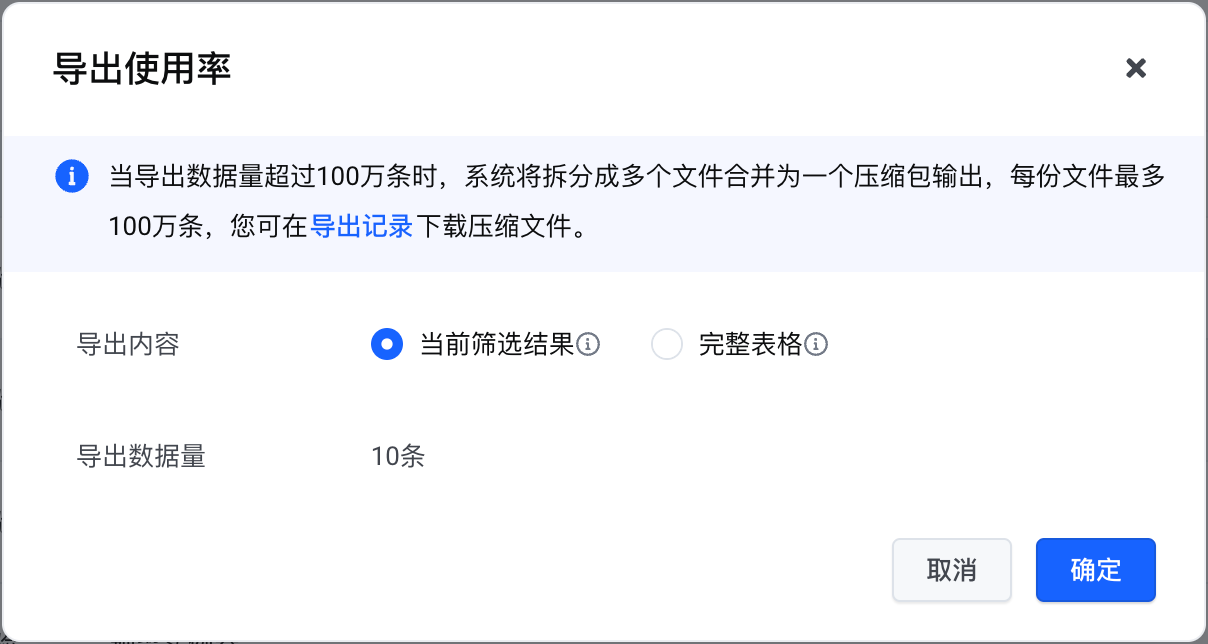
6. Export
Support exporting table parameters in CSV format.
Last updated: 2025.07.17 21:30:38
All rights reserved © Beijing Volcano Engine Technology Co., Ltd2024
