Billing Center
Billing Center


Document

- Documentation
 Billing CenterBill managementbilling subscription settings
 Copy page
 Download PDF
Bill management
billing subscription settings
Copy pageDownload PDFbilling subscription settings
Function introduction
Customers can set up billing push notifications on demand ,and the system does not send billing messages by default. After setting up, Volcano Engine will send the monthly bill to the designated contact person via SMS, email, and in-app letter after the monthly payment is completed (on the 4th working day of each month).
Operation steps
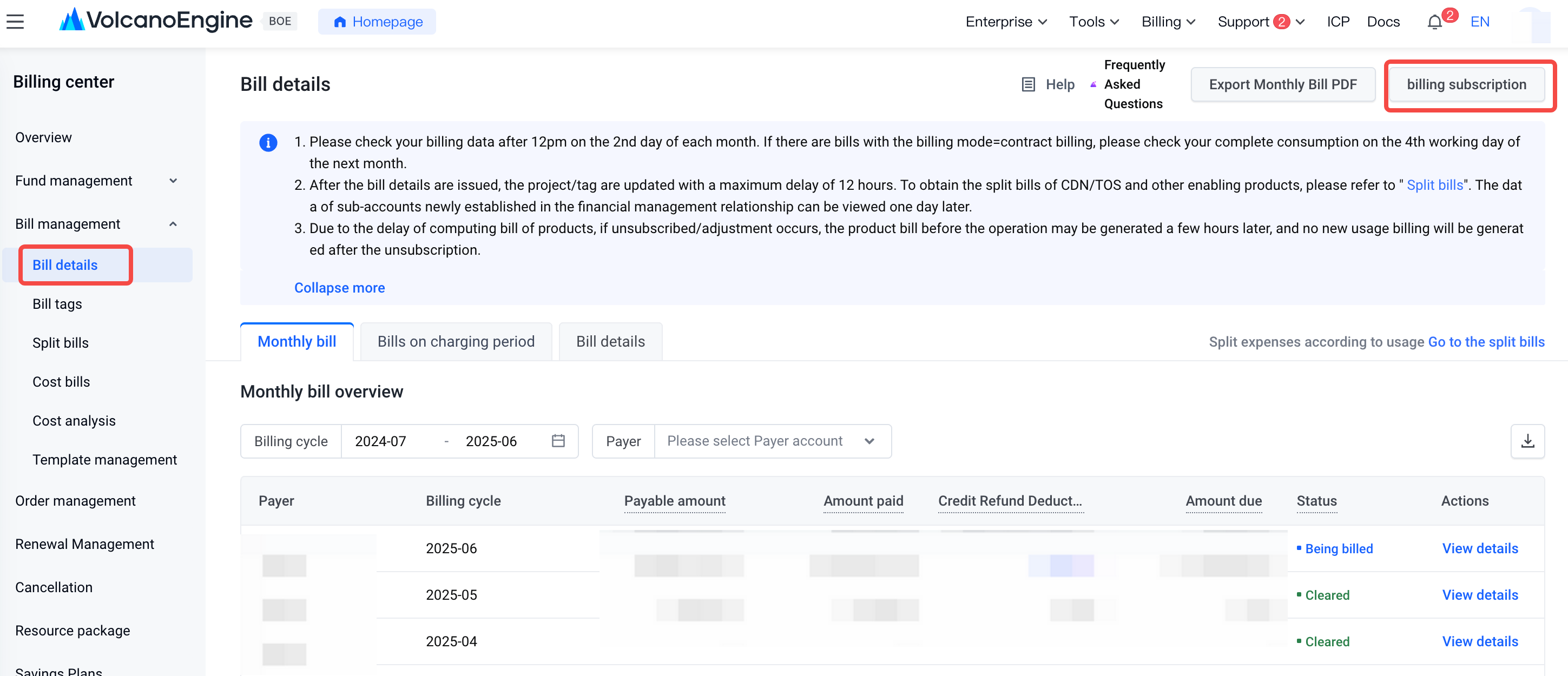
- Enter "Bill Management - Bill details", click "billing subscription" in the upper right corner of the page, and open the billing subscription Settings window;
- In the bill subscription settings window, you can set the push notification filter when the fee is ¥0 according to actual needs, and click confirm to successfully subscribe to the bill notification;
Note: The filter when the fee is ¥0 means that when the total gross amount, amount after discount, and payable amount under the account are all ¥0, the system does not send a bill payment notice;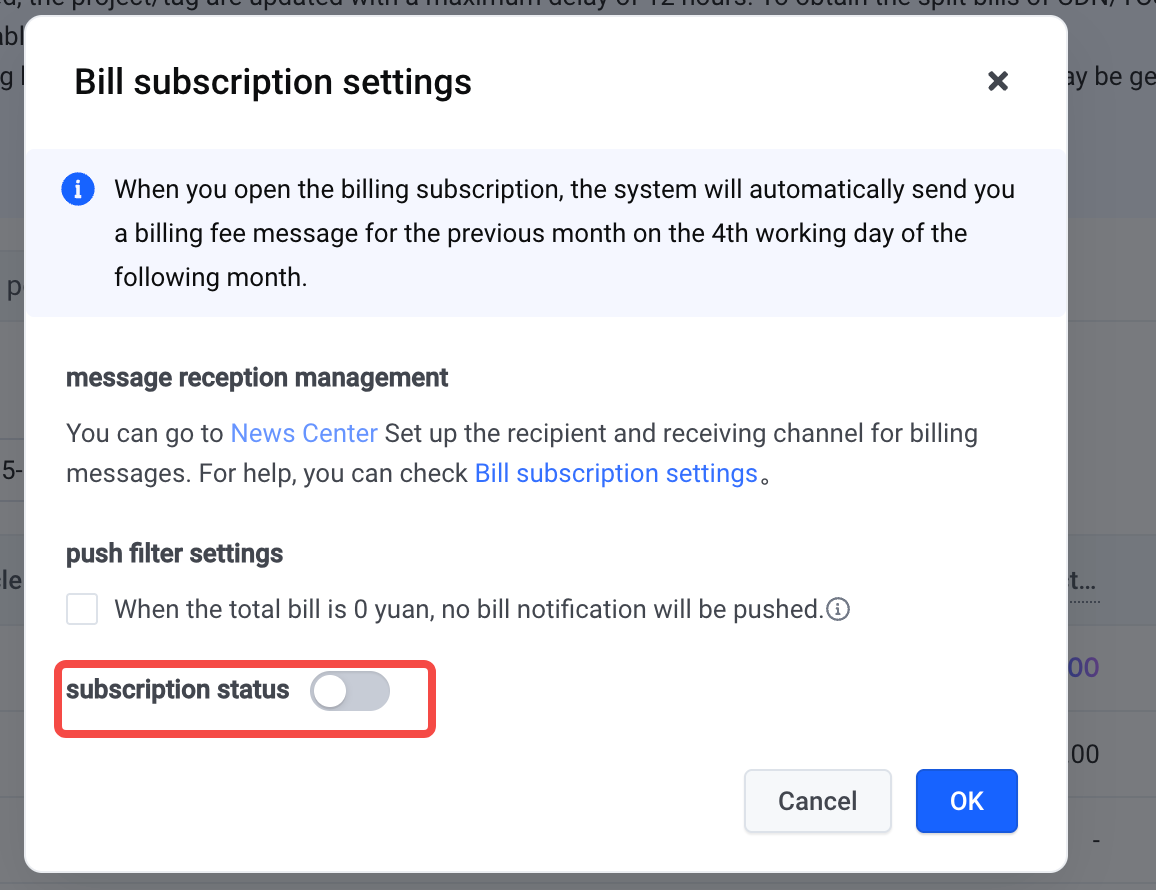
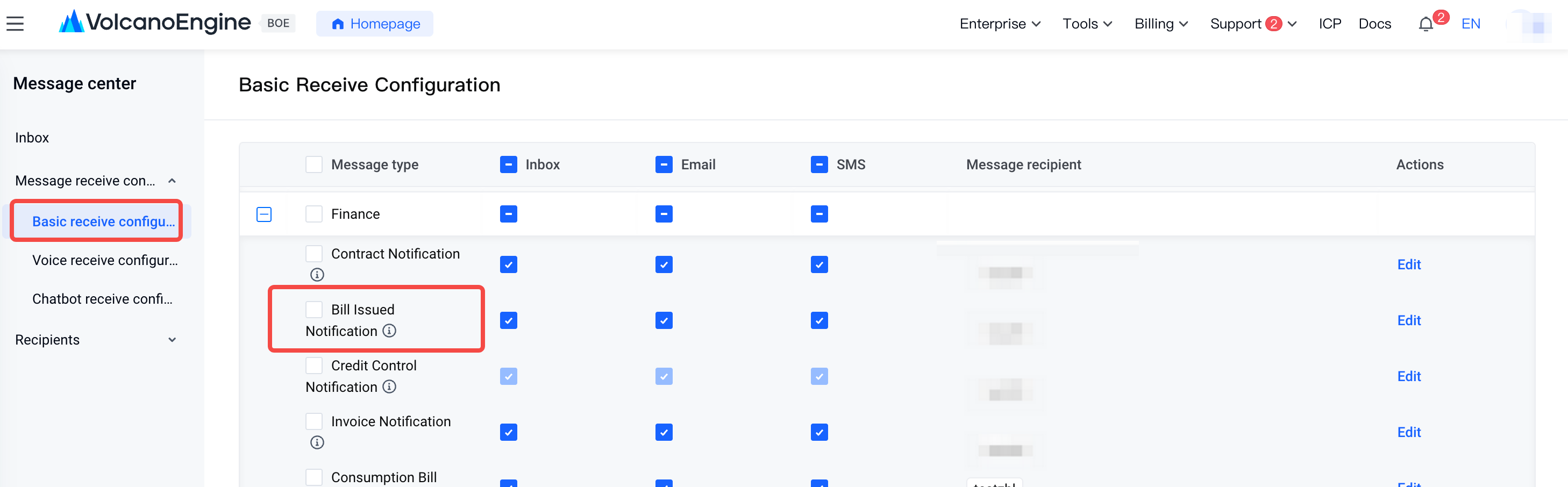
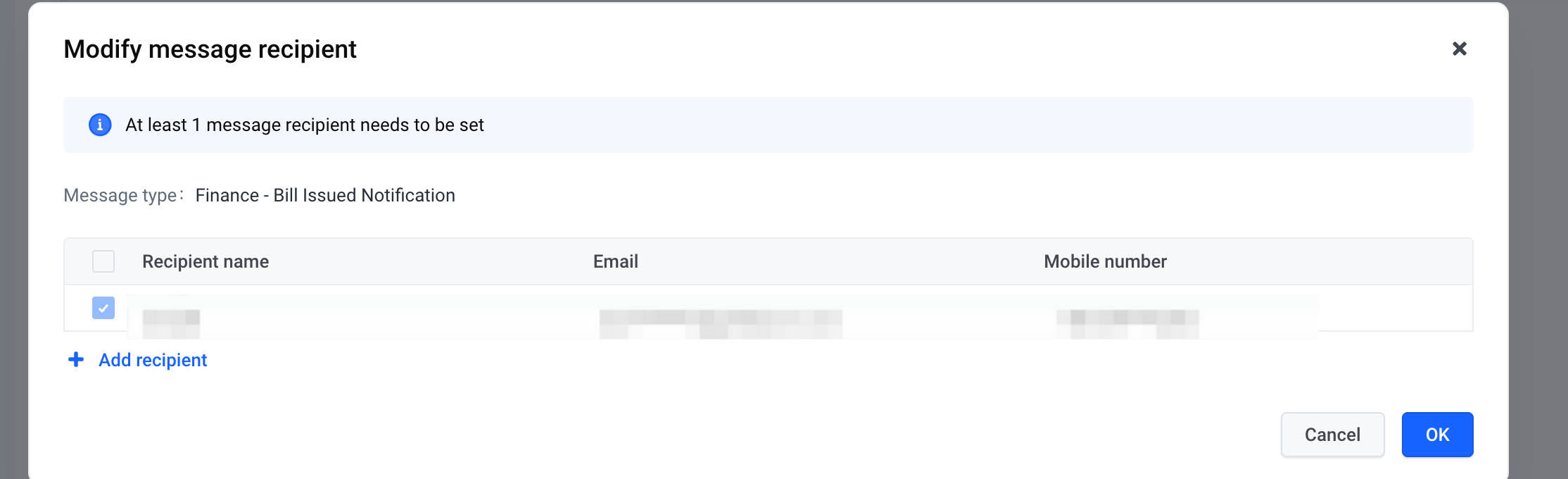
- Enter "Message Center - Basic Receive Configuration", and in the Finance Message - Bill Issued Notification column, you can modify the received message type and message recipient;
- Note: By default, all 3 notification channels are supported. If you need to modify/close the subscription, you can uncheck the corresponding channel as needed;
Last updated: 2025.06.29 20:45:04
All rights reserved © Beijing Volcano Engine Technology Co., Ltd2024
