DataAgent (OnPremise)
DataAgent (OnPremise)


- Documentation
 DataAgent (OnPremise)Intelligent Analysis Agent User GuideData Access and ProcessingData ConnectionOLAP DatabaseAmazon Redshift
 Copy page
 Download PDFCopy pageDownload PDF
The agent supports connecting to the Amazon Redshift database to retrieve data, enabling the creation of datasets for further analysis. Data connections support direct connection or extraction from Amazon Redshift data sources. Added support for fields of type text and super when extracting from Redshift data sources.
Before connecting to the data, collect the following information:
- The IP address and port number of the server where the database is located;
- The name of the database;
- The username and password for the database.
The following describes two methods for creating a data connection.
2.1 Create from data connection
(1) Enter BytePlus, click to access a specific project, click Data Preparation, find Data Connection in the dropdown list, and click Data Connection.
(2) Select Amazon Redshift on the page.
(3) Fill in the required basic information, test the connection, and click Save after the connection is successful.
(4) After confirming that the basic information for the data connection is correct, the data connection is complete.
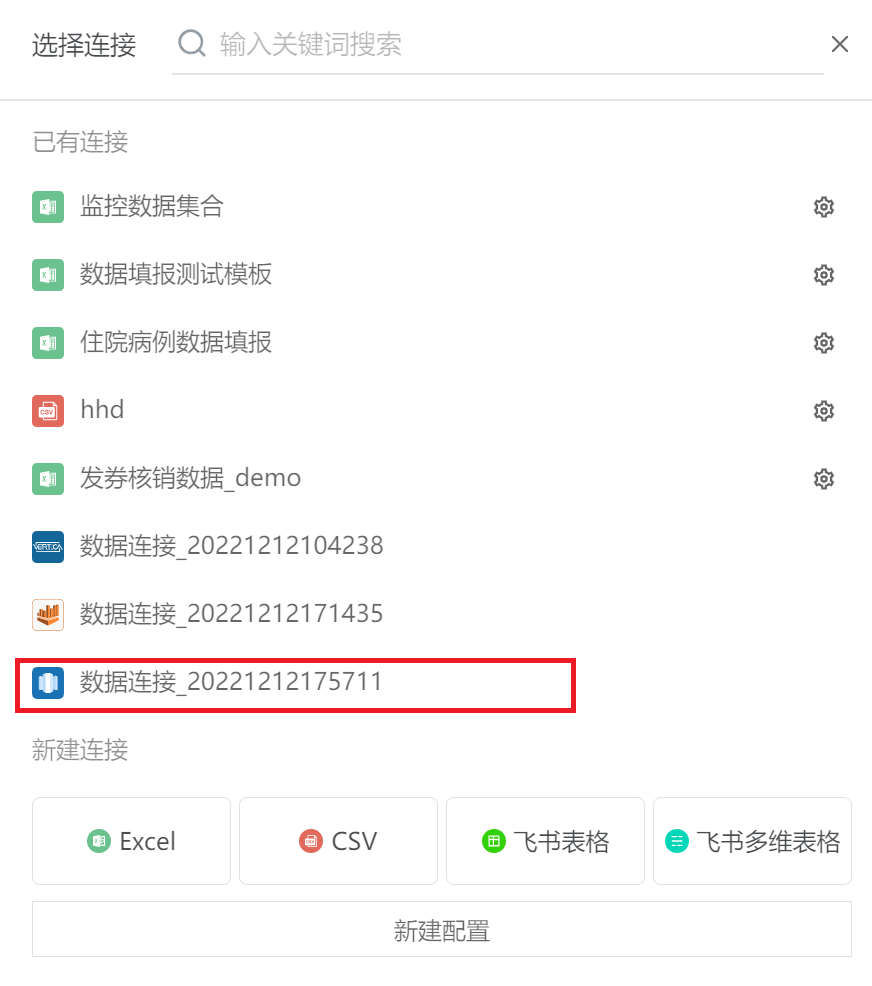
(5) You can use this connection as a data source to create a dataset: click Data Preparation --> Dataset, and select the "Create" button in the upper left corner to create a new dataset.
(6) Search or scroll through existing connections, and select the previously created data source.
2.2 Create from dataset
(1) Enter BytePlus, click Data Preparation --> Dataset, and select the "Create" button in the upper left corner to create a new dataset.
(2) When selecting a data connection, click Create a new configuration.
The subsequent steps are the same as steps (2) and (3) in 2.1. After uploading is complete, you will remain in the popup window for selecting a data connection for the dataset, and you can proceed directly to the next step of dataset creation.