Cloud Monitor
Cloud Monitor


Document

- Documentation
 Cloud MonitorUser GuideCloud Service MonitorElastic Compute Service MonitoringConfiguring alert notifications
 Copy page
 Download PDF
Elastic Compute Service Monitoring
Configuring alert notifications
Copy pageDownload PDFConfiguring alert notifications
You can configure an alert policy for ECS. When metrics do not meet expectations, alert notifications will be immediately sent to you.
Configuring alert notifications
- Log in to the Cloud Monitor console.
- In the left navigation bar, click Cloud Service Monitor. On the page that appears, click ECS.
- In the top navigation bar, select the target region.
- In the upper right corner of the page, click Create alert policy.
-
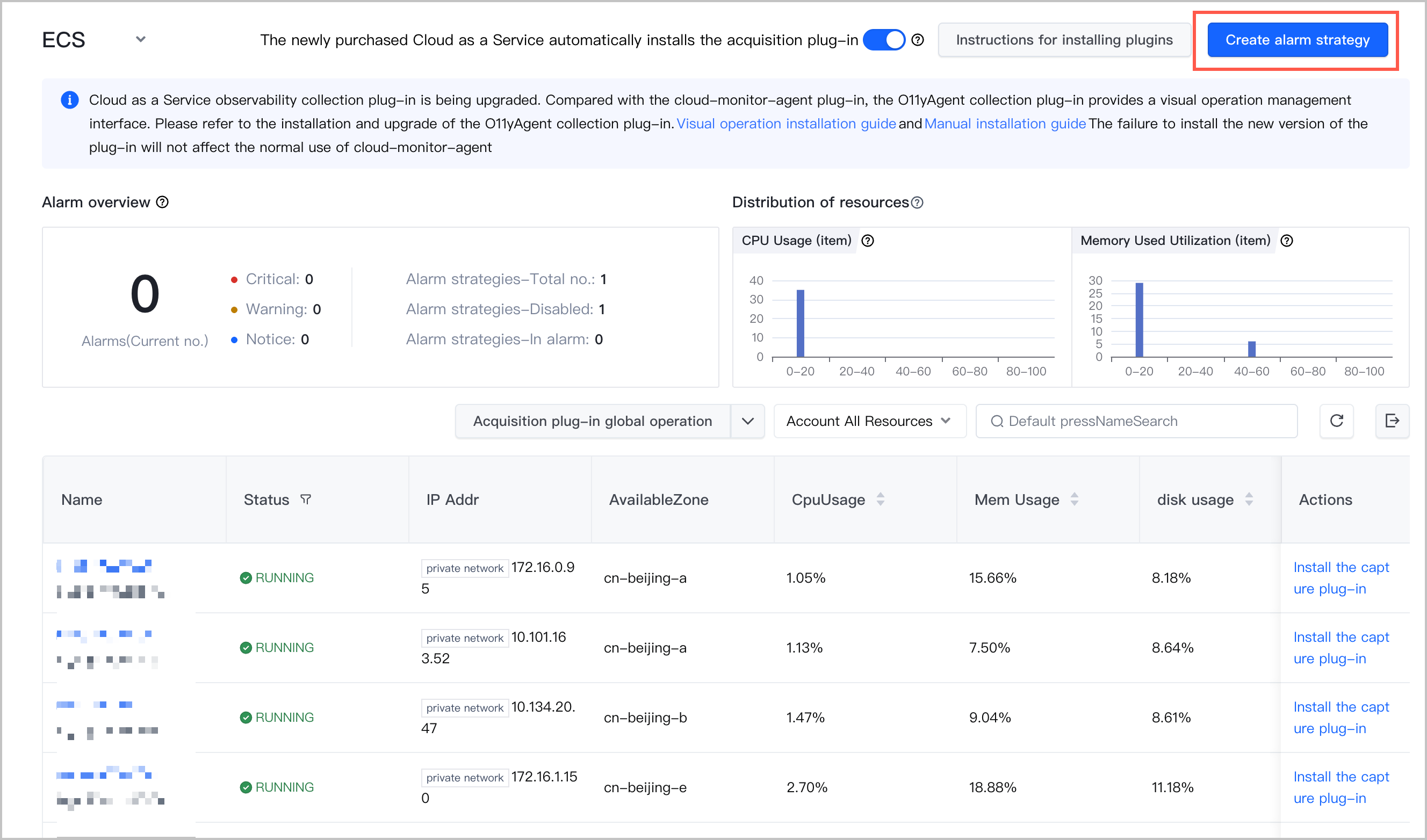
- On the Create alert policy page, specify the parameters of the policy. ECS is automatically specified as the resource type and the specified region is automatically selected.
tip
Last updated: 2026.07.10 14:02:23
All rights reserved © Beijing Volcano Engine Technology Co., Ltd2024
