Cloud Monitor
Cloud Monitor
Cloud Monitor


Document
What's new
Feature release history
Product Announcement
Announcement of Changes to Cloud Service Metrics
Overview
Getting Started
User Guide
Management permission
Cloud Service Monitor
Elastic Compute Service Monitoring
Monitoring plug-in (O11yAgent)
Alert Center
Alert policies
Alert templates
Object groups
Event center
Notification
Callback
Notification policy
Notification templates
Visual development
Best practices
Alert notifications
Alert policies
Cloud Monitor and Grafana Integration
API reference
Calling method
Alert contact groups
Alerting contacts
Query Cloud Service Monitor metrics or events
Event rule
Alert history
Tag management
Silence strategy
Alerting template
Notification templates
Troubleshooting
- Documentation
 Cloud MonitorUser GuideAlert CenterAlert templatesCopying an alert template
 Copy page
 Download PDF
Alert templates
Copying an alert template
Copy pageDownload PDFCopying an alert template
You can create an alert template by copying an existing alert template, which helps you quickly create a similar template without the need to repeatedly specify parameters.
Copy an alert template
- Log in to the Cloud Monitor console.
- In the left navigation bar, click Alert Center > Alert Template.
- Find the target alert template in the alert template list, and click Copy in the Actions column.
-
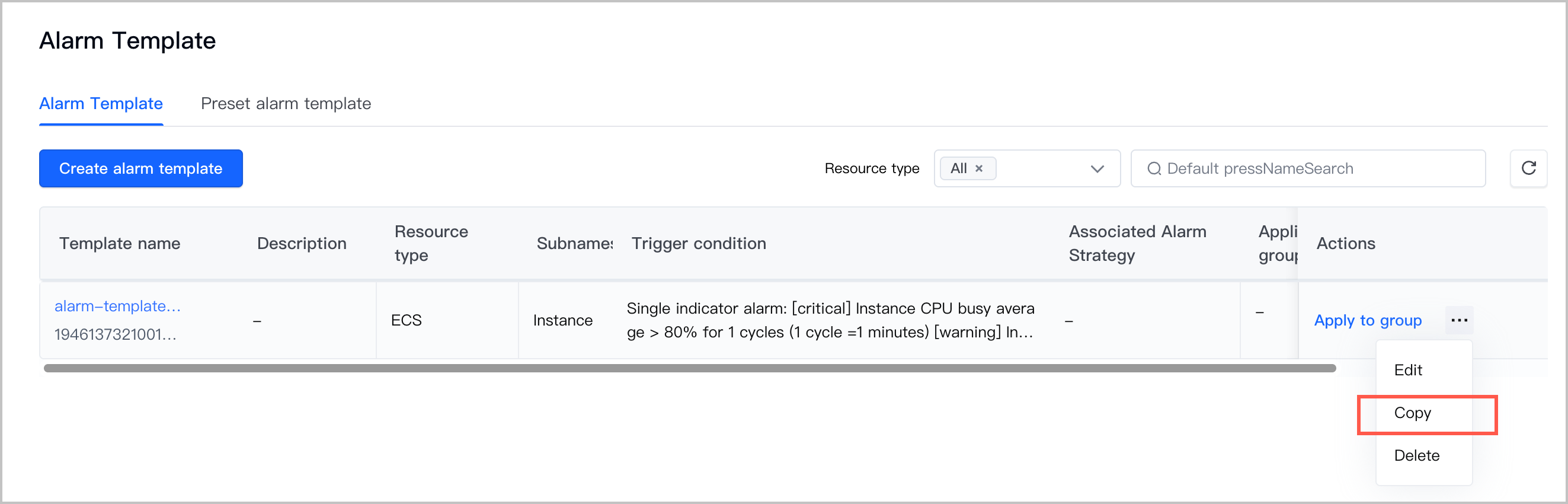
- On the Create alert template page, modify the configuration and then click Confirm.
- ParameterDescriptionNameSpecify a custom name for the alert template to identify the alert template.
- The name must be 1 to 128 characters in length.
- The name cannot start with a digit, a hyphen (-), or other special characters.
- The name can contain special characters.
DescriptionSpecify a custom description for the alert template.Resource typeSpecify the type of monitored cloud service.SubnamespaceSpecify a resource dimension of the monitored cloud service.Rule nameSpecify a custom name for the alert rule.- The name must be 1 to 64 characters in length.
- The name cannot start with a digit, a hyphen (-), or other special characters.
- The name can contain special characters.
Metric typeSpecify the metric type for the alert. Valid values: Single metric and Multiple metrics.Trigger conditionConfigure the metrics, duration, statistic type, comparison operator, and threshold for the alert. If the monitored resource metric meets the trigger condition, the system will send an alert notification.- If the Metric type parameter is set to Single metric, only one trigger condition can be set.
- If the Metric type parameter is set to Multiple metrics, one or more trigger conditions can be set.
Alert levelSpecify the severity level of the alert. Valid values: Critical, Warning, Notification.Effective timeThe effective period of the alert policy. The alert policy only monitors whether the resource data meets the trigger condition during the effective period.Mute ForAfter an alert policy is triggered, if the monitored resource continues to trigger alerts, the system will periodically send alert notifications.Alert recovery notificationA recovery notification is sent to users after the alert is cleared. The feature is enabled by default.
Last updated: 2026.07.10 14:02:23
All rights reserved © Beijing Volcano Engine Technology Co., Ltd2024
