Cloud Monitor
Cloud Monitor


Document

- Documentation
 Cloud MonitorUser GuideCloud Service MonitorElastic Compute Service MonitoringOverview
 Copy page
 Download PDF
Elastic Compute Service Monitoring
Overview
Copy pageDownload PDFOverview
Cloud Monitor provides multiple monitoring methods for Elastic Compute Service (ECS) instances. The methods include basic monitoring, operating system monitoring, GPU monitoring, Remote Direct Memory Access (RDMA) monitoring, and process monitoring.
Basic monitoring
Basic monitoring is a physical server-oriented monitoring capability provided by Cloud Monitor, which monitors the basic metrics (such as CPU, disk, and network) of physical servers that correspond to ECS instances.
Operating system monitoring
By default, Cloud Monitor provides a monitoring add-on (cloud-monitor-agent) to monitor the internal status of ECS instances, which obtains more in-depth and accurate information about the running status of the instances.
tip
Cloud Monitor provides a next-generation monitoring add-on O11yAgent. You can install this add-on by using the console or command line, or enable the automatic installation of the O11yAgent add-on for newly purchased ECS instances. For details, see Installing the O11yAgent collection add-on by using the GUI and Manually installing the O11yAgent collection add-on.
Use public images
When you purchase and create an ECS instance by using a public image, the system installs the cloud-monitor-agent add-on by default.
- For CentOS systems, only ECS instances with image tags of Centos7 or later are installed with the cloud-monitor-agent add-on by default.
- The existing public images may not be installed with the cloud-monitor-agent add-on. Therefore, if you are not sure whether ECS instances are installed with the cloud-monitor-agent add-on, you can run the following command on the instances to check:
System | Command | Verifying results |
Linux | systemctl status cloud-monitor-agent | If information such as the status of the cloud-monitor-agent add-on is returned, it indicates that the instance is installed with the cloud-monitor-agent add-on. Example: 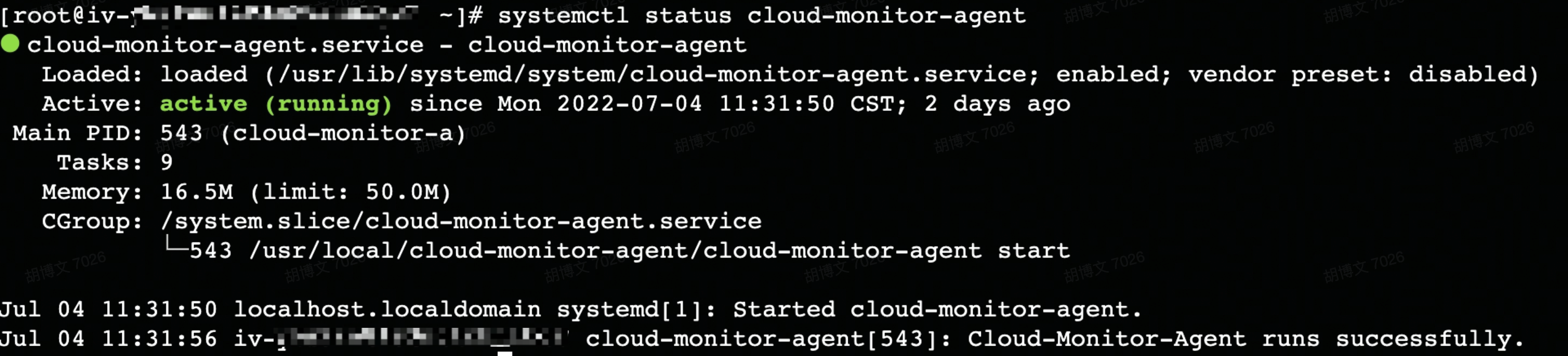 |
Windows | sc query "cloud-monitor-agent" | If information such as the status of the cloud-monitor-agent add-on is returned, it indicates that the instance is installed with the cloud-monitor-agent add-on. Example: 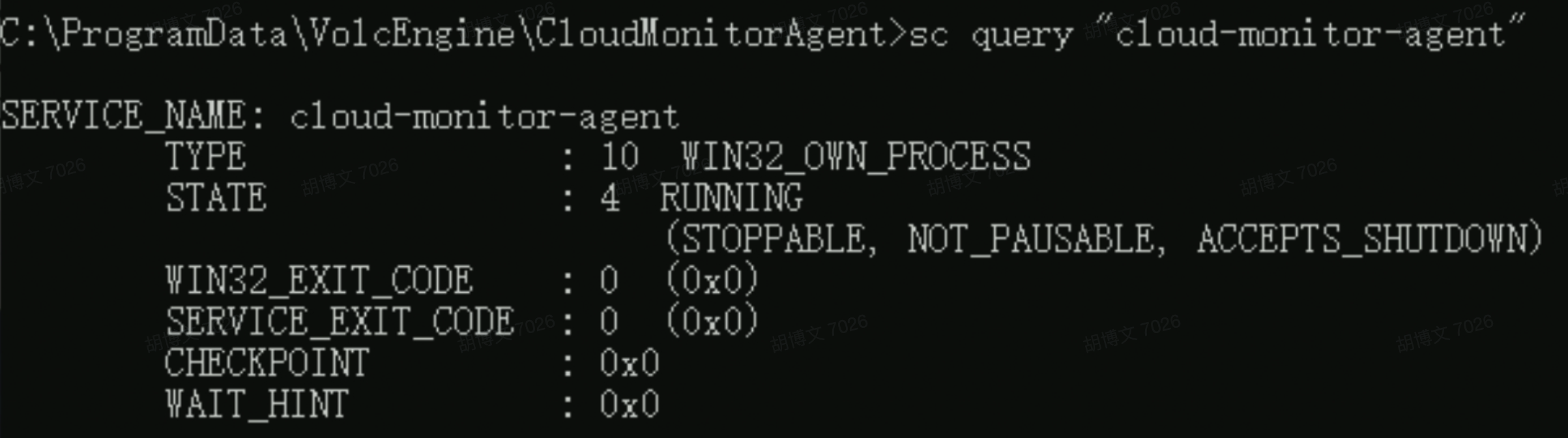 |
Use custom images
In addition to the public images provided by the platform, you can also install the cloud-monitor-agent add-on on the target instance of a custom image. You need to pay attention to the following matters:
- Operating system compatibility: Due to the variety of operating systems and versions, the cloud-monitor-agent add-on is only compatible with specific operating systems and versions. The cloud-monitor-agent add-on supports the same operating systems and versions as public images. For more details, refer to Public Image Overview.
- Add-on installation methods: For methods of installing the cloud-monitor-agent add-on in custom images, refer to Installing an add-on.
warning
Full compatibility between the cloud-monitor-agent add-on and custom images cannot be guaranteed. It is recommended to use the public images provided by the platform.
Related document
- For specific operations on viewing basic monitoring metrics, refer to Basic monitoring.
- If your instance is installed with the cloud-monitor-agent add-on, you can view operating system monitoring information in the Cloud Monitor console. For details, see Operating system monitoring.
- If your instance is not installed with the cloud-monitor-agent add-on, you need to install the add-on to monitor the operating system.
- For ECS monitoring metrics, refer to Supported cloud services.
Last updated: 2026.03.27 11:34:27
All rights reserved © Beijing Volcano Engine Technology Co., Ltd2024
