GPU Compute Service
GPU Compute Service


Document

- Documentation
 GPU Compute ServiceGPU Compute ServiceBest PracticesPerformance testing/tuningAssessing GPU performance through single-node/multi-node GPT training (Easy_GPT)
 Copy page
 Download PDF
Performance testing/tuning
Assessing GPU performance through single-node/multi-node GPT training (Easy_GPT)
Copy pageDownload PDFAssessing GPU performance through single-node/multi-node GPT training (Easy_GPT)
This topic describes how to perform end-to-end single-node/multi-node GPT training in a Docker environment to verify whether GPU performance meets the requirements.
Background
When you address GPU performance issues, if you are unable to locate anomalies after using tools like HostDiagnose and Easy_NCCL, or if you need to simulate real-world business scenarios, you can use end-to-end single-node/multi-node GPT training to replicate actual user workloads. This method helps verify whether GPU performance meets the requirements while eliminating tedious steps such as dependency installation, compilation, port configuration, and password-free setup.
tip
In addition to in-instance tools like HostDiagnose and Easy_NCCL, you can also perform one-click diagnosis of GPU devices via the Instance Diagnostic console and follow the guidelines to resolve any detected anomalies. For detailed information, see Instance diagnosis. This feature is currently in Beta. If you need a trial, contact your account manager.
Generative Pre-trained Transformer (GPT) refers to a series of large language models released by OpenAI. Trained on massive text datasets, these models can be used for tasks such as text generation, translation, and classification. The GPT series includes models like GPT-3 and GPT-4.
Instance type restrictions
- Single-node training: Supports GPU Accelerated instances and HPC-optimized instances.
- Multi-node training: Supports only HPC-optimized instances, excluding hpcg1ve and hpcpni3h instances. Among them, hpcpni3h instances are currently in Beta. If you need a trial, contact your account manager.
Prepare the environment
- You already have one or more GPU instances, which are referred to in this topic as node1 and node2. The basic configuration for each instance is as follows:
- The volume must have more than 90 GiB of free capacity.
- An EIP is associated with the instance, enabling the instance to connect to the Internet.
- The HPC-optimized instances in this topic are created based on Ubuntu 20.04. You can also choose other images.
- Refer to Logging in to Linux instances to log in to each node and then complete the following actions.
- Make sure that the GPU driver and CUDA toolkit are installed.
- Execute the following commands respectively to confirm whether the GPU driver and CUDA toolkit are installed. If you have no GPU driver and CUDA toolkit installed, install the CUDA toolkit and then install GPU driver.
- nvidia-smi/usr/local/cuda/bin/nvcc -V
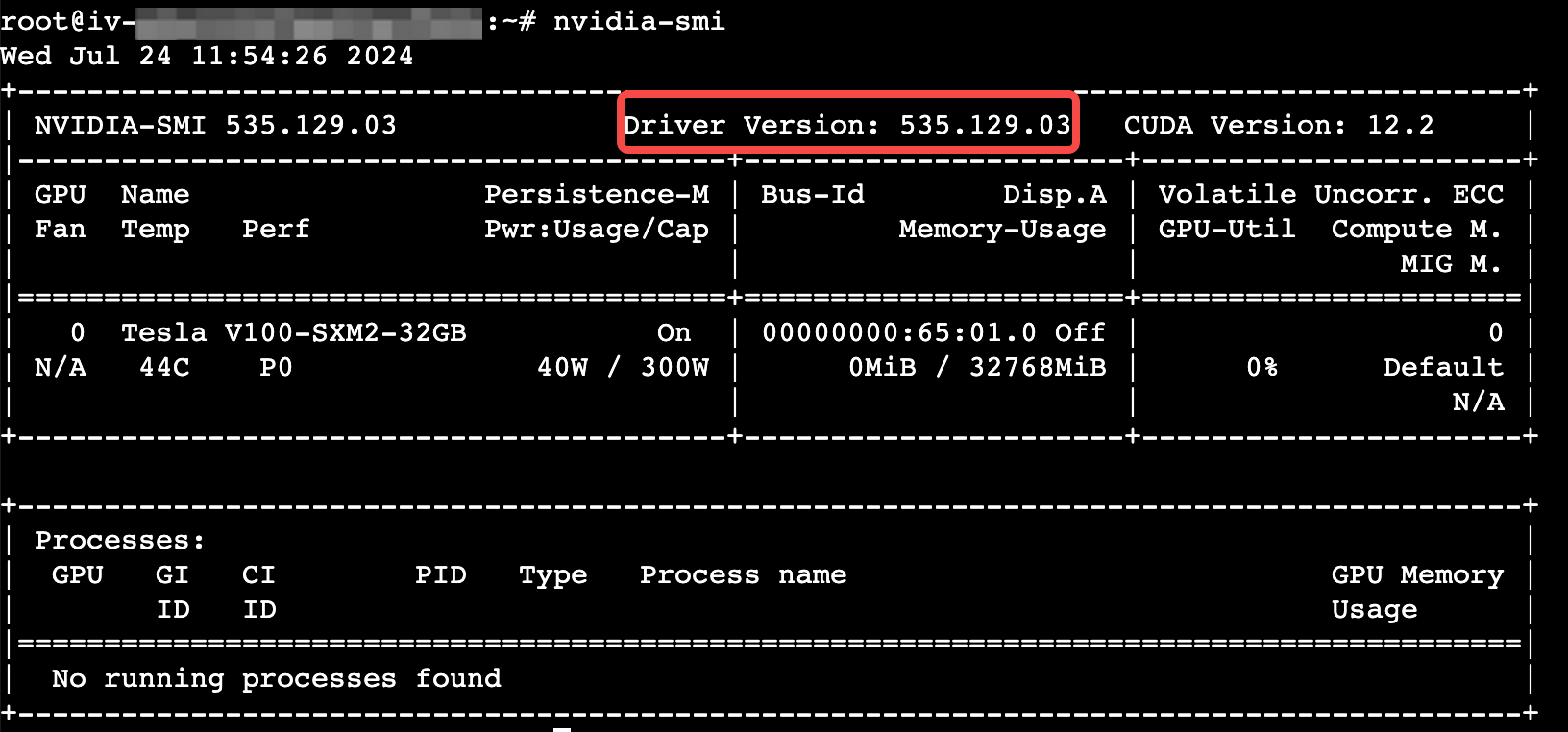
- If the following information is returned, the GPU driver and CUDA toolkit are installed.
-
-

- Python and Docker have been installed.
- Execute the following commands separately to check the Python and Docker versions. If not installed, install Python, Docker, and Nvidia Docker.
- python --versiondocker --version
-

Procedure
- Upload the mlp_easy_gpt.py file below to the instance by referring to File transfer overview.
- Execute the following command inside the instance to run the mlp_easy_gpt.py script.
Replace the IP address after -i with the private IP address of the primary network interface associated with each instance. Separate different IP addresses with commas (,). The sequence of IP addresses does not matter. To view the private IP address, please refer to Viewing instance information.
- In a single-node environment, execute the following command:
- python3 mlp_easy_gpt.py -i <instance's private IP address>
- In a multi-node environment, execute the following command:
- python3 mlp_easy_gpt.py -i <private IP address of node1, private IP address of node2>
Result determination
Type | node1 (primary node) | node2 |
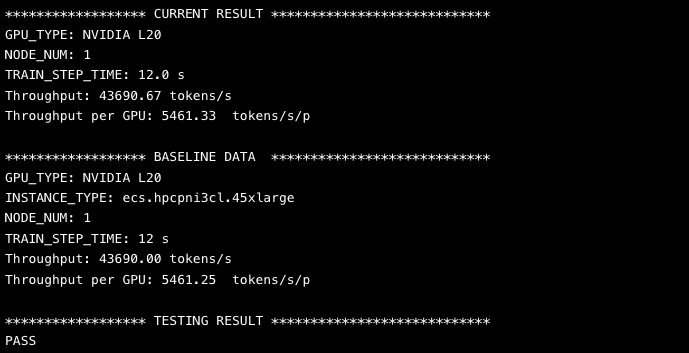
View performance | tip The primary node outputs performance data. For multi-node training, performance scales linearly with the number of single nodes. The calculation formula is as follows: Multi-instance performance baseline = Single-instance baseline × 0.97log2(n) Where n is the number of nodes. If the measured performance exceeds the baseline, the performance meets expectations.
| No action |
Collect logs | The primary node collects the distributed_gpt.log file:
| |
View RDMA monitoring traffic | ||
| | |

Last updated: 2025.12.03 15:45:52
All rights reserved © Beijing Volcano Engine Technology Co., Ltd2024
