File Storage vePFS
File Storage vePFS


Document

- Documentation
 File Storage vePFSBest PracticesCopy data between vePFS and object storage TOS using the tosutil tool
 Copy page
 Download PDF
Best Practices
Copy data between vePFS and object storage TOS using the tosutil tool
Copy pageDownload PDFCopy data between vePFS and object storage TOS using the tosutil tool
This article explains how to copy data between vePFS and object storage TOS using the tosutil tool.
Background information
vePFS provides data mobility features. For a better experience, we recommend using these features. For more details, see Data Mobility Overview.
Use cases
- Dataset loading scenario (TOS > vePFS): Data moves from object storage to vePFS for data cleansing and GPU training.
- Training data archiving scenario (vePFS > TOS): CheckPoint data and training results from GPU training are archived to object storage.
Prerequisites
- The bandwidth of ECS and object storage meets the data transfer requirements.
- Network bandwidth varies by ECS instance type. We recommend selecting ECS instances with outbound bandwidth of 20 Gbps or higher. For ECS specifications, see ECS Specification Description.
- For bandwidth constraints of object storage, see Constraints.
- A bucket has been created. For more information, see Creating buckets.
- vePFS file storage has been mounted on ECS. For more information, see Mounting vePFS.
- tosutil tool has been installed and initialized on ECS. For more information, see Install tosutil and Initialize tosutil.
- The tmux tool has been installed on the ECS instance to prevent remote connection interruptions and avoid disrupting data synchronization. The installation command is as follows:
- # Using the CentOS system as an exampleyum install tmux -y
- The commonly used tmux commands are as follows.
- In the newly created tmux window, sessioname is a variable, your custom session name.# tmux new -s sessionameExit the tmux window# tmux detachView the tmux window# tmux lsLoad the already created tmux window, where sessionname is the session name retrieved by "tmux ls".# tmux a -t sessioname
Steps
Copy object storage data to vePFS
This article takes an ECS instance running CentOS as an example to show how to copy object storage data to vePFS.
- Use the console to log in to a Linux instance.
- Run the following command to switch to tmux, which helps prevent session interruption during migration.
- tmux new -s target1
- Run the following command to copy data from the object storage bucket to vePFS.
- ./tosutil cp tos://bucketname/sourcedir /mnt/vepfs/ -r -u -j=XX -p=XX -nfj=XX
- The main parameters are explained as follows.
tip
- For detailed information about copying objects with tosutil, see Copy Objects.
- tosutil supports optimizing transfer performance by adjusting concurrency using the -j and -p parameters. For more information, see Copy Objects.
-
- View the results of loading the dataset. Example output is shown below.
-
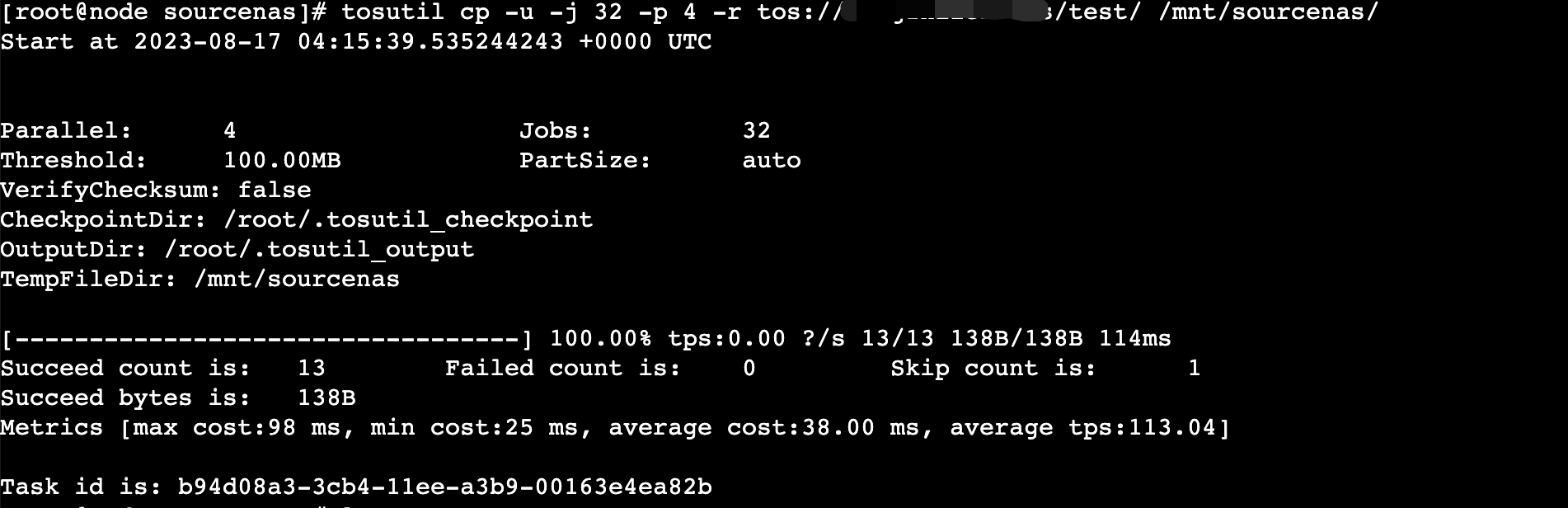
- The table below lists all possible response fields.
-
tip
When uploading or downloading object storage files in batches with tosutil, result files are generated after task completion to record successful and failed tasks. By default, these files are stored in the folder specified by the defaultOutputDir parameter in the configuration file, with the default path as /root/.tosutil_output. For more details, see tosutil Configuration File.
Copy vePFS data to object storage
This article uses an ECS instance running the CentOS system as an example to illustrate how to copy data from vePFS to object storage.
- Use the console to log in to a Linux instance.
- Run the following command to switch to tmux and keep your session active during migration.
- tmux new -s target1
- Run the following command to copy the data from vePFS to object storage.
- ./tosutil cp /mnt/vepfs/sourcedir tos://bucketname -r -u -j=XX -p=XX -nfj=XX
- The main parameters are explained below.
tip
- For detailed instructions on copying objects with tosutil, see Copying Objects.
- tosutil supports adjusting concurrency using the -j and -p options to optimize transfer performance. For recommendations, see Copying Objects.
-
- View the data archiving results.
-
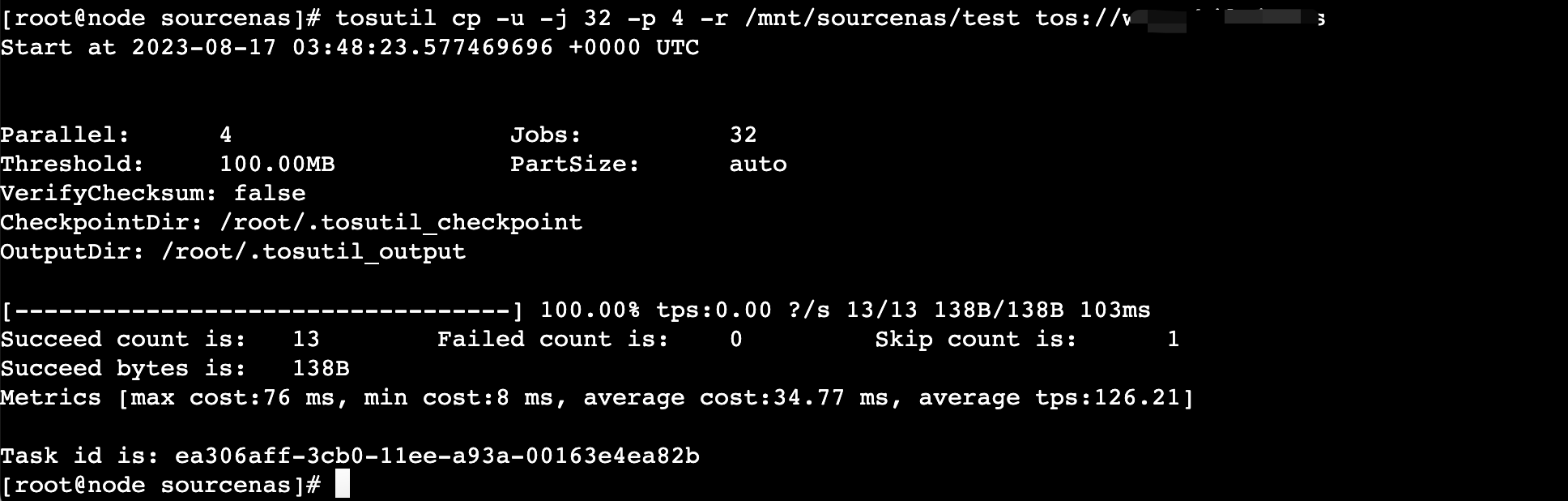
- The returned parameters are explained below.
-
tip
When using the tosutil tool to batch upload or download object storage files, successful and failed task reports are generated after the tasks are completed. The default storage folder is specified by the defaultOutputDir parameter in the configuration file, with the default path being /root/.tosutil_output. For more details, see tosutil configuration file.
Last updated: 2026.03.03 10:39:10
All rights reserved © Beijing Volcano Engine Technology Co., Ltd2024
