Transit Router
Transit Router
Transit Router


Document
What's new
Product Overview
Product Billing
Getting Started
User Guide
TR instances
Intra-region attachment
Instance sharing
Inter-region management
Bandwidth Package
Route tables
Route policy
Forward policy
QoS management
Traffic qos marking policy
Multicast
Flow logs
Projects and Tags
Best Practices
API reference
TR instances
VPC attachment
VPN attachment
DC gateway attachment
Local peer attachment
Inter-region attachment
Bandwidth Packages
Route tables
Route entry
Association forwarding
Route learning
Route policy
Forwarding policy
Traffic qos marking policy
Traffic qos queue policy
Flow logs
Multicast
- Documentation
 Transit RouterSDK referenceViewing an SDK sample code
 Copy page
 Download PDF
SDK reference
Viewing an SDK sample code
Copy pageDownload PDFViewing an SDK sample code
This topic introduces how to search and view the SDK example code of desired API through the VolcanoEngine OpenAPI center.
Step 1: Obtain the usage documentation of the target API
View the API overview, select the desired feature API, and view the API documentation to understand the configuration description and limits of request parameters.
Step 2: Obtain an SDK sample code
- Access the Transit Router API Explorer.
- Search the target API name to find the corresponding API.
- In the middle debugging zone, select the service region, and type in API request parameters.
- In the right-side zone, select the SDK sample code tab to view the SDK sample code based on your programming language.
Step 3: Configure code
The following example uses the DescribeTransitRouterAttachments API to introduce how to read and use the code sample.
You only need to replace the content in the red boxes with your AK and SK. For detailed steps on obtaining your AK and SK, see Key management.
Programming language | SDK example |
Java | 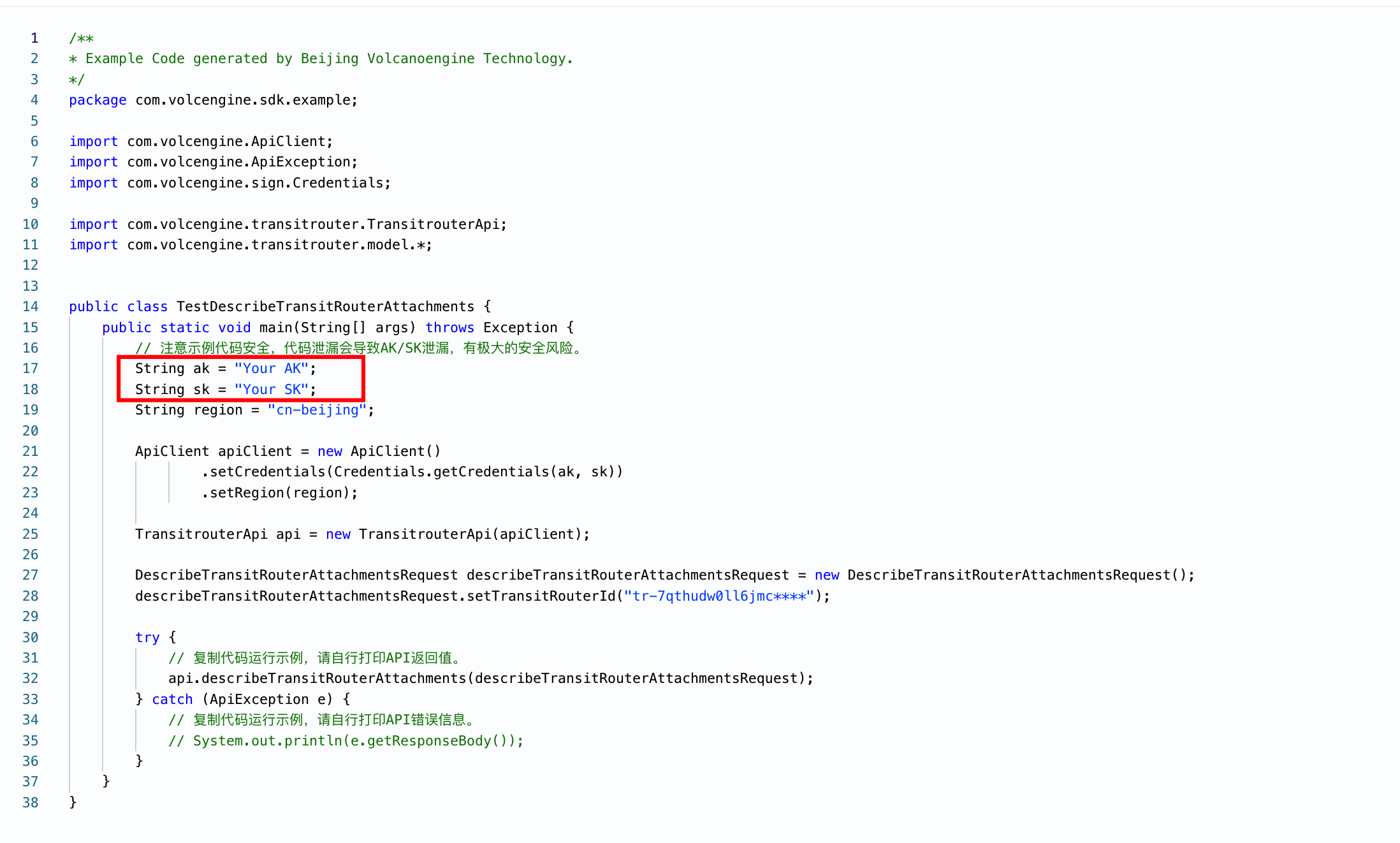 |
Go | 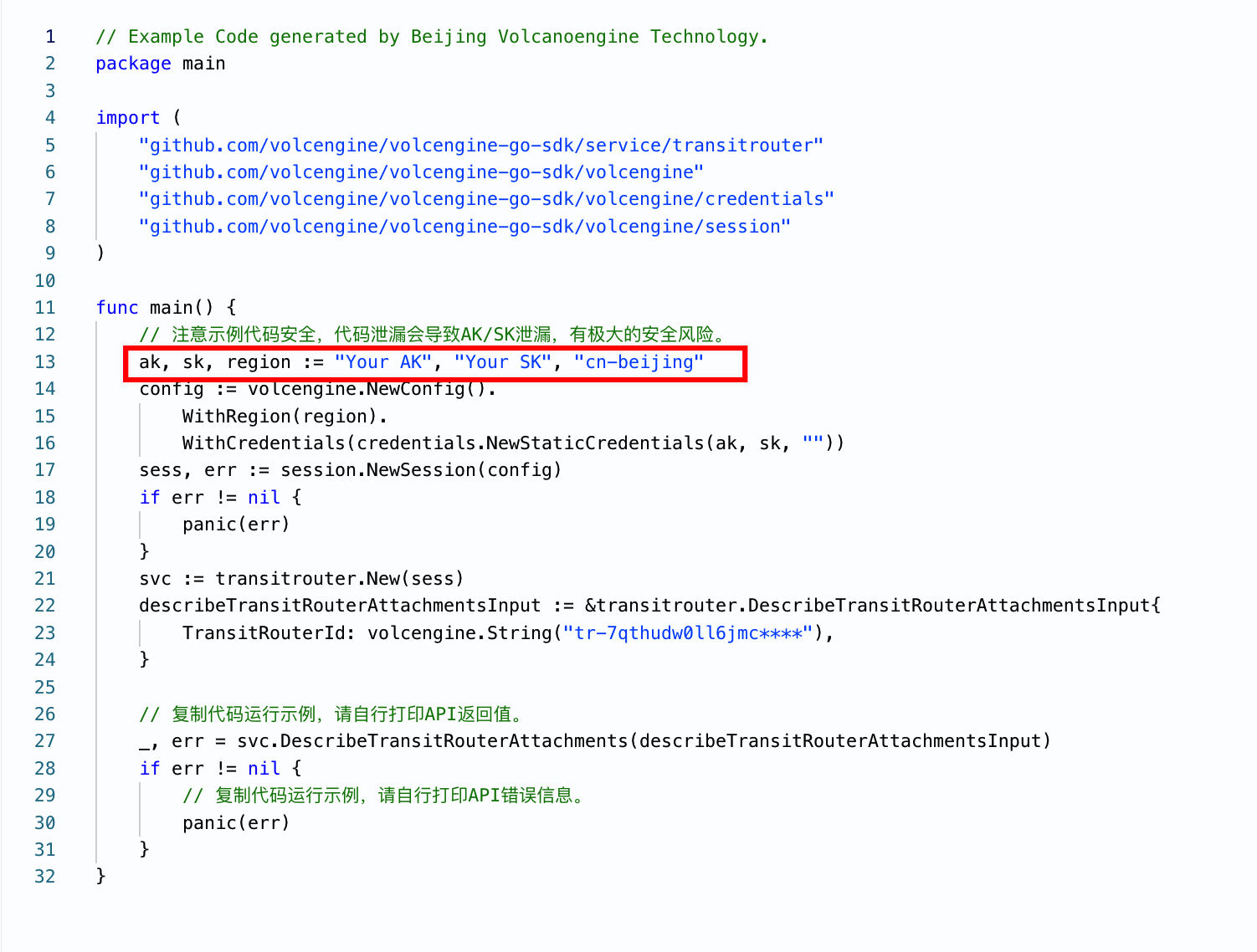 |
Python | 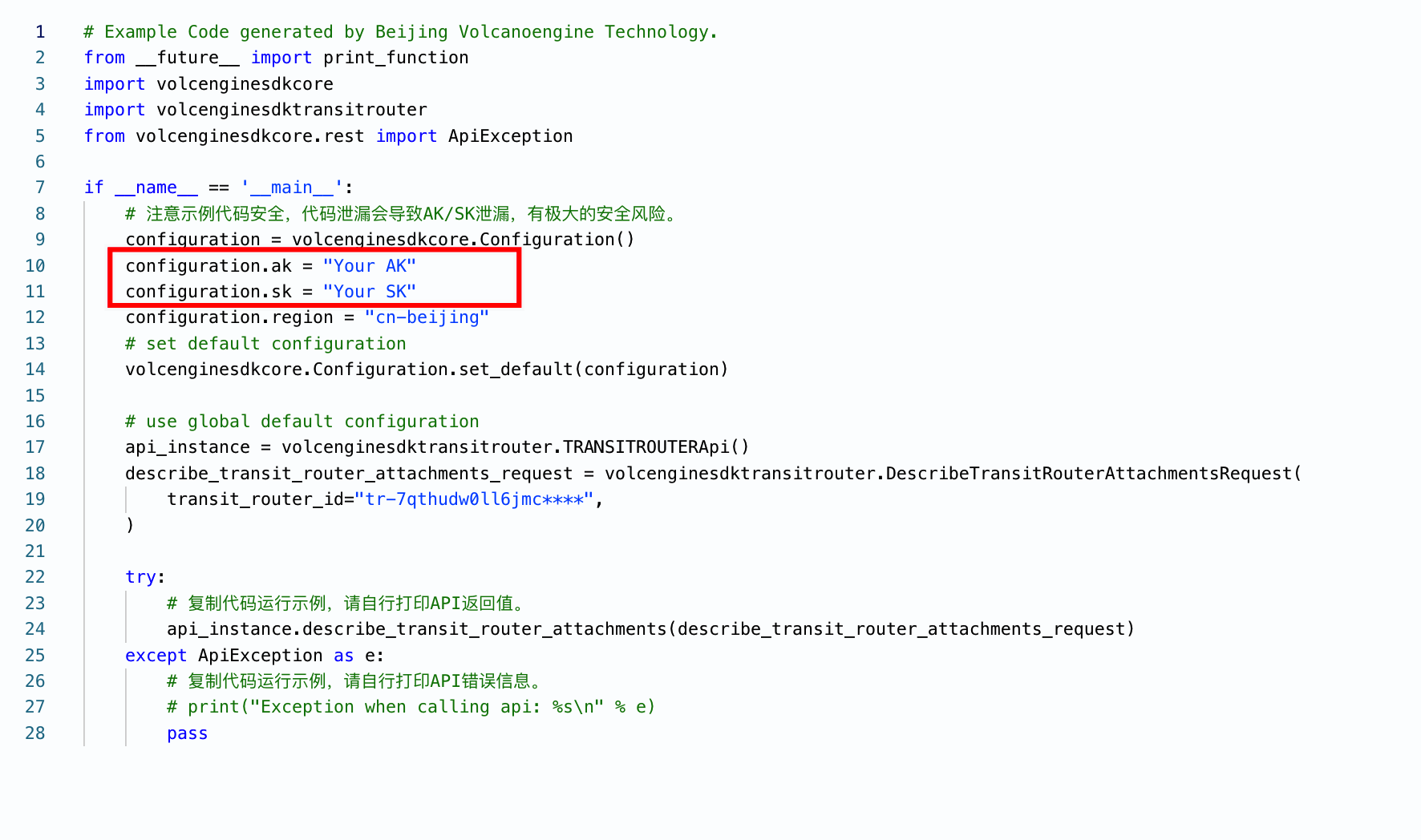 |
PHP | 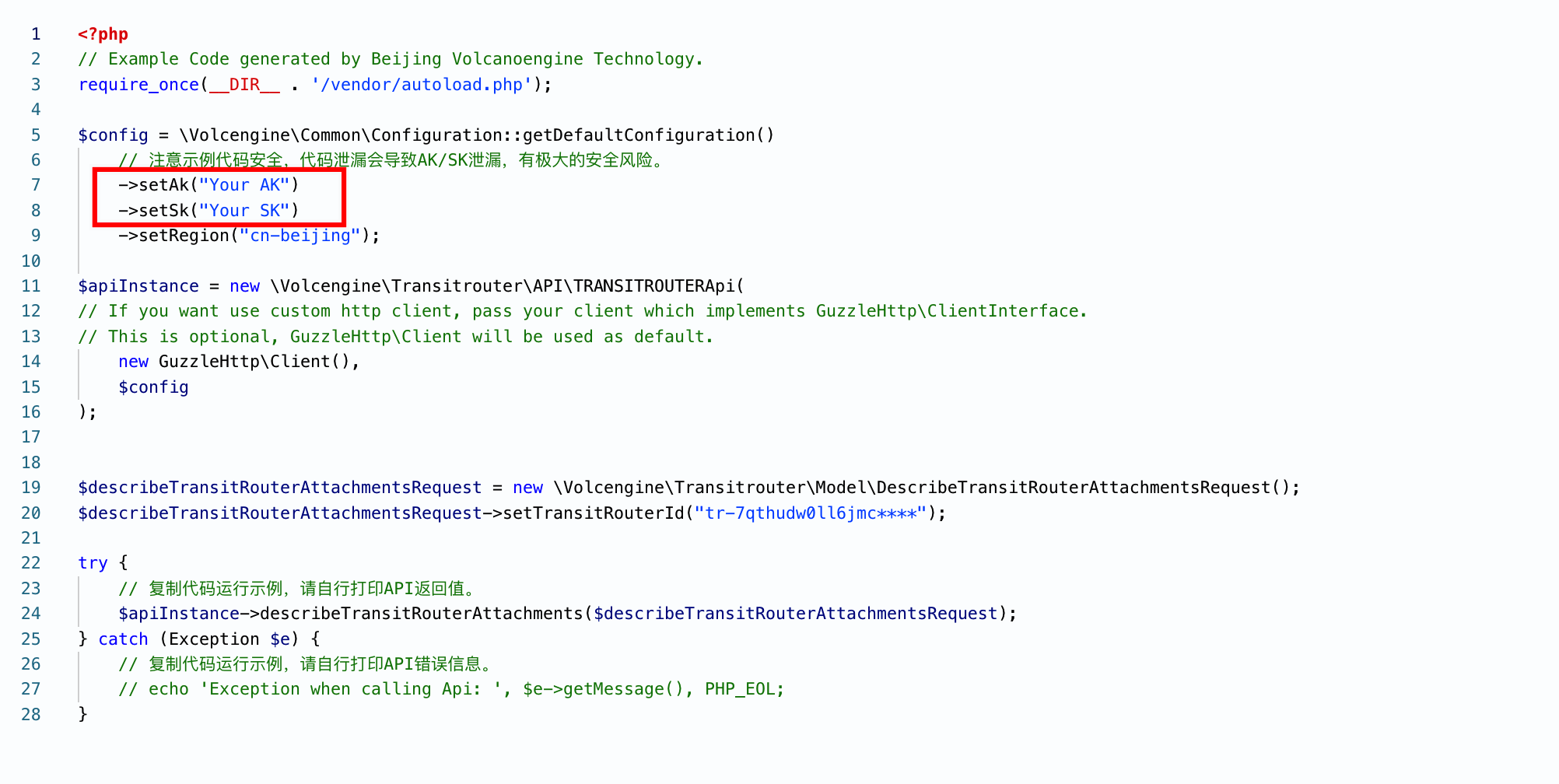 |
Last updated: 2026.09.01 11:37:10
All rights reserved © Beijing Volcano Engine Technology Co., Ltd2024
