托管 Prometheus
托管 Prometheus


文档指南

请输入


- 文档首页
 托管 Prometheus最佳实践Prometheus 数据采集与接入使用 Pushgateway 推送数据
 复制全文
复制全文 下载 pdf
使用 Pushgateway 推送数据
 文档反馈
文档反馈 问问助手
问问助手本文介绍如何使用托管 Prometheus 提供的 Pushgateway 功能推送数据。
背景介绍
托管 Prometheus 支持社区 Prometehus Pushgateway 协议,使用步骤如下:
- 获取 Pushgateway URL:通过托管 Prometheus 控制台获取 Push 地址。
- 上报数据:使用 curl 命令或者开源 SDK 实现数据推送。
- 查询数据:在 VMP 控制台查询上报的结果。
前提条件
步骤一:获取 Pushgateway URL
- 登录 VMP 服务控制台。
- 单击左侧导航栏的 工作区,进入工作区列表页面。
- 单击目标工作区名称。
-

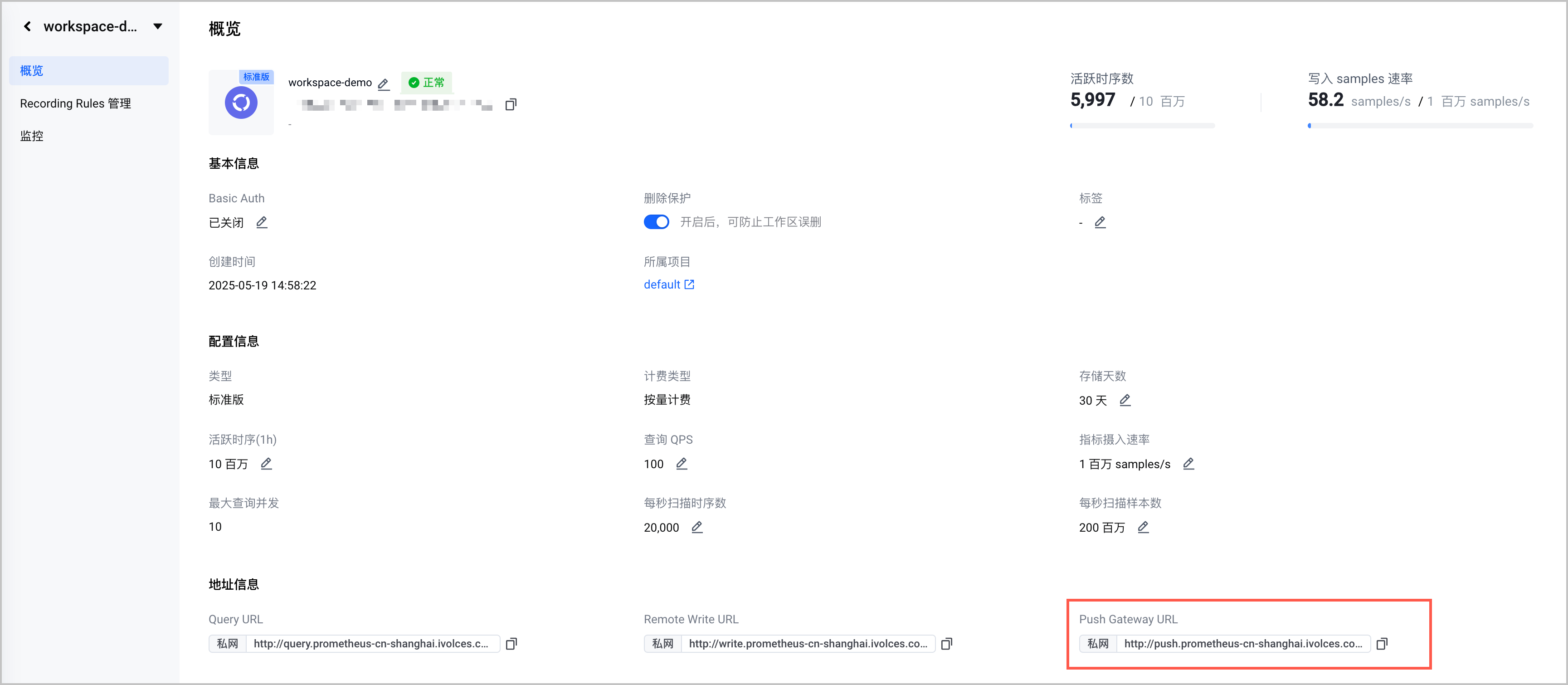
- 在左侧导航栏,选择 概览,然后在 地址信息 区域获取 Push Gateway URL。
-
步骤二:上报数据
兼容社区开源 Prometheus SDK 使用 Pushgateway 协议上报,以下提供 Golang、JAVA 和 curl 命令示例,其他语言请参见社区文档。
注意
目前仅支持 Text Format 和 Protobuf Delimited 两种数据层协议,暂不支持 Protobuf Text、Protobuf Compact-Text 和 OpenMetrics 等协议,开源的 SDK 一般默认是 Protobuf Delimited 协议。
package main
import (
"fmt"
"github.com/prometheus/client_golang/prometheus"
"github.com/prometheus/client_golang/prometheus/push"
)
func main() {
pusher := push.
New("http://push.prometheus-cn-guangzhou.ivolces.com/workspaces/0df18f14-4d18******/api/v1/push", "push_job").
BasicAuth("username", "password").
Grouping("label_1", "value_1")
testCounter := prometheus.NewCounterVec(prometheus.CounterOpts{
Name: "push_test_counter",
Help: "push test demo counter",
ConstLabels: nil,
}, []string{"type"})
testCounter.WithLabelValues("test").Add(20)
if err := pusher.Collector(testCounter).Push(); err != nil {
fmt.Println(err.Error())
}
}
public class PushExqmple {
private static PushGateway pushGateway = PushGateway.builder()
.address("push.prometheus-cn-guangzhou.ivolces.com/workspaces/0df18f14-4d18******/api/v1/push")
.basicAuth("my_user", "my_password")
.job("example")
.build();
private static Gauge dataProcessedInBytes = Gauge.builder()
.name("data_processed")
.help("data processed in the last batch job run")
.unit(Unit.BYTES)
.register();
public static void main(String[] args) throws Exception {
try {
long bytesProcessed = processData();
dataProcessedInBytes.set(bytesProcessed);
} finally {
pushGateway.push();
}
}
public static long processData() {
// Imagine a batch job here that processes data
// and returns the number of Bytes processed.
return 42;
}
}
curl -H "Content-Type: text/plain; version=0.0.4; charset=utf-8" -u "username:password" http://push.prometheus-cn-guangzhou.ivolces.com/workspaces/0df18f******/api/v1/push/metrics/job/some_job/instance/some_instance \
--data-binary @- << EOF
# TYPE some_metric counter
some_metric{label="val1"} 42
# TYPE another_metric gauge
# HELP another_metric Just an example.
another_metric 2398.283
EOF
步骤三:查询数据
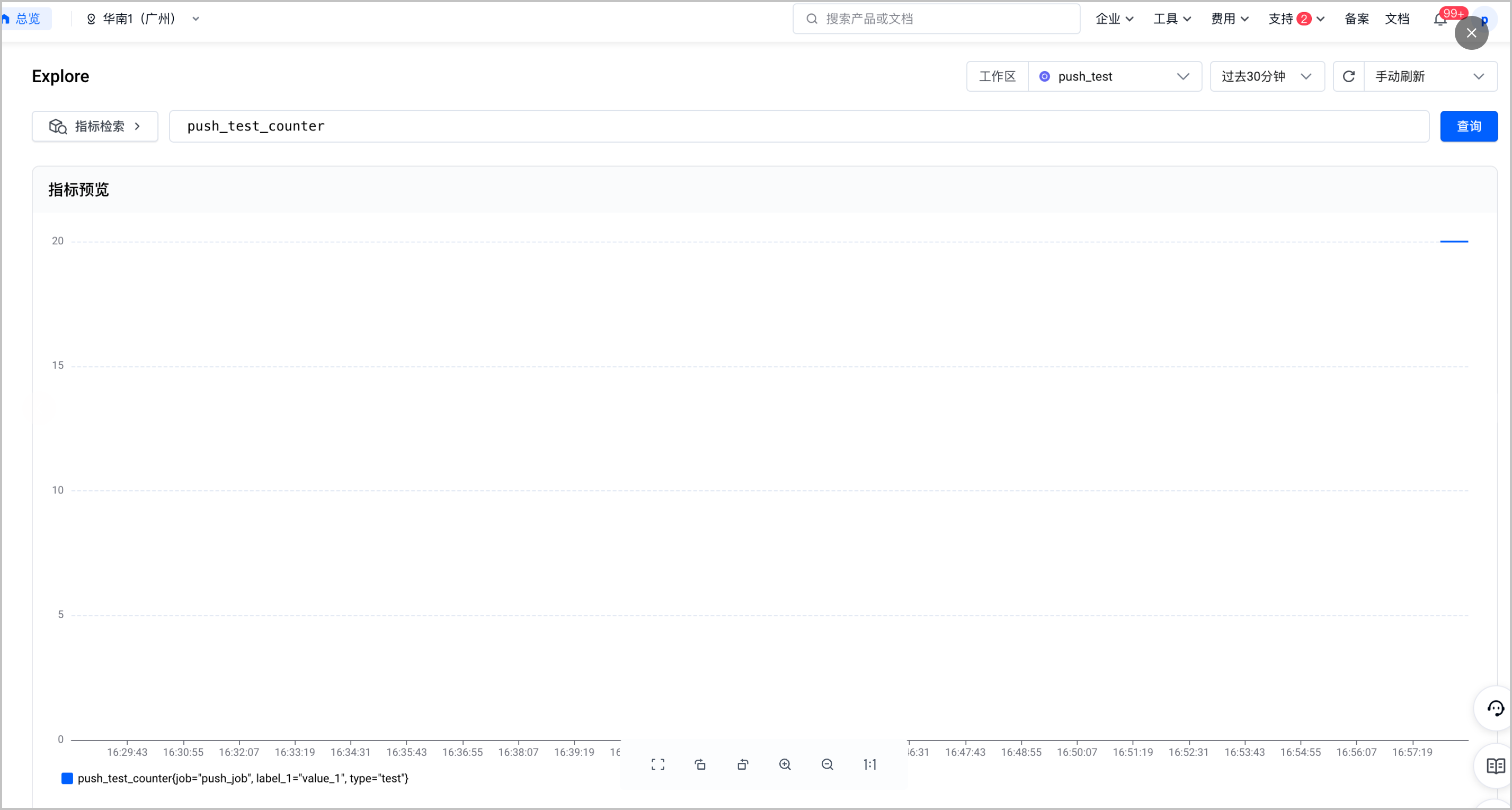
登录 VMP 服务控制台查询上报的结果。写入成功后需要等待 30s 才能查到最新的数据。
最近更新时间:2025.09.03 15:13:02
这个页面对您有帮助吗?
有用
有用
无用
无用