Volcano Engine Function as a Service
Volcano Engine Function as a Service


Document

- Documentation
 Volcano Engine Function as a ServiceBest PracticesFunction ManagementManage functions using veFaaS Code Deployer plugin
 Copy page
 Download PDF
Function Management
Manage functions using veFaaS Code Deployer plugin
Copy pageDownload PDFManage functions using veFaaS Code Deployer plugin
This topic describes how to manage function resources by using the veFaaS Code Deployer plugin. You can obtain function lists, bind functions, upload code, release code, and perform other operations.
Background information
The entry point to veFaaS is code. Most users develop code locally and then submit it to a code repository, which is naturally isolated from the function computing platform.
eFaaS Code Deployer is a plugin that supports IDEs based on the Monaco Editor engine, such as VSCode, Trae, and MarsCode, and IDEs based on the JetBrains IntelliJ Platform, such as GoLand, IntelliJ IDEA, WebStorm, and PyCharm. It helps you easily deploy code developed in an IDE to Volcano Engine Function as a Service (veFaaS), bridging local development and online deployment. Through this plugin, you can perform the following operations:
- Configure and update the Volcano Engine access API key (AK/SK).
- Obtain a list of veFaaS functions for different geographies.
- Binding function.
- Pull the latest code for binding functions.
- Develop function code, then upload and deploy it in the function.
- Support for running function code locally and debugging it.
In addition to the plugin market within the IDE, the plugin download channels also supported are as follows:
Install the veFaaS Code Deployer plugin
- Install the IDE you need locally. Take Visual Studio Code (VSCode) as an example, visit the official website and install the local VSCode IDE.
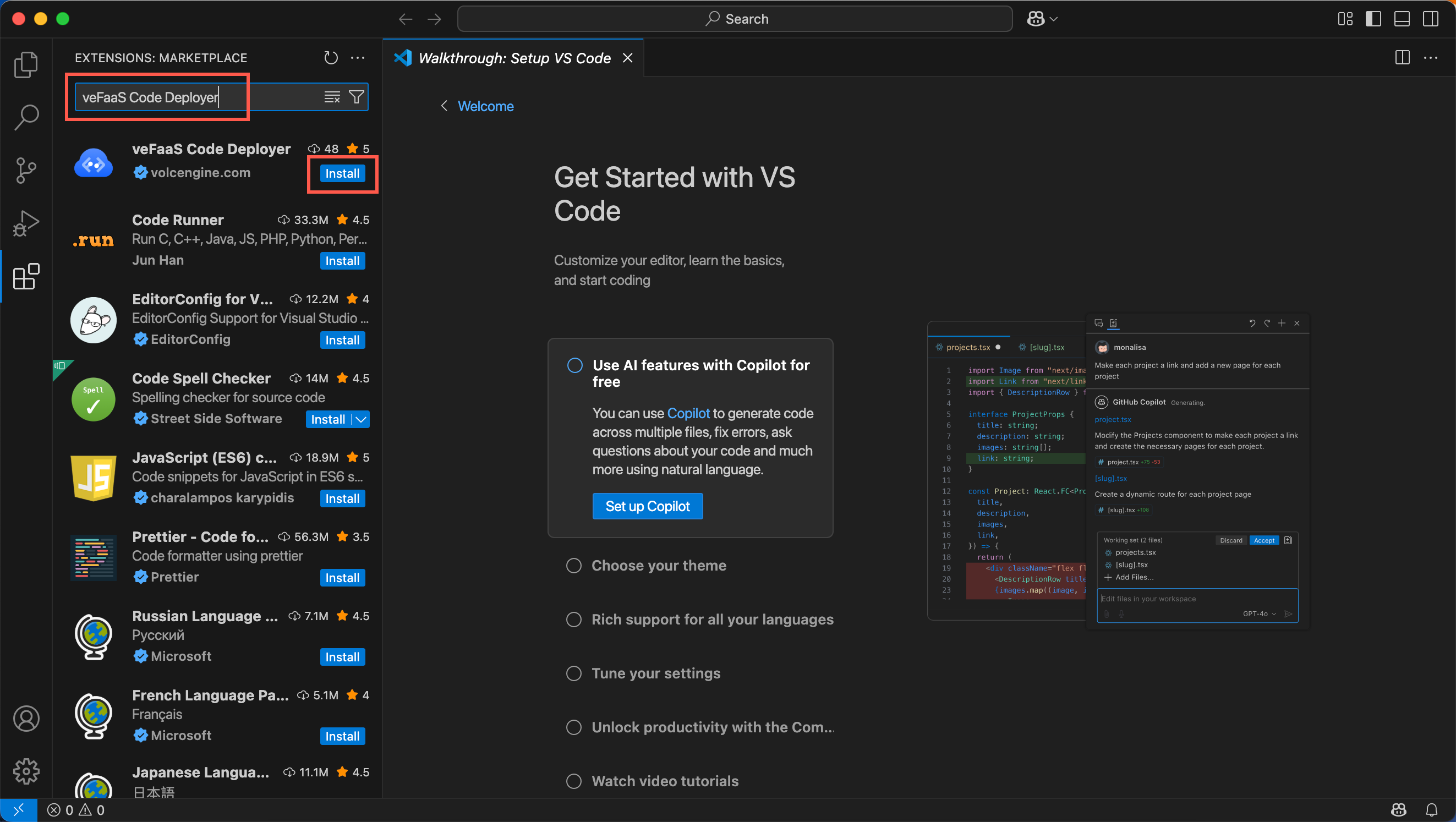
- Enter the local IDE plugin market, search for veFaaS Code Deployer plugin, view the plugin details and install the plugin.
- The following figure takes searching for veFaaS Code Deployer in the local VSCode IDE and installing it as an example. You can also access the corresponding links of the veFaaS Code Deployer plugin in the webpage version IDE market, such as: JetBrains, VS Code, and Trae, etc., and install the plugin.
-
- (Optional) After completing installation, right-click on your code editing page to see the veFaaS menu.
-
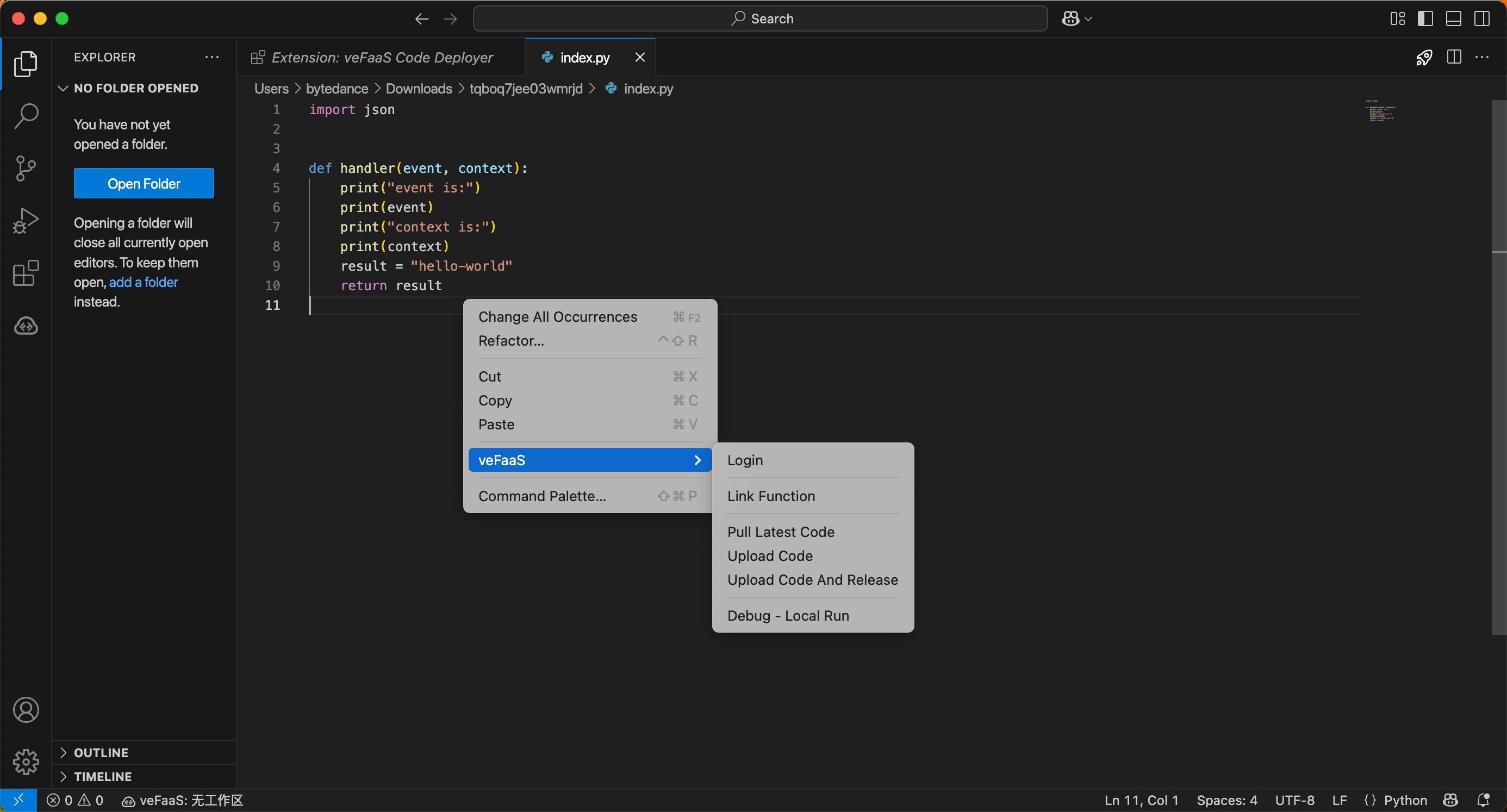
- The veFaaS menu description is as follows:
-
Plugin use process
- On the code editing page in the IDE, right-click and select veFaaS > Login.
- Based on actual needs, click Volcano Engine account login or Volcano Engine AK/SK login, and complete login operations according to interface prompts.
- The Volcano Engine account login method is recommended.
- After successfully logging in, you can view functions list in different geographies.
- Binding functions.
- Filter the target function according to function name or ID, and click the Link Function button at the rear of the function.
- Pull the latest code for binding functions.
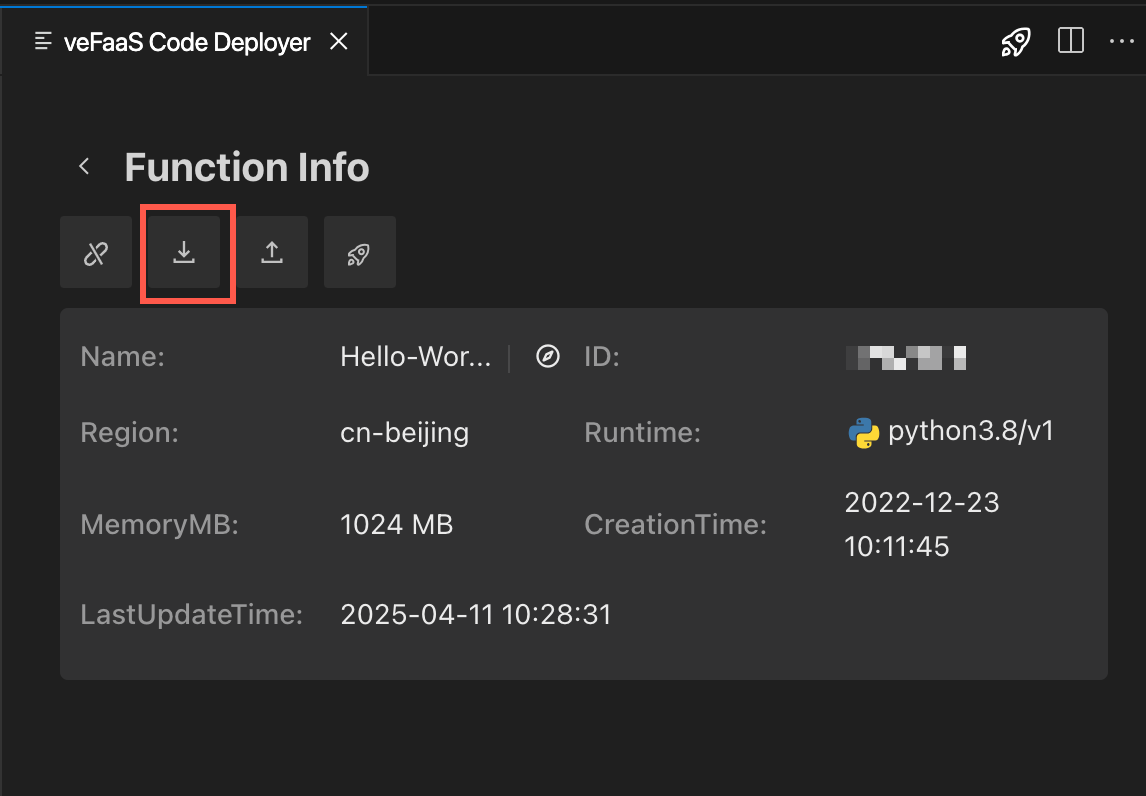
- On the function details page, click the download button to pull the latest code for binding functions, and save the function code file index.py in the current directory.
tip
You can also right-click the directory folder, and then select veFaaS > Pull Latest Code to automatically start pulling the latest code of the bound function.
-
- Modify the function code and then re-upload the code to the function.
- Currently it provides upload, and upload and release two operations. Please select operations according to your needs.
-
- In the index.py file, modify the code as needed and make sure the practice run call passes.
- Under the directory folder, select veFaaS > Upload Code.
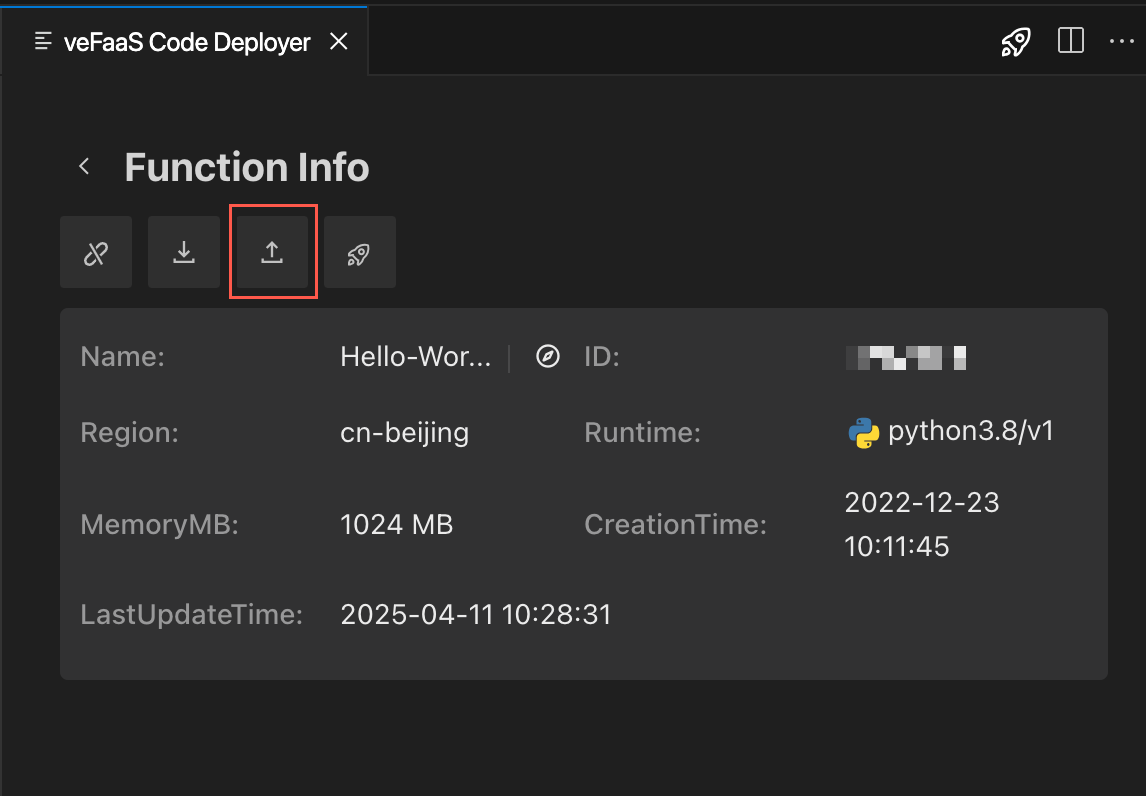
- You can also click the Upload button in the function details to upload the modified code in the Volcano vdFaaS function.
-
- After the code is uploaded successfully, click the button to jump to the function details page in the veFaaS console.
-
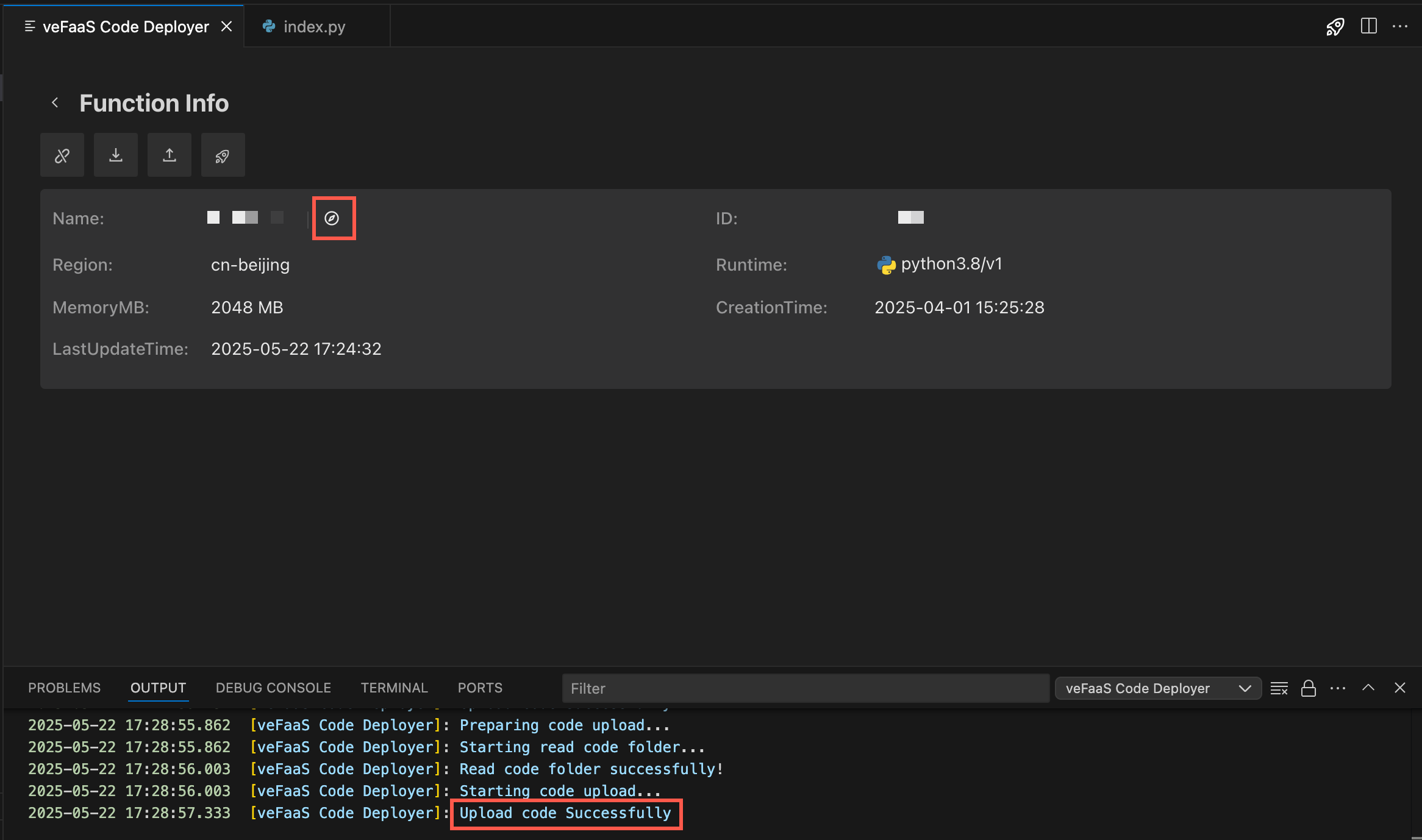
- On the function's Code tab, view the updated code, confirm and click Release, and on the Code tab of the Release Function page, view change difference (only for the released function version, the change difference is available).
- In the index.py file, modify the code as needed and make sure the practice run call passes.
- Under the directory folder, select veFaaS > Upload Code And Release.
- You can also click the Deloy button in the function details to upload and directly release the modified code in the Volcano veFaaS function.
-
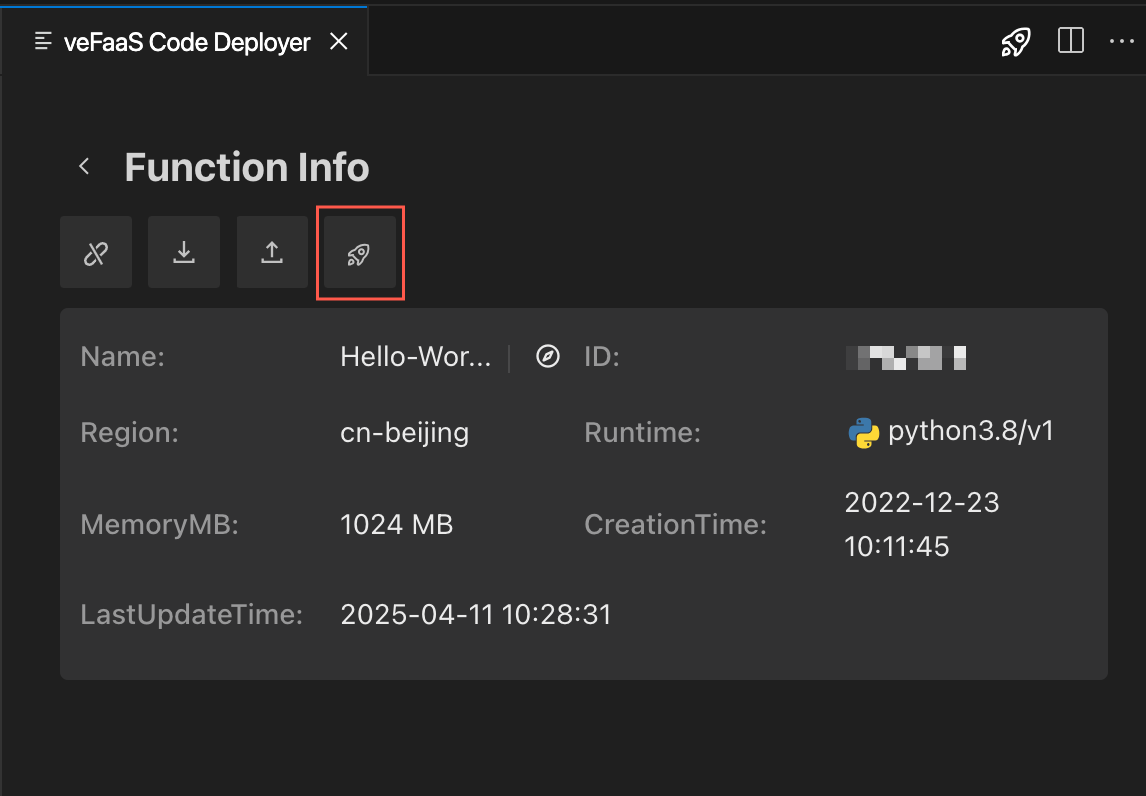
- After the code is uploaded and deployed successfully, click the button to jump to the function details page in the veFaaS console.
-
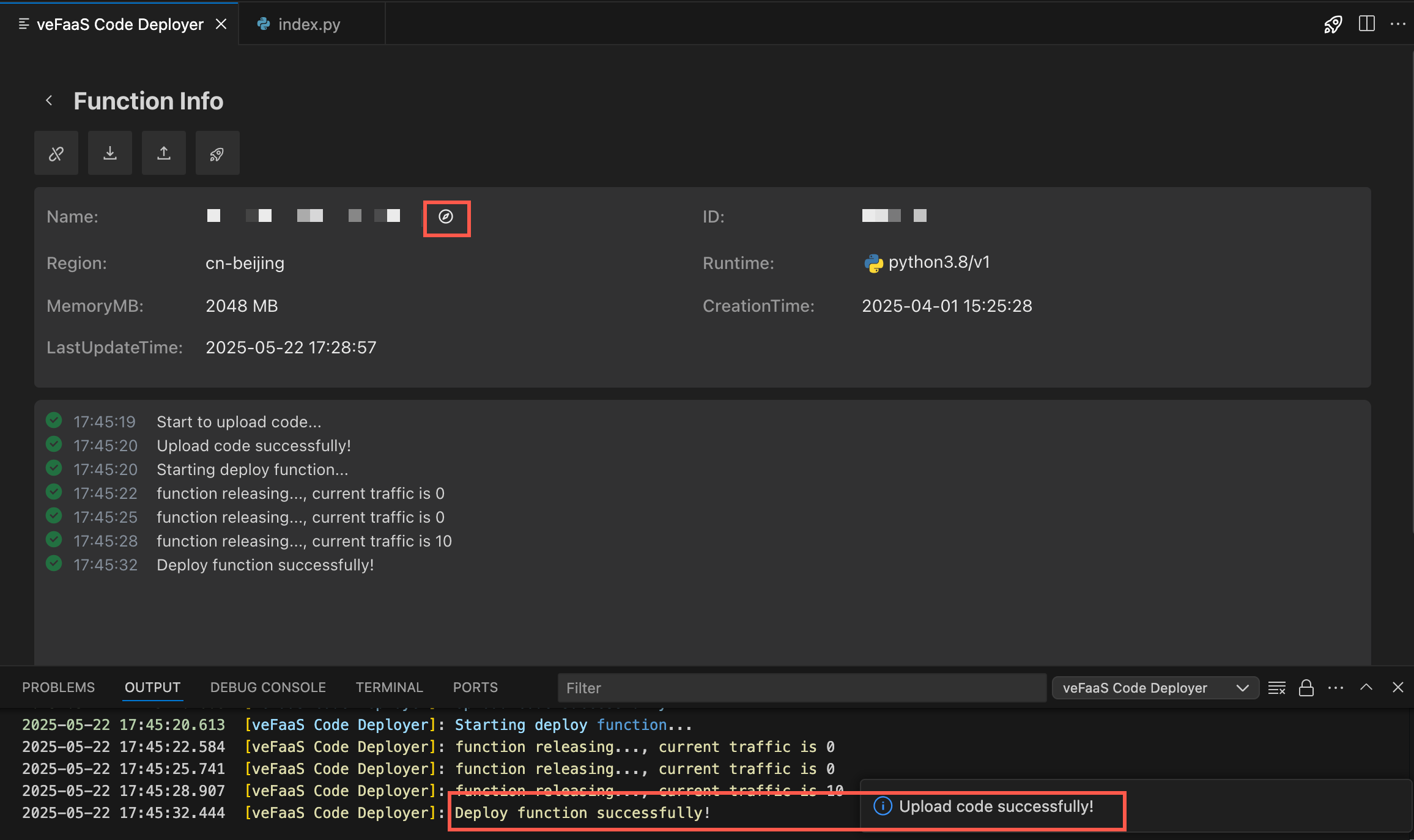
- On the function's Release Management tab, view the released version.
Last updated: 2026.08.19 14:06:06
All rights reserved © Beijing Volcano Engine Technology Co., Ltd2024
