Billing Center
Billing Center


Document

- Documentation
 Billing CenterAllocate and Reclaim Credit Control Quota
 Copy page
 Download PDF
Billing Center
Allocate and Reclaim Credit Control Quota
Copy pageDownload PDFAllocate and Reclaim Credit Control Quota
Under the financial management model, the master account can allocate credit control quotas to financial management sub-accounts or reclaim allocated quotas from them.
Allocate/Reclaim Credit Control Quota
1. Go to Billing Center > Enterprise Finance > Asset Management, then select "Set Credit Control Quota."
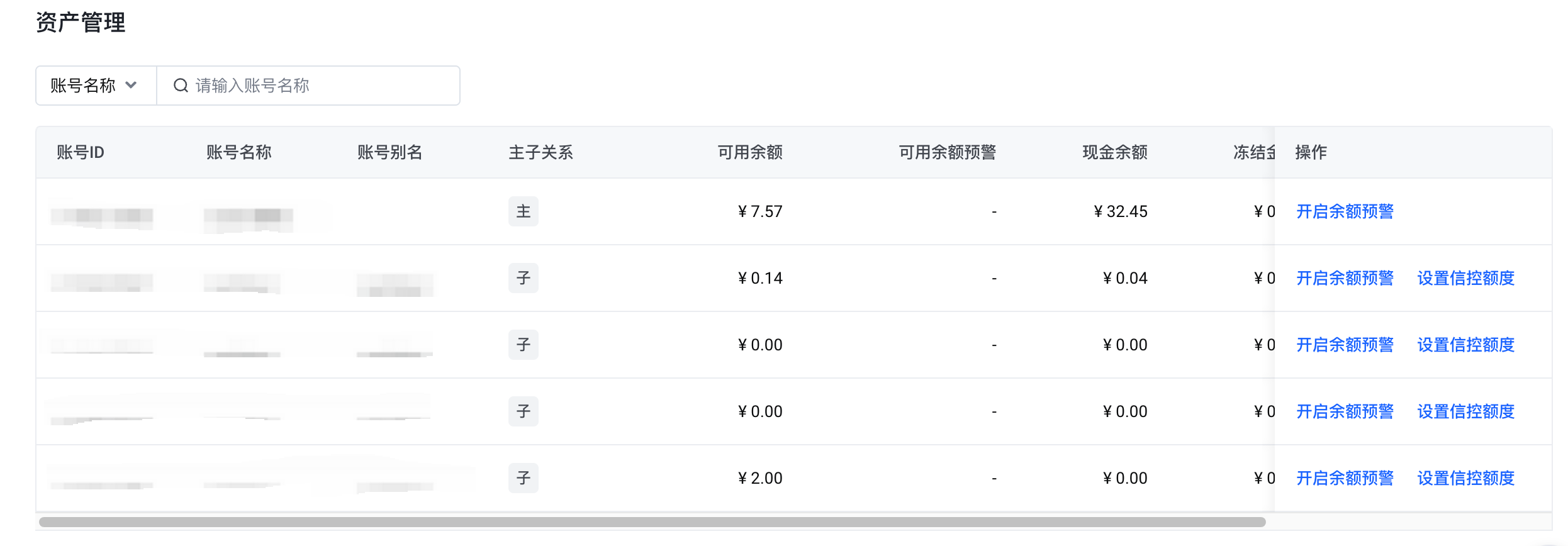
2. Allocate Credit Control Quota
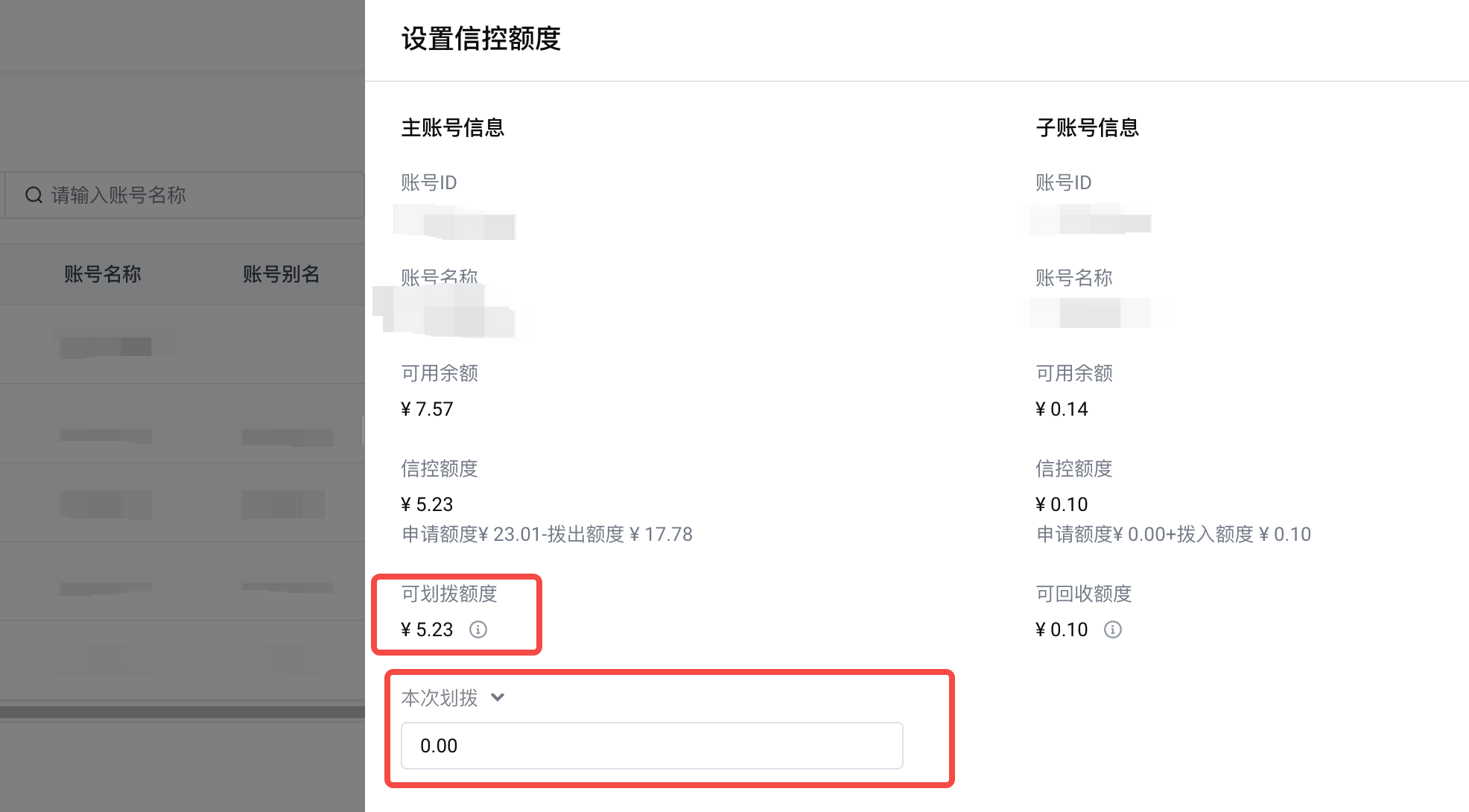
Click "Set Credit Control Quota" to view the available quota, credit control quota, and allocatable/reclaimable quota for master and sub-accounts.
Enter the quota to allocate to the sub-account under "This Allocation," then submit to complete the process.
*Allocatable quota = min [ max(0, available balance), credit control quota ] to avoid service suspension due to negative available balance after allocation.
3. Reclaim Credit Control Quota
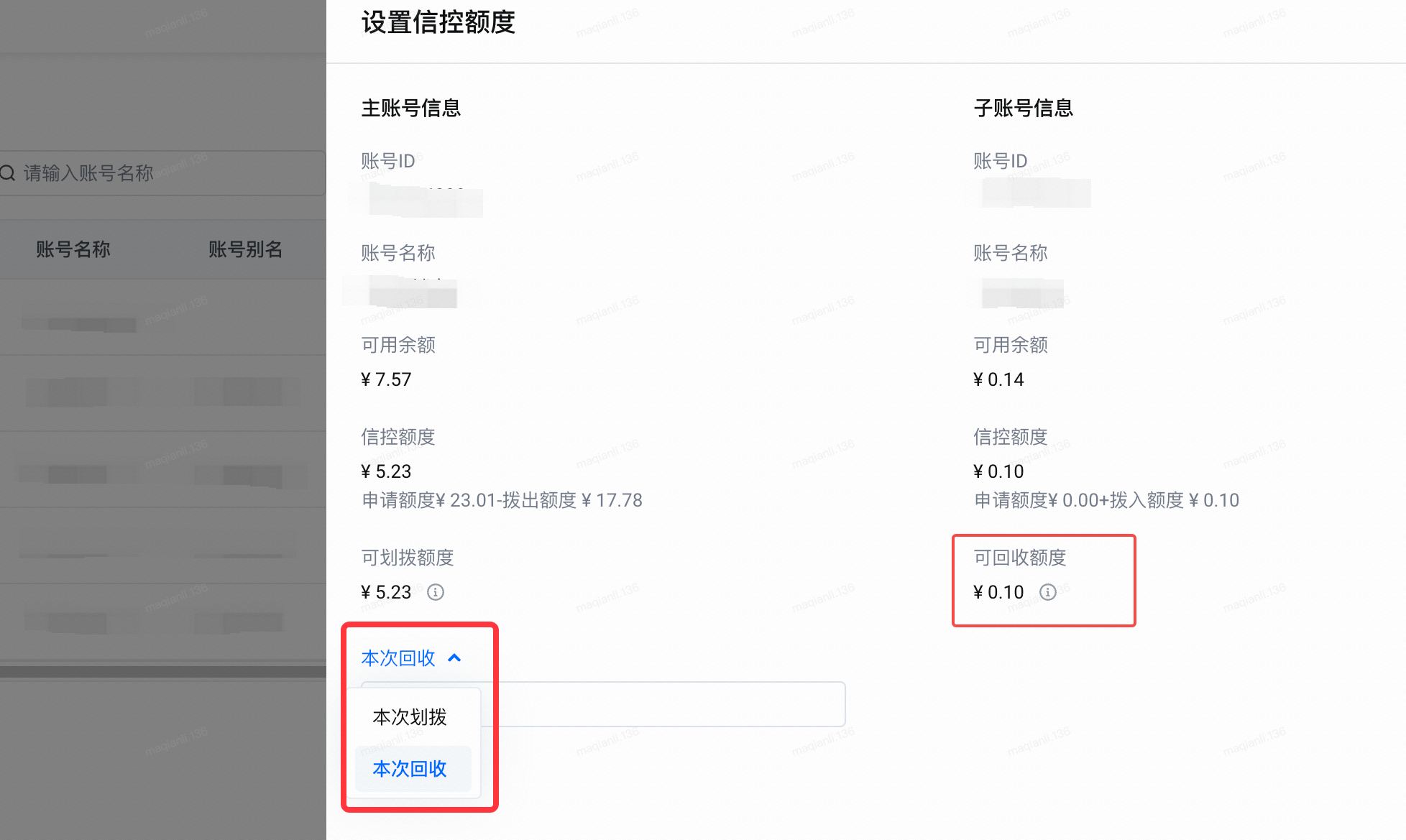
On the Set Credit Control Quota page, switch to "This Reclaim."
Fill in the credit control quota reclaimed from the sub-account, and the transfer will be completed upon submission.
*Reclaimable quota = min [ max(0, available balance), allocated quota ] to avoid service suspension due to the sub-account's available quota dropping below 0 after reclamation.
Notes
If there are ongoing credit application/adjustment/modification/cancellation processes, transfers cannot be made. Please try setting the credit control quota again after the process is completed.
Last updated: 2025.10.31 16:14:34
All rights reserved © Beijing Volcano Engine Technology Co., Ltd2024
