Billing Center
Billing Center


Document

- Documentation
 Billing CenterContract managementPaper contract application
 Copy page
 Download PDF
Contract management
Paper contract application
Copy pageDownload PDFPaper contract application
After you complete the contract application/signature, a contract document with the Volcano Engine electronic seal will be generated. The electronically sealed contract is legally binding and can be printed directly for use.
If you must use a paper contract with a physical seal due to filing, internal company requirements, or other reasons, you can apply following the steps described here after completing the contract application/signature.
Applying for a paper contract takes longer. If you confirm the application, we will send you the sealed paper contract within 5 business days after receiving your request.
Prerequisites
- The contract application/signature has been completed, and the order contract status is completed, while the product quotation contract/credit control contract/payment agent contract status is pending effect, effective, or expired.
- If the contract is signed by multiple accounts, only the designated signing account can initiate the paper contract application.
- Each contract can only apply for a paper version once, with a maximum of 3 copies per application.
Application steps
Single contract application
- On the contract management page, click the tab for the corresponding contract type, find the contract you want to apply for a paper version, and click the "Apply for Paper Version" button in the operation column on the right. If the contract you clicked does not meet the conditions for applying for a paper version, hovering over the apply button will show you the reason why it cannot be applied for.
-
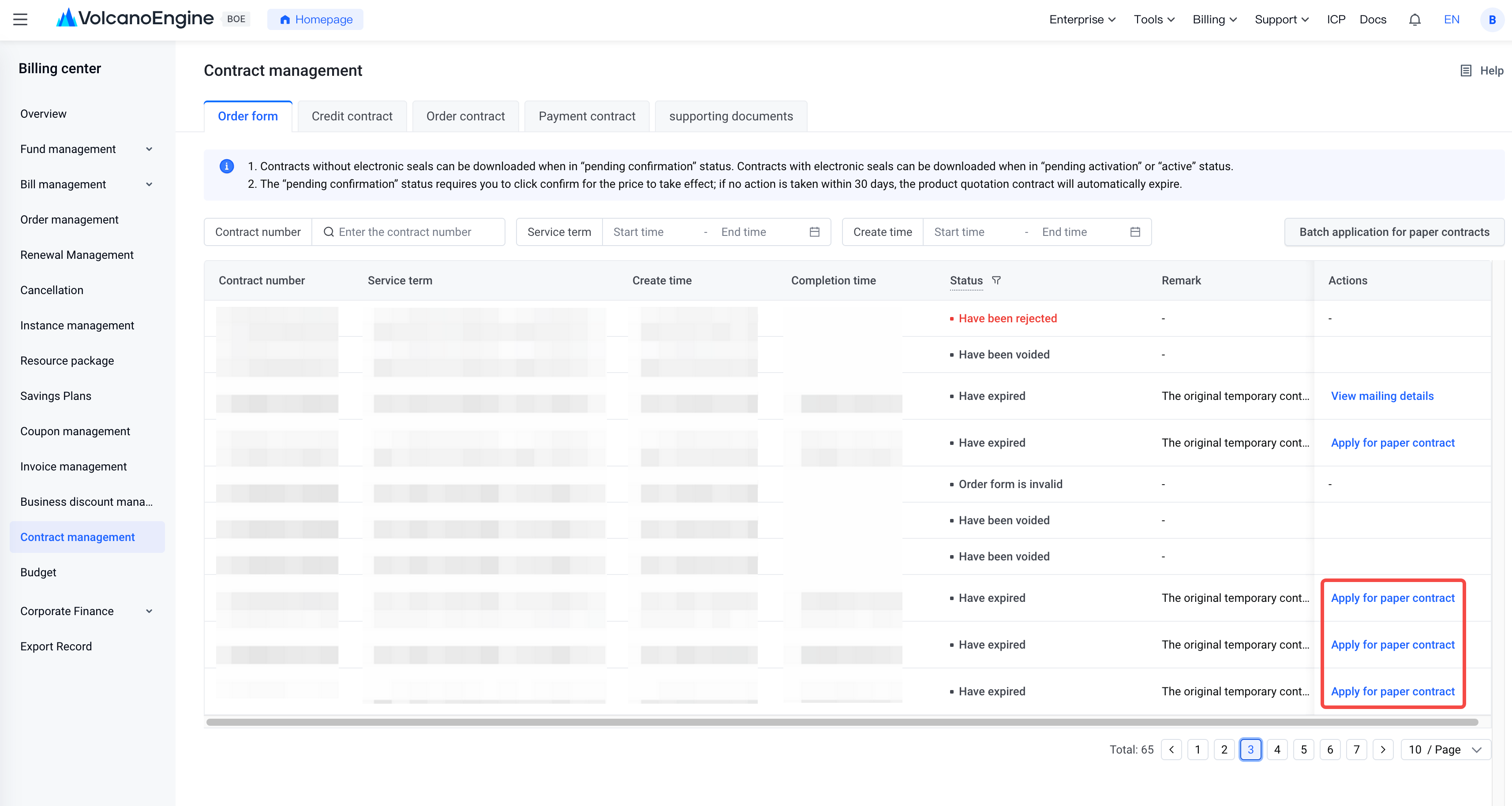
- If the contract you clicked meets the conditions for applying for a paper version, you can enter the paper contract application page.
-
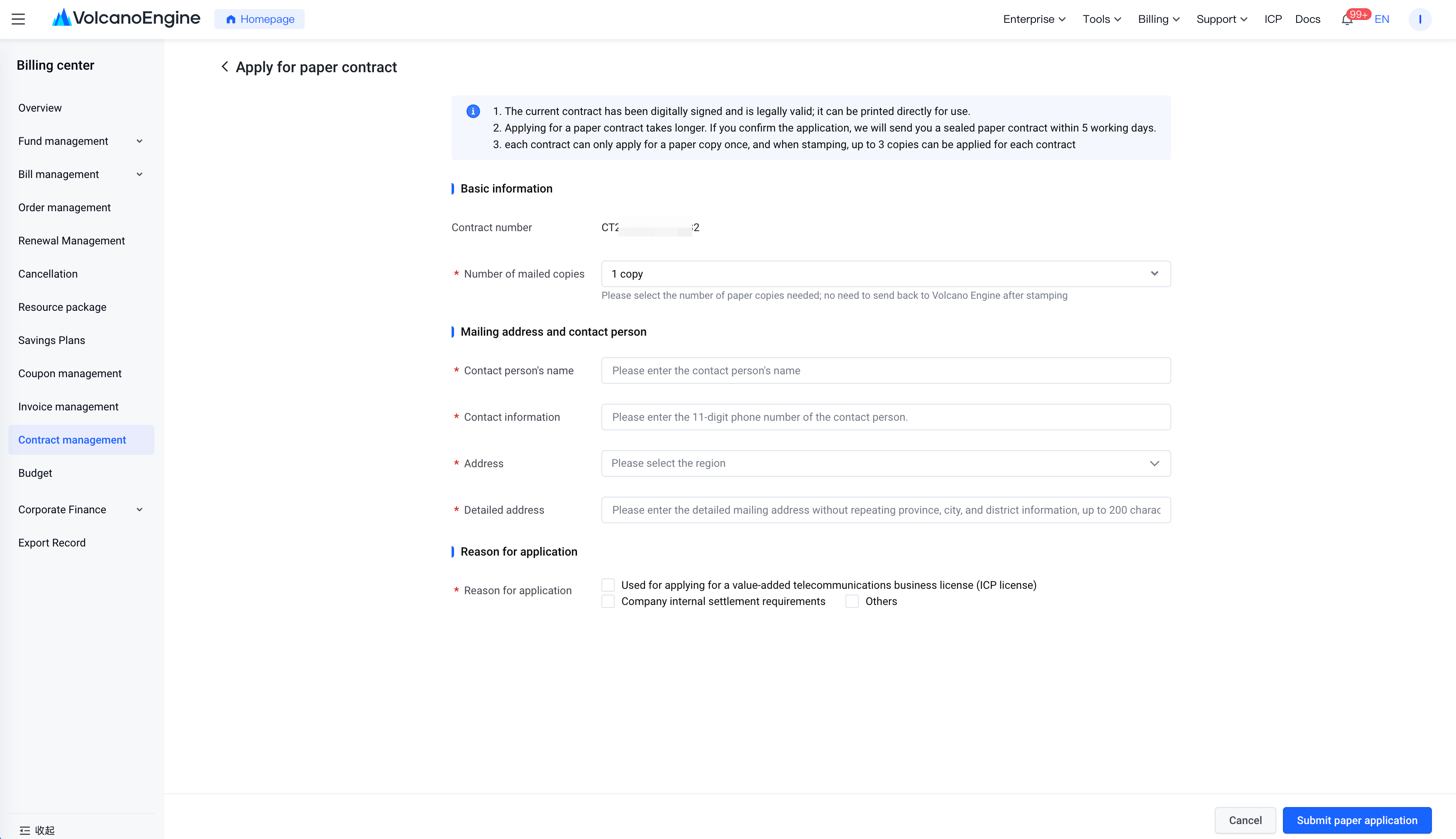
- Verify the contract number and confirm that the currently displayed contract number is the one you want to apply for in paper form.
- Fill in the number of copies to mail. Enter the number of paper contract copies you need, up to a maximum of three copies.
- Fill in the mailing address and contact person. Provide your accurate delivery address, contact person, and phone number. After submitting, these cannot be changed. To ensure smooth delivery of your contract, confirm that the information is correct before submitting your application.
- Indicate the reason for application by selecting the reason and purpose for requesting the paper version.
- Click "Submit Paper Application". We will mail it within five working days after receiving your application. You do not need to return the contract to Volcano Engine after receiving it.
Batch Contract Application
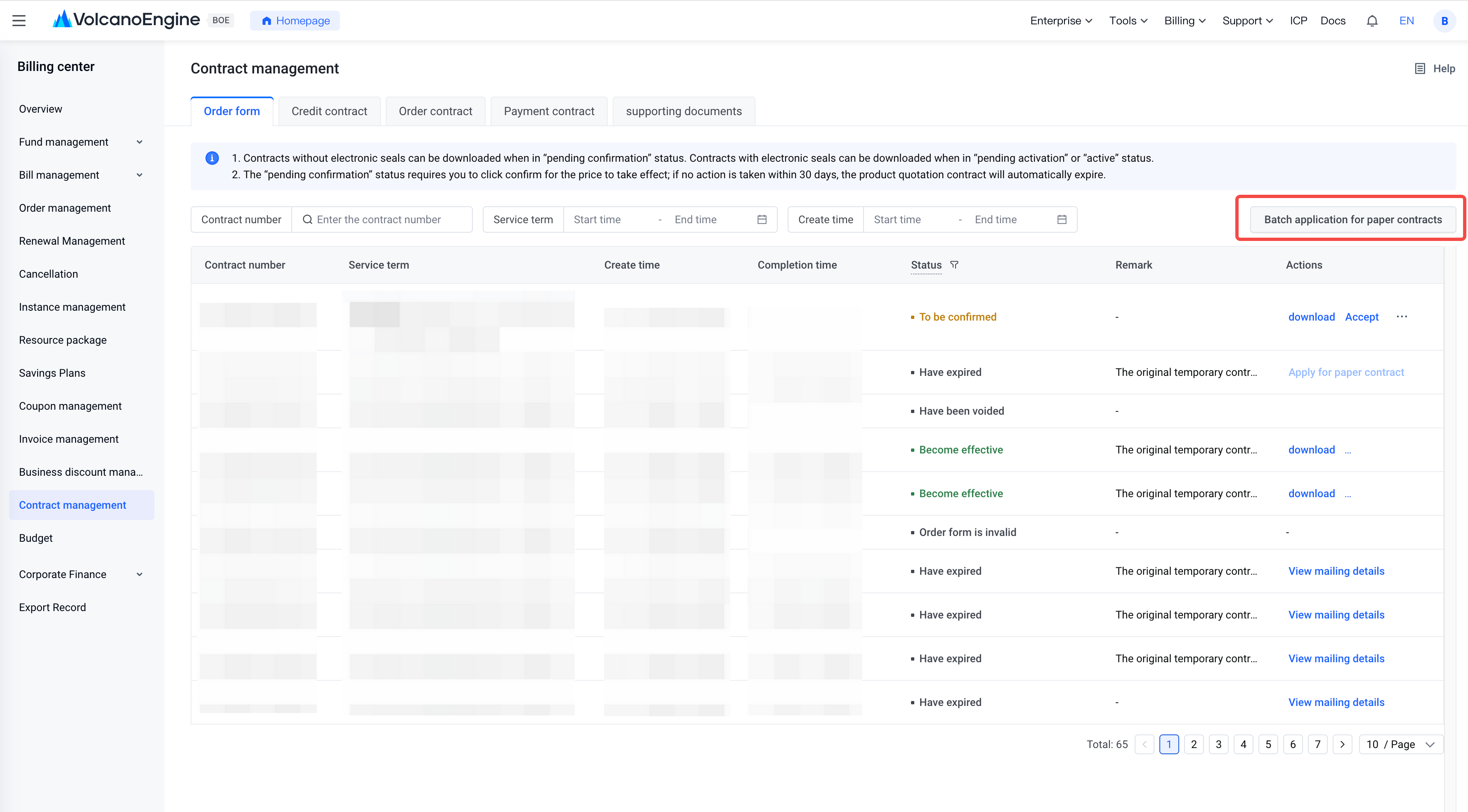
- On the contract management page, click the tab for the contract type you want to apply for in paper form, then click the "Batch Apply for Paper Contracts" button at the top right. The system will automatically filter contracts that meet the conditions for applying for a paper version.
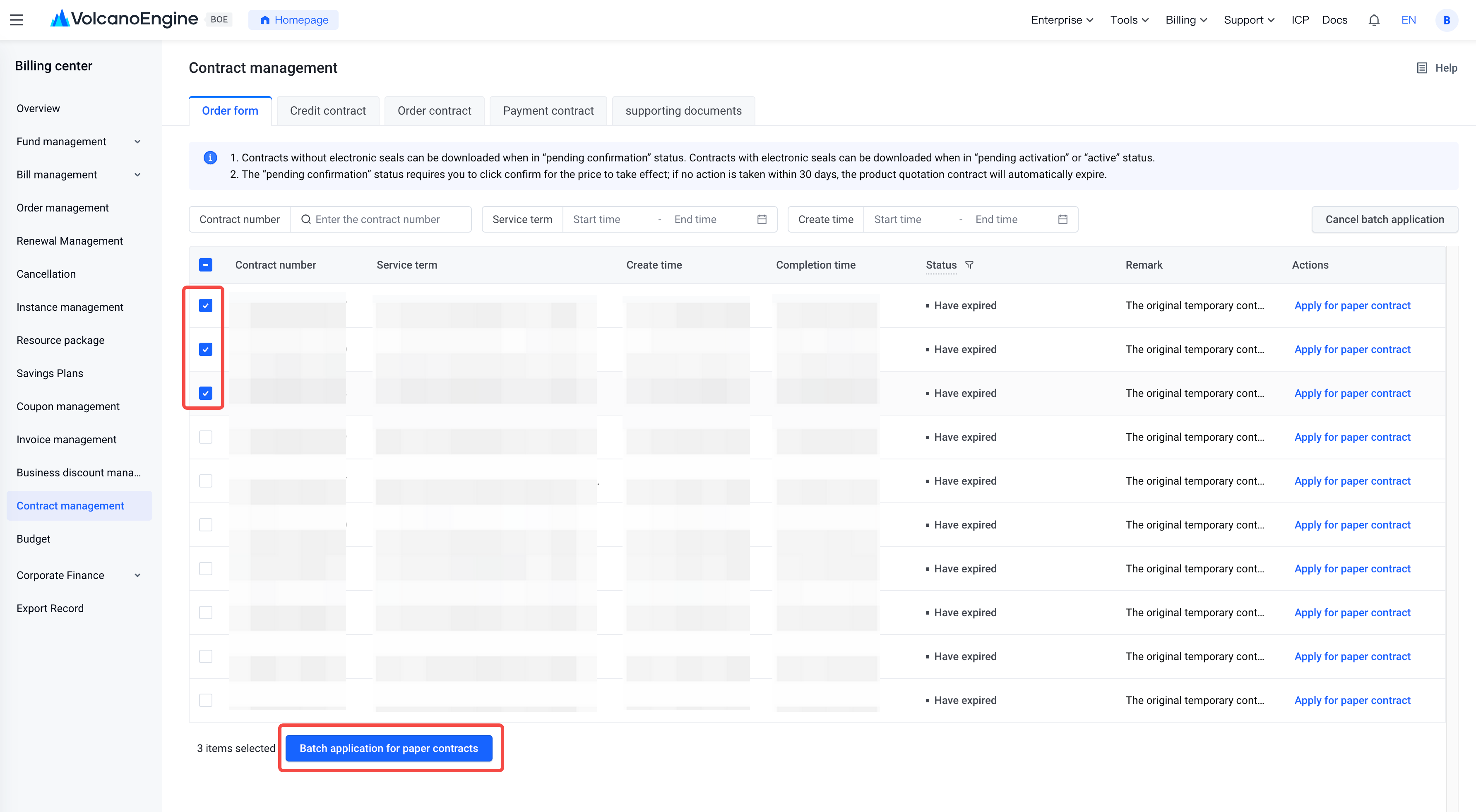
- You can select the checkboxes to the left of the contract numbers for which you want to request a paper version. You can select up to 50 contracts in a single batch application. After selecting, click the "Batch Paper Request" button at the bottom left to go to the paper contract application page.
- On the paper contract application page, you need to complete the following information.
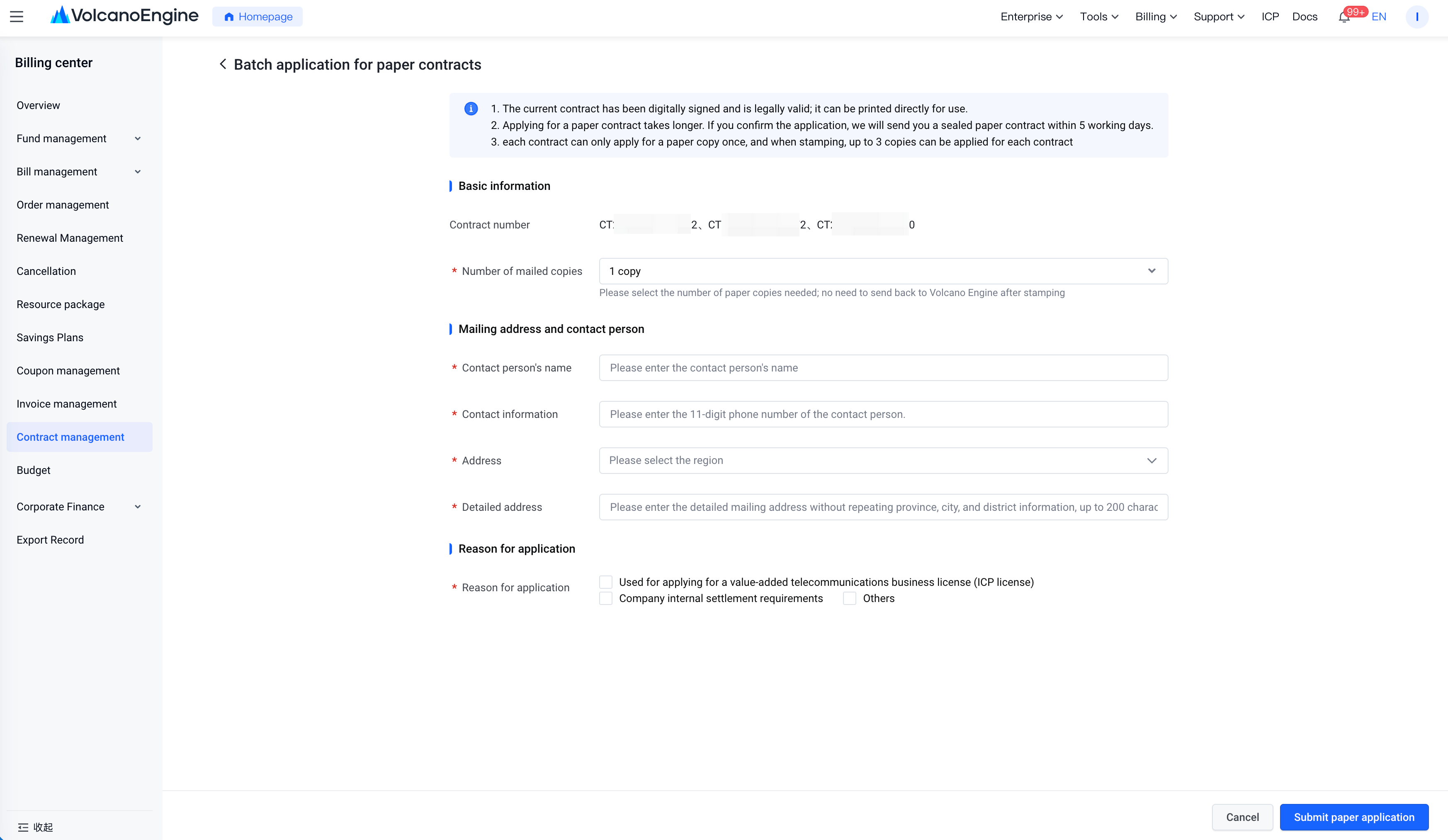
- Verify the contract number: please confirm that the displayed contract number is the one you want to request a paper version of.
- Enter the number of copies: please specify the number of paper copies you need. When requesting multiple contracts in a batch, the number of copies for each contract must be the same. If you need different quantities, submit separate requests.
- Enter the mailing address and contact person: please provide your accurate shipping address, contact person, and phone number. Once submitted, these cannot be changed. To ensure smooth delivery, verify all information is correct before submitting.
- Specify the reason for the request: please select the reason and purpose for requesting the paper version.
- Click "Submit Paper Request”, and we will mail it within 5 working days after receiving your application. You do not need to return the contract to Volcano Engine after receiving it.
Check application status
- On the contract management list page, find the contracts for which you have submitted paper requests, then click the "View Mailing Details" button on the right to access the paper application details page.
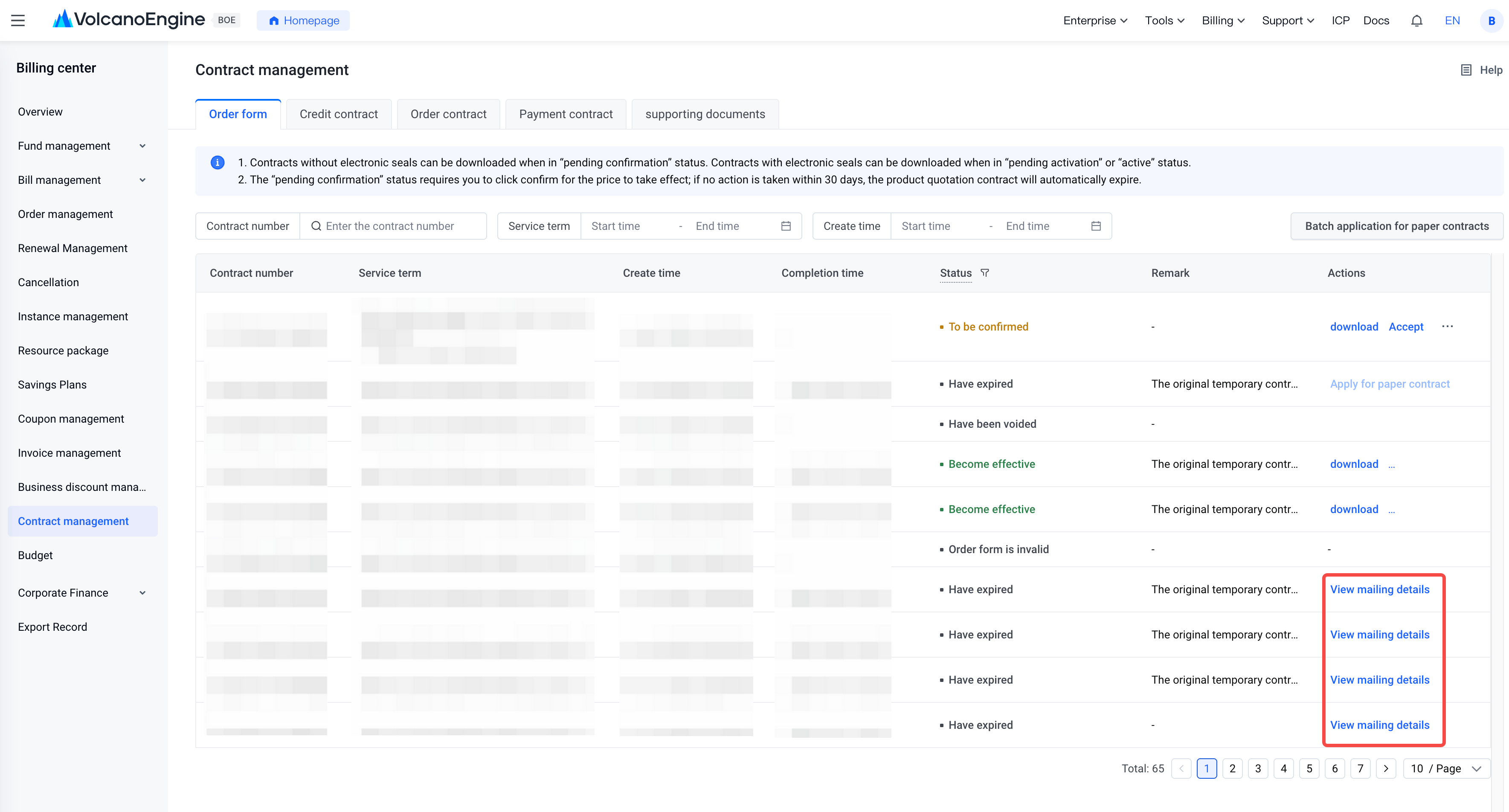
- On the paper application details page, you can view the information you submitted as well as the mailing details.
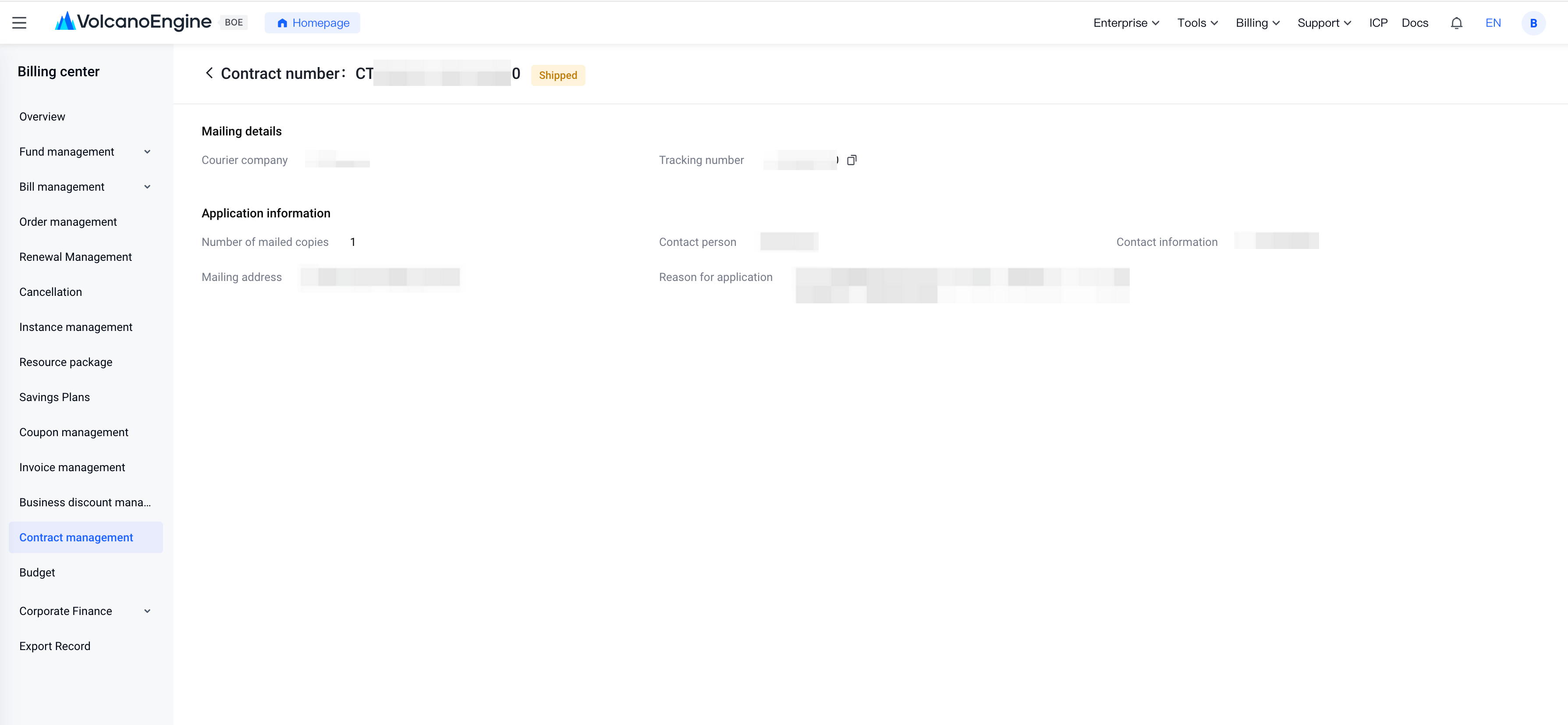
- You can check the "Application Status" on the details page. After you submit your application, the status will show as "Applied." Once Volcano Engine sends you the paper version, the status will change to "Shipped."
- After the status changes to "Shipped," the details page will display the "Courier Company" and "Tracking Number" for this shipment. You can also find the "Courier Company" and "Tracking Number" through SMS or email sent by Volcano Engine to the mobile number/email linked to your account, as well as in-site messages in the official website's message center.
- If you want to check the detailed courier progress, you can copy the "Tracking Number" and visit the courier company's official website to track the shipment.
Last updated: 2026.01.23 14:58:54
All rights reserved © Beijing Volcano Engine Technology Co., Ltd2024
