Billing Center
Billing Center


Document

- Documentation
 Billing CenterResource PackagesSet margin alert
 Copy page
 Download PDF
Resource Packages
Set margin alert
Copy pageDownload PDFSet margin alert
Reminders for margin alerts can be set on the expense center - effect package management page.
Margin warning rule
- Declining effect package and hybrid reserved storage capacity package, only triggers an alarm when the balance is below a threshold, for hybrid reserved storage capacity package, where the balance refers to the total balance within the valid period.
- Periodic effect package, if the reset period is year/month, an alarm is triggered when the annual/monthly balance is lower than the threshold; if the reset period is day/hour, except for button products, early warning is not supported for the time being; it does not support setting a margin warning for periodic reserved instance coupons.
- After purchasing the effect package, turn on the balance warning reminder switch by default, and the threshold is set to 20%; you can modify the threshold or turn off the reminder. After closing, the balance warning in-app letter will still be sent, and emails and text messages will no longer be sent (you can go to the to set the receiving channel). Subsequent new purchases of effect package will not turn on the balance warning switch by default, and need to be turned on manually.
- When the new purchase, replacement, renewal, unsubscribe and other operations change the total amount of the effect package, the early warning judgment will be triggered again.
Operation steps
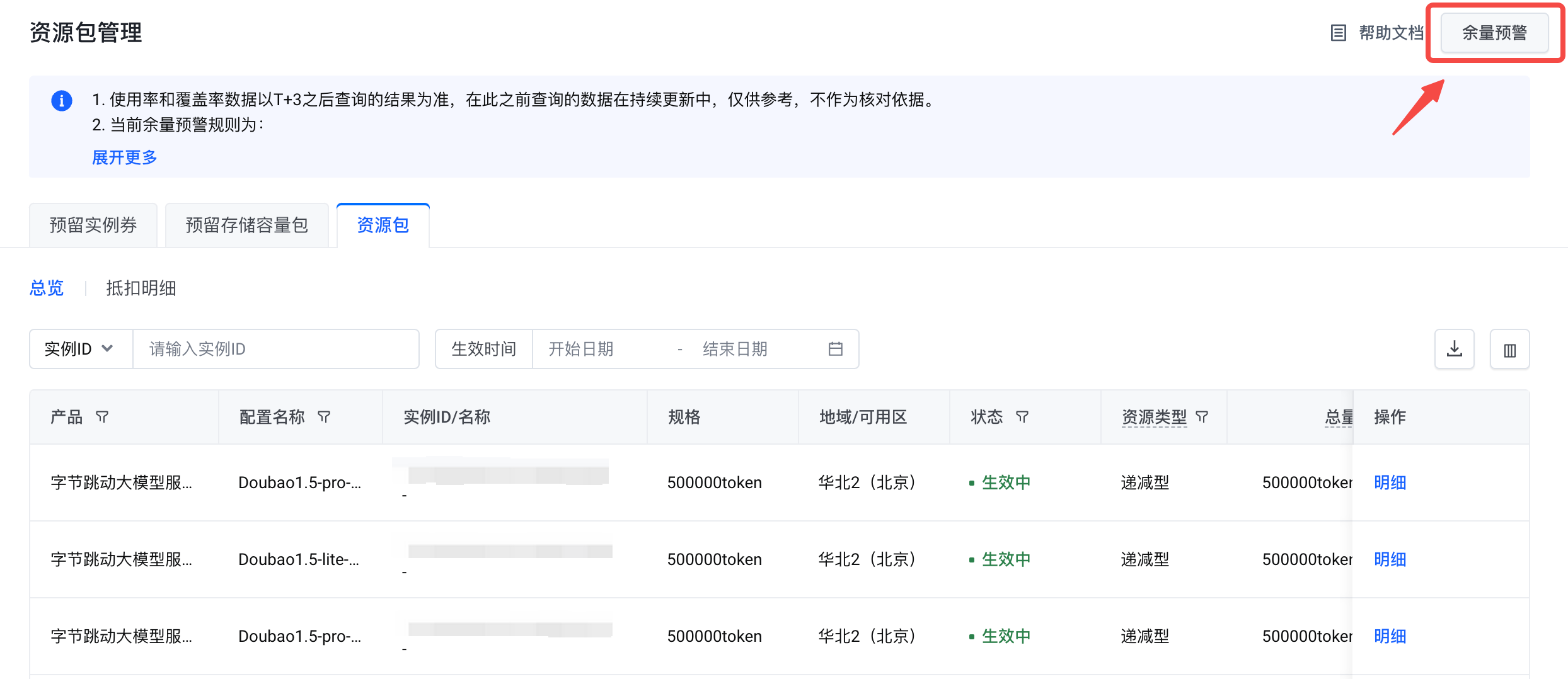
- Open the effect package management page and click the "Remainder Alert" button:
-
- Select the product-configuration name that needs to be set, and set the early warning status to the "on" state (blue is on, gray is off). The default margin threshold ratio is 20%, which can be adjusted between 5% and 50% as needed (the interval step is 5%);
-
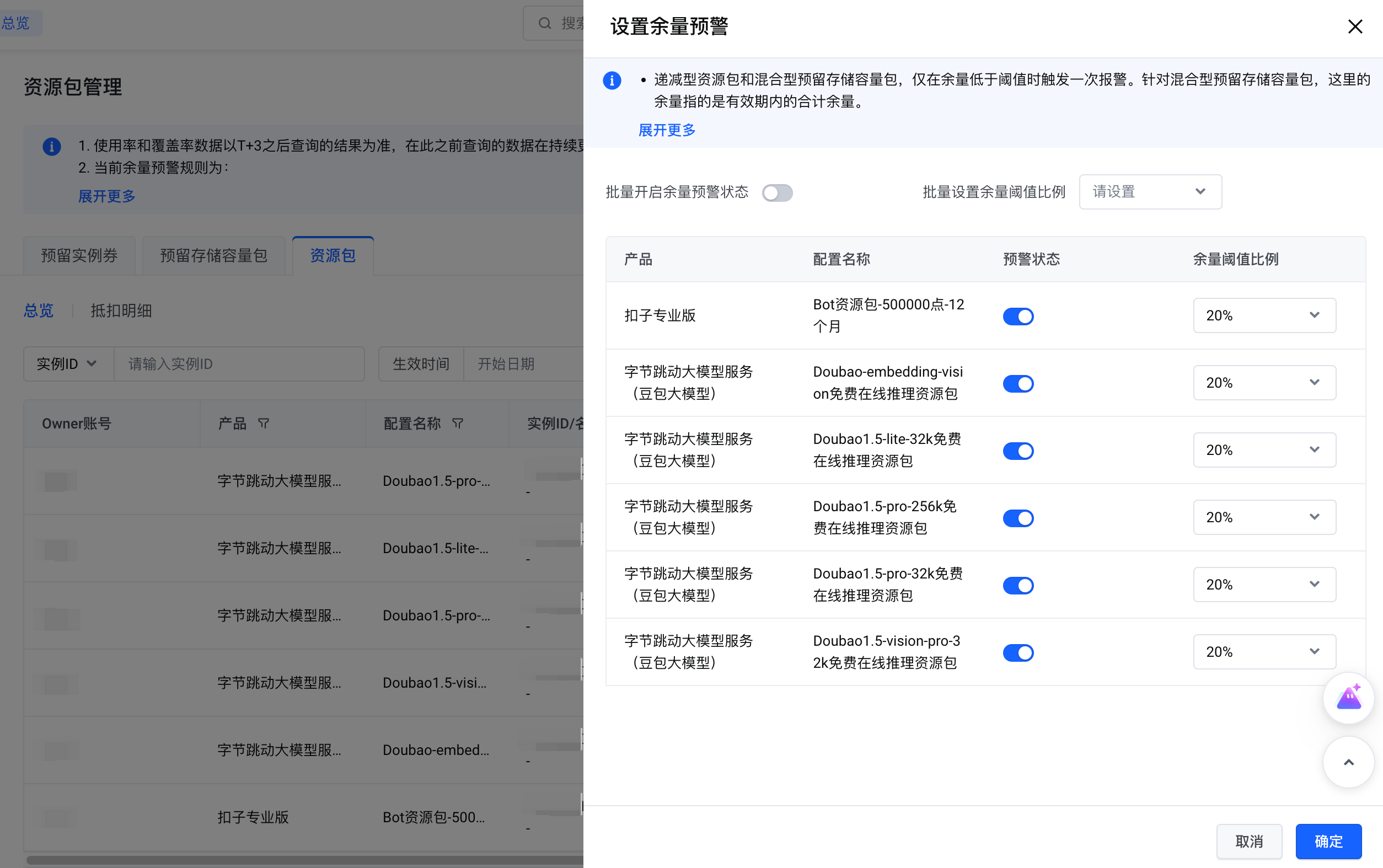
- You can also choose to set in batches, set the "Batch on margin warning status" to on/off, and set the value of "Batch setting margin threshold ratio"; it can take effect for all product-configurations without separate settings;
- After the setting is completed, click "OK" to complete this modification; if you click "Cancel", this operation will not take effect;
Last updated: 2025.07.17 21:30:38
All rights reserved © Beijing Volcano Engine Technology Co., Ltd2024
