Billing Center
Billing Center


Document

- Documentation
 Billing CenterRenewal ManagementManual renewalSpecifying an expiration time
 Copy page
 Download PDF
Manual renewal
Specifying an expiration time
Copy pageDownload PDFSpecifying an expiration time
Rules
Specifying an expiration time renews instances of non-calendar-month subscriptions to the same expiration time, ensuring that the expiration year, month, and day are consistent.
Notes
- The minimum date for the set expiration date is the longest expiration time among the renewed instances plus one month (23:59:59).
- After setting the expiration date, the renewal billing period is calculated daily, prorating the monthly price to the day. Please refer to the order confirmation page for the exact renewal amount.
- Only non-calendar month monthly subscription instances support setting the expiration date during manual renewal; annual, daily, or calendar month subscription instances do not support this feature for now.
- Setting the expiration date is only supported during manual renewal; automatic renewal will proceed according to the preset single renewal cycle.
- Calculation rule for renewal with set expiration date: convert renewal days into months based on 30 days per month.
Example
The expiration date of instance A is August 28, 2023, 23:59:59. The monthly subscription price for instance A is 60 yuan/month without any discount. The expiration date of instance B is September 12, 2023, 23:59:59. The monthly subscription price for instance B is 30 yuan/month without any discount. If the customer initiates a manual renewal on August 27, 2023, the minimum specified expiration date will be October 12, 2023, 23:59:59. If the customer specifies the expiration date as October 30, 2023, 23:59:59, the renewal period for instance A is 63 days, and the renewal amount = 60 yuan/30 * 63 days = 126 yuan; the renewal period for instance B is 48 days, and the renewal amount = 60 yuan/30 * 48 days = 96 yuan.
Steps
- Select the instance to be renewed and click "Renew" or "Batch Renew."
- Click the "Specify Expiration Date" button and select the renewal date.
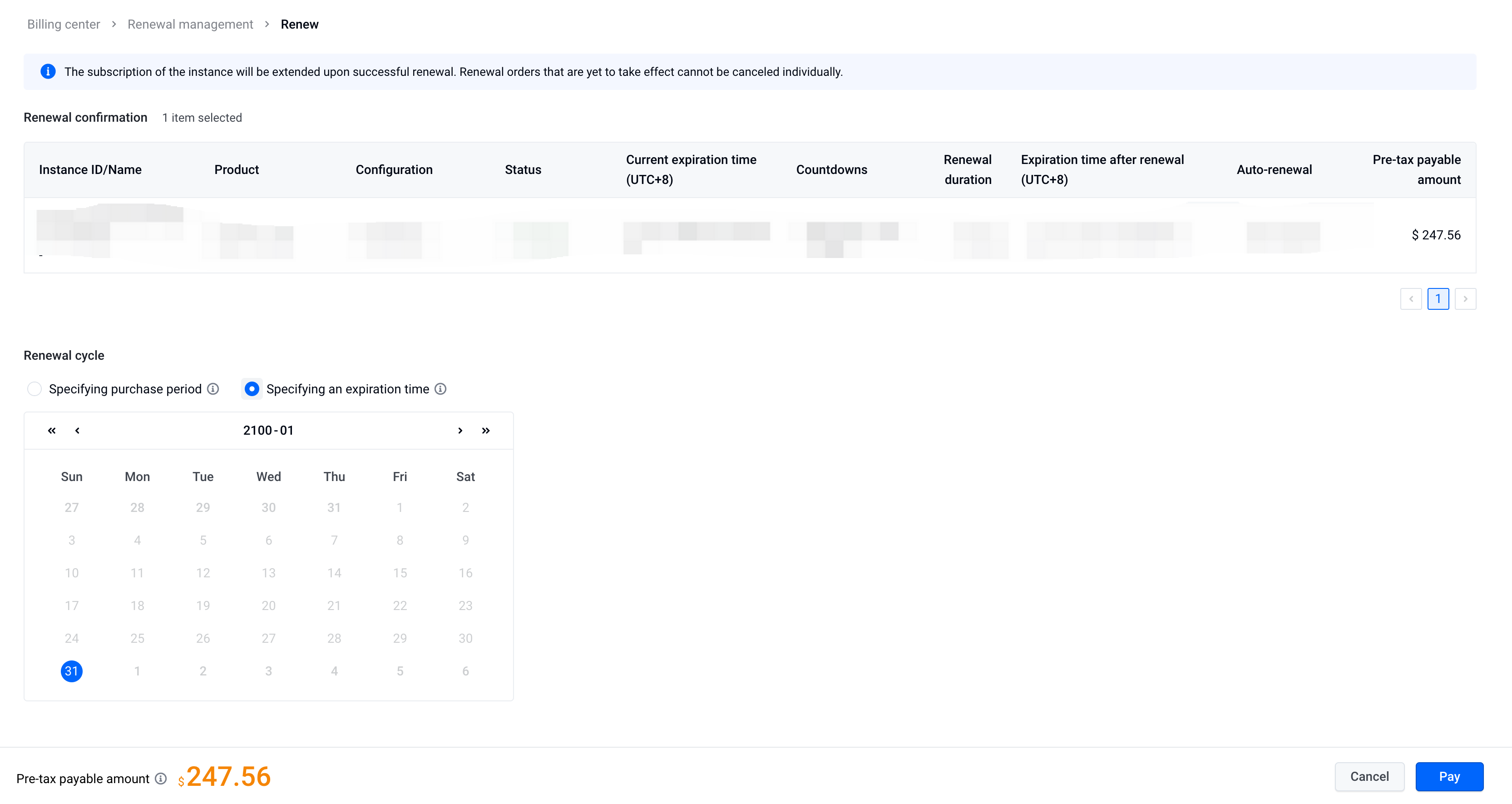
- Click "Proceed to Payment" and complete the renewal.
Last updated: 2025.07.15 11:43:30
All rights reserved © Beijing Volcano Engine Technology Co., Ltd2024
