Billing Center
Billing Center


Document

- Documentation
 Billing CenterContract managementCredit ContractCredit Contract Description
 Copy page
 Download PDF
Credit Contract
Credit Contract Description
Copy pageDownload PDFCredit Contract Description
The credit contract is a standard template signed between the Volcano Engine platform and customers, containing the credit information provided to customers by Volcano Engine. This contract uses electronic signing and is sealed with the Volcano Engine electronic stamp once the customer clicks accept. Customers clicking accept to sign the electronic contract through the console at Billing Center - Contract Management - Credit Contract have the same legal effect as the paper contract.
Contract Inquiry
After your account manager initiates credit approval and completes the process, the contract will appear on your console at Billing Center - Contract Management - Credit Contract. Volcano Engine will send an email to the email address linked to your official website account and also send an official site message to notify you of the pending credit contract confirmation.
You can inquire about the credit contracts under your account by the following methods:
1. Click the links in the email or site message to quickly access the credit contract list page;
2. Log in to the Volcano Engine console, go to Billing Center - Contract Management - Credit Contract to access the credit contract list page;
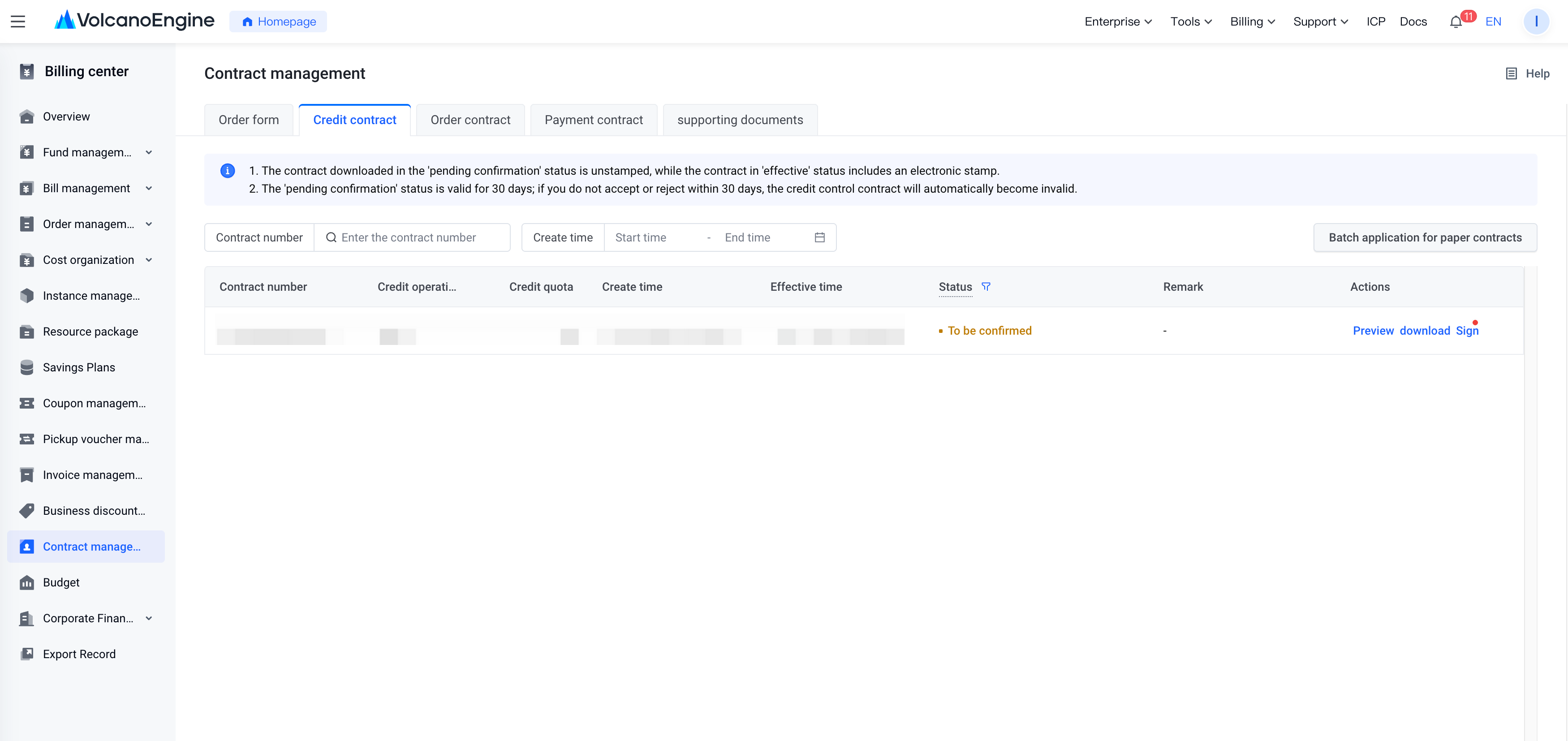
On the list page, you can view each credit contract's contract number, credit operation type, credit quota, create time, effective time, status, remark, and more. You can also search by contract number or create time on the list page.
Through the “Actions” column on the right, you can click the “Preview” / “Sign” button to view the contract content.
If you need to download the contract text to your local device, you can click the “Download” button to obtain the PDF version of the contract.
1. When the status is "To be confirmed", the downloaded contract does not have an electronic seal.
2. When the status is "To be effective" or "Become effective", the downloaded contract includes an electronic seal.
Contract Signing
1. Signing Validity Period
You need to accept or reject within 30 days after receiving the pending confirmation contract. If you do not take any action within 30 days, the contract status will change to "Order form is invalid".
(The 30-day signing window starts on November 10, 2023. Contracts issued before November 10, 2023, still follow the 7-day window period).
Contracts in "Order form is invalid" status cannot be signed. If needed, contact the sales manager to initiate a new contract.
2. Status Description
- To be confirmed: The contract has been sent to the client, who has not confirmed yet, and it has been less than 30 days since it was sent.
- Have been rejected: the client clicked to reject acceptance of the contract.
- In contract generation: the client clicked to accept to the contract, and the system is processing.
- To be effective: the client clicked to accept to the contract, the system has completed processing, but the contract activation date has not yet arrived.
- Become effective: the client clicked to accept to the contract, the system has completed processing, and the current time is within the contract validity period.
- Order form is invalid: the contract was sent to the client, but the client did not accept or reject it within 30 days
3. Accept to sign the contract
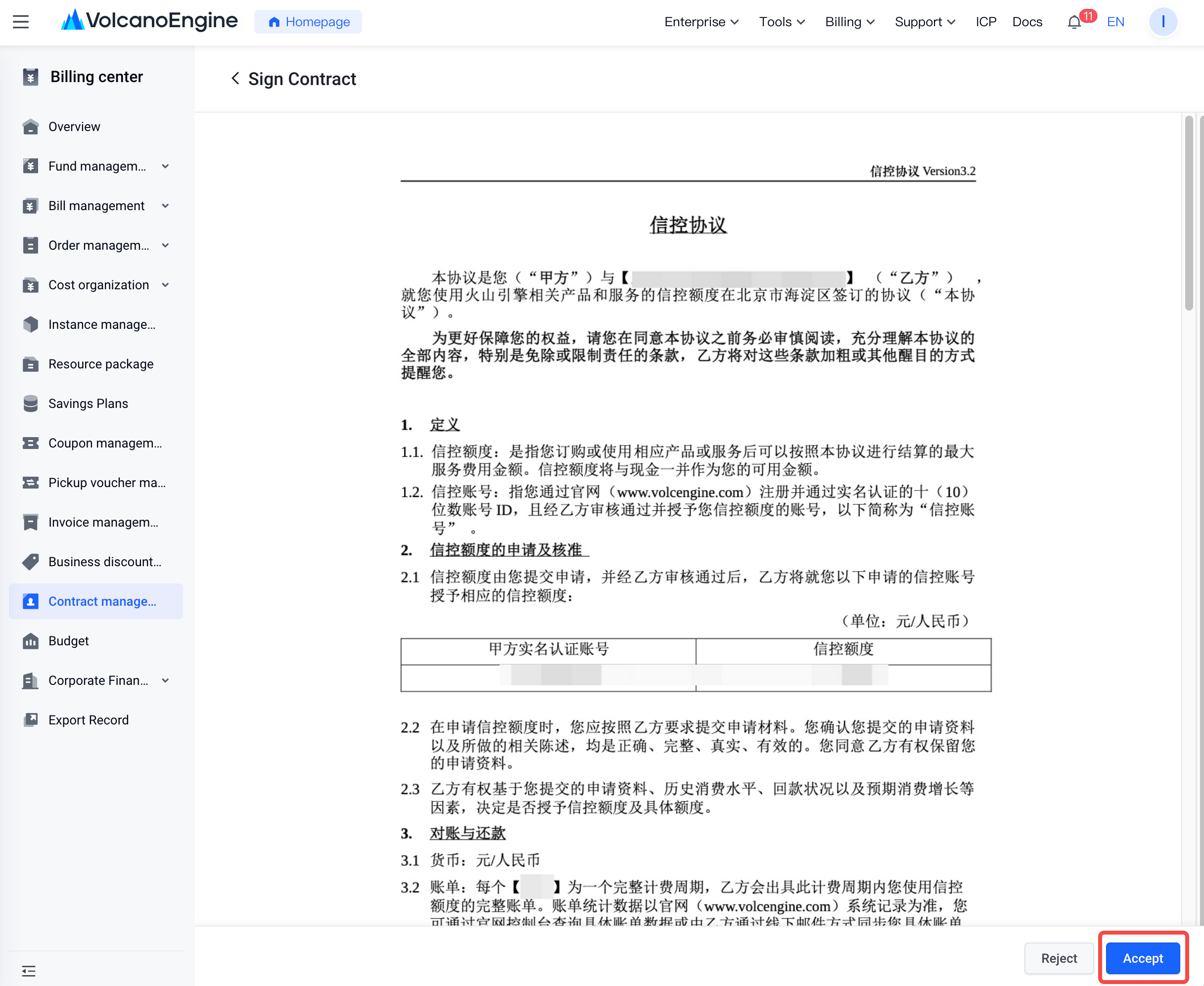
If you accept the contract content, you can click the “Sign” button in the “Actions” column to enter the signing page, and then click “Accept” to confirm the contract.
After you click “Accept” and confirm, the status will change to “In contract generation”, which means the system is processing the signing. Once the signing is complete, the contract status will change to “To be effective”. When the contract start date arrives, it will update to “Become effective”. Only when the status is “Become effective” do the credit terms stipulated in the contract become effective.
4. Reject to sign the contract
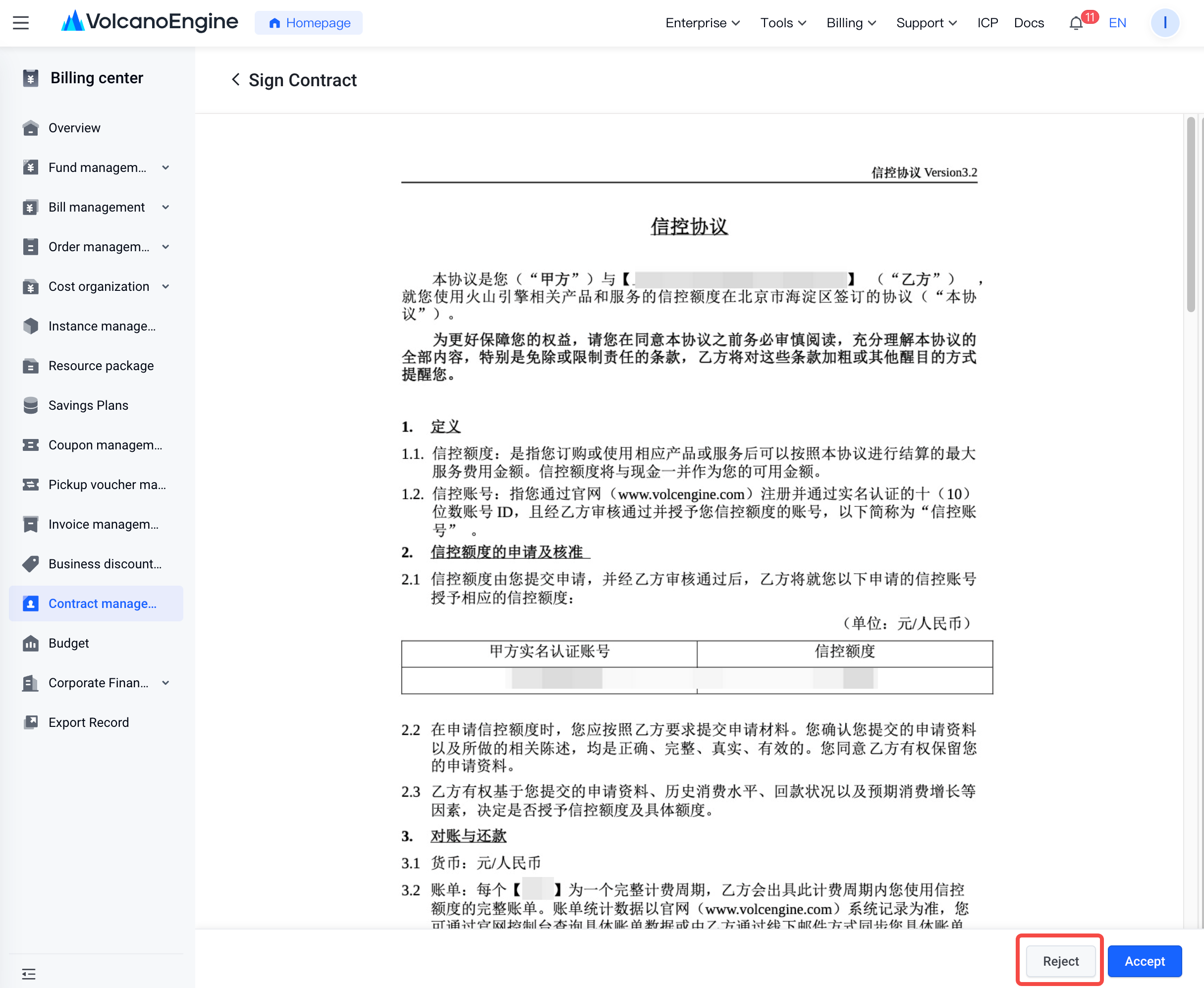
If you do not accept the contract content, you can click the “Sign” button in the “Actions” column to enter the signing page, and then click “Reject” to reject signing the contract.
After you click “Reject” and confirm, the status will change to “Have been rejected”. If you still require one, please contact your business manager to initiate a new contract for you.
Last updated: 2026.08.05 17:09:38
All rights reserved © Beijing Volcano Engine Technology Co., Ltd2024
