Billing Center
Billing Center


Document

- Documentation
 Billing Centerinvoice managementBilling Guidelines for Non-Profit Organizations
 Copy page
 Download PDF
invoice management
Billing Guidelines for Non-Profit Organizations
Copy pageDownload PDFBilling Guidelines for Non-Profit Organizations
operation scenario
If you need to issue a non-profit invoice, this document will provide you with practical guidance.
prerequisite
Before the organization invoices, it is necessary to complete personal real-name authentication and complete the application for non-profit organization letterhead.
The recharge amount cannot be directly applied for an invoice, and an invoice can only be applied after an order or bill is generated based on consumption.
A single order or bill cannot be split into multiple invoices, but multiple orders or bills can be combined to issue one invoice.
Operation process
Application for non-profit organization letterhead
1) Log in to the Volcano Engine console , click Fees at the top of the page to enter expense center, then click Invoice Management in the navigation bar, find invoice information and receipt methods , and click Go to Manage .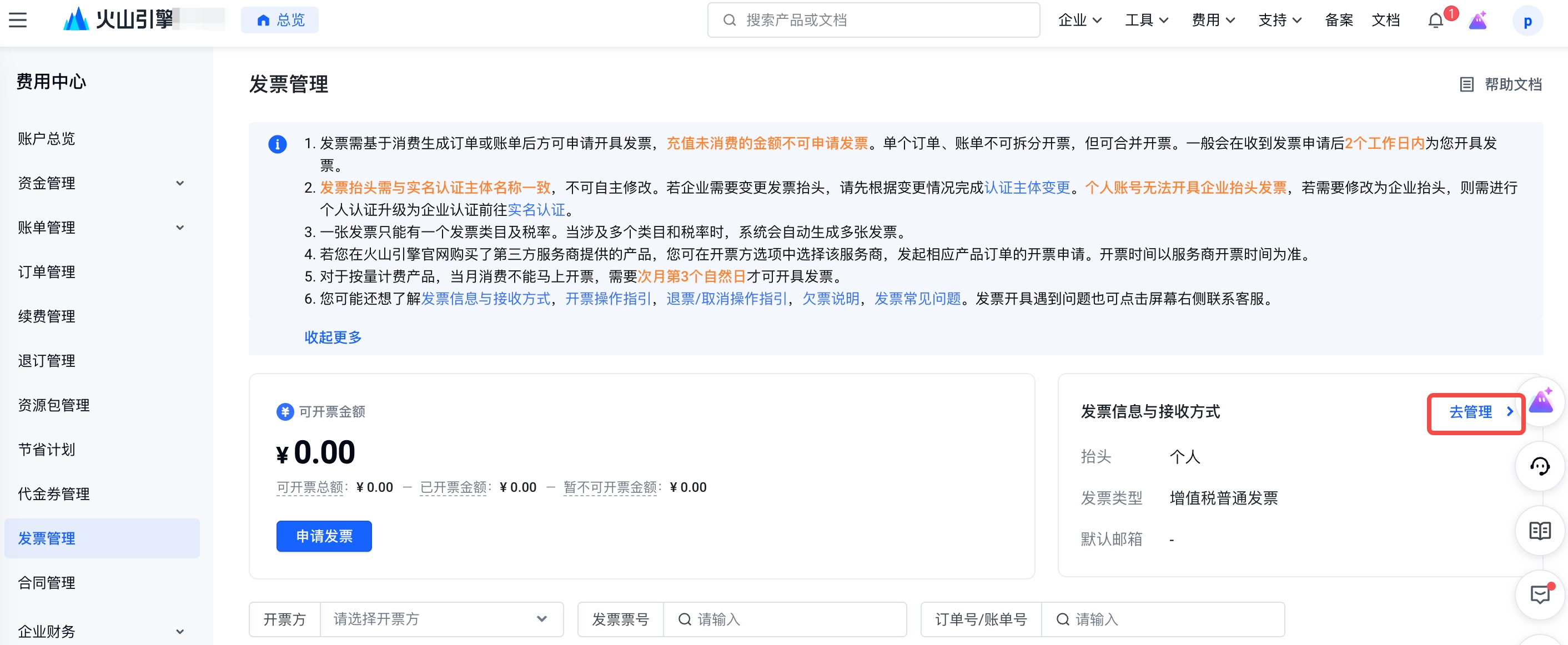
2) Click Apply for non-profit organization invoice title and enter the organization title application page.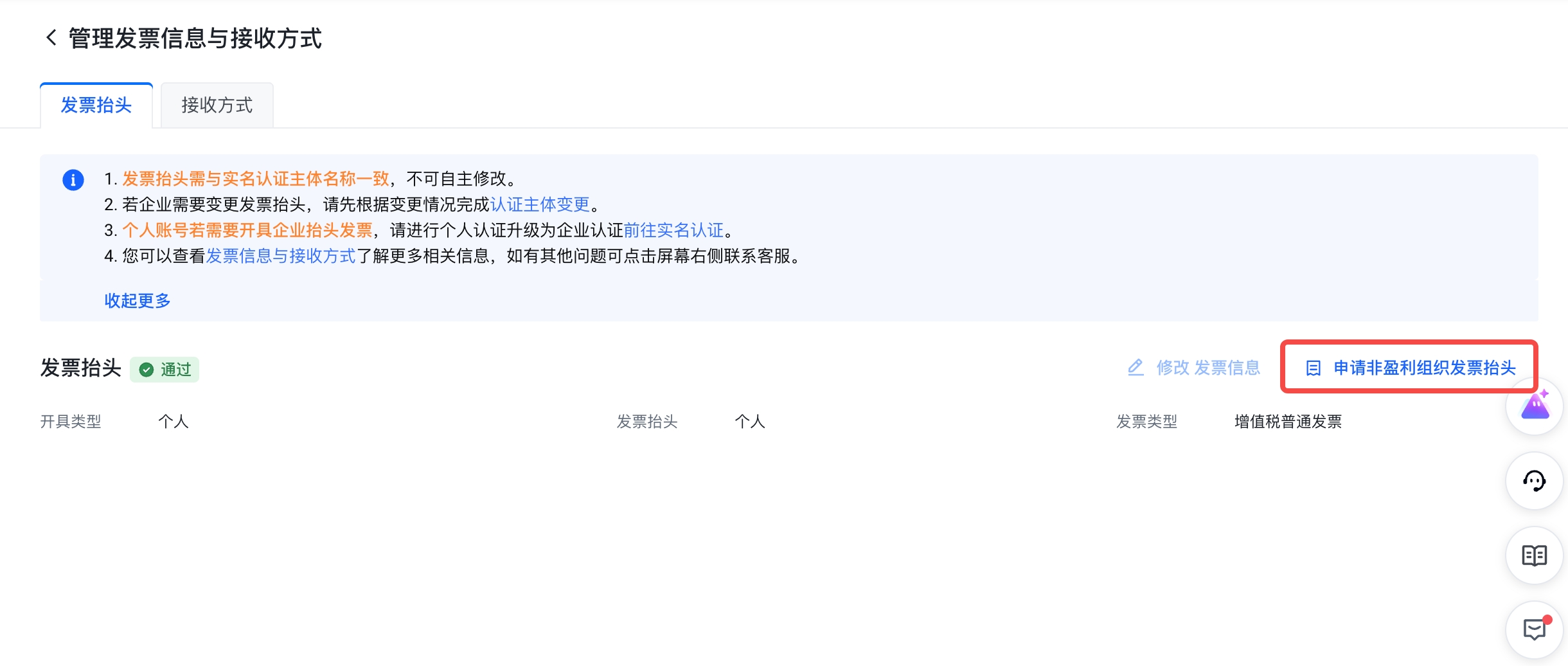
3) Select the corresponding identity according to the requirements of the page: student/employee, fill in the invoice information, and upload the supporting materials.
Step 1: Fill in the basic information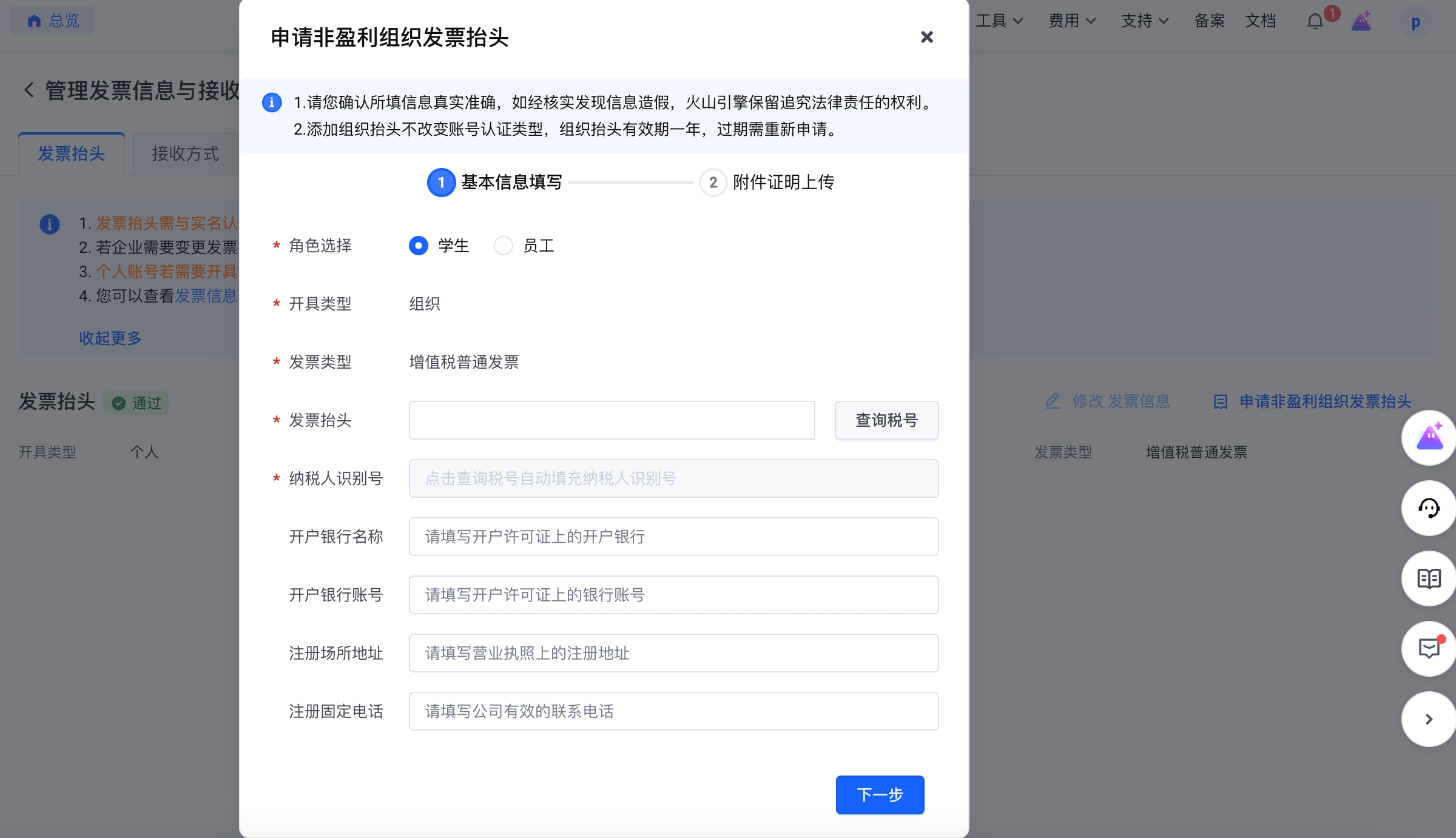
Step 2: Attachment certificate upload
(1) Students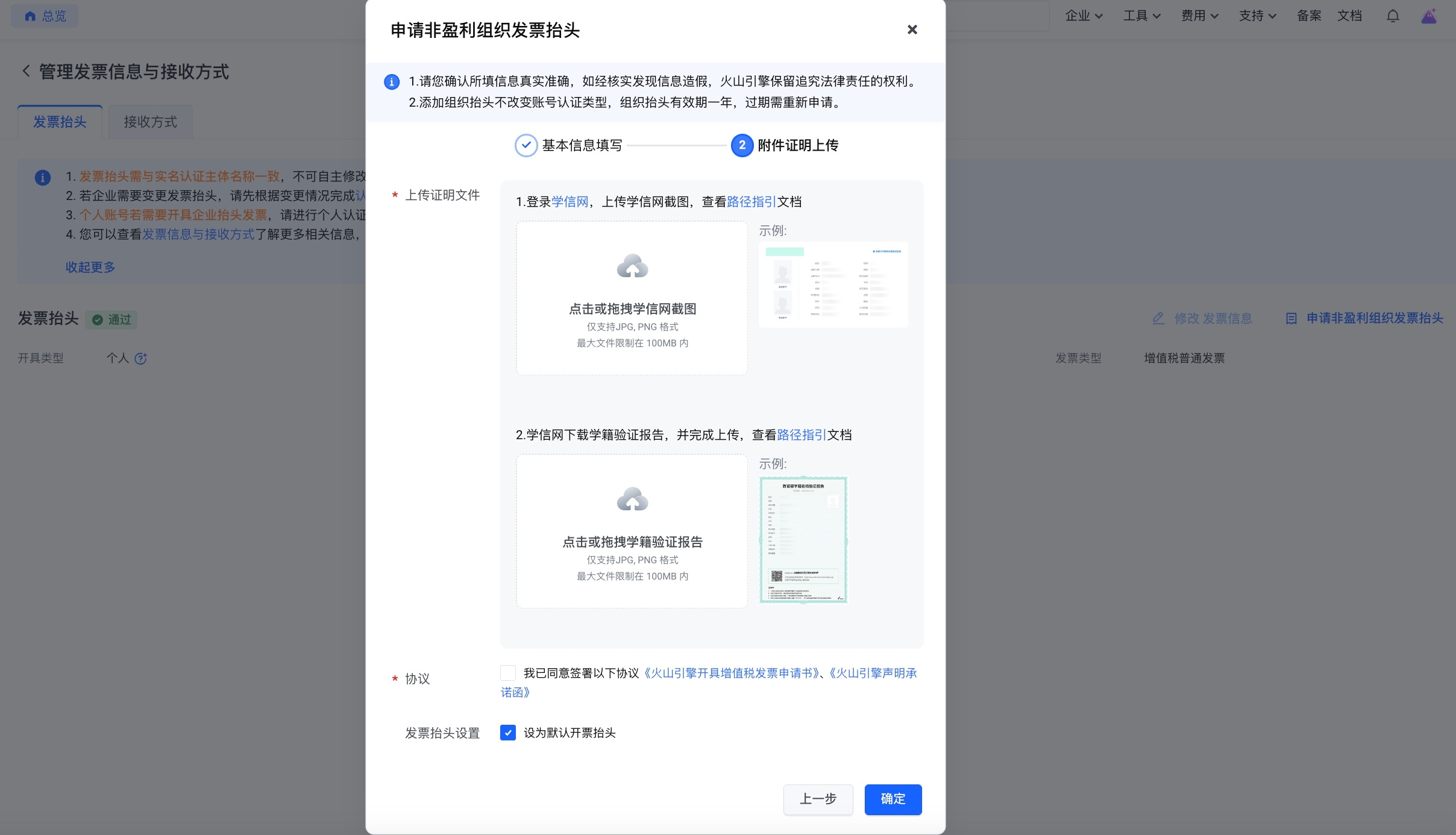
Student Proof Path Guide
1. Log in to Xuexin.com https://my.chsi.com.cn/archive/gdjy/xj/show.action , it is recommended to use the computer to log in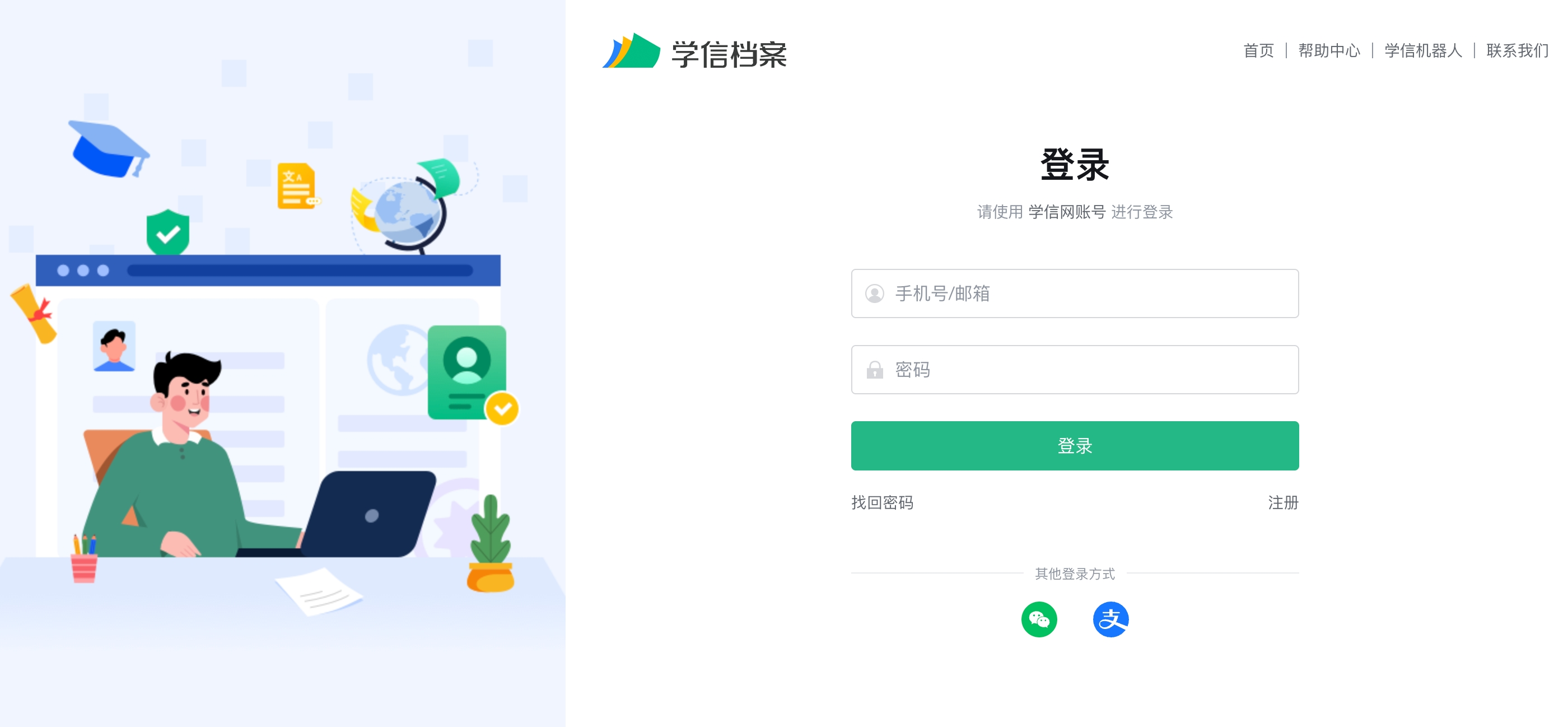
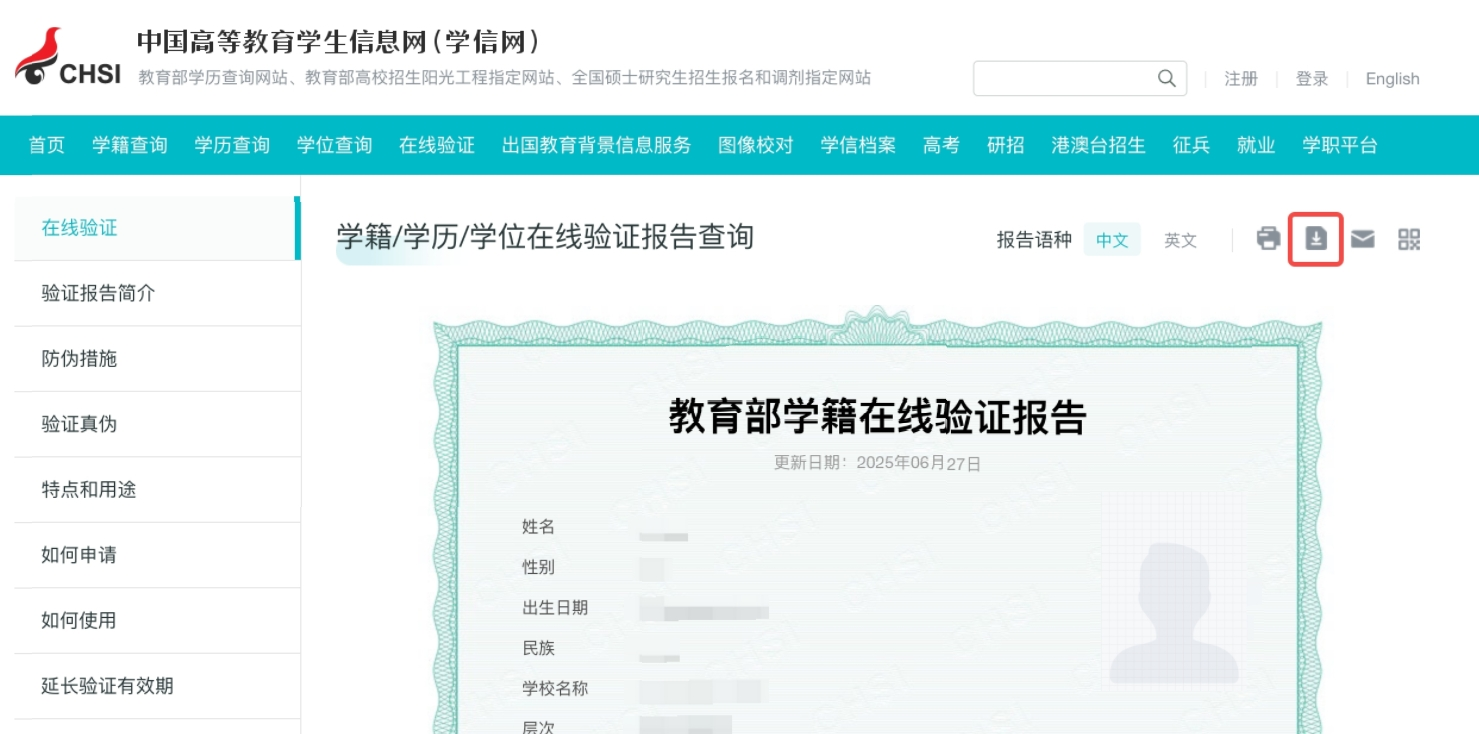
2. After logging in, enter the student status information page, save the screenshot of the information in the following red box, and upload it as file 1 "Xuexin.com screenshot" (jpg/png format)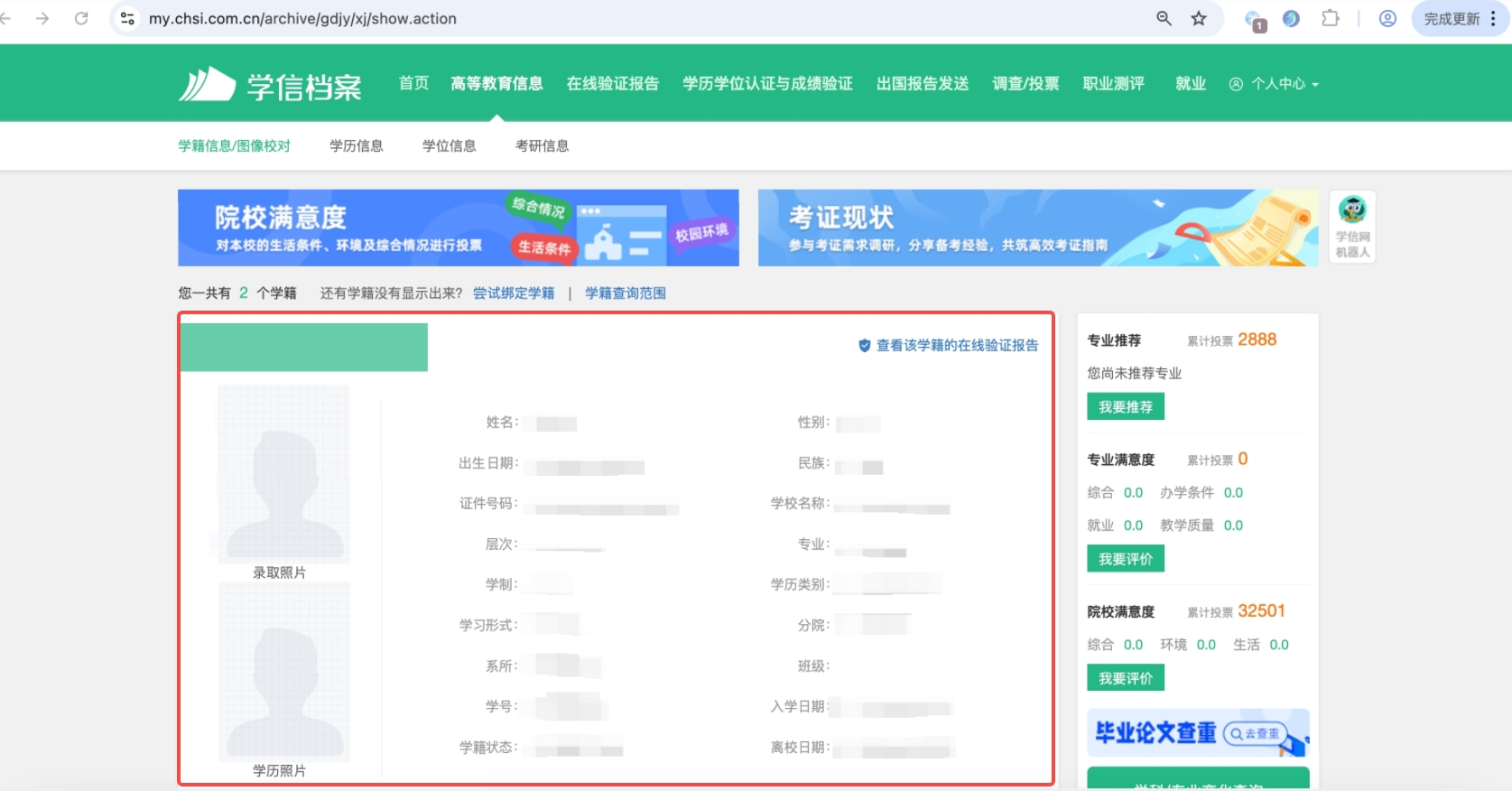
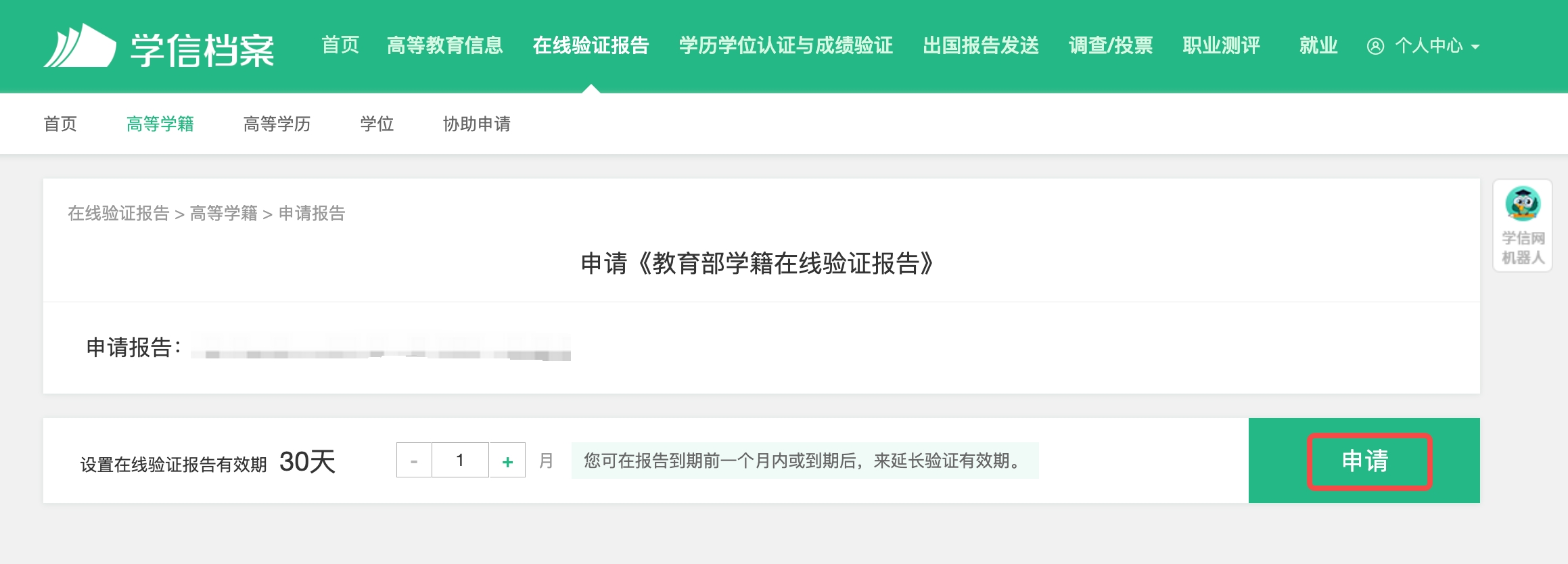
3. Click to view the online verification report of the student status , then click Apply , and finally click Download , and upload the downloaded file as file 2 "Student Status Report" (jpg/png format) Full screenshot 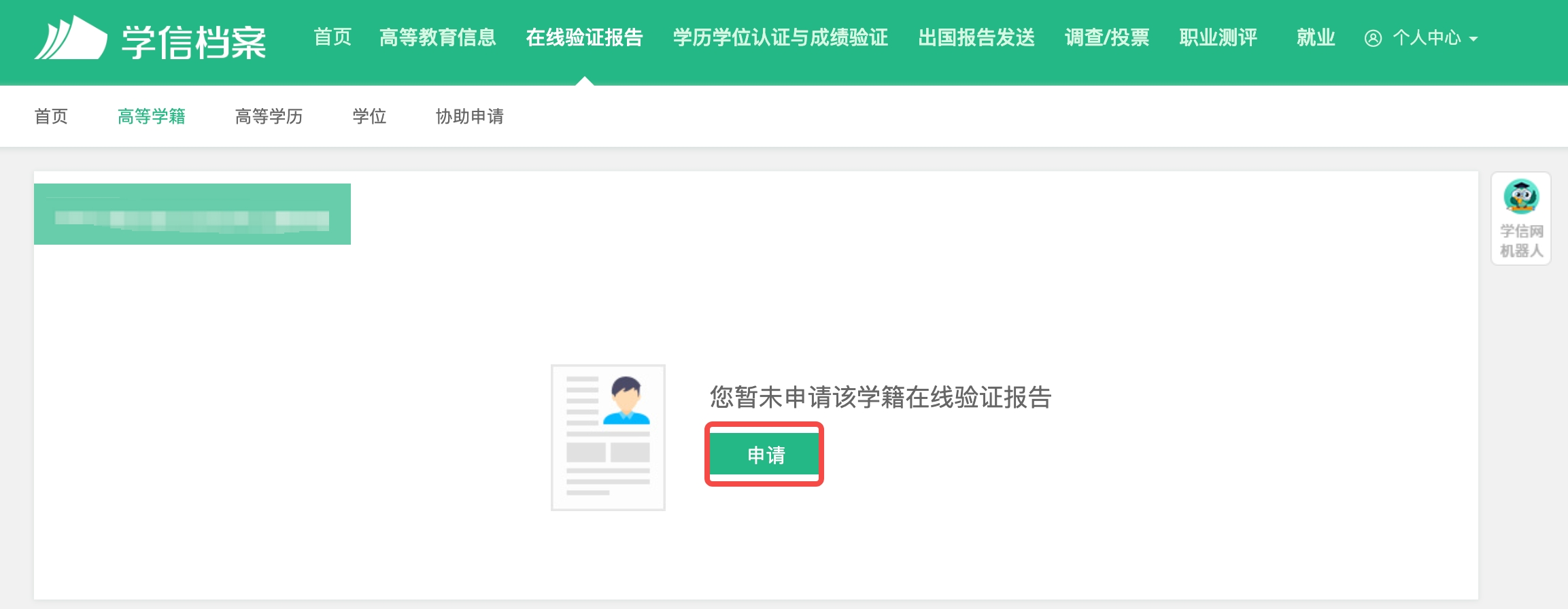
(2) Employees
Click to download organization certificate template , fill in and stamp , take a picture of the file and upload it as a picture (jpg/png format)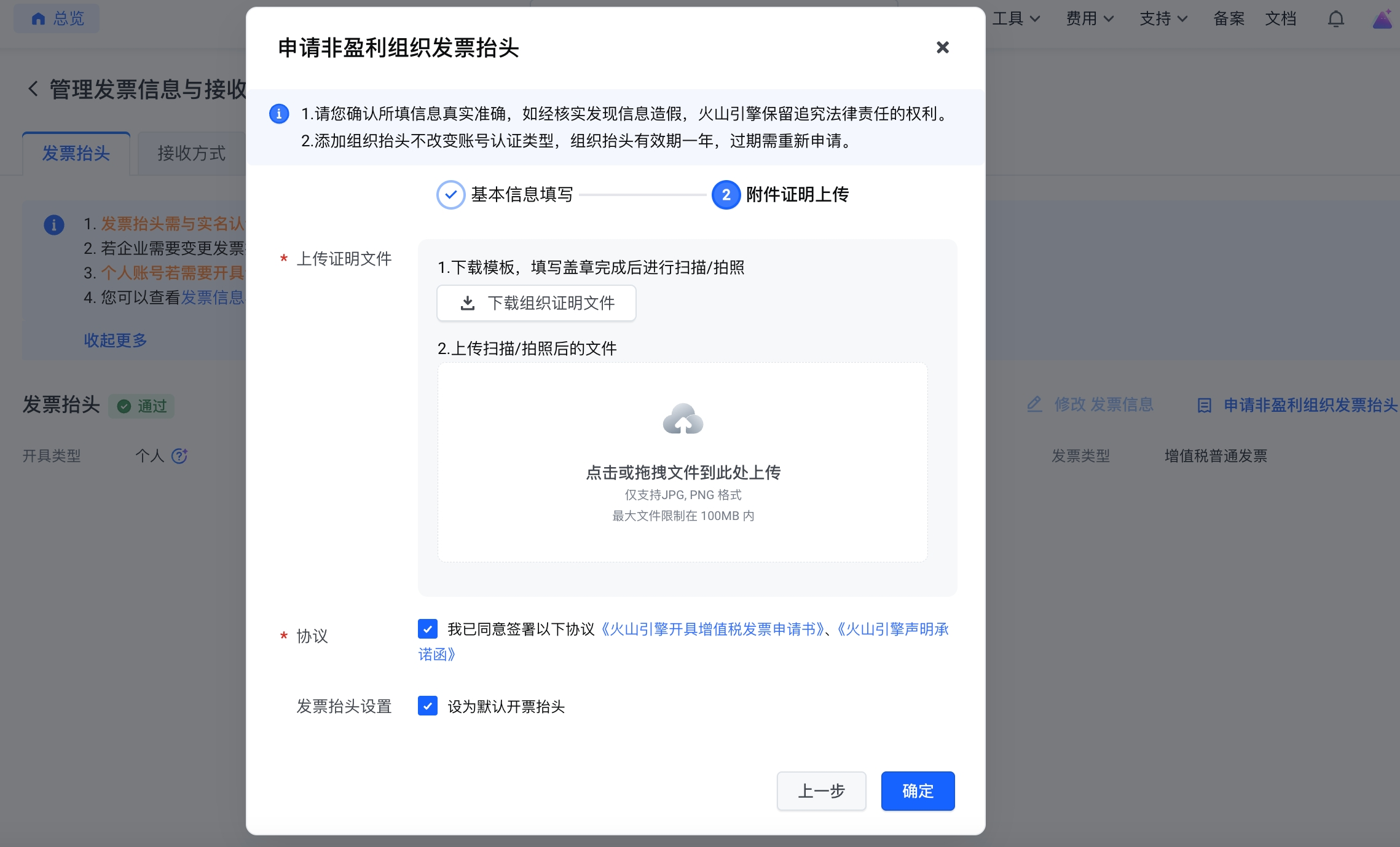
4) Complete the non-profit organization letterhead application and check the application status.
Refresh the invoice title page after submission, and it is expected that you can see the application status of the non-profit organization title within 1 minute : Pass/Reject
- If the non-profit organization's letterhead has been approved, you can return to invoice management and start applying for the organization's letterhead invoice.
- - If the non-profit organization looks up to review and reject, it can be modified according to the reason for rejection, and click Reapply for non-profit organization looks up to apply again
Application for issuance of organizational invoice
1) After completing the non-profit organization letterhead application, you can return to the invoice management page, click Apply for invoice , and select invoice by account period , invoice by consumption time or invoice the specified amount .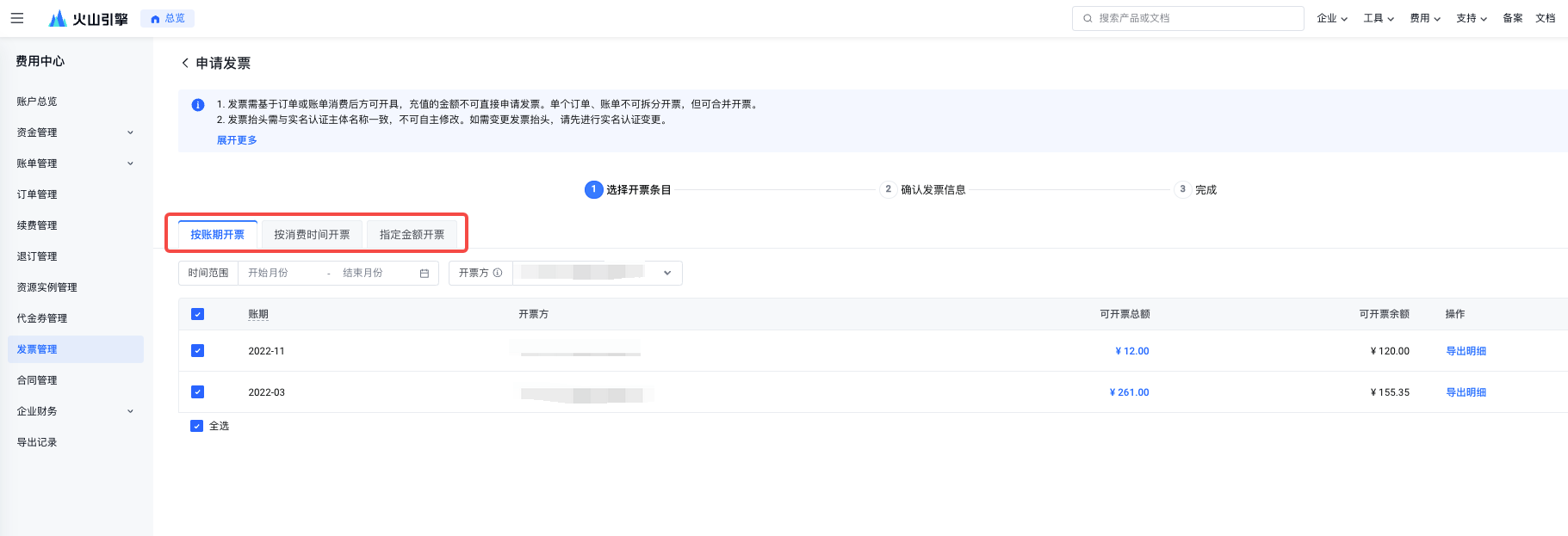
2) Check the order or bill that needs to be invoiced and click Next.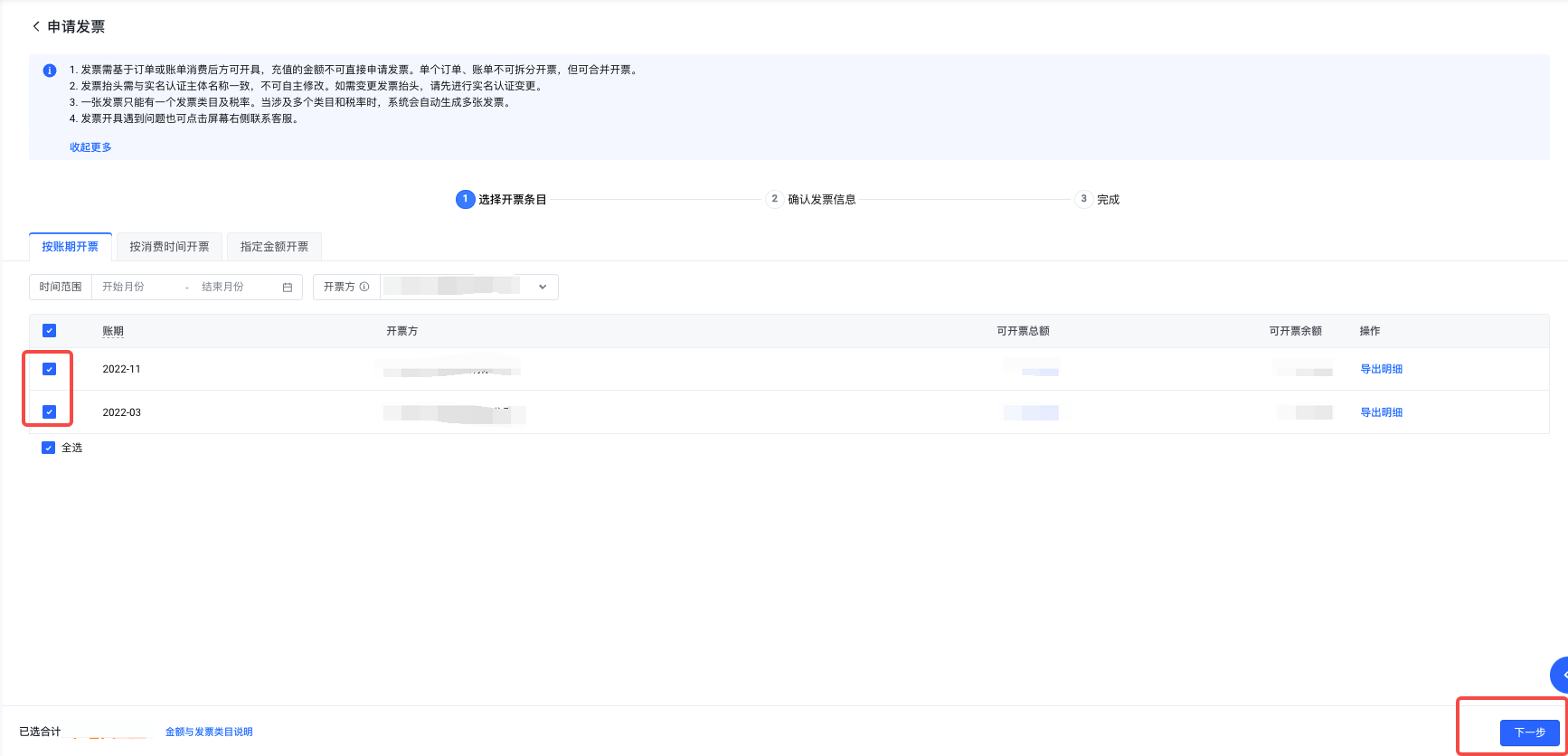
3) Confirm the invoice information that will be submitted to the application, including the invoice title , invoice type , invoice medium and the invoicing amount of this application.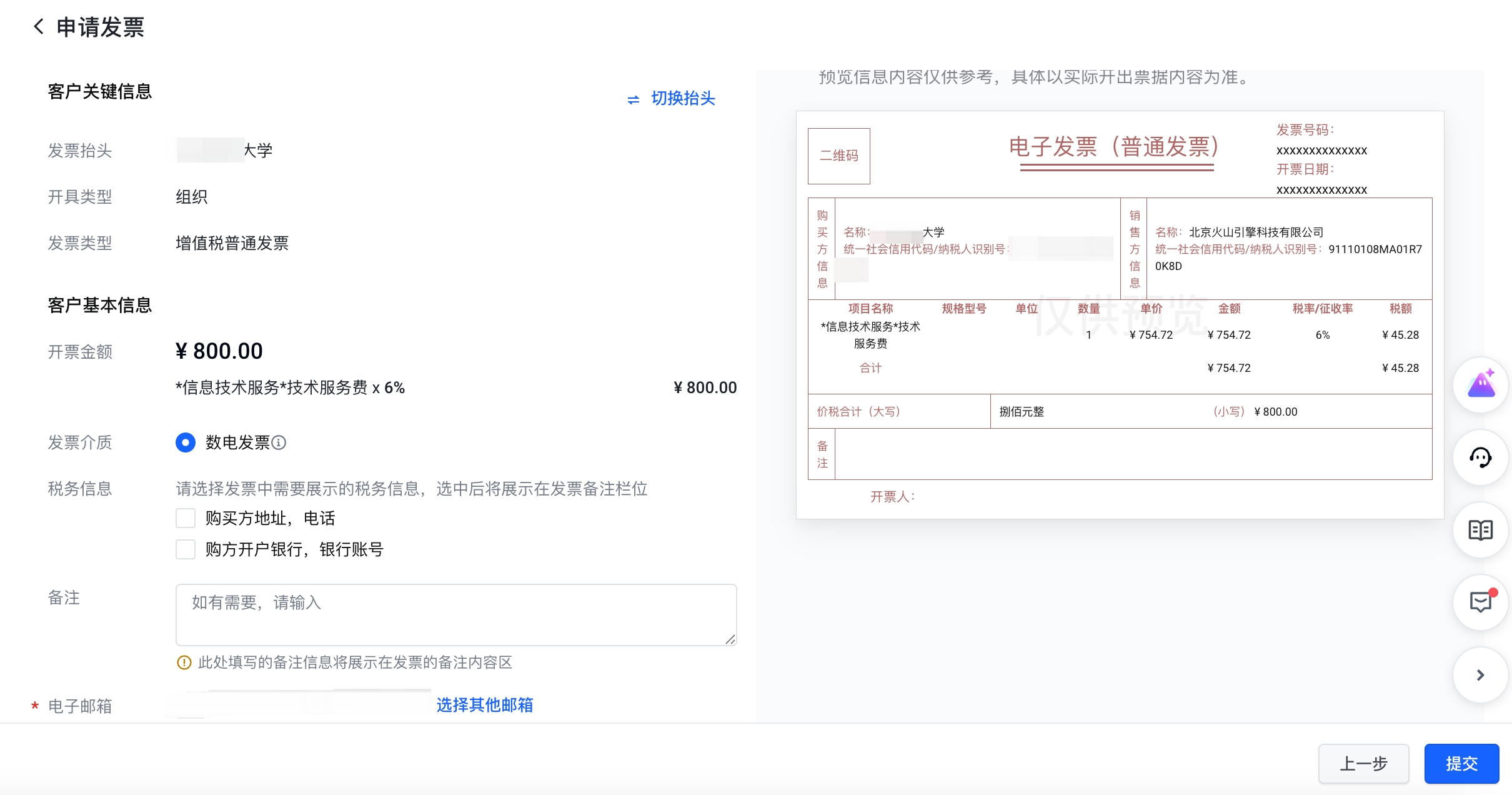
If you want to switch the individual/organization letterhead, or find that the invoice information submitted is wrong, you can directly switch/modify it on this page:
1. Click on the switch header, you can switch/modify the invoice header.
2. Click Add or select Other mailbox, you can add/modify the current invoice receiving method.
4) After the invoicing application is successfully submitted, it is expected to be reviewed and invoiced within 2 working days.
After receiving the message reminder that the invoice has been issued, log in to the Volcano Engine console , go to the Expense - Invoice Management page, find the invoice application record in the invoicing record , and click Download the invoice file.
Last updated: 2025.07.24 19:57:10
All rights reserved © Beijing Volcano Engine Technology Co., Ltd2024
