Billing Center
Billing Center


Document

- Documentation
 Billing Centerinvoice managementDescription of owed invoices
 Copy page
 Download PDF
invoice management
Description of owed invoices
Copy pageDownload PDFDescription of owed invoices
The reason for the owed invoices
The owed invoices is a normal phenomenon, and the specific occurrence can be divided into the following three situations:
- When the customer unsubscribes or downdistributes the resource, there may be a refund amount and a downdistribution difference, which is recorded in the form of owed tickets;
- The bill is reduced, and the difference between the adjustments is recorded in the form of outstanding tickets;
- If the contracted customer issues an invoice in advance due to the contract, there will also be a record of arrears.
Offset conditions for owed invoices
- If there are other subsequent consumption, the corresponding consumption amount needs to be greater than the amount owed, and the invoice has not been issued.
- The goods consumed are the same as the invoicing items of the corresponding goods in arrears, and the tax rate is the same before the arrears can be offset.
- The main body of the invoicing party for consumption is the same.
Owed invoices offset process
Owed invoices can be dealt with through the following two methods:
tip
Method 1. Offset for owed invoices
Users can continue to spend on the platform, and the owed invoices and consumption records will be gradually deducted. The owed invoices will be directly offset at the time of invoicing application. If the consumption amount is greater than the owed invoice amount, an invoice can be issued according to the difference.
Method 2. Refund and reopen
Return the original overissued invoice and re-issue the invoice according to the actual consumption amount. You can refer to the refund/cancellation operation guidelines .
Method 1. Offset for owed invoices
- Go to the invoice management page.
- Click "Request Invoice".
- If there is any owed invoice, it will be automatically offset according to the [same invoicing item * tax rate] and the invoicing amount in the consumption record when ticked.
-
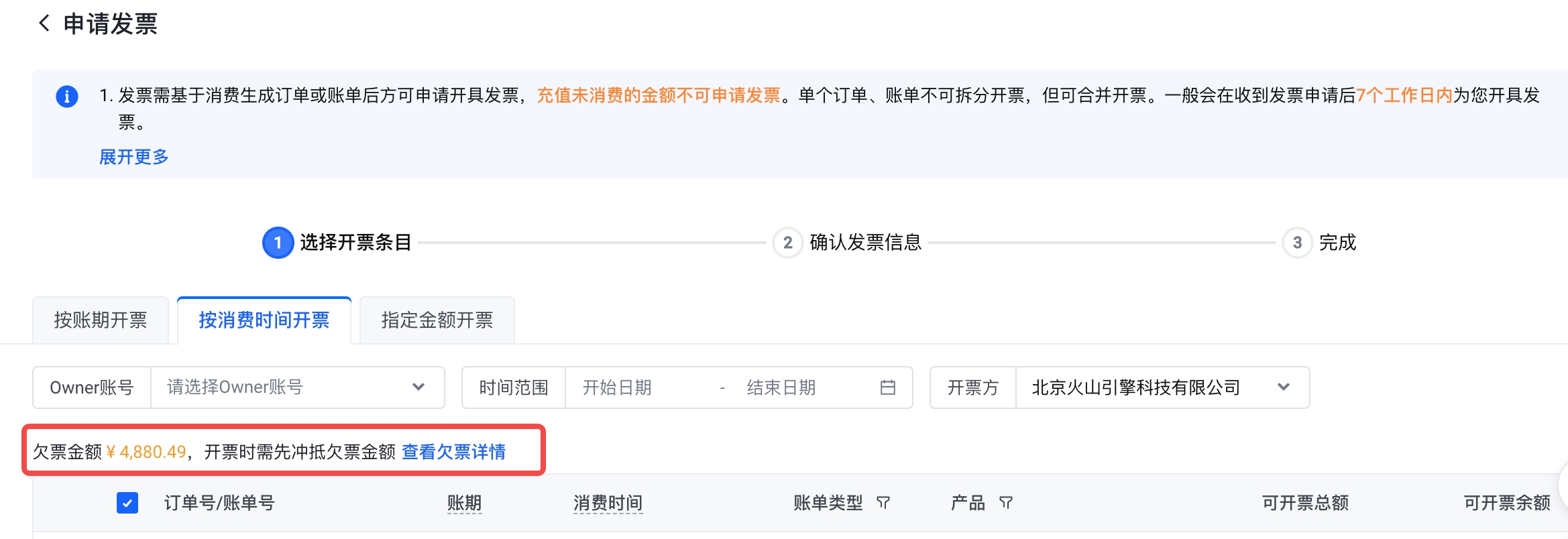
- When the selected consumption amount is less than or equal to the amount owed, the amount that can be issued is 0 yuan, and the next step cannot be carried out, and the invoicing application cannot be initiated.
- When the selected consumption amount is greater than the amount owed, click "Next" to issue an invoice according to the difference. That is, the system will automatically offset the amount of owed invoices and issue invoices for the remaining part (the selected amount - the amount of outstanding votes). For subsequent invoicing operations, please refer to the invoicing operation guidelines .
Method 2. Refund and reopen
Return the original overissued invoice and re-issue the invoice according to the actual consumption amount. You can refer to the refund/cancellation operation guidelines .
Last updated: 2025.07.24 20:01:23
All rights reserved © Beijing Volcano Engine Technology Co., Ltd2024
