Billing Center
Billing Center


Document

- Documentation
 Billing CenterContract managementOrder Contract
 Copy page
 Download PDF
Contract management
Order Contract
Copy pageDownload PDFOrder Contract
If you need to issue a contract for reimbursement or payment requests, you can apply for an electronic stamped order contract yourself through the Billing Center - Contract Management - Order Contract module based on the "Pending Payment/Paid" orders or bills under your account.
Open Billing Center - Contract Management - Order Contract to view the order contracts you have applied for;
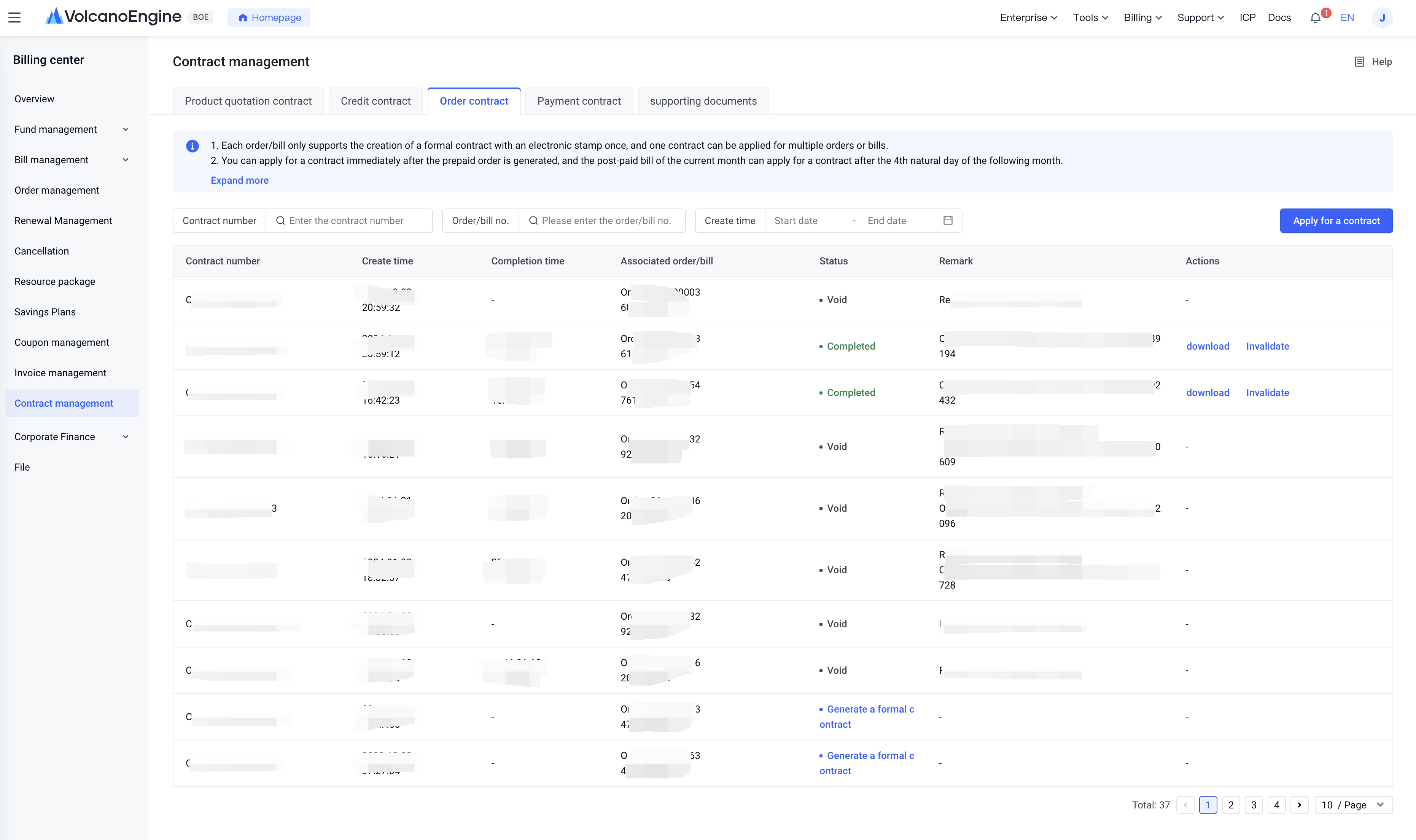
Click Apply for Contract to select the orders or bills for which you want to apply for a contract;
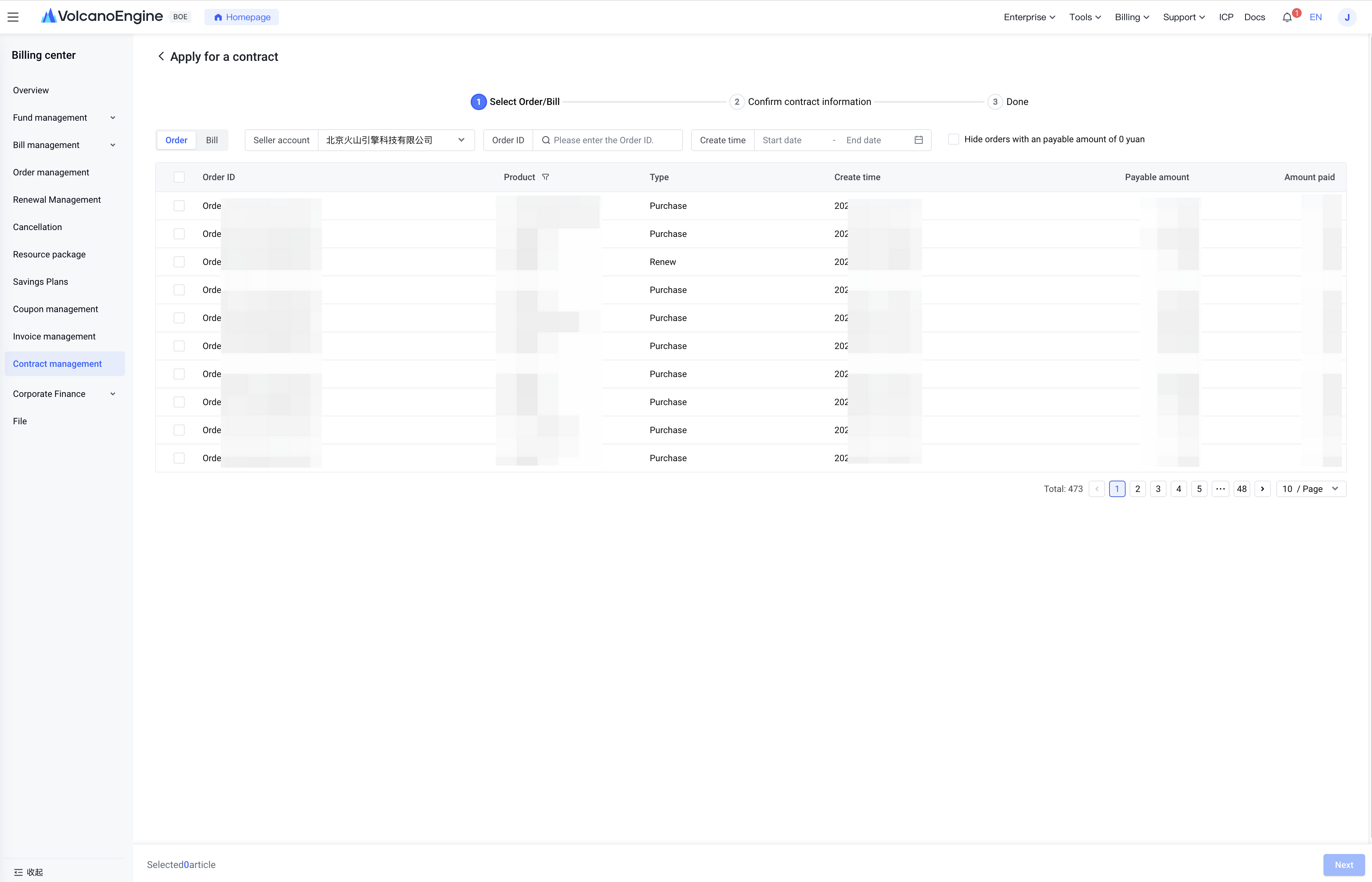
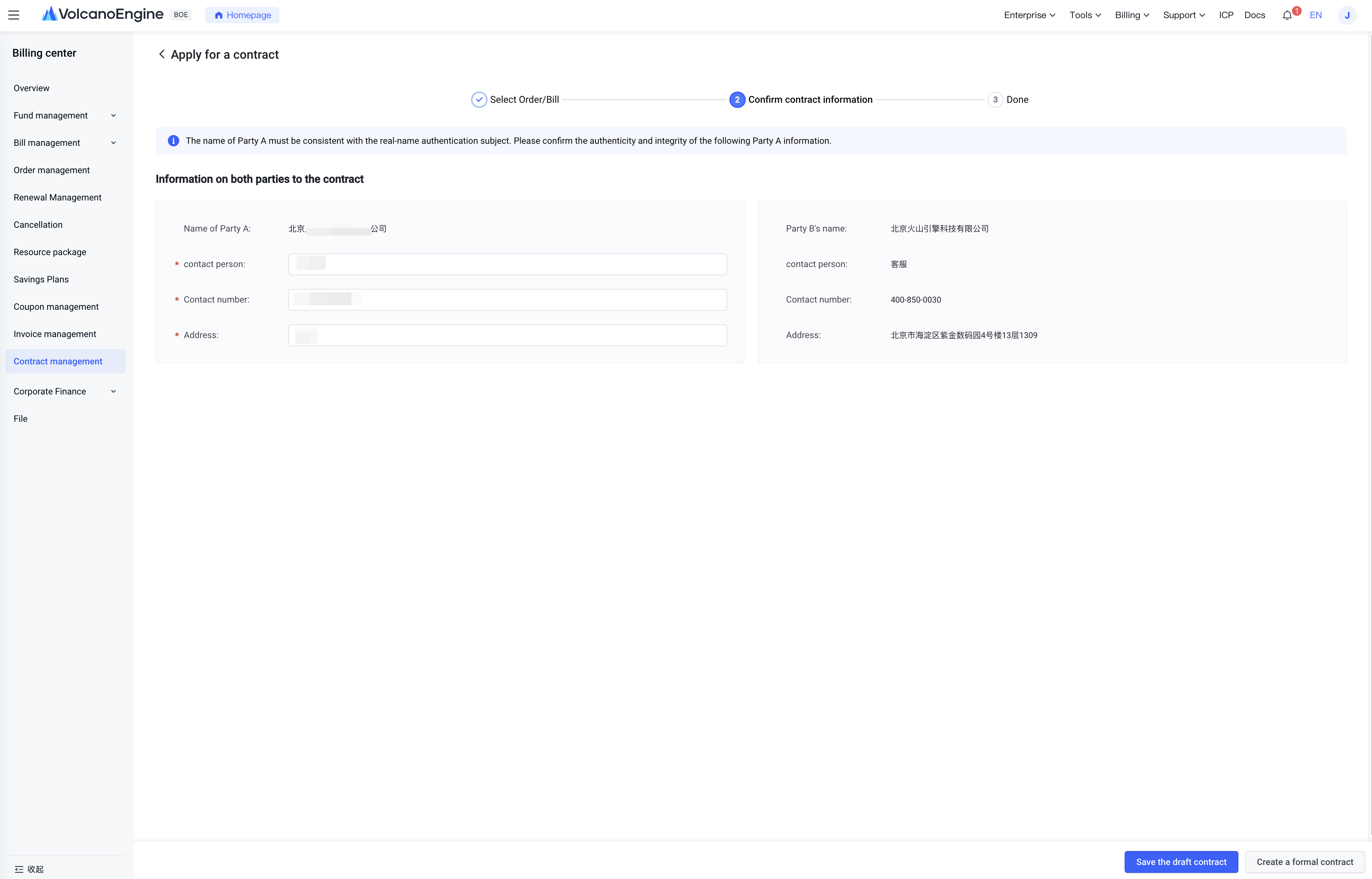
After selecting the order or bill, click "Next" to enter "Confirm Contract Information" The "Party A Name" is taken from the real-name authentication of your account ID. You need to enter the contact person’s name, contact number, and address to create a draft contract or generate the official contract;
Notes:
- Each order/bill supports only one official contract with an electronic stamp. You can apply for one contract covering multiple orders or bills;
- Prepaid orders can be applied for immediately after placing the order; postpaid bills can be applied for after the fourth calendar day of the following month;
- Draft contracts are unsigned and unstamped and bear no legal binding on either party; once converted to official contracts, they will be automatically stamped with an electronic seal;
- When under financial custody, the payment account for orders/bills you generate is the main account. Therefore, orders/bills generated during this period can only have contracts applied for by the main account;
Last updated: 2025.07.10 11:18:13
All rights reserved © Beijing Volcano Engine Technology Co., Ltd2024
