Billing Center
Billing Center


Document

- Documentation
 Billing CenterResource PackagesOverview
 Copy page
 Download PDF
Resource Packages
Overview
Copy pageDownload PDFOverview
1. Definitions
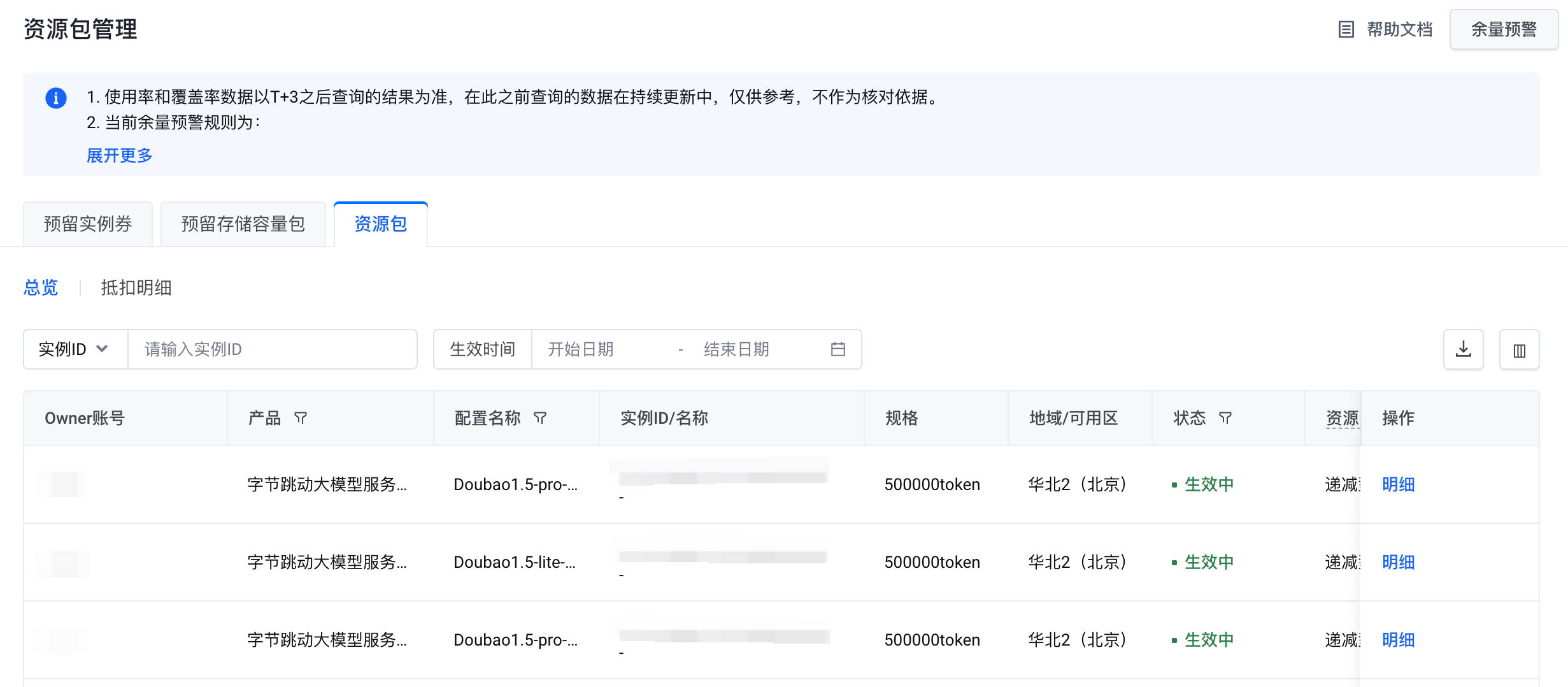
The effect package management summary page can view the effect package purchased by the user, the reserved instance coupon, and the reserved storage capacity package deduction overview.
2. Filtering criteria
- Type: reserved instance coupon, reserved storage capacity package, effect package, radio selection, can switch to view the data of different types of effect packages;
- Instance ID/Instance Name: Enter Instance ID/Instance Name query;
- Effective time: enter the start date and end date query;
3. Table parameters
- Owner account: the account to which the effect package belongs;
- Product: the Chinese name of the cloud product;
- Configuration name: Configuration Chinese name;
- Instance ID: the instance ID of the effect package, unique identifier;
- Instance name: the instance name of the effect package;
- Specifications: effect package specifications; if an instance coupon is reserved for the periodic type, the computing power factor parameter will be increased;
- Region: the region where the effect package belongs;
- Availability zone: the availability zone to which the effect package belongs;
- Status: The status of the effect package, including not in effect, in effect, used up, refunded, expired, failed to create, etc.;
- Resource type: the type of effect package, including decreasing, periodic, and mixed;
- Total: the total amount of the effect package; if it is periodic & hybrid, it represents the total amount of each reset cycle;
- Balance: Declining type, the total balance of the current effect package; Periodic type, the balance of the current reset period; Mixed type, the default is -;
- Purchase time: the purchase time of the effect package;
- Effective time: the effective time of the effect package;
- Failure time: the failure time of the effect package;
- Remarks: Remarks, such as for periodic & mixed effect packages, will show the corresponding reset cycle;
- Service subject: the name of the subject providing the service.
- Operation: Check the deduction details, for the periodic effect package, you can also perform the renewal operation, and quickly jump to the renewal page;
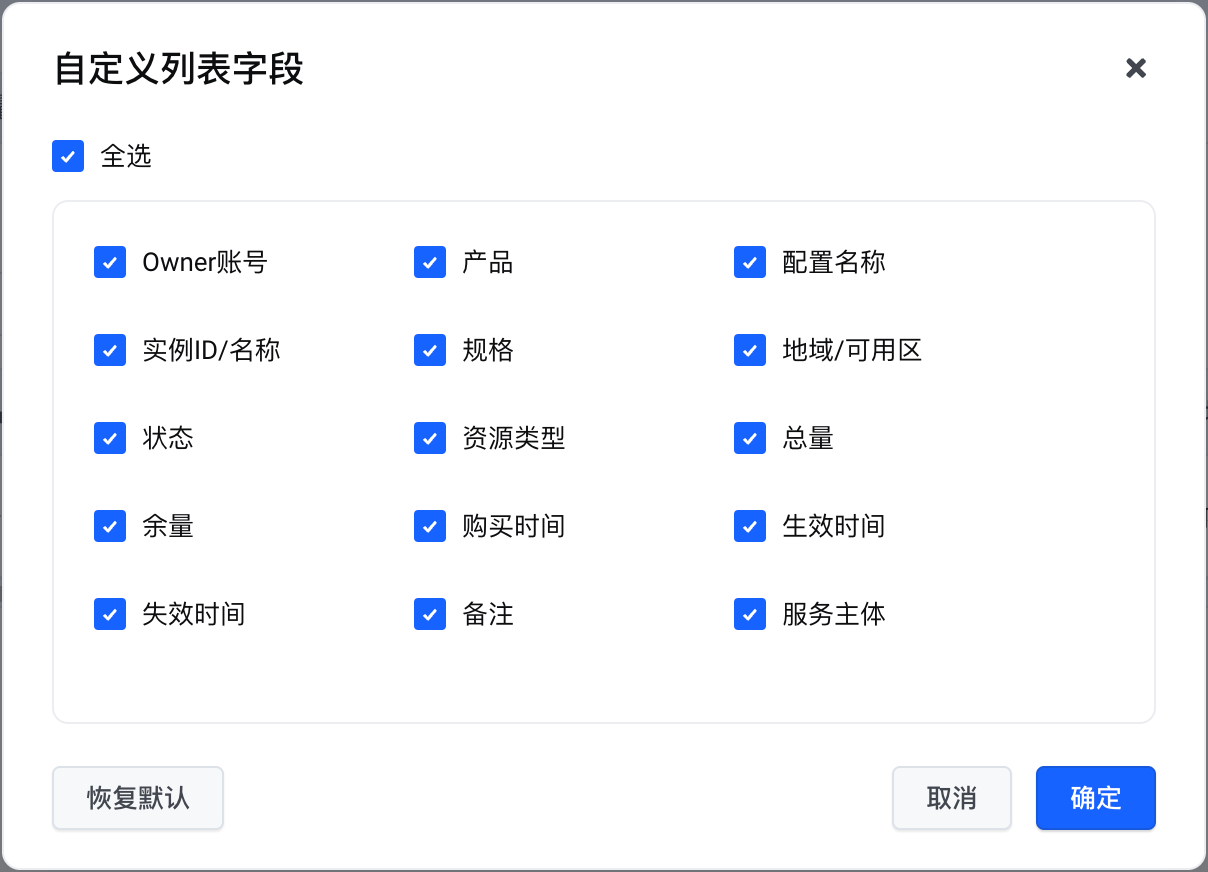
4. Custom columns
You can choose the column parameters to be displayed on demand.
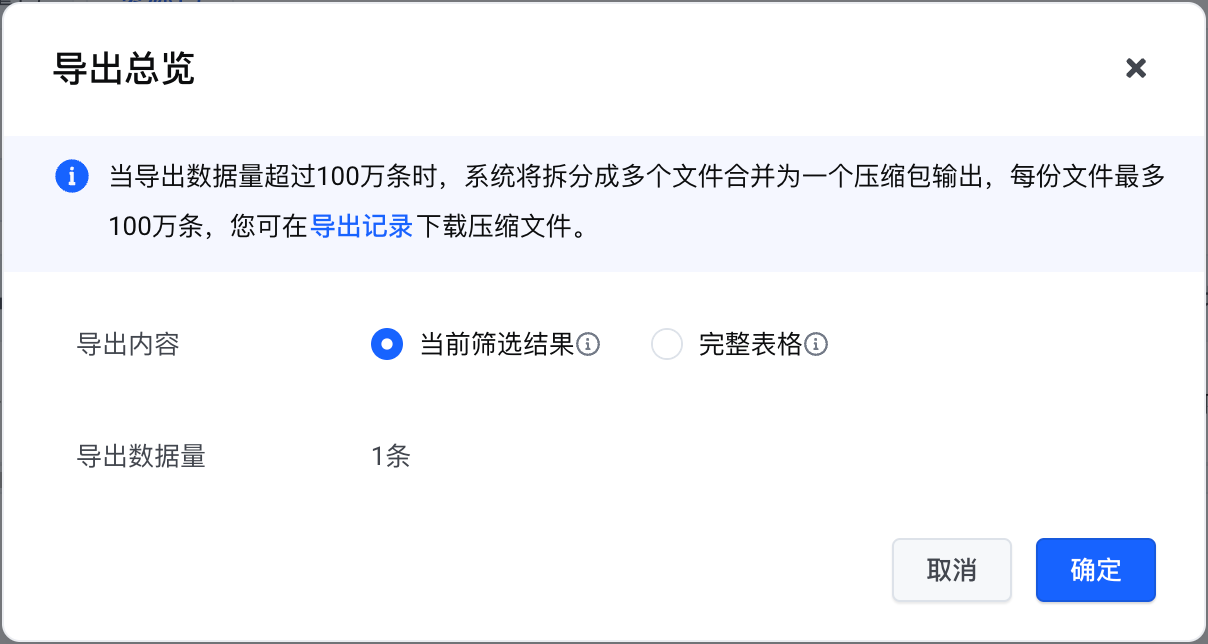
5. Export
Support exporting table parameters in CSV format.
Last updated: 2025.07.17 21:30:38
All rights reserved © Beijing Volcano Engine Technology Co., Ltd2024
