Billing Center
Billing Center


Document

- Documentation
 Billing CenterAccount OverviewPrivileges of suspension extension
 Copy page
 Download PDF
Account Overview
Privileges of suspension extension
Copy pageDownload PDFPrivileges of suspension extension
What is Suspension Extension Privileges?
Suspension Extension Privileges is a feature provided by Volcengine to ensure the continuity and stability of customer services. Customers need to log in to the Volcengine official website console to apply for enabling this privilege. After the Postponed Suspension of Service Privileges is enabled, the system will grant the right to continue using cloud services within a certain period of time when the customer is in arrears, based on factors such as historical consumption, manual grading, or credit control. Services can still be used normally and will be billed as usual during the grace period, and you need to pay on time and in full. The postponement scenarios are as follows:
- Postponed Suspension of Service Privileges is enabled:
- When the available balance of the account is <0, the pay-as-you-go instances (or services) can still be used normally within the duration of the Postponed Suspension of Service Privileges.
- When the available balance of the account is <0, and the duration of the Postponed Suspension of Service Privileges is exceeded, the pay-as-you-go instances (or services) will enter the service suspension process.
- Deferred suspension not enabled:
- When the available balance of your account is <0, pay-as-you-go instances (or services) will enter the service suspension process.
How deferred suspension duration is calculated after deferred suspension is enabled
- The system will automatically grant a deferred suspension duration of 0 to 10 calendar days based on factors such as historical consumption and manual tiering.
- If you have signed a credit control agreement and the credit control limit is greater than 0, you are entitled to a deferred suspension duration of 3 calendar days.
- Note: The deferred suspension entitlements available to each account are not cumulative. The system will prioritize the longer duration as the final deferred suspension duration you can enjoy (up to 10 calendar days).
Risk warning
- Bills generated during the deferred suspension period are normal service fee bills, and you need to pay them in full on time.
- If the duration exceeds the deferred suspension entitlement, the pay-as-you-go instances (or services) will enter the service suspension process. Please recharge in time to ensure service continuity.
Special notes
- During financial hosting, the suspension rights of the hosted sub-account will be the same as those of the main account.
- During the sales period, end customers do not have suspension rights, which means they are not allowed to enable suspension rights.
Procedure
Enable suspension extension privileges
- Go to the Billing center page.
- Set the "Suspension extension privileges" button to the on state.
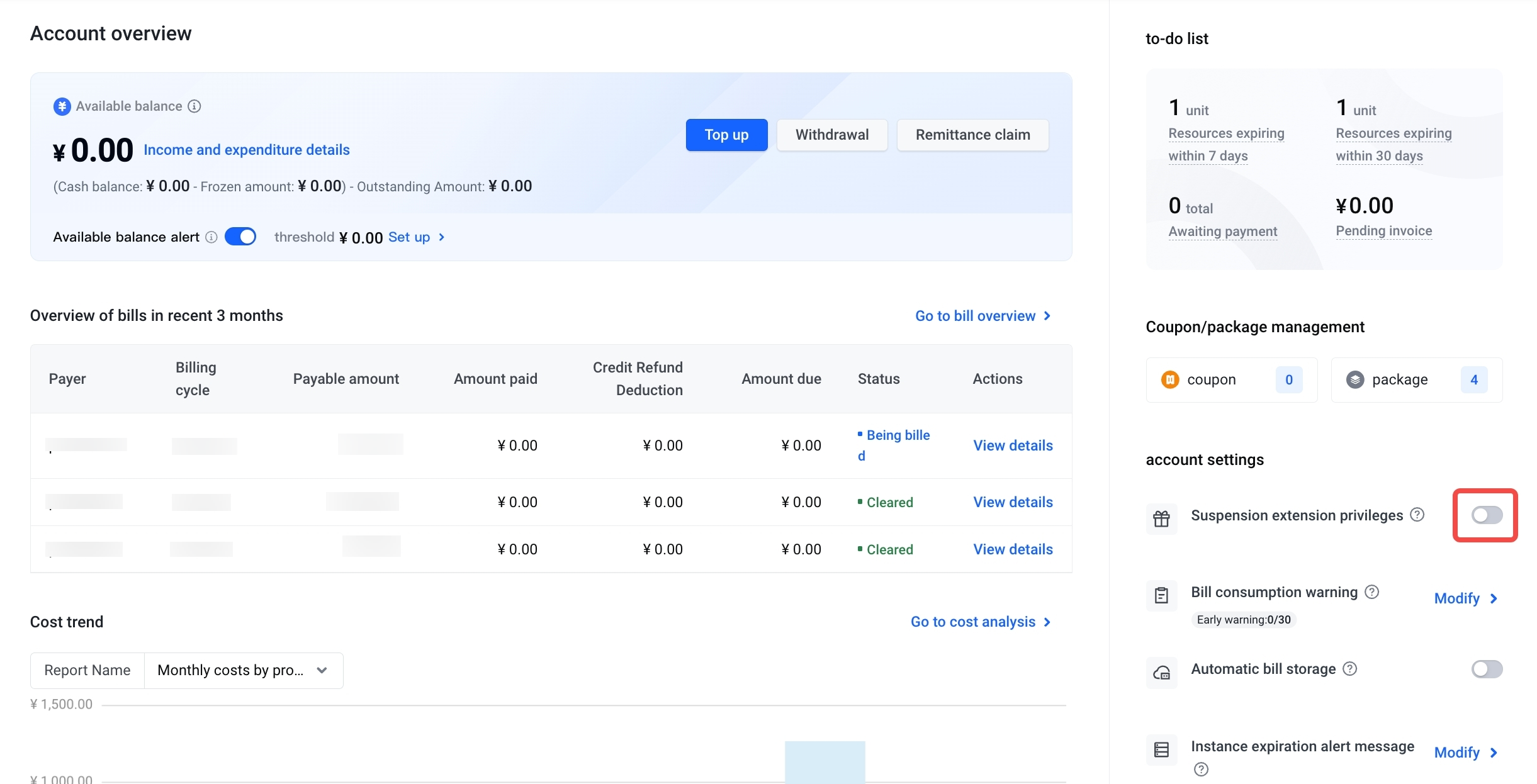
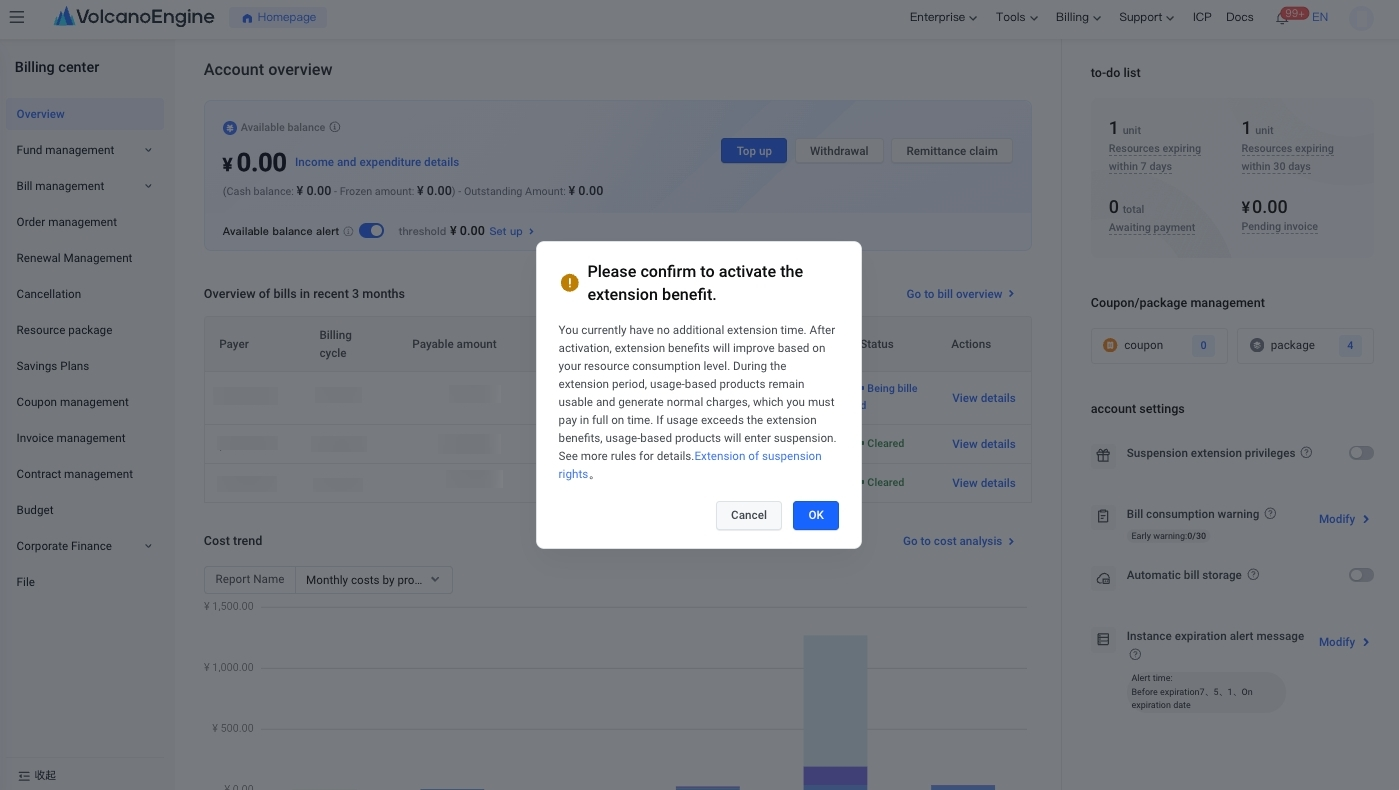
- Confirm the information for enabling suspension rights.
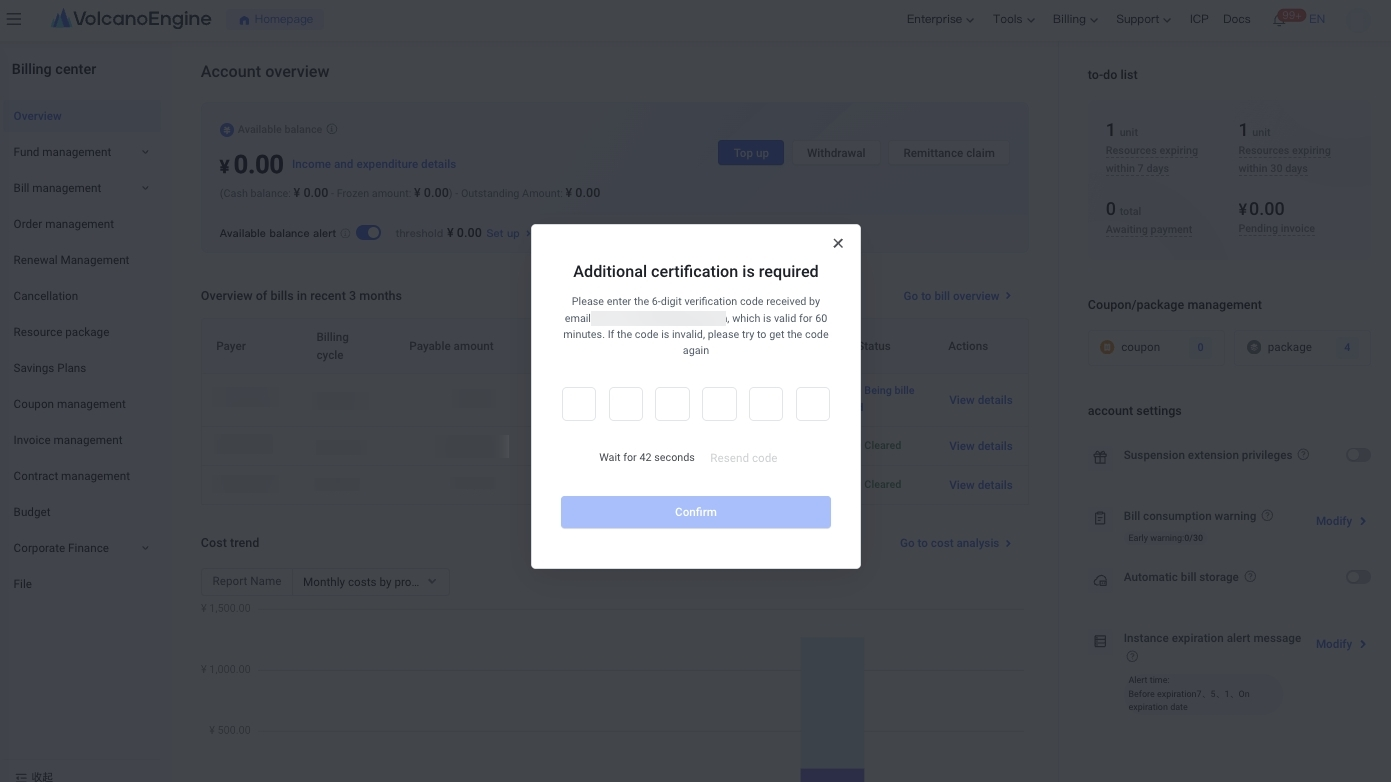
- Verify your security mobile phone. After successful verification, you can successfully enable it.
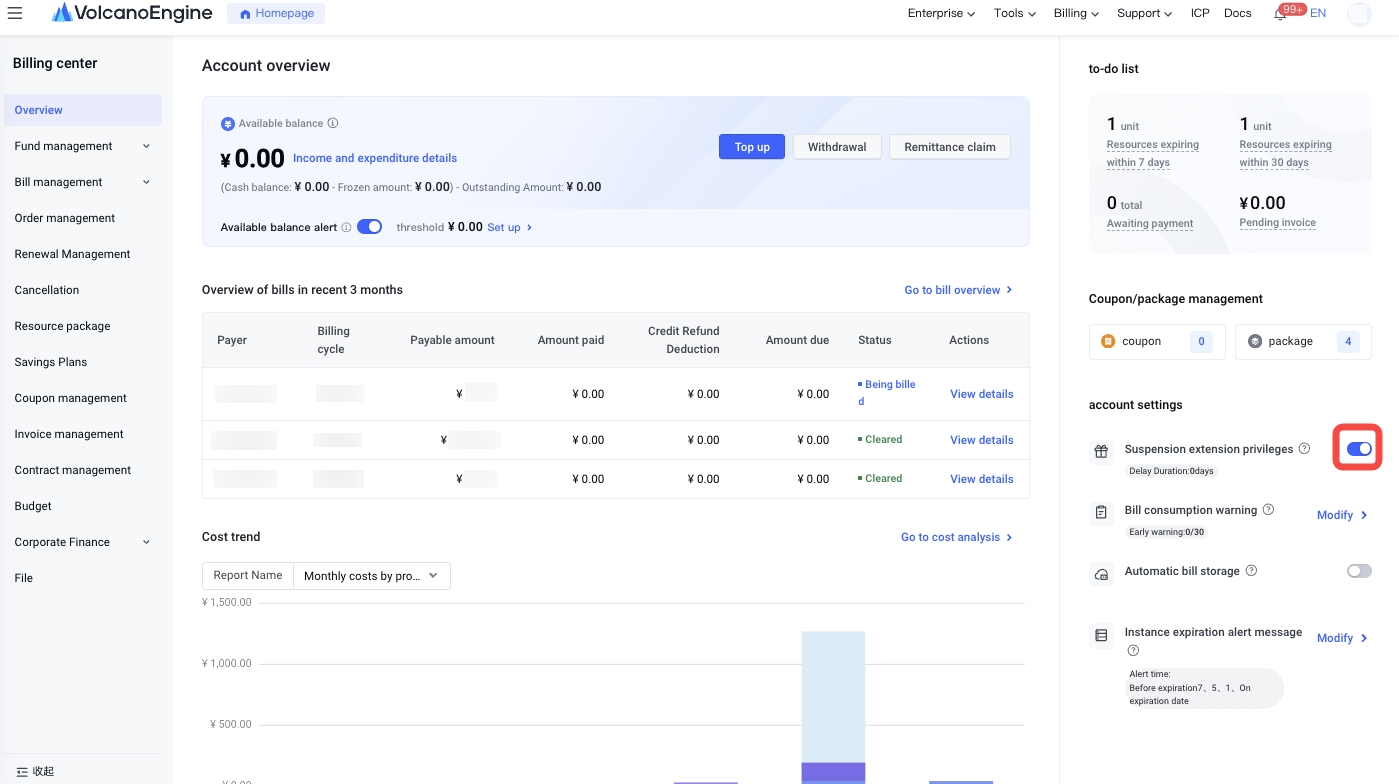
Disable suspension extension privileges
- Go to the Billing center page.
- Set the Enable Extend Suspension Rights button to the off state.
- Confirm that you want to turn off Enable Extend Suspension Rights.
- Perform a secure phone verification. If the verification is successful, the feature will be turned off successfully.
Last updated: 2025.10.31 22:30:24
All rights reserved © Beijing Volcano Engine Technology Co., Ltd2024
