Container Registry
Container Registry


Document

- Documentation
 Container RegistryContainer Registry (CR)Best practicesImage push and pullPulling Docker Hub images via Docker Hub domain name
 Copy page
 Download PDF
Image push and pull
Pulling Docker Hub images via Docker Hub domain name
Copy pageDownload PDFPulling Docker Hub images via Docker Hub domain name
A proxy cache instance leverages the proxy cache's caching capability to enable nearby access, effectively improving cross-border image pull efficiency. Proxy cache registries support cross-border image pulls through Docker Hub's original domain name, https://hub.docker.com. No changes to Docker Hub image addresses in your application code are required.
warning
- When pulling images through https://hub.docker.com, set the OCI artifact repository in the proxy cache registry to Public. For details, see Batch modifying public/private types of OCI artifacts.
- To pull unofficial Docker Hub images through a proxy cache registry, enable image pull authentication for the registry. Then, configure the username and password required to access the images.
- This topic applies to images running in VKE clusters. For instructions on pulling images through a proxy cache registry for VCI clusters using the VPC-CNI container network model, see Creating instances and configuring proxy cache repositories.
Comparison of pull methods
When using Docker Hub's original domain name to pull an image, you do not need to prepend an access domain name to the image address. Keep the original Docker Hub image address used by your application. The Docker Mirror configuration of the proxy cache registry automatically provides cross-border acceleration.
Image types | Official image identifier | Pull command format | Example |
Docker official image | A Docker official image with the Docker Official Image identifier.  | docker pull [image-name]:[tag] | docker pull nginx:stable-alpine3.23-perl |
Unofficial Docker image | An unofficial Docker image without the Docker Official Image identifier. 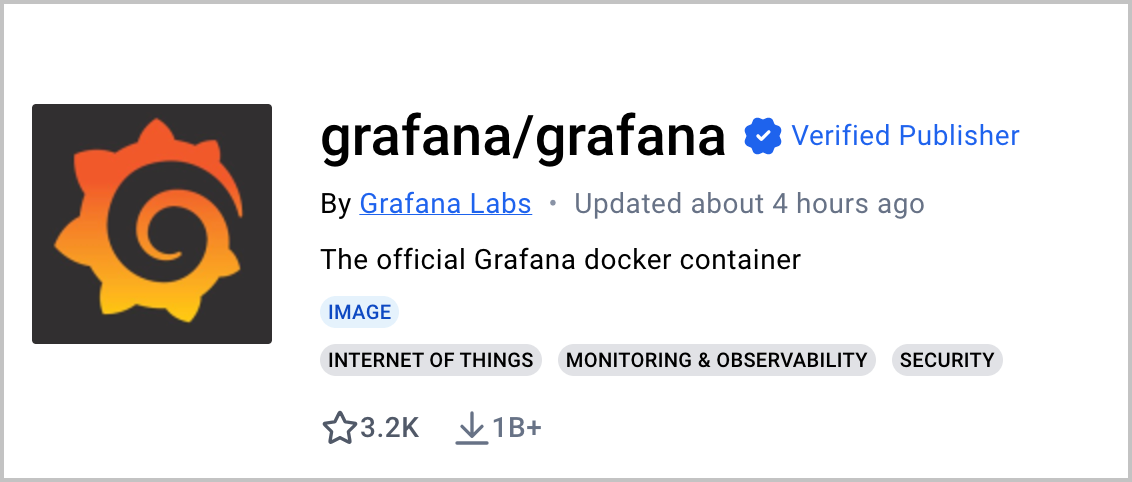 | docker pull [username]/[image-name]:[tag] | docker pull grafana/grafana:main-ubuntu |
Prerequisites
- A VKE cluster has been created. For details, see Creating clusters.
- The VPC information of the VKE cluster has been obtained. You can view the VPC information on the cluster overview page.
Procedure
Step 1: Create a proxy cache registry
- Log in to the CR console and create a proxy cache registry. This step describes only the parameters relevant to this scenario. For other parameters, see Creating proxy cache registries.
-
- On the proxy cache registry overview page, obtain the access domain name.
-
- When using a Standard Edition proxy cache registry, add the VKE cluster's VPC on the Access control > VPC page. This ensures network connectivity between the proxy cache registry and the cluster. For instructions, see Connecting to the VPC of the current account.
tip
A Micro Edition proxy cache registry uses the private network in the same region by default. No additional configuration is required.
Step 2: Add Docker Mirror configuration
- Add the registry-mirrors configuration to the Docker daemon configuration file, as shown in the following example. Replace [System domain name] with the proxy cache registry access domain name obtained in Step 1.
-
-
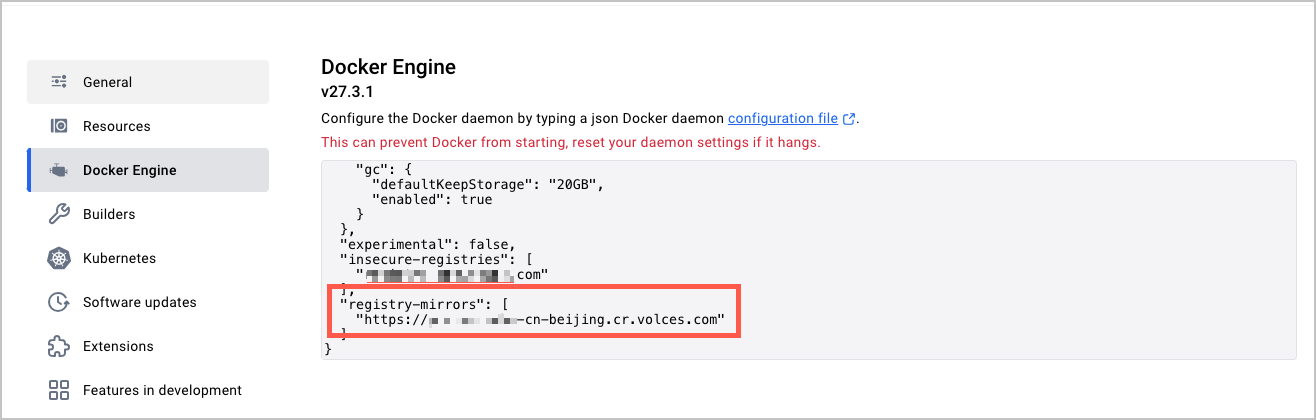
- After completing the configuration, restart Docker for the configuration to take effect.
Step 3: Pull an image through the Docker Hub domain name
Pull the image through Docker Hub's original domain name without changing the image address. Docker automatically accelerates the image pull through the proxy cache registry based on the registry-mirrors configuration. The following command provides an example:
Results
After the image is pulled successfully, you can view it on the image details page of the proxy cache registry.
Deploy an application
You can reference images in the proxy cache registry in multiple ways to deploy applications.
- Method 1: Use the proxy cache registry domain name
- Complete the Docker Mirror configuration in Step 2. Then, use the original Docker Hub image address directly in the Kubernetes deployment file, such as a Deployment or Pod. For example, specify image: stable-alpine3.23-perl. Docker automatically accelerates image pulls through the proxy cache registry based on the registry-mirrors configuration. You do not need to manually prepend the access domain name. The following code provides an example.
-
- Method 2: Use Kyverno to replace the access domain name
- Use Kyverno to automatically replace the access domain name when deploying Kubernetes applications.
- Install Kyverno.
- Create a policy.
tip
Replace both occurrences of [System domain name] in the following YAML with the proxy cache registry access domain name obtained in Step 1. The two occurrences are in the image fields under initContainers and containers.
-
- Deploy the application by using the image address nginx:stable-alpine3.23-perl.
Last updated: 2026.10.19 15:46:48
All rights reserved © Beijing Volcano Engine Technology Co., Ltd2024
