Container Registry
Container Registry
Container Registry


Document
Container Registry (CR)
What's new
Overview
Billing
Billing item
Getting started
User guide
User authorization
Authorization management
Robot account management
Instance management
Namespace management
OCI artifact repository management
OCI artifact management
Version management
Tag immutability rule management
Tag retention rules management
Access configuration
Access control
Distribution acceleration
P2P acceleration
Image lazy loading
Registry replication
Audit log management
Alerts and notifications
Best practices
Image push and pull
Image migration and synchronization
DevOps delivery
FAQ
Authorization
VPC
Image push and pull
Limits
Registry replication
P2P acceleration
Access control
API
Calling Method
Instance Management
Namespace Management
OCI Artifact Repository Management
OCI Artifact Version Management
Domain Management
Access Endpoint Management
Temporary Access Key
Robot Account Management
General Data Structure
Artifact repository AR
What's new
Product overview
Getting started
User guide
Instance management
Repository Management
Access control
Permanent access credentials
Temporary access credentials
Maven package management
Generic package management
PyPI package management
NPM package management
Uploading packages
Downloading packages
AI package management
Permission management
API Reference
Repository Management
Package management
Version Management
File Management
Temporary Key Management
General Data Structure
- Documentation
 Container RegistryContainer Registry (CR)SDKViewing SDK sample code
 Copy page
 Download PDF
SDK
Viewing SDK sample code
Copy pageDownload PDFViewing SDK sample code
This topic describes how to search for and view the SDK sample code of the required API in OpenAPI Center.
Step 1: Obtain the usage instructions for the corresponding API
View the API list, select the required API for the feature, and view the API documentation to understand the configuration instructions and limits for the request parameters.
Step 2: Obtain SDK sample code
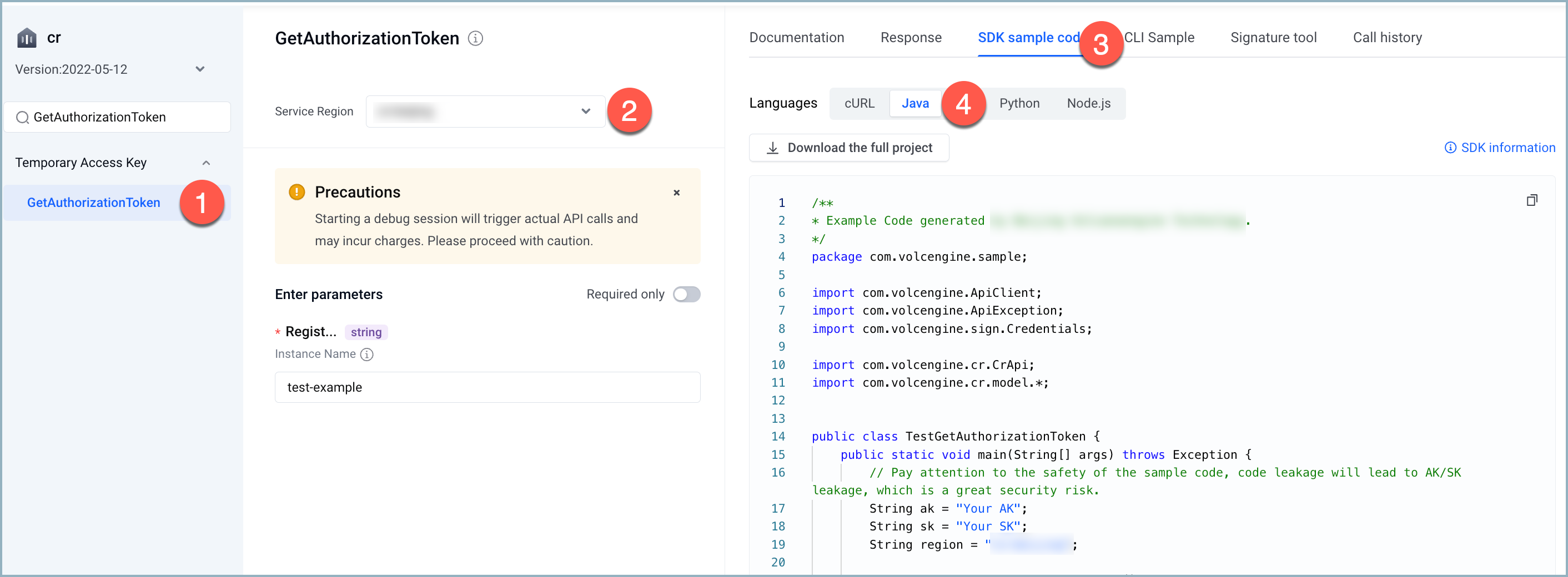
- Access API Explorer.
- In the API list on the left, search by the name of the target API and find the corresponding API.
- In the middle test section, select the service region and enter the request parameters.
- On the right, select the SDK sample code tab to view the corresponding SDK sample code based on the programming language. The example below uses the GetAuthorizationToken API in Java.
-
Step 3: Configure the code
The following uses the GetAuthorizationToken API as an example to describe how to read and use the sample code.
Simply replace the content highlighted in the red box, and substitute AK and SK with your real data.
Programming language | SDK sample code |
Programming language | SDK sample code |
Java | 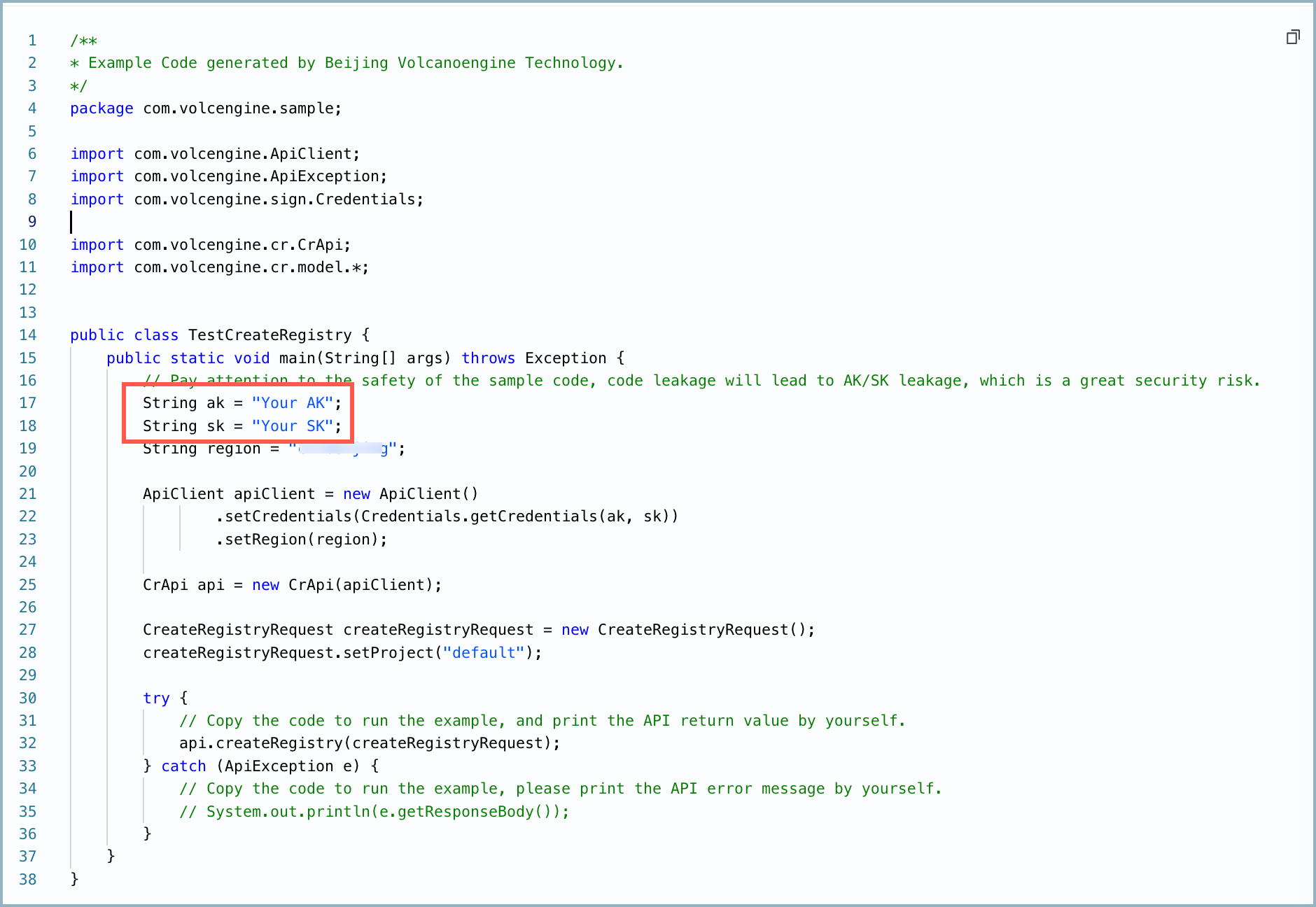 |
Go | 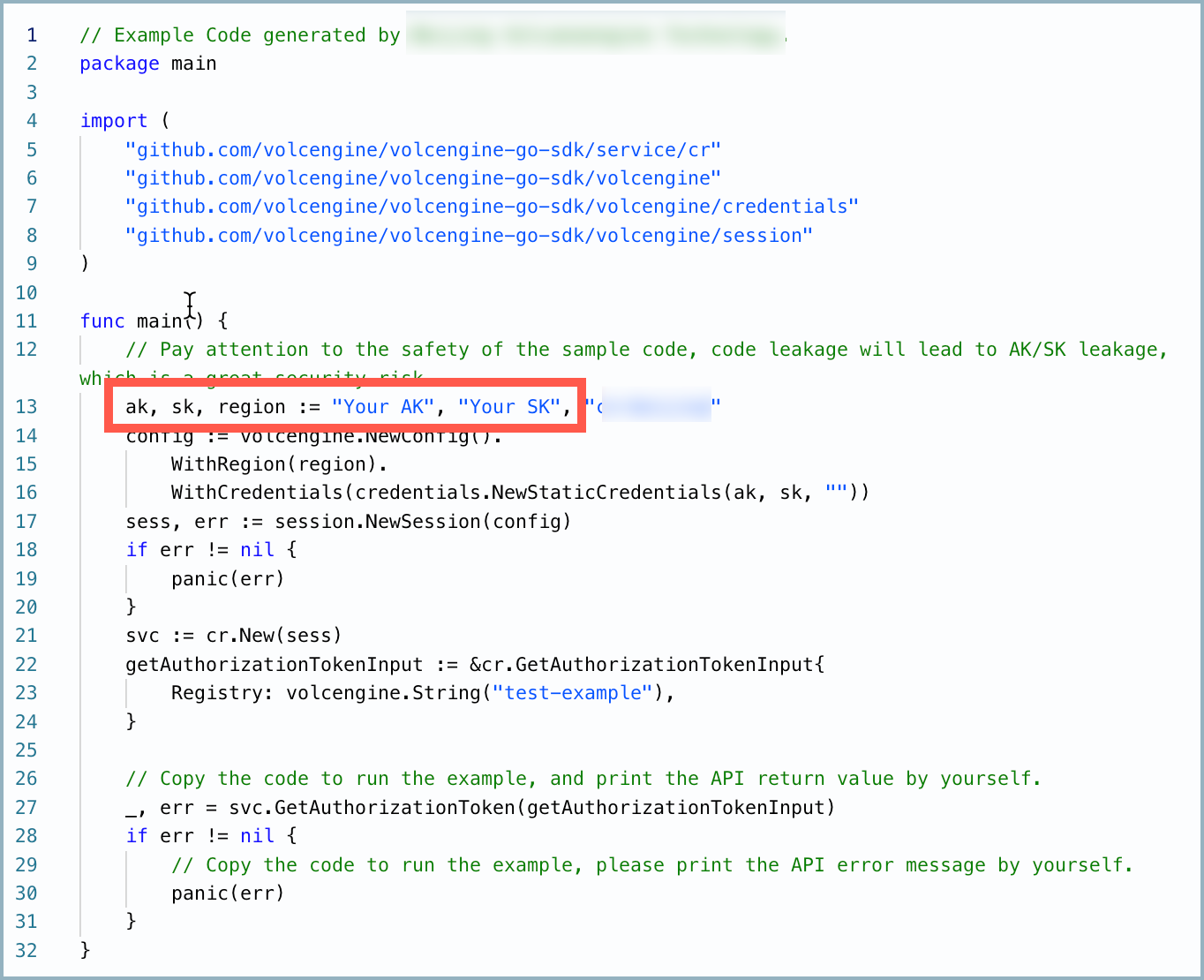 |
Python | 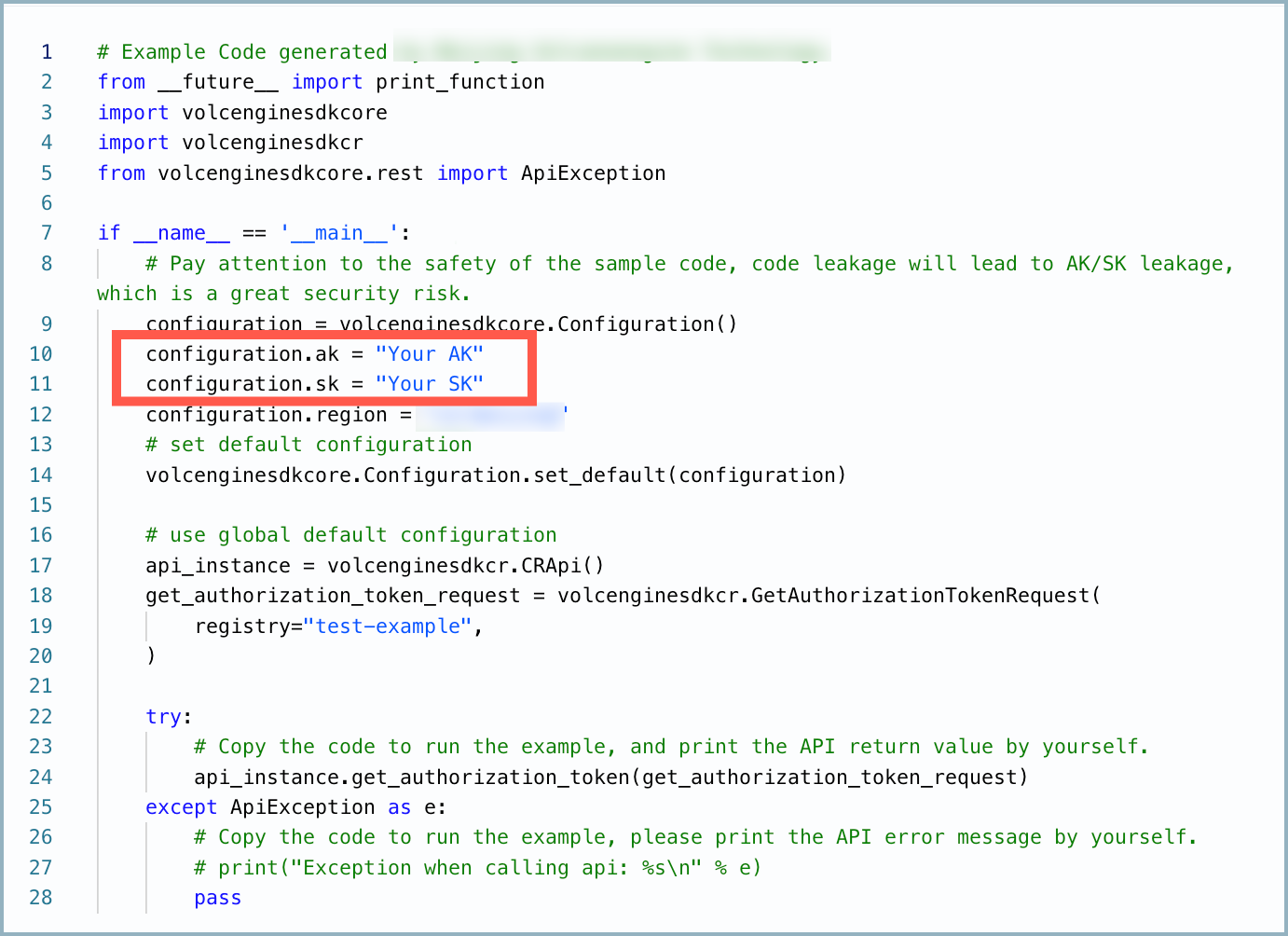 |
Last updated: 2026.10.19 15:45:28
All rights reserved © Beijing Volcano Engine Technology Co., Ltd2024
