Project Center | New | Operation log support record source IP
The project center operation log adds a "source IP" column, covering each operation record of each module such as visualization, data preparation, large screen, console, etc. The log details display the source IP synchronously, and the downloaded XLSX, GBK/UTF-8 encoded CSV files all contain this column; this ability is controlled by the deployment switch and turned off by default.
Related Document: Operation Logs | 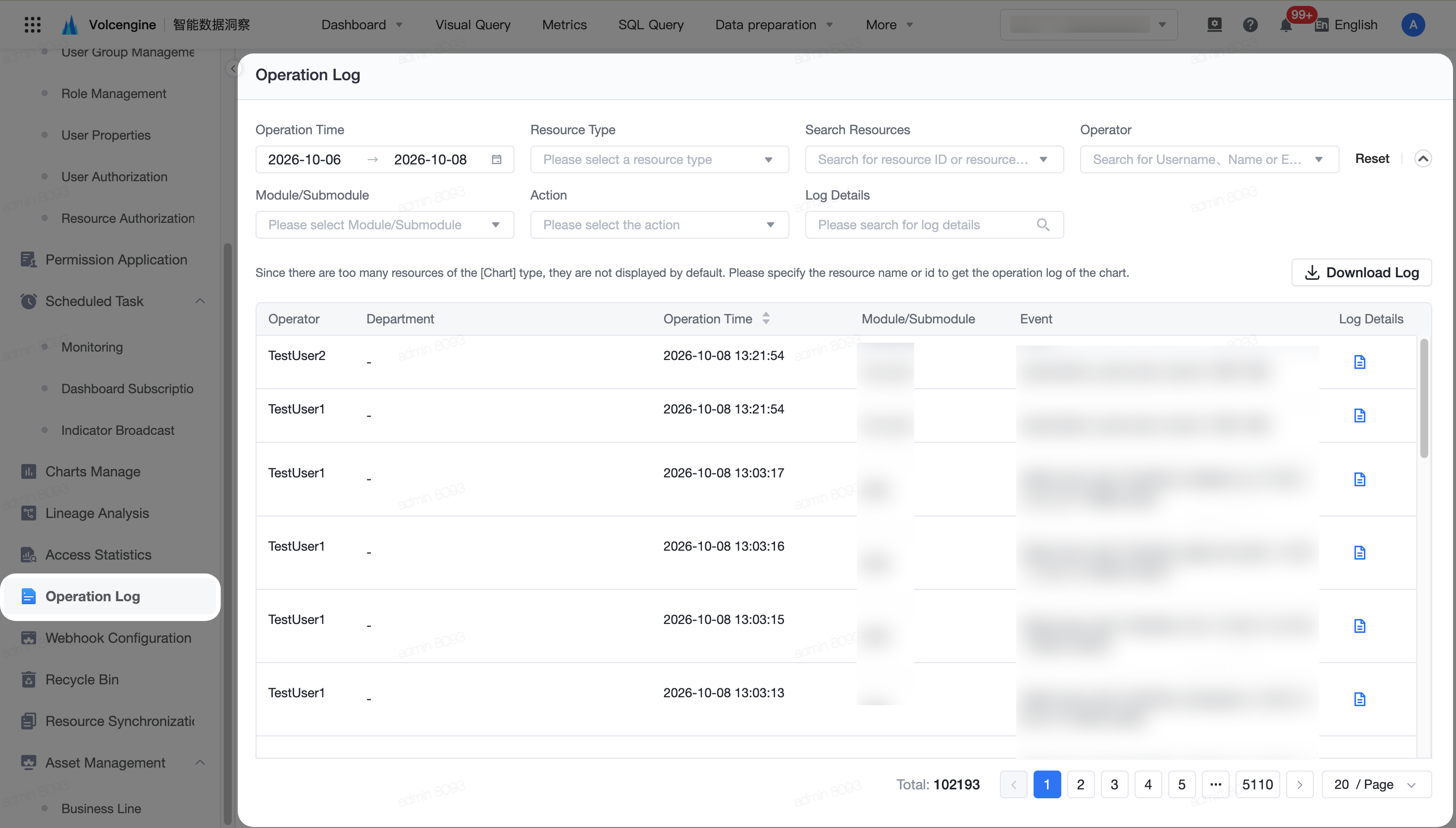
|
System Management | New | Data preview rows support unified configuration:
System management has added the "Preview Row Limit" switch, which can be configured to preview the upper limit of 1 to 500,000 rows after turning it on, and the default value is 1,000 rows; the data preview of the unified constraint dataset, visual modeling details page and edit page is not allowed to be modified separately.
Related Document: System Switches | 
|
New | Supports configuring query parameters by dataset:
System management adds dataset-level query parameter configuration, supports adding, editing, and deleting parameters through forms or JSON, and filters management by project ID, dataset ID, and Owner; configuration takes effect in downstream queries such as visual query and dashboard, supports old and new extraction datasets, and does not support direct connection datasets for the time being.
Related Document: Queue Clusters | 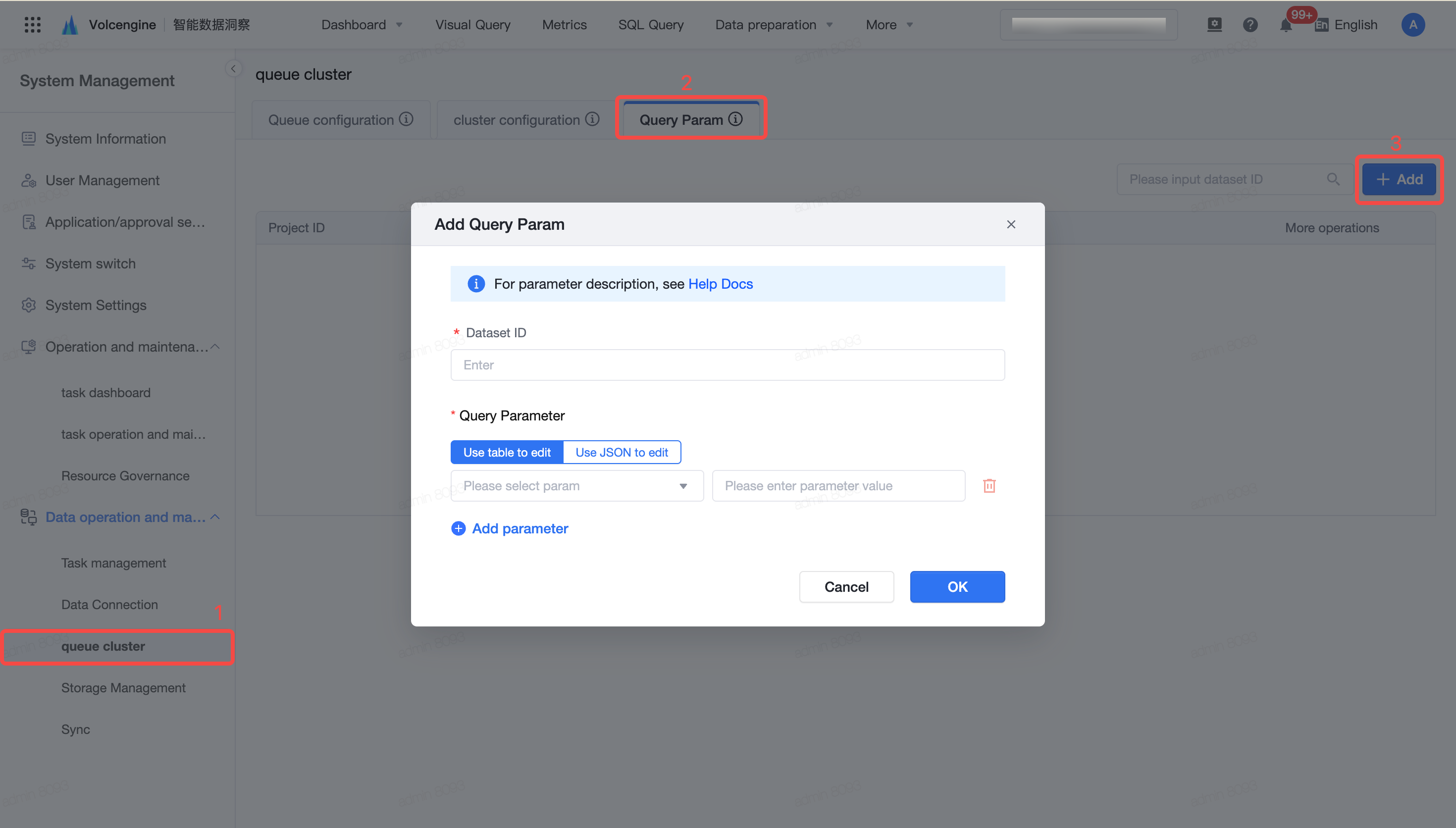
|
New | Support Baidu map GIS layer:
The system map configuration adds a "custom GIS layer", which supports the configuration of Baidu map AK, and verifies the validity of AK and network connectivity when saving; after opening, the LBS series map and the configured layer can be used in the visual query for analysis to meet the customer's own map resource access needs, and the function is turned off by default.
Related Document: System Settings | 
|
Business Calendar | New | Subscription titles support custom calendar dates:
The date configuration of the subscription title supports the selection of an enterprise custom calendar label, using the latest day of the label as the period T, and then calculating and splicing the title date according to T-N to adapt to business scenarios such as sales day and trading day; the default and historical configuration are still based on the task execution date.
Related Document: Data Subscription | 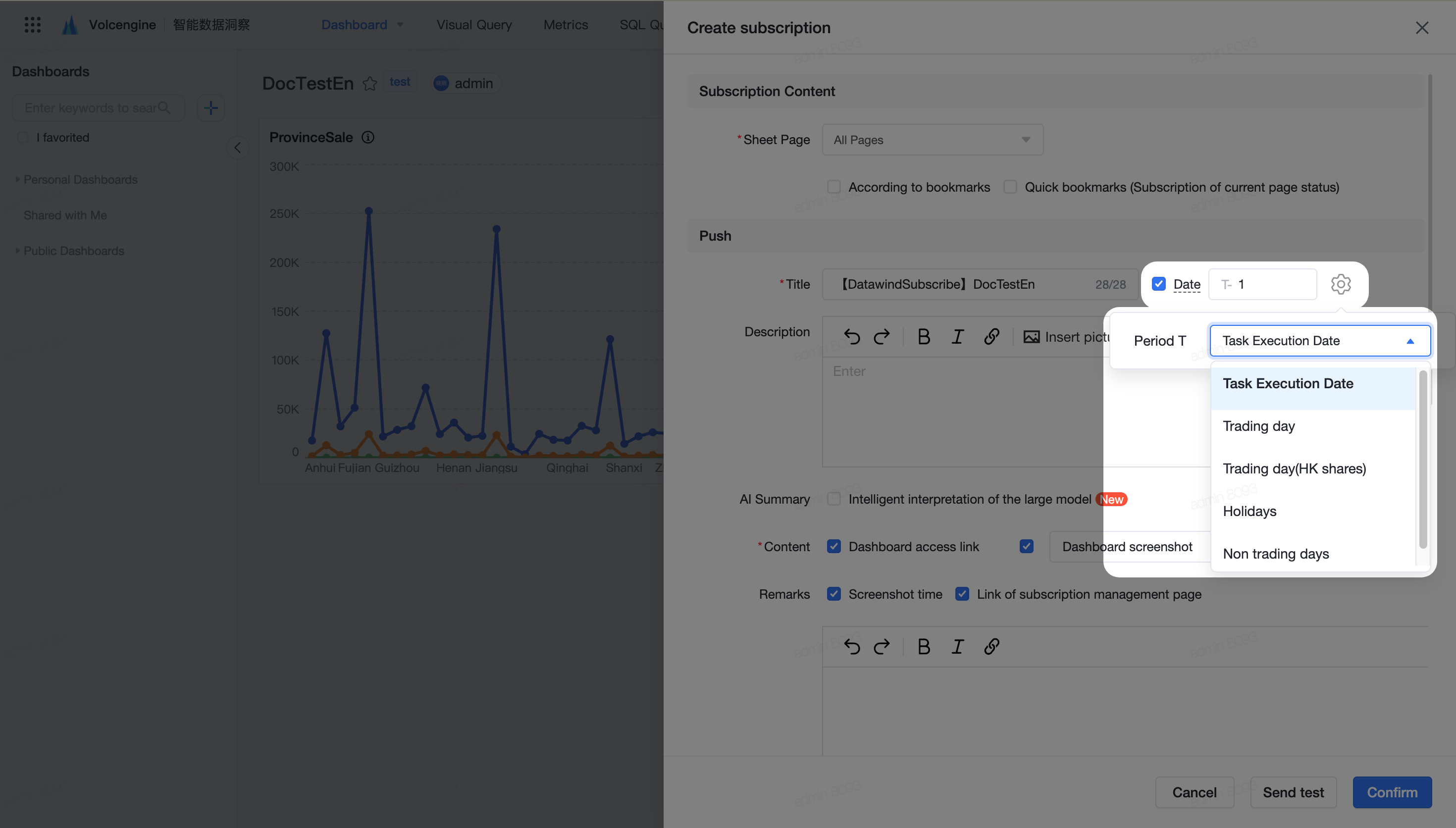
|
Dataset | New | Extraction variables support month-end, year-end dates:
Dataset partition filtering adds month-end and year-end dynamic date variables, supports yyyy-mm-dd and yyyymmdd formats; the business date itself is the end of the month or the end of the year, otherwise it is the end of the month or the end of the previous year; covering Hive, MaxCompute, EMR Serverless Spark, LAS, Tencent Cloud DLC and Databricks data connection.
Related Document: Data Filtering | 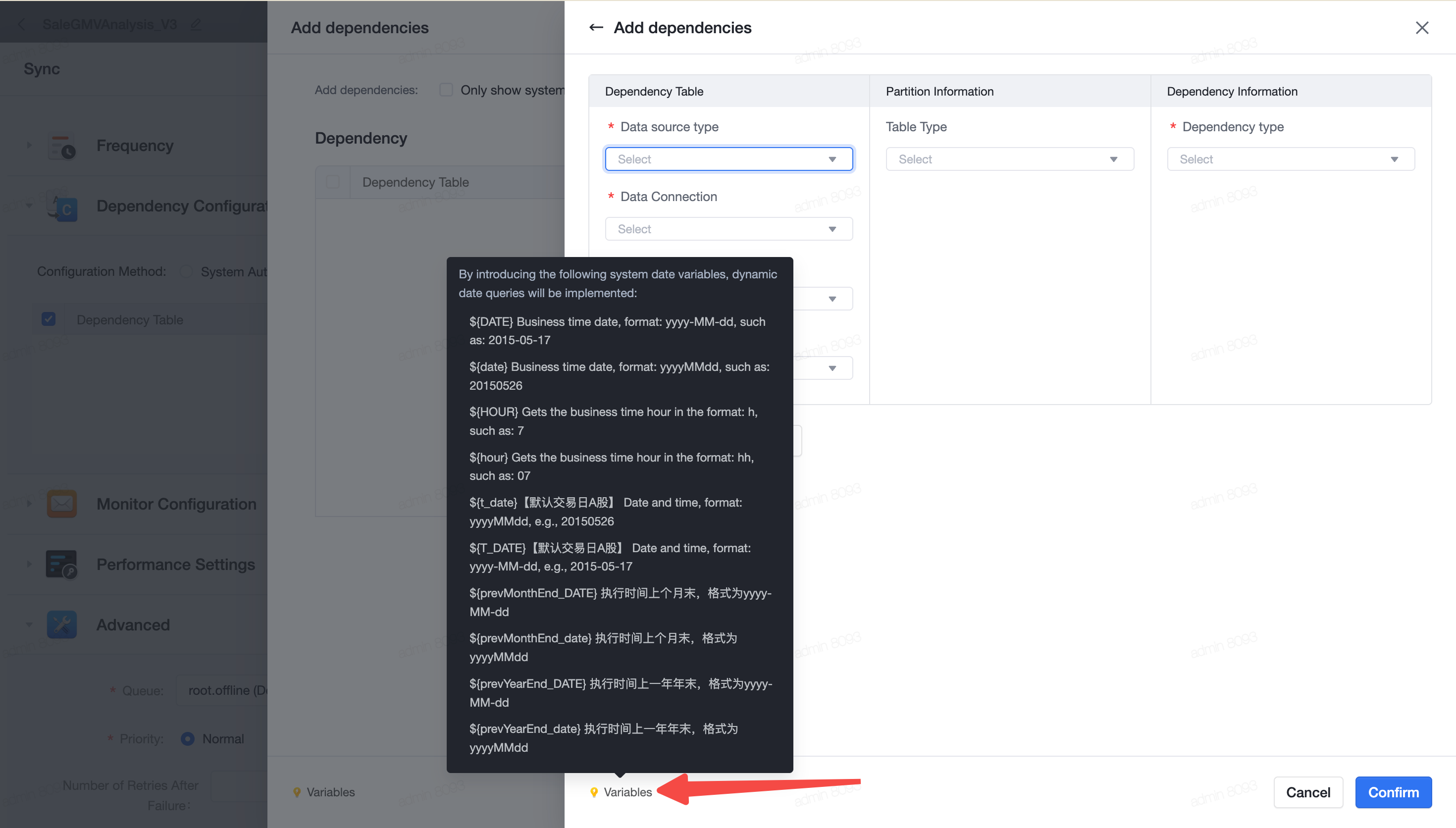
|
Visual Modeling | New | Visual modeling supports synchronizing field descriptions to field names:
The "Field Settings" operator adds a read-only "Upstream Field Description" column, which supports writing the description of the checked field into the target field name with one click, and feeds back the number of synchronizations; after synchronization, the name is automatically checked, special characters are processed, and the length is limited to no more than 64 characters.
Related Document: Data Cleaning | 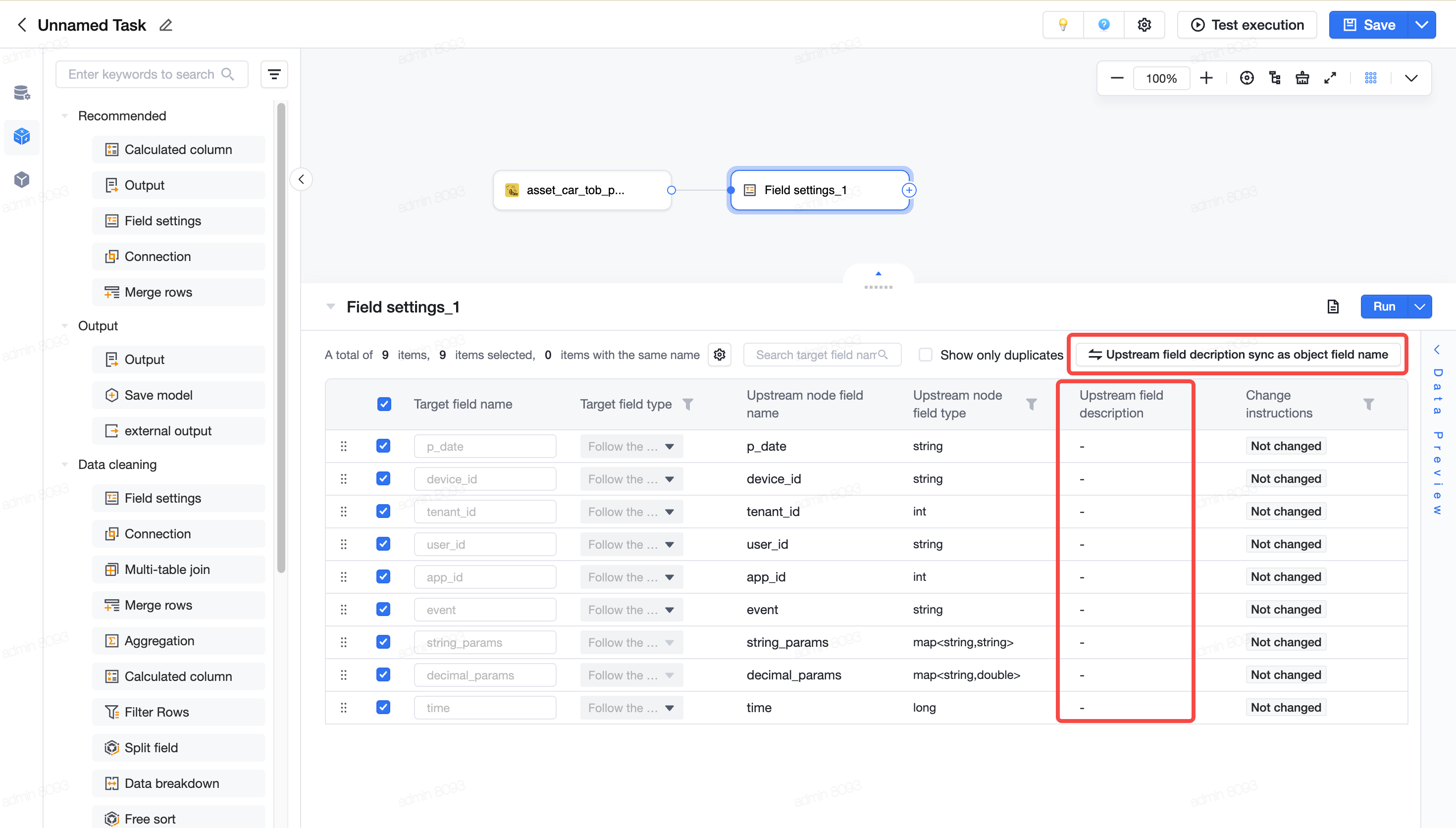
|
Visual Query | New | Axial diagrams support finer mark point diameter configurations:
Axis diagram added "follow line width" and "custom" options for marking diameter, support dynamic adjustment with line width or input positive and decimal numbers by pixel, which is convenient for taking into account line brevity and visibility of isolated data points; select "no markers" and still do not draw markers.
Related Documents: Line Chart, Area Chart, Combo Chart, Dual-Axis Chart | 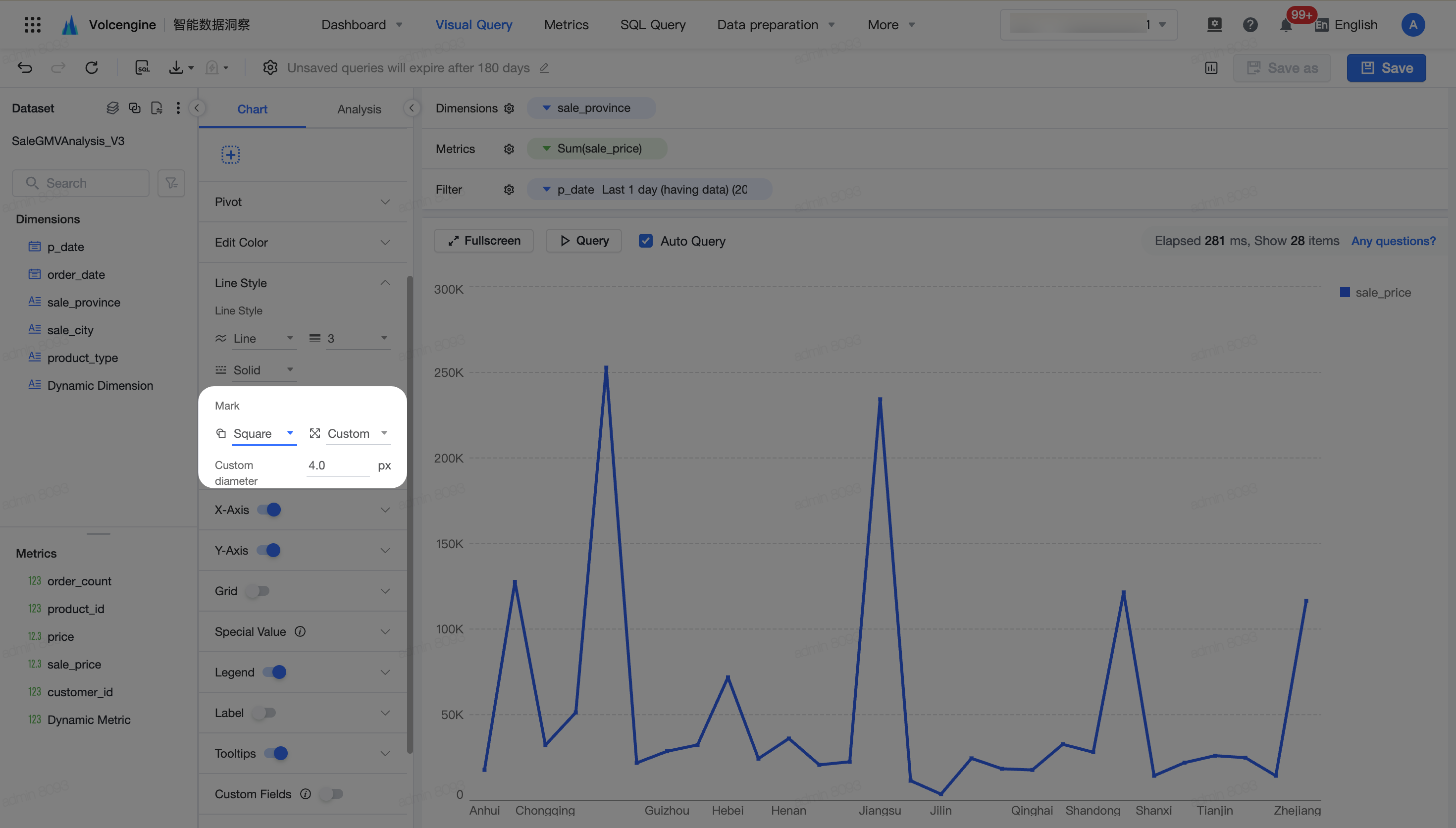
|
New | Table text alignment supports partition configuration:
The advanced configuration of text alignment for tables and detailed tables is added, which supports setting the left, center or right alignment of dimension table headers, dimension content, metric table headers, and metric content respectively, and can uniformly set the alignment method of serial number headers and content; the advanced configuration is turned off by default and needs to be turned on manually.
Related Documents: Pivot Table, Table/Raw-Data Table | 
|
Dashboard/ Visual Query | New | Table freezing area and horizontal scrolling optimization:
The dashboard component and the tables, detailed tables, and pivot tables in the visual query provide horizontal scroll bars when the frozen area and the unfrozen area are not fully displayed; the chart style has a new "frozen area width" configuration, which supports default width or pixel customization, which is convenient for combining to view different dimensions and metrics.
Related Documents: Pivot Table, Table/Raw-Data Table | 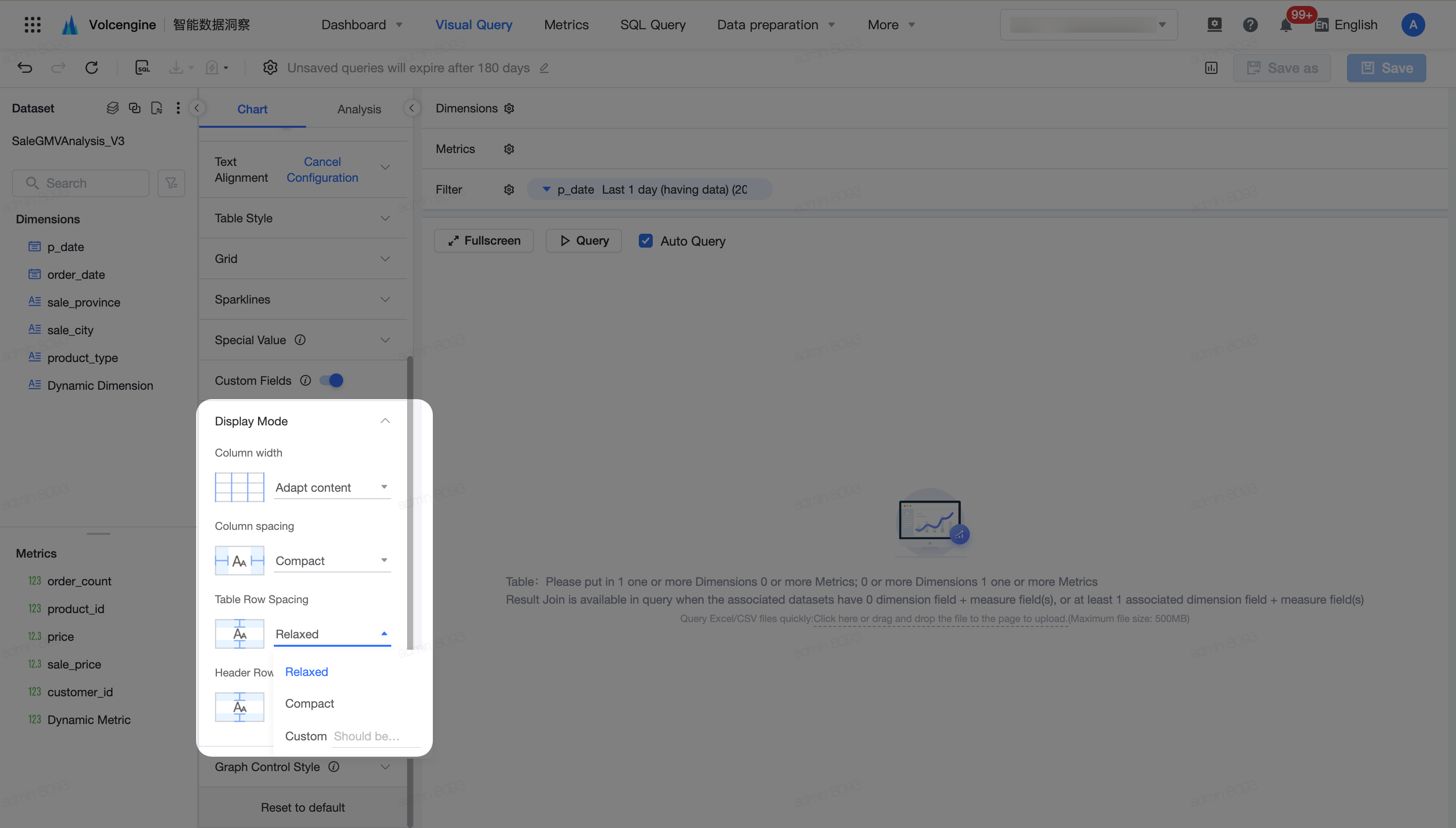
|
New | Pivot table supports displaying row and column dimension names at the same time:
The table style has a new "table corner header" configuration, which can choose to prioritize the display of row dimension field names or display all field names; it supports applicable scenarios such as tiling and tree shape, and retains the corresponding table header display effect after downloading. By default, the historical pivot table uses the configuration of prioritizing the display of row dimension field names.
Related Document: Pivot Table | 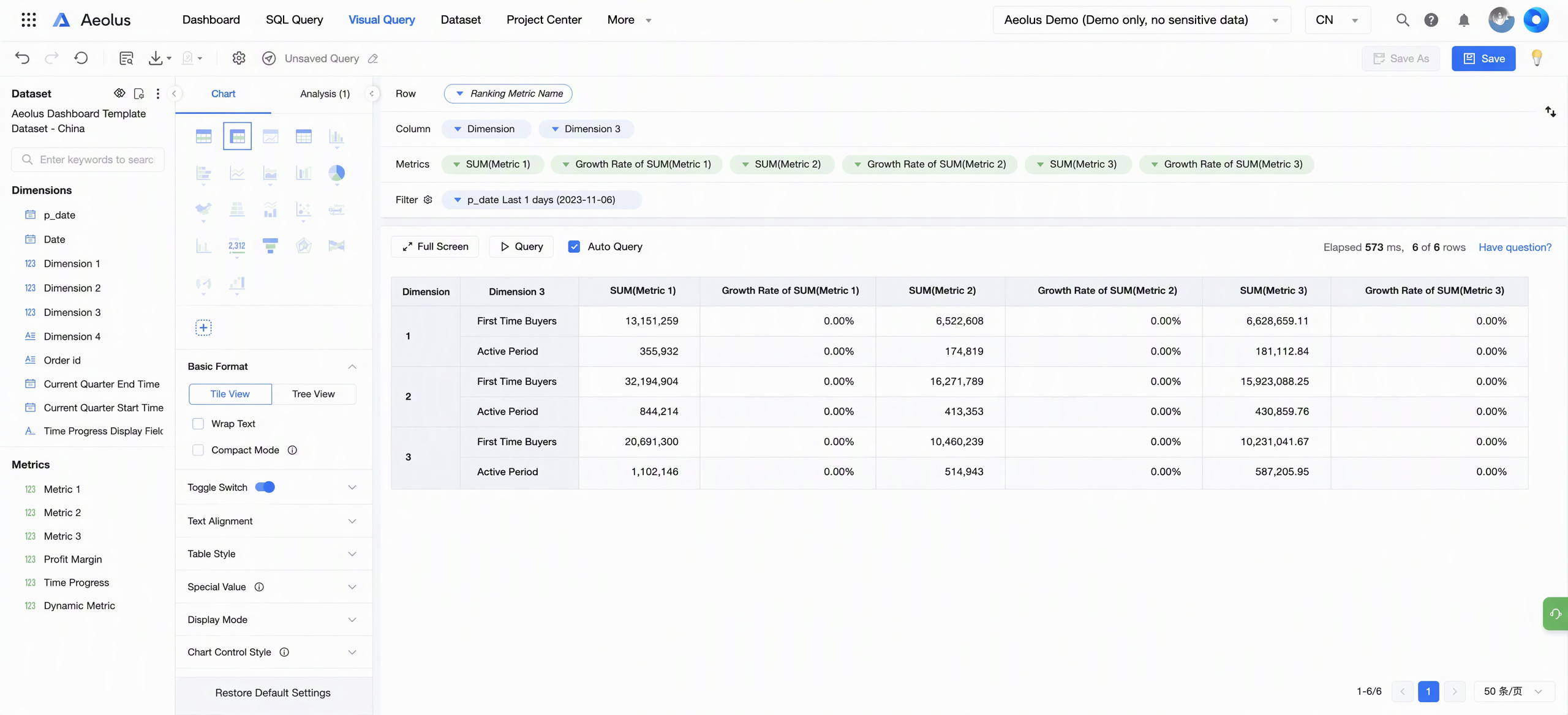
|
New | Dashboard and visual query redirection support user-level grey release:
The redirect configuration adds "effective users", supports all users or designated user lists, and can search, multi-select, and remove users.
Related Document: Dashboard Viewing Operations | 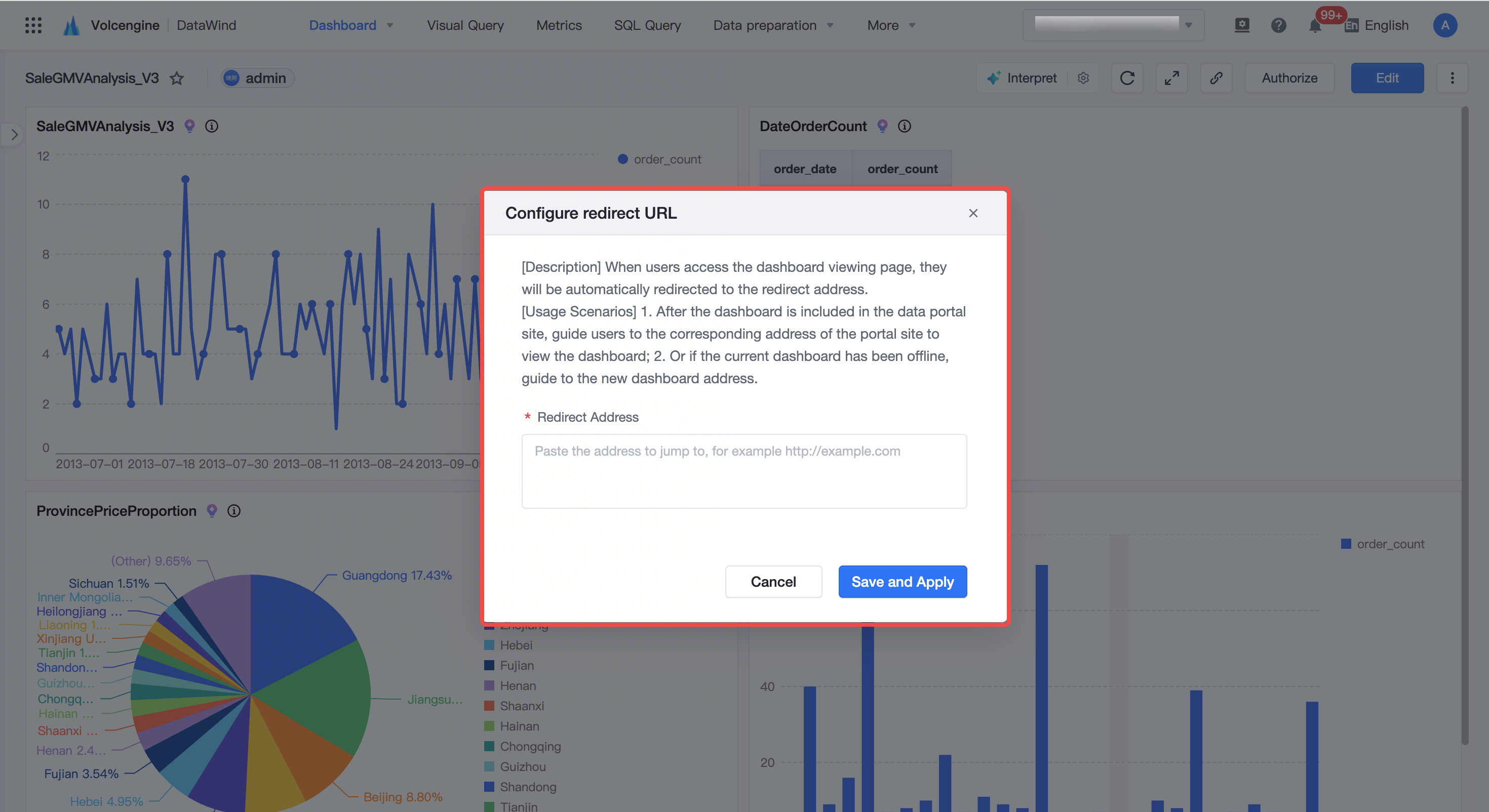
|
Multilingual ability | New | Multilingual adaptation:
Added Japanese and Arabic language adaptation and completed the docking with the base, improved the multi-language display of back-end interface error information, and the project center uniformly adapted the relevant capabilities of the console to enhance the localized experience of overseas users. tip This function is a customized function and requires background configuration. If you need to use this feature, please contact BytePlus technical support to activate it for you. | -- |


 Intelligent Data Insight
 Copy page
 Download PDF
