Volcengine Managed Service for Prometheus
Volcengine Managed Service for Prometheus


Document

- Documentation
 Volcengine Managed Service for PrometheusUser guideAlert centerAlerting silence policyCreating an alerting silence policy
 Copy page
 Download PDF
Alerting silence policy
Creating an alerting silence policy
Copy pageDownload PDFCreating an alerting silence policy
The alert silence policy is used to silence specified alerts. When some alerts cannot be resolved, you can configure an alert silence policy to silence the notifications of the corresponding alerts. This topic describes how to configure an alert silence policy.
tip
The new Alert Center is available. It provides comprehensive upgrades and optimizations for features such as notification policies, notification templates, aggregation policies, and suppression policies. We recommend configuring suppression policies in the new Alert Center.
Prerequisites
VMP has been activated.
Limits
Up to 1,000 alert silence rules can be created within a root user and its Identity and Access Management (IAM) users.
Procedure
Manual configuration
- Log in to VMP console.
- In the top navigation bar, select the target region.
- On the left navigation bar, click Alert center > Alerting silence policy. On the page that appears, click Create silence policy and configure the policy.
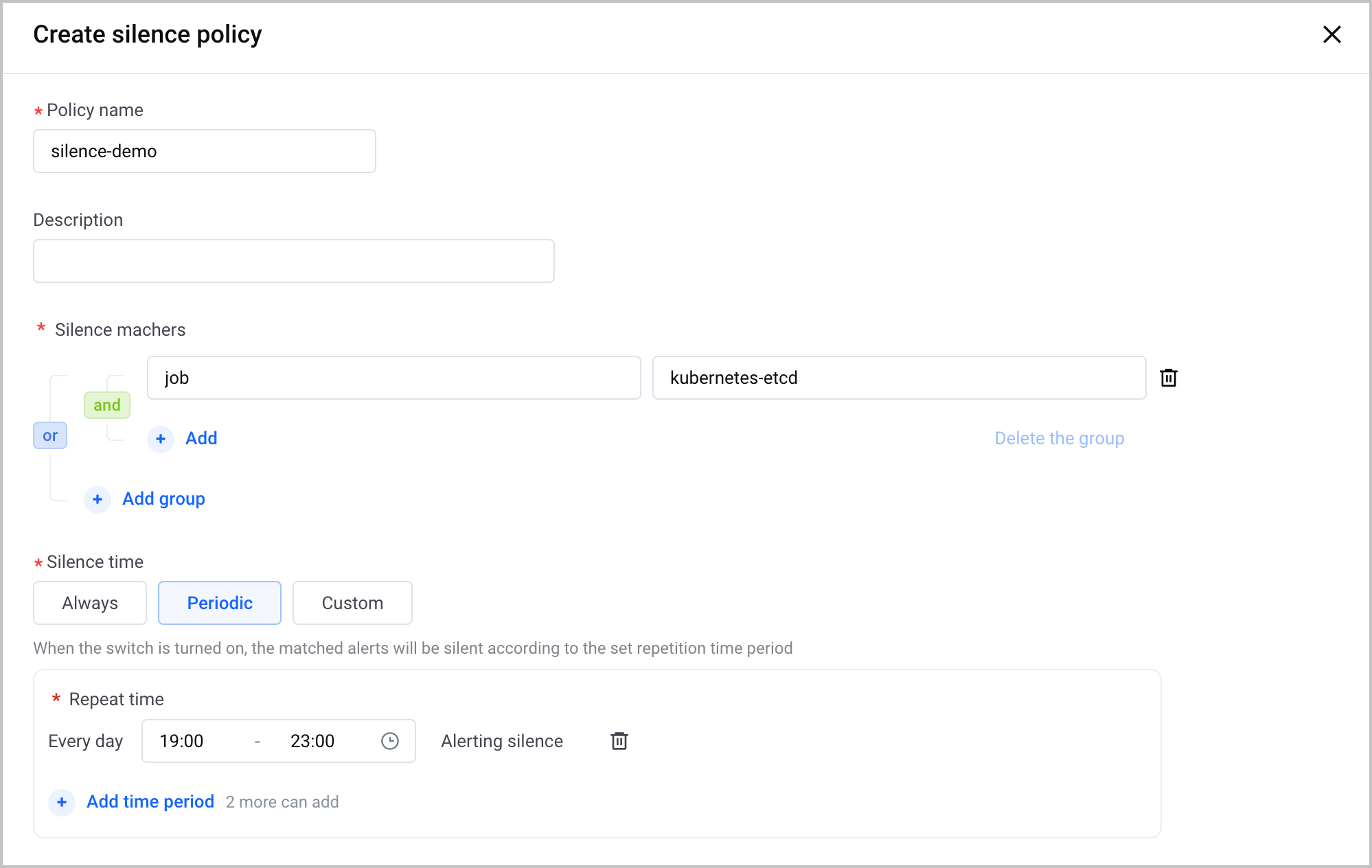
Parameter | Descriptions |
Policy Name | Specify the name of the alert silence policy.
|
Description | Specify the description of the alert silence policy. The description must be 1 to 128 characters in length. |
Silence machers | Use the labels included in the alerts to match the alerts that you want to silence. Example: job:kubernetes-etcd. You can configure multiple label groups. Each label group can contain multiple labels. tip
|
Silence time | Configure the effective time period of the alert silence policy. Valid values:
|
- Click Create to complete the configuration.
Configuration through alert notification
When you receive alert notifications in Feishu, you can create an alert silence rule by using the notifications.
- When you receive a Feishu alert notification, click the silence button at the bottom of the notification.
- Then, you are redirected to the VMP console. The system automatically creates a silence policy and fills in the parameters.
- You need to modify the Silence matchers and Silence time parameters based on your business requirements. Then, click OK to complete the configuration.
Last updated: 2026.07.10 11:37:26
All rights reserved © Beijing Volcano Engine Technology Co., Ltd2024
