Volcengine Managed Service for Prometheus
Volcengine Managed Service for Prometheus


Document

- Documentation
 Volcengine Managed Service for PrometheusUser guideAlert centerAlerting notification policyContactCreating a contact group
 Copy page
 Download PDF
Contact
Creating a contact group
Copy pageDownload PDFCreating a contact group
A contact group is a collection of multiple contacts. When the matching rule of an alert notification policy is triggered, notifications will be sent to all contacts in the specified contact group.
Prerequisites
Limits
A root account and its IAM users can create up to 100 contact groups in total.
Procedure
- Log in to the VMP console.
- On the top navigation bar, select the target region.
- On the left navigation bar, click Alert center > Alerting notification policy. Click the Notification contact tab.
- Click Create notification contact to configure the alert notification contact group.
-
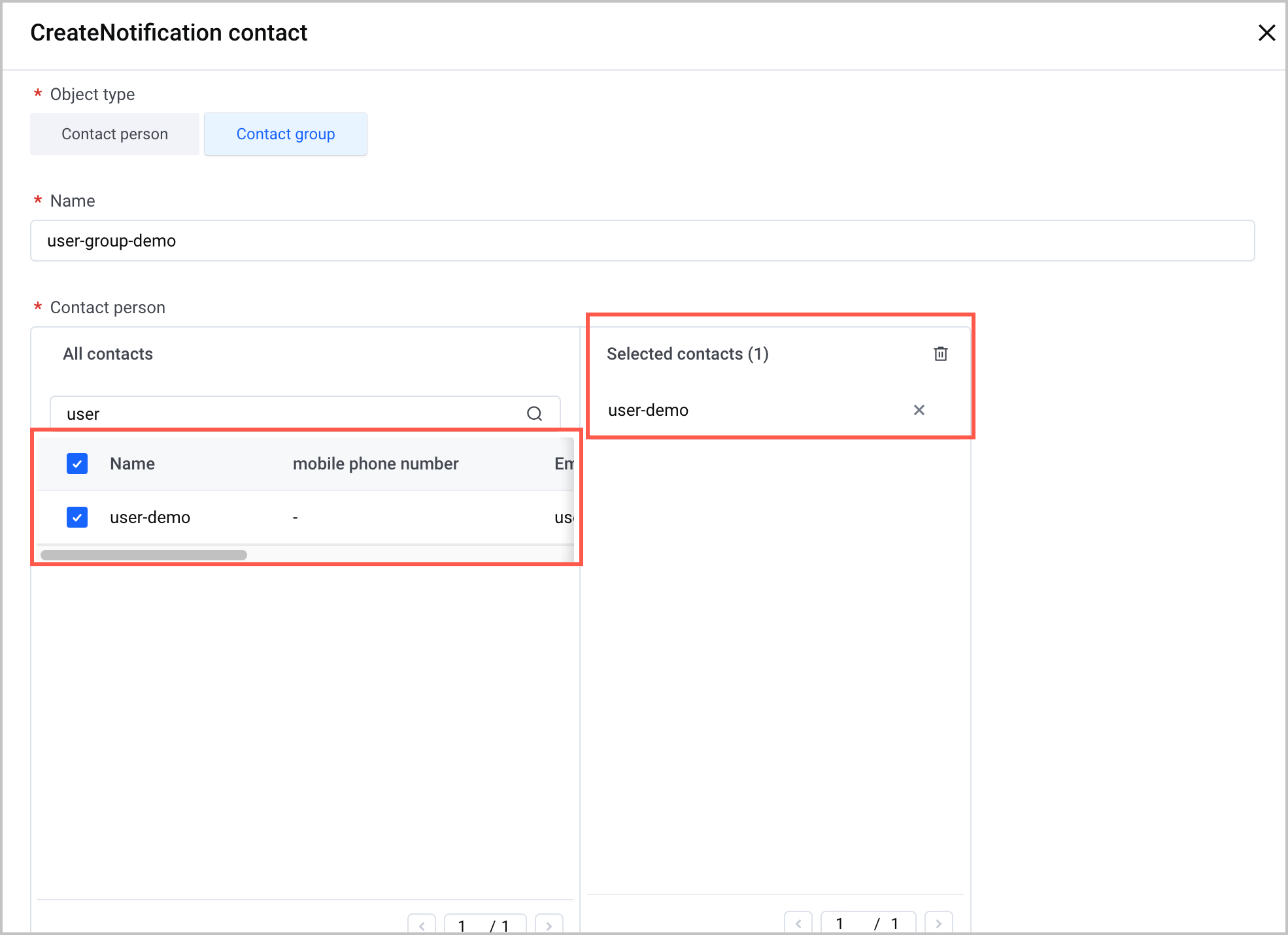
- ParameterDescriptionObject typeSelect the type of alert notification object. For this example, select Contact group.NameSpecify the name of the alert notification contact group.Contact personIn the All contacts section, select the check boxes before the names of the target contacts to add them to the Selected contacts section.
- Click OK to complete the configuration.
Last updated: 2026.07.10 11:37:26
All rights reserved © Beijing Volcano Engine Technology Co., Ltd2024
