Volcengine Managed Service for Prometheus
Volcengine Managed Service for Prometheus


Document

- Documentation
 Volcengine Managed Service for PrometheusBest practicesAlert centerUsing vmalert to integrate with VMP for alerting
 Copy page
 Download PDF
Alert center
Using vmalert to integrate with VMP for alerting
Copy pageDownload PDFUsing vmalert to integrate with VMP for alerting
This topic describes how to use a Volcengine Managed Service for Prometheus (VMP) workspace as the data source to configure alerts in a self-built monitoring environment.
Background
In a self-built environment, vmalert can be used to configure alerts with a workspace as the data source and route the generated alerts to the self-built Alertmanager. The vmalert agent is fully compatible with the configuration files of alert rules of Prometheus.
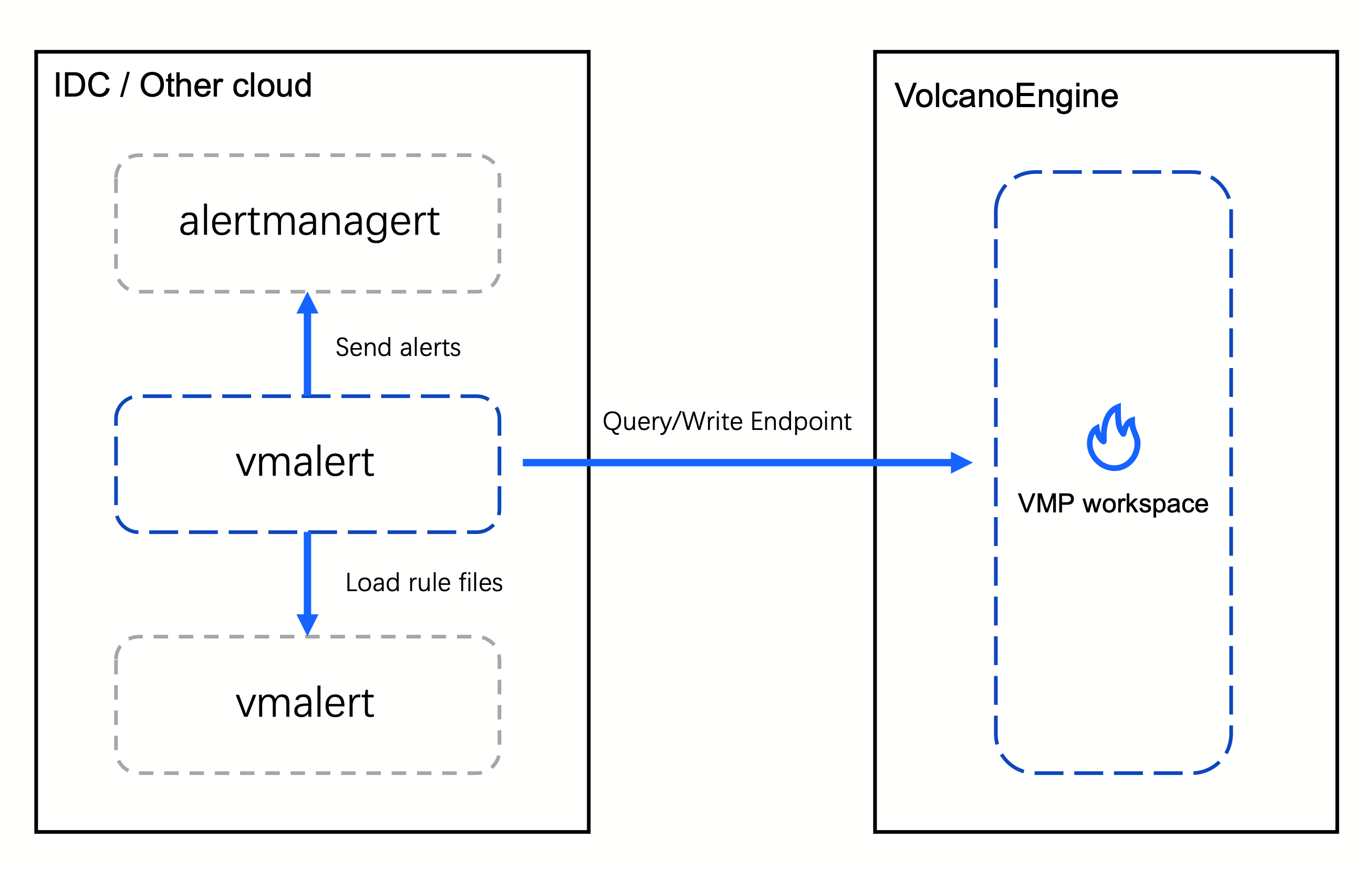
Prerequisites
- A workspace is created. For details, see Creating workspaces.
- PrivateLink is integrated with the workspace. For details, see Achieving multi-cloud metric integration by using PrivateLink.
Procedure
Step 1: Obtain the vmalert agent
- Obtain vmalert through binary
- Obtain vmutils-linux-amd64-vxxx.tar.gz from this site.
- Obtain vmalert through a container image
- Image address: https://hub.docker.com/r/victoriametrics/vmalert.
Step 2: Start vmalert
- To specify more launch parameters, refer to the Configuration section of the vmalert topic.
- If you want to dynamically listen to changes in the rule configuration file, you need to add the following configuration:
-
- If you add global labels, the corresponding labels are added to alerts when the alerts are generated.
-
- Custom GeneratorURL of vmalert
- The default GeneratorURL generated by vmalert routes requests to /api/v1/groupID/alertID/status, which is different from Prometheus. If you need to specify a custom URL, add the following parameters to the vmalert launch parameters:
-
- The following figure shows the modified result.
-
Step 3: View the running status of vmalert
- Query the vmalert endpoint.
-
- Access the endpoint to view the running status of vmalert.
-
Last updated: 2026.10.19 11:54:53
All rights reserved © Beijing Volcano Engine Technology Co., Ltd2024
