Volcengine Managed Service for Prometheus
Volcengine Managed Service for Prometheus


Document

- Documentation
 Volcengine Managed Service for PrometheusUser guideAlert centerViewing alert events
 Copy page
 Download PDF
Alert center
Viewing alert events
Copy pageDownload PDFViewing alert events
After you configure an alert rule, the system will generate a corresponding alert if the monitored resource reaches a threshold specified in the rule. This topic describes how to view alerts.
Prerequisites
Required alert configurations, including the notification method, notification recipient, notification template, notification policy, and alert rule, have been completed, and an alert has been successfully triggered. For detailed steps, see Alert overview.
Limits
- Alert events are retained for up to 14 days.
- Up to 5,000 alert events can be displayed.
- An alert event spans from when the alert first triggers on a resource to when it recovers. If the alert triggers again after recovery, a new alert event is created.
View alerts
- Log in to the VMP console.
- In the top navigation bar, select the target region.
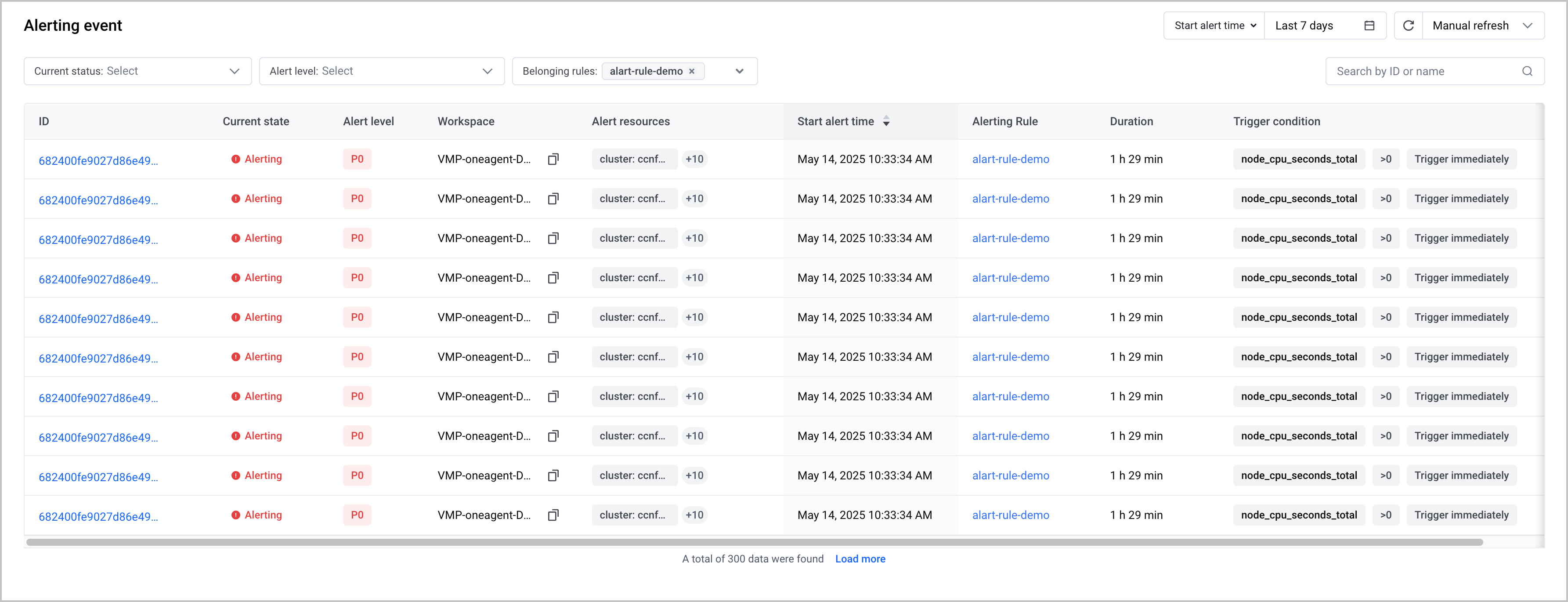
- In the left navigation pane, click Alert Center > Alert Event. On the Alert event page, you can view the list of alerts that are being triggered.
View alert details
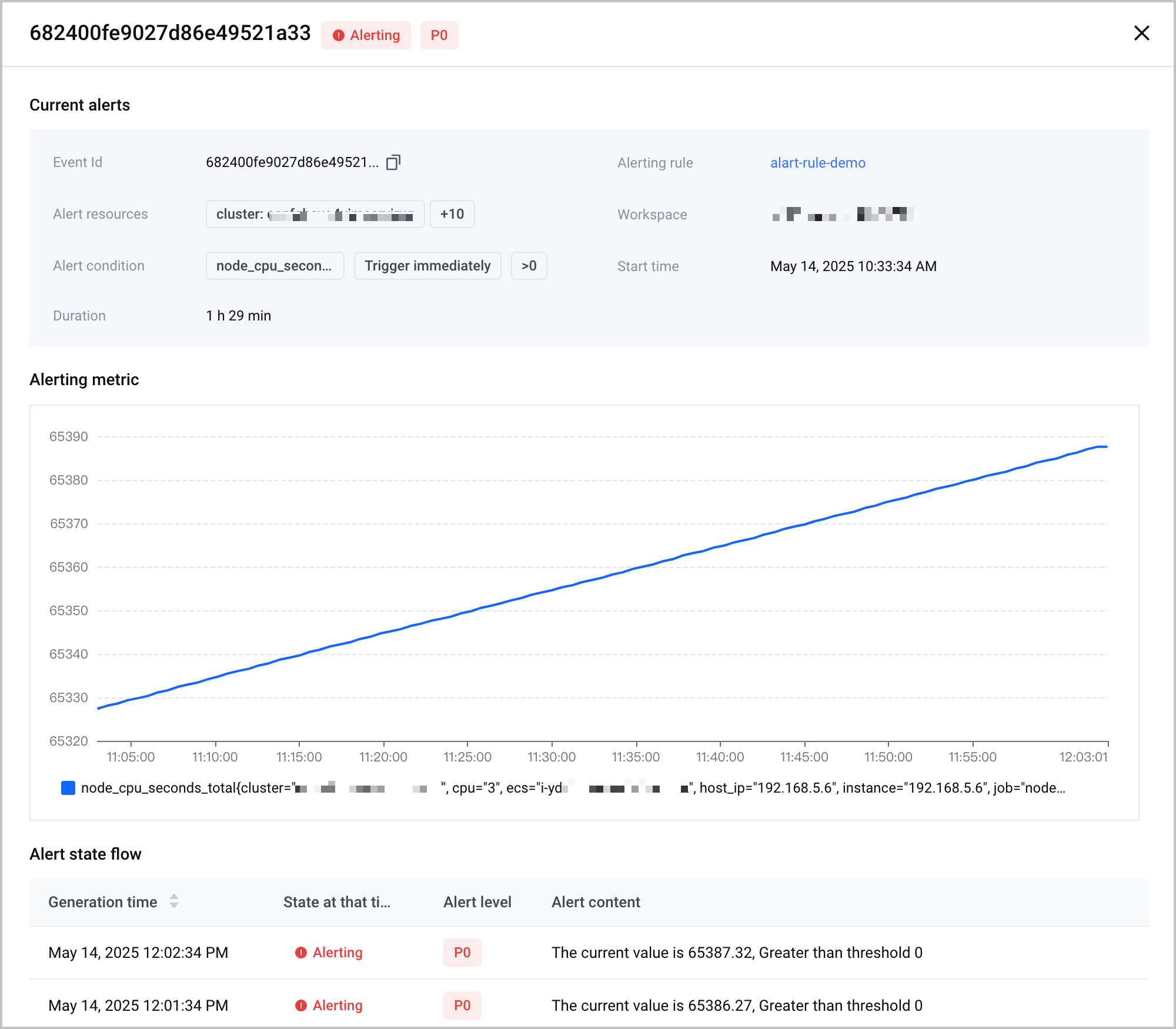
Click the ID of an alert event to view the details, the alert metric trend chart, and the alert status transition of the alert event.
Other operations
In the alert list, you can also perform the following operations:
- Click a rule name in the Associated rules column in the alert list to view the rule associated with the corresponding alert.
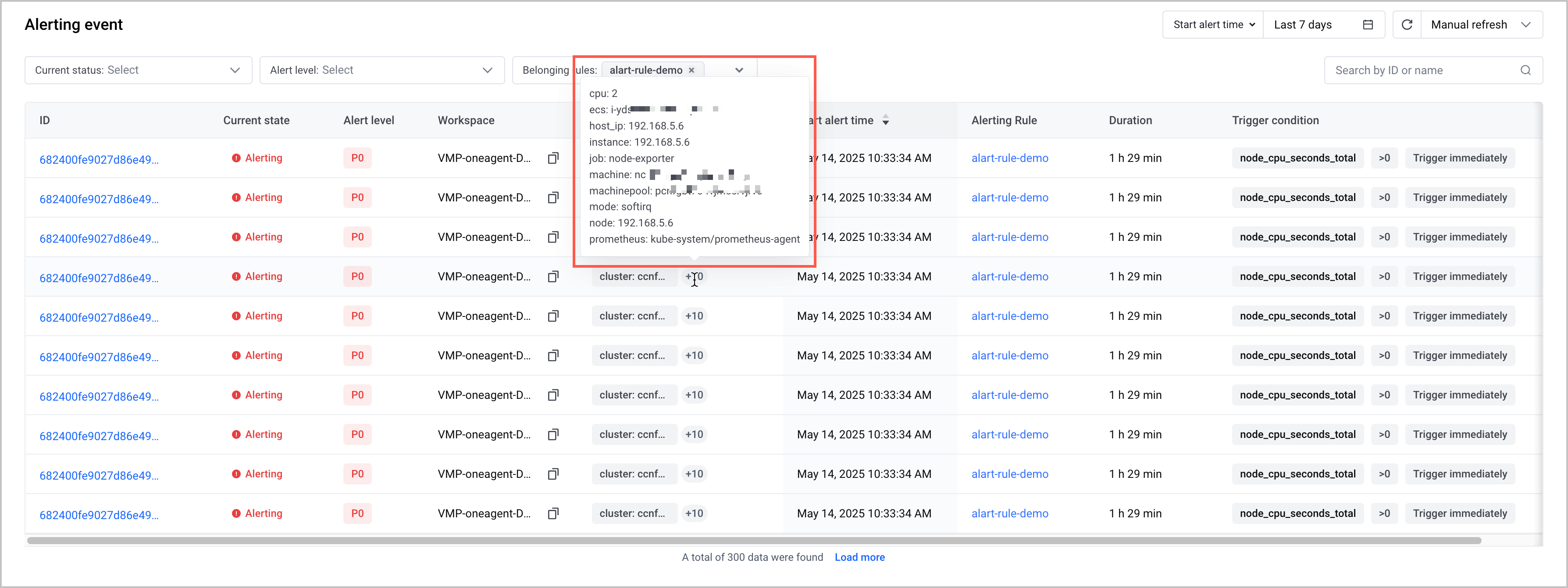
- Hover over a number in the Alert resources column to view the resource associated with the corresponding alert.
Last updated: 2026.09.14 17:25:07
All rights reserved © Beijing Volcano Engine Technology Co., Ltd2024
