Volcengine Managed Service for Prometheus
Volcengine Managed Service for Prometheus
Volcengine Managed Service for Prometheus


Document
What's new
Product overview
Prometheus basic knowledge
Data format and metric type
Billing overview
User guide
Workspace
Workplace overview
Creating a workspace
Workspace configuration change
Recording rule
Monitoring dashboard
Alert center
Alerting rule
Alerting rule template
Alerting notification policy
Notification template
Alerting aggregation policy
Alerting silence policy
Metric exporting
Permission management
Projects and tags
Integration Guide
Cloud service integration
Container and self-managed cluster integration
Self-built Kubernetes cluster integration
Deployment script
High-availability collection solution
Middleware integration
AI add-on integration
Prometheus ecosystem integration
Exporter integration
Custom integration
Best practices
Accessing workspaces across clouds and across regions
Prometheus data collection and integration
Resource and application monitoring
Writing and querying workspace data
Self-managed Grafana
Alert center
Intelligent O&M
API references
Calling method
Workspace
Alert center
Contact person
Alerting notification policies
Alerting rules
Alerting aggregation policies
Notification templates
Alerting silence policies
View alerts
Resource labels
SDK reference
Metric references
VKE metrics
FAQs
- Documentation
 Volcengine Managed Service for PrometheusFAQsHow do I increase the quota?
 Copy page
 Download PDF
FAQs
How do I increase the quota?
Copy pageDownload PDFHow do I increase the quota?
When using Volcengine Managed Service for Prometheus, if the ResourceQuota exceeds the limit, prompts such as ExceededQuota will appear on the page. At this time, if you need to increase the quota, please apply for a quota increase following the operation procedure in this article.
tip
For the quota description of various resources of Volcengine Managed Service for Prometheus, please refer to Usage Limit.
Operation Procedure
- Log in to the Quota Center.
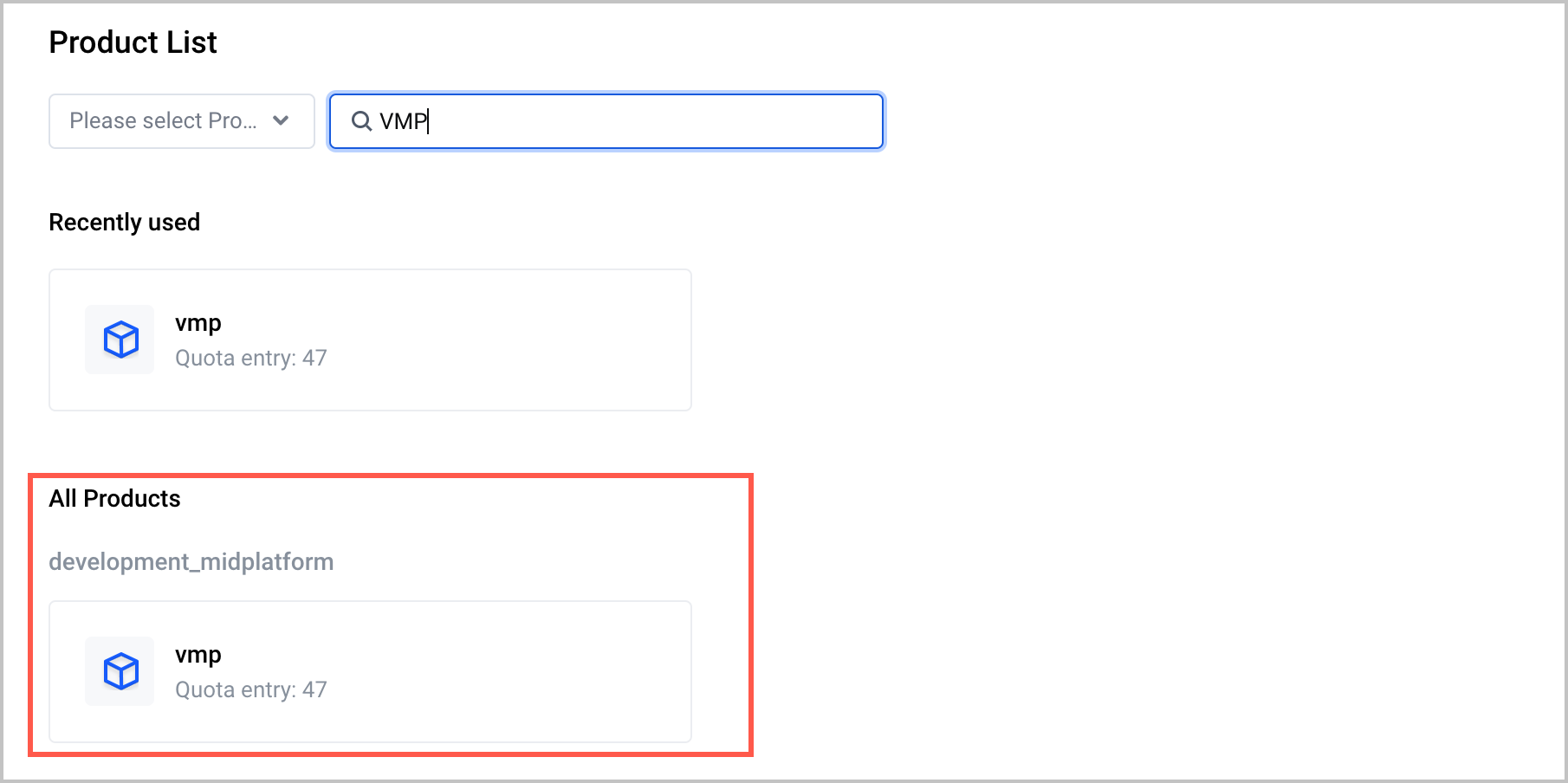
- On the Product List page, search for Volcengine Managed Service for Prometheus, and click Volcengine Managed Service for Prometheus.
-
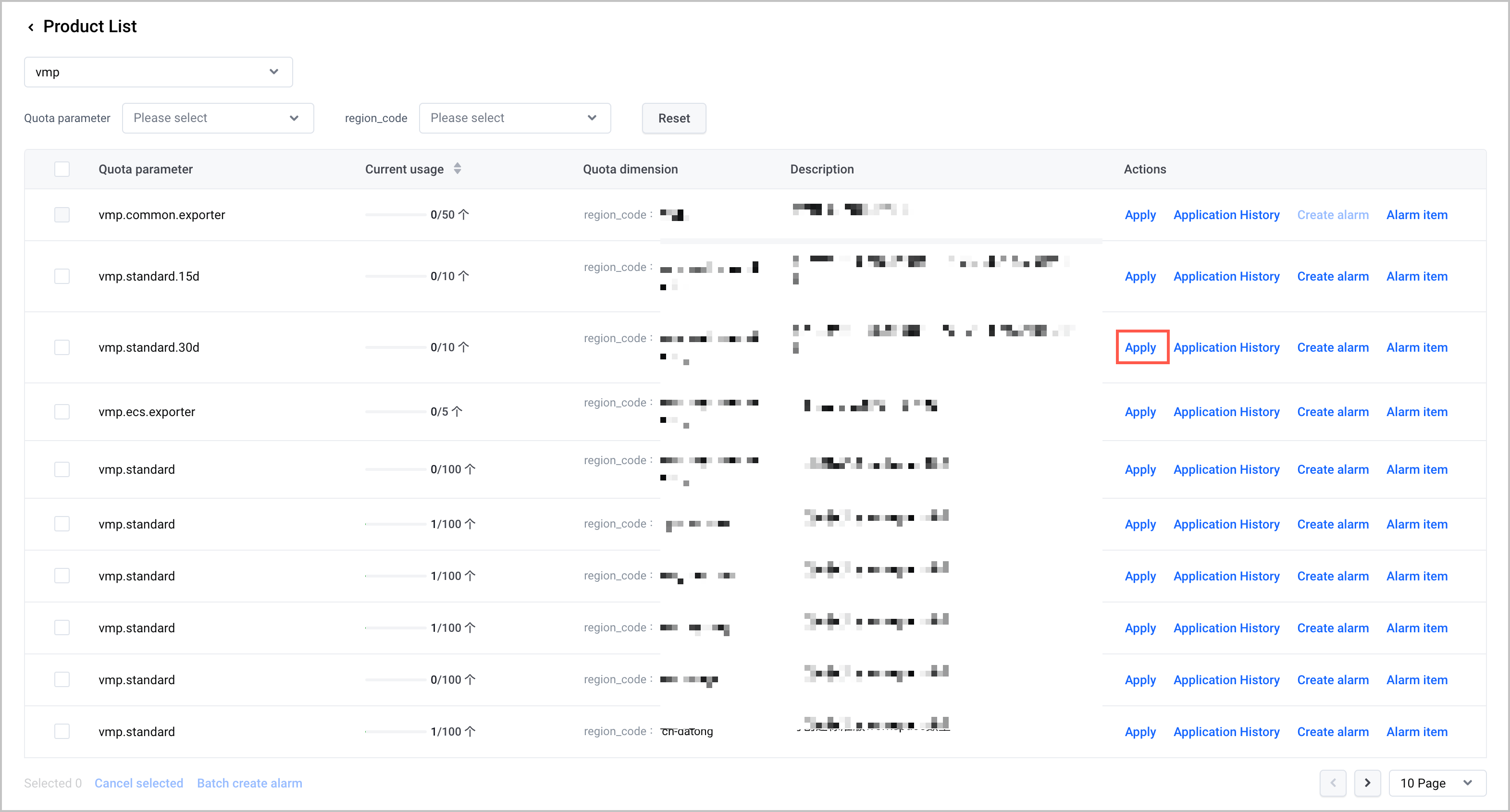
- On the quota page, view the quota parameters relevant to Volcengine Managed Service for Prometheus. You can submit a quota increase application for resources that support quota increase according to the actual situation.
-
Last updated: 2026.07.10 11:37:25
All rights reserved © Beijing Volcano Engine Technology Co., Ltd2024
