Volcengine Managed Service for Prometheus
Volcengine Managed Service for Prometheus


Document

- Documentation
 Volcengine Managed Service for PrometheusIntegration GuidePrometheus ecosystem integrationPrometheus federation integration
 Copy page
 Download PDF
Prometheus ecosystem integration
Prometheus federation integration
Copy pageDownload PDFPrometheus federation integration
Volcengine Managed Service for Prometheus (VMP) allows you to scrape specified time series by using the federate endpoint of a workspace to achieve data aggregation for multiple Prometheus services. This topic describes how to obtain the federate endpoint of a workspace and scrape time series.
Background
The federate endpoint allows a Prometheus service to scrape selected time series from another Prometheus service to achieve data aggregation for multiple Prometheus services. This enables a scalable Prometheus monitoring system.
Hierarchical federation
Hierarchical federation allows Prometheus to scale to environments with tens of data centers and millions of nodes. In this case, the federation topology resembles a tree, where higher-level Prometheus servers collect aggregated time series data from a large number of subordinate Prometheus servers.
For example, a user may have many data centers, each of which is equipped with a separate Prometheus server. The servers collect the data of data centers in high detail (instance-level drill-down). A set of global Prometheus services is provided to collect and store only aggregated data from those local services (job-level drill-down). This provides both an aggregated global view and detailed local views.
Cross-service federation
In cross-service federation, a Prometheus server of a service is configured to scrape selected data from a Prometheus server of another service. This enables alerting and queries for two datasets in a single server.
For example, a Volcengine Kubernetes Engine (VKE) cluster running multiple services may expose information about basic resource usage on the cluster, such as memory and CPU usage. On the other hand, a service running on the cluster only exposes application-specific service metrics. In most cases, these two sets of metrics are scraped by separate Prometheus servers. When you use cross-service federation, the cluster metric data and application metric data are aggregated, and you can use the two sets of metrics to measure the health of the infrastructure and the application.
Prerequisites
- A Volcengine Managed Service for Prometheus (VMP) workspace has been created. For more details, refer to Creating workspaces.
- The federated API address of another Prometheus instance is obtained.
Limits
When you use the federate endpoint to export metrics, you cannot export basic cloud service metrics, which are free of charge with a 15-day storage duration in workspaces. For more details, see Pay-as-you-go.
Procedure
- Log in to the VMP console.
- In the top navigation bar, select the target region.
- In the left navigation bar, click Integration Center > Component. On the page that appears, click Prometheus Federation to configure the integration task.
- Configure the deployment environment of the collector. Click VKE environment and select an associated cluster.
- Click Create Integration Task to specify the details of the integration task.
-
- Click Confirm to complete the configuration.
Validate results
View the integration task
After the configuration is complete, you can view the status and details of the task. Check whether the target task runs as expected.
- In the left navigation bar, click Integration Center > Integration task.
- Click VKE environment. You can view the status of the integration task in the task list.
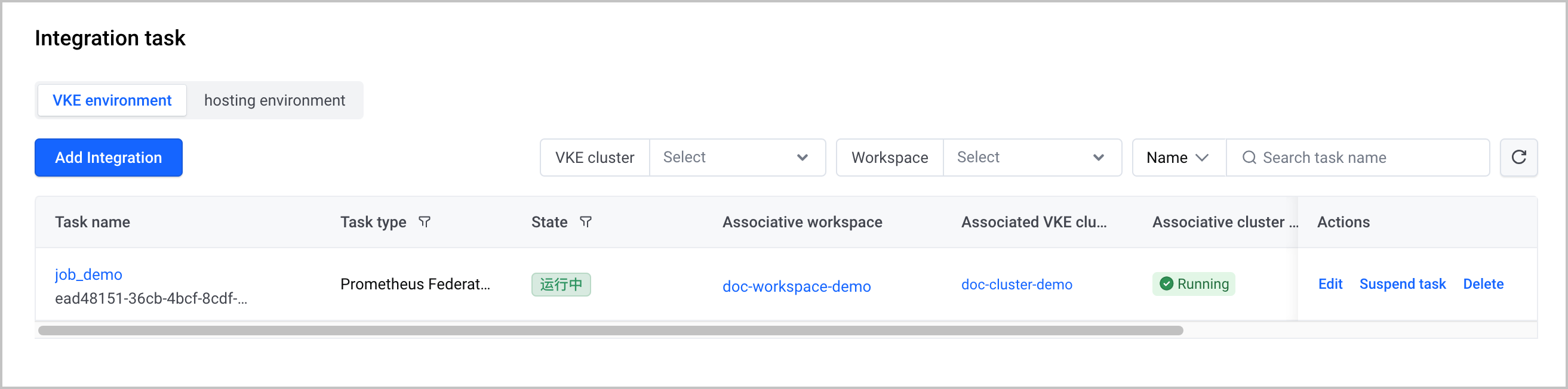
After the integration task is created, you can perform the following O&M operations:
- Click the name of the task to go to the task details page.
- Click Edit in the Actions column to edit the task.
- Click Suspend task in the Actions column to suspend the task.
- Click Delete in the Actions column to delete the corresponding integration task.
Query task metrics
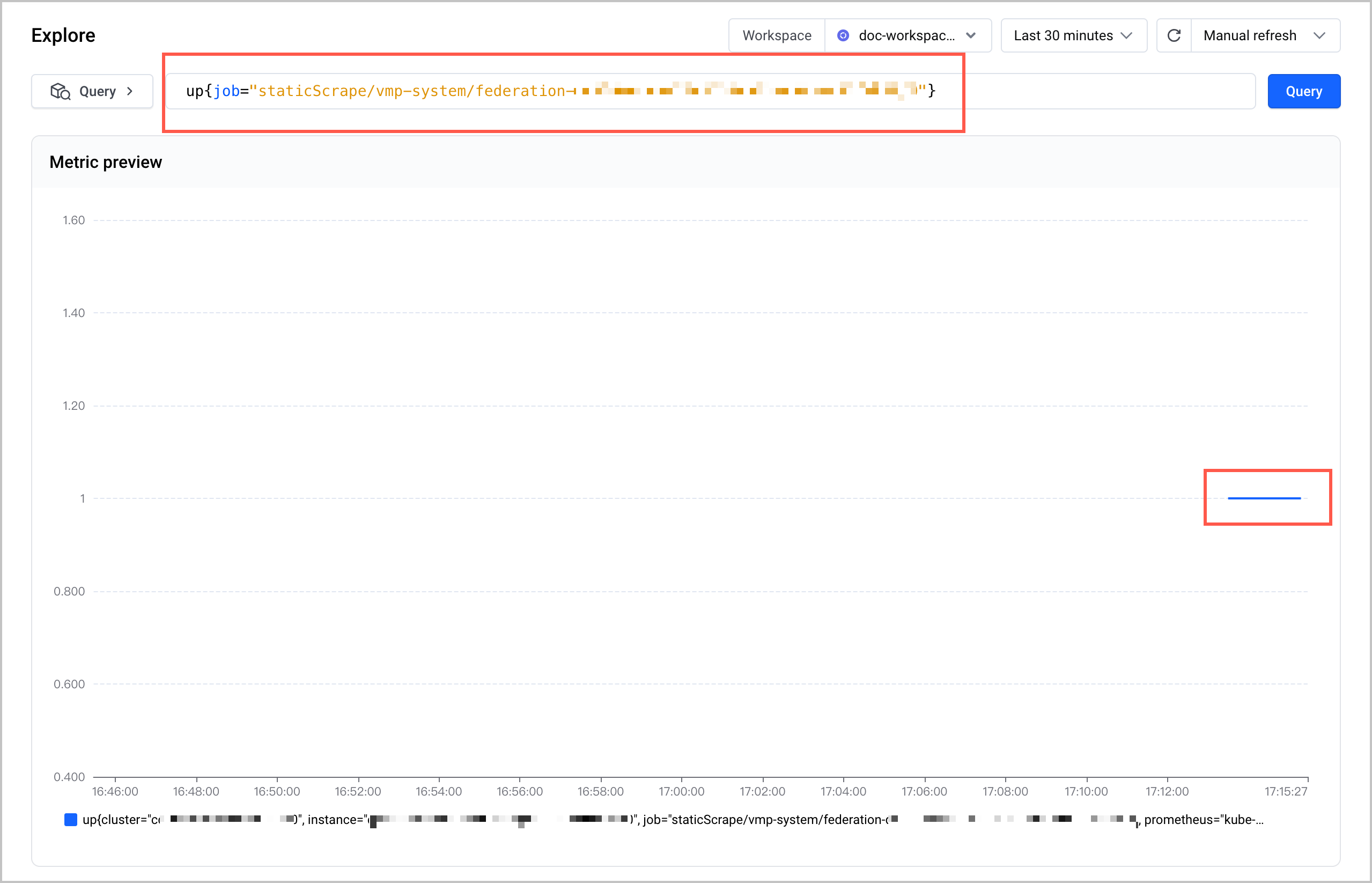
Click Explore in the left navigation pane. On the page that appears, use the up statement to view the status of collection jobs for the integration task. In this example, the statement is up{job="staticScrape/vmp-system/federation-ead***"}. When the metric value is 1, it indicates that the collector is created and working as expected.
Monitoring information
Query metrics
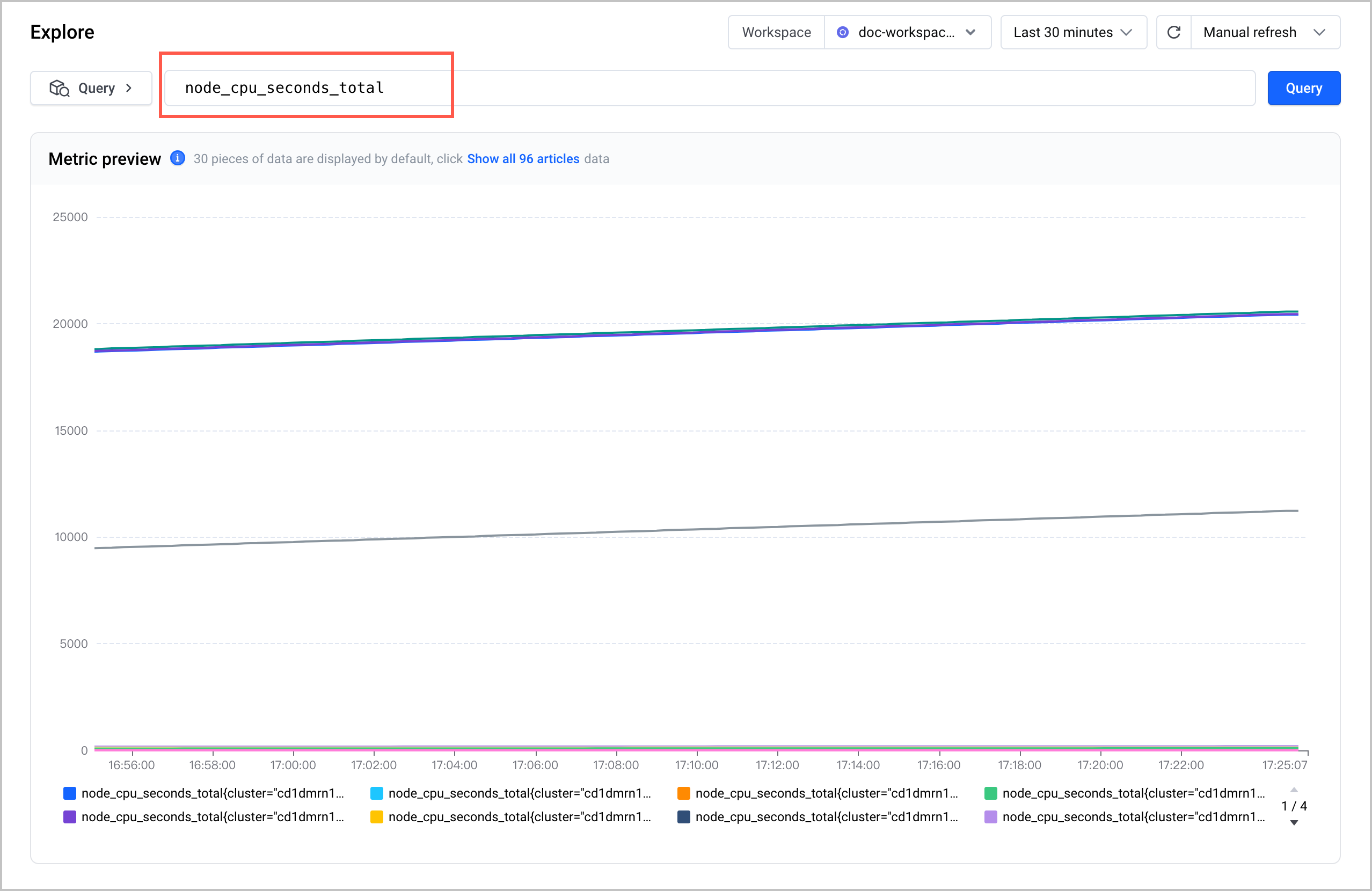
You can quickly query and display metric data by using the Explore feature of VMP. For more details, refer to Querying metrics.
Create dashboards
You can install Grafana in a VKE cluster or an ECS instance and then use Grafana to view metrics and create dashboards.
Configure alerts
You can configure alerts for monitoring targets in the alert center of VMP. For details, see Creating alert rules.
Last updated: 2026.10.10 10:16:50
All rights reserved © Beijing Volcano Engine Technology Co., Ltd2024
