Volcengine Managed Service for Prometheus
Volcengine Managed Service for Prometheus


Document

- Documentation
 Volcengine Managed Service for PrometheusUser guideWorkspaceWorkspace configuration changeModifying workspace parameters
 Copy page
 Download PDF
Workspace configuration change
Modifying workspace parameters
Copy pageDownload PDFModifying workspace parameters
After a workspace is created, different parameters are provided by default, such as Active Time Series (1h), Metric Ingestion Rate, and Query QPS. You can also modify the values of these parameters based on your business requirements.
Limits
- You can increase the values of the parameters for a workspace, but currently cannot decrease them.
- You can modify the parameters of a workspace within the following limits:
- You can modify the parameters only once within 10 minutes.
- You can modify the parameters cumulatively up to 10 times within 30 days.
Prerequisites
A Standard Edition workspace has been created. For more details, refer to Creating a common workspace.
Procedure
- Log in to the VMP console.
- On the top navigation bar, select the target region.
- Click Workspace on the left navigation bar to go to the workspace list page.
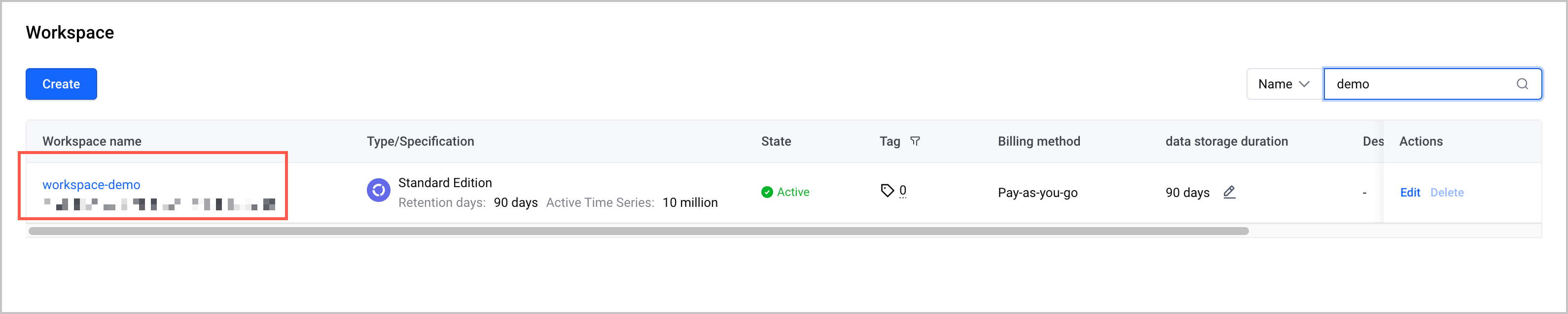
- In the workspace list, find the target workspace and click the workspace name to go to the Overview page of the workspace.
-
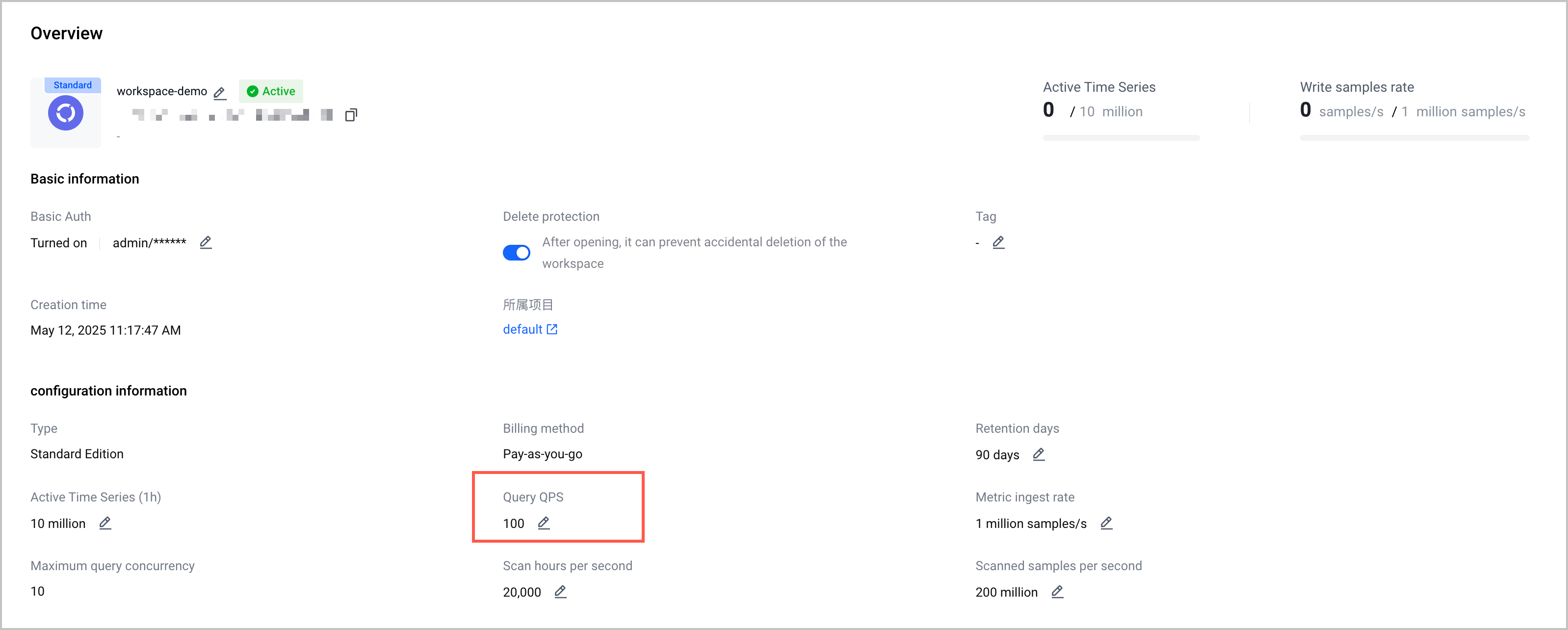
- On the Overview page, find the parameter that you need to modify and click the Edit icon next to the parameter.
-
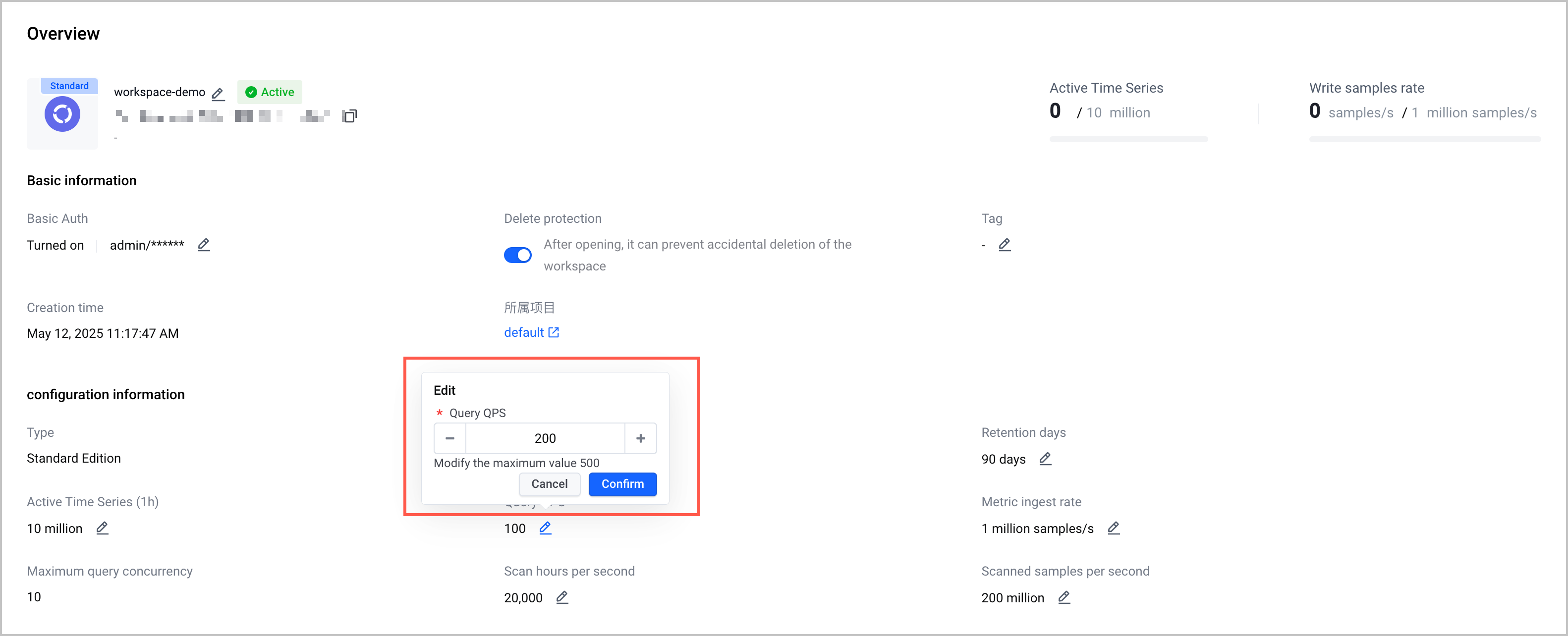
- Modify the value of the parameter based on your business requirements.
-
tip
Quota Center determines the default quota of the workspace specifications. If the system default quota is exceeded, apply for a higher quota in the Quota Center first, and then modify the value of the corresponding parameter. For methods of increasing the quota, refer to How do I increase a quota?
- Click Confirm to complete the configuration.
Result validation
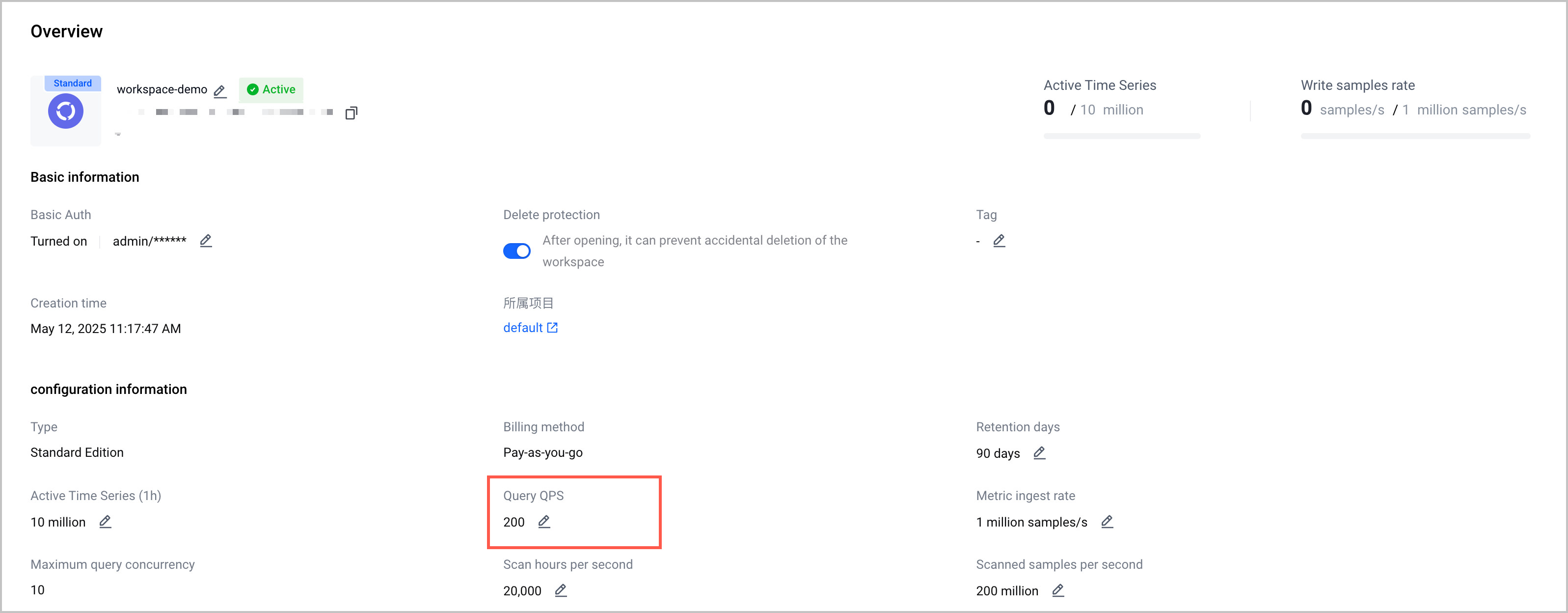
After the configuration is complete, you can view the modified parameters on the workspace Overview page.
Last updated: 2026.07.10 11:37:25
All rights reserved © Beijing Volcano Engine Technology Co., Ltd2024
