Volcengine Managed Service for Prometheus
Volcengine Managed Service for Prometheus


Document

- Documentation
 Volcengine Managed Service for PrometheusFAQsHow to View Metric Data?
 Copy page
 Download PDF
FAQs
How to View Metric Data?
Copy pageDownload PDFHow to View Metric Data?
This article introduces how to view the data collected in the Volcengine Managed Service for Prometheus.
Method 1: View data on the Explore page
- Log in to the VMP console.
- Click Explore on the left navigation bar to go to the Explore page.
- In the upper right corner of the page, configure the Workspace, Query Time Range, and Data Refresh Method required for metric queries.
-

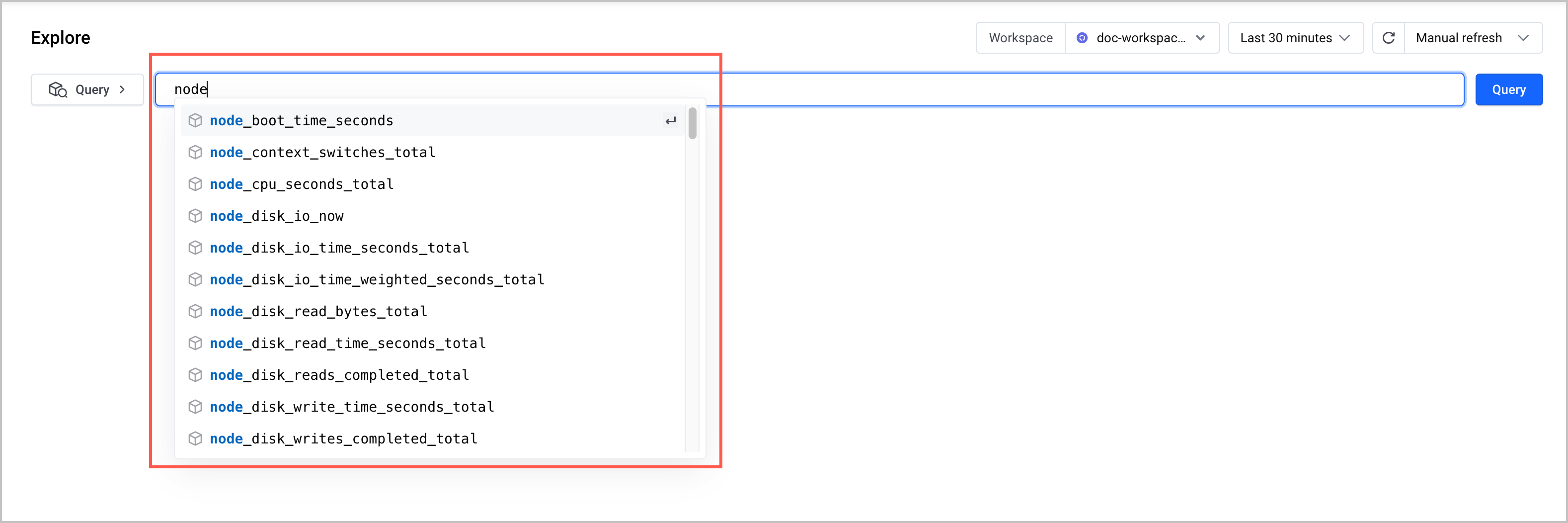
- 4. 4. Specify the metric to query. You can either manually enter a metric or select one from the search list.
-
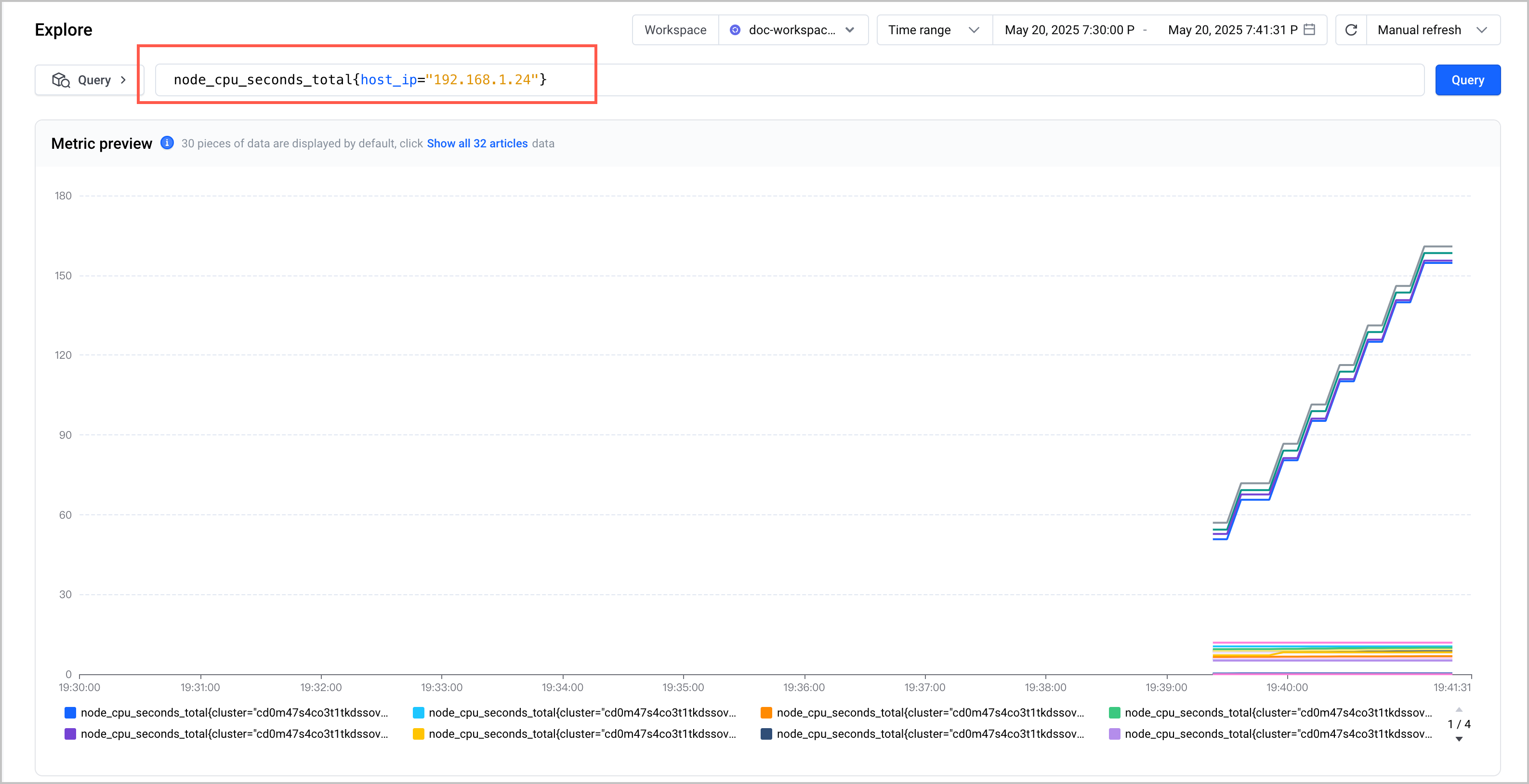
- After the metric is configured, click Query to retrieve the relevant metric and display it on the dashboard.
-
Method 2: View raw metric data
The collection targets of the Volcengine Managed Service for Prometheus may be deployed inside clusters or outside clusters (e.g., deployed on ECS hosts).
- When the collection target is deployed outside the cluster, you can directly view the original metric data of the collection target by using curl http://target-ip:port/metrics.
- When the collection target is deployed in the cluster, you can follow the following operation method to view the original metric data saved in the collection target:
- In the local environment, use kubectl to connect to the cluster where the collector is located.
- Execute the following command to map the port of the collection target (e.g., Exporter) to the local environment.
-
tip
- rabbitmq-exporter-5fxxxx is the instance name of the collection target. In this example, RabbitMQ-Exporter is used. You need to replace it with your collection target's instance name during actual operation.
- 9419 is the port number for exposing metrics of this collection target. The port number differs for different collection targets. You need to replace it with the correct port number during actual operation.
- -n volcano-metrics is the namespace where the collection target is located. You need to replace it with the namespace of the collection target during actual operation.
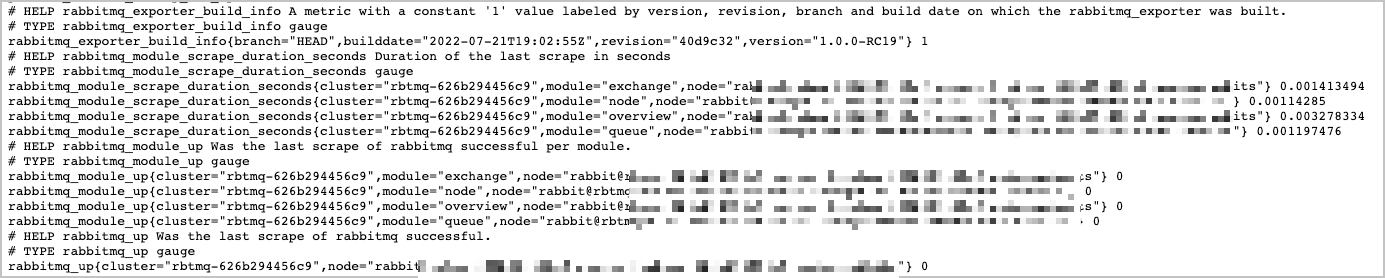
- Open a browser in the local environment (Linux/Mac), enter localhost:9419 in the address bar to enter the collection target page and directly view the original metric data.
-
Last updated: 2026.07.10 11:37:27
All rights reserved © Beijing Volcano Engine Technology Co., Ltd2024
