Volcengine Managed Service for Prometheus
Volcengine Managed Service for Prometheus


Document

- Documentation
 Volcengine Managed Service for PrometheusFAQsHow do I resolve the "AccessDenied,Code: 403" error?
 Copy page
 Download PDF
FAQs
How do I resolve the "AccessDenied,Code: 403" error?
Copy pageDownload PDFHow do I resolve the "AccessDenied,Code: 403" error?
Issue Description
Create an IAM user with the Volcano Engine root user, then log in to the VMP configuration interface with the IAM user. The system prompts an Insufficient Permission message. The error message is AccessDenied, Code: 403.
Cause Analysis
The IAM user used to log in has not been authorized for VMP and does not have operation permission for related resources. For detailed introduction on authorization, please refer to Permission Overview.
Solution
- Log in to the IAM Console.
- In the left navigation bar, select Identity Management> Users.
- In the user list, find the target username, and click Add Permission under the corresponding Operation column.
- On the User Details page, select Permission > Global Permissions tab, and click Add Permission.
- Enter VMP in the search box of the Add Permission panel to search for system preset policies related to the VMP service.
-
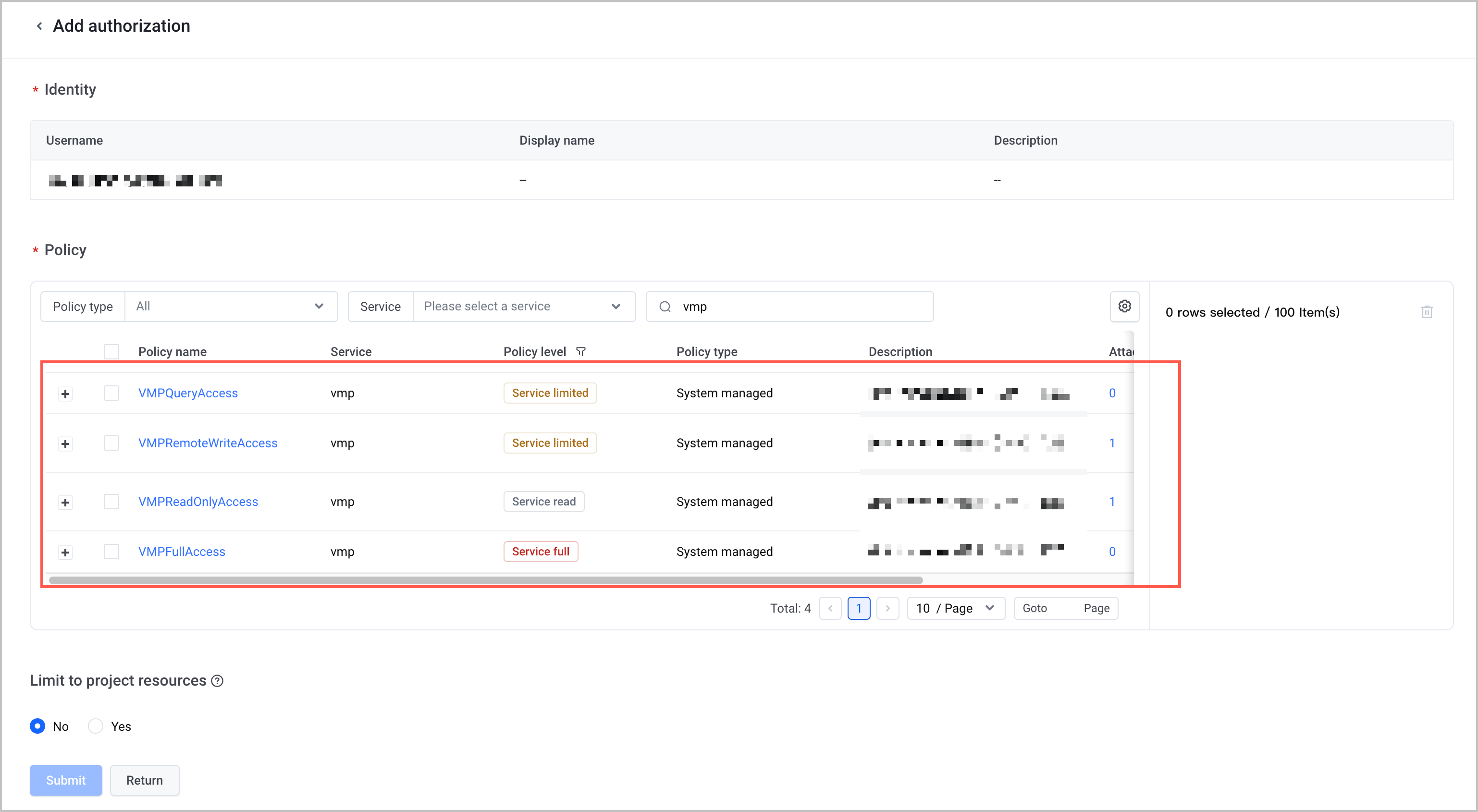
- According to actual needs, select the VMPFullAccess policy or the VMPReadOnlyAccess policy, click Confirm, and authorize the IAM user.
Last updated: 2026.07.10 11:37:27
All rights reserved © Beijing Volcano Engine Technology Co., Ltd2024
