Volcengine Managed Service for Prometheus
Volcengine Managed Service for Prometheus


Document

- Documentation
 Volcengine Managed Service for PrometheusBest practicesPrometheus data collection and integrationPushing data by using Pushgateway
 Copy page
 Download PDF
Prometheus data collection and integration
Pushing data by using Pushgateway
Copy pageDownload PDFPushing data by using Pushgateway
This topic describes how to push data by using the Pushgateway feature provided by Volcengine Managed Service for Prometheus (VMP).
Background information
VMP supports the Pushgateway protocol provided by the Prometheus community. You can perform the following steps to use the protocol:
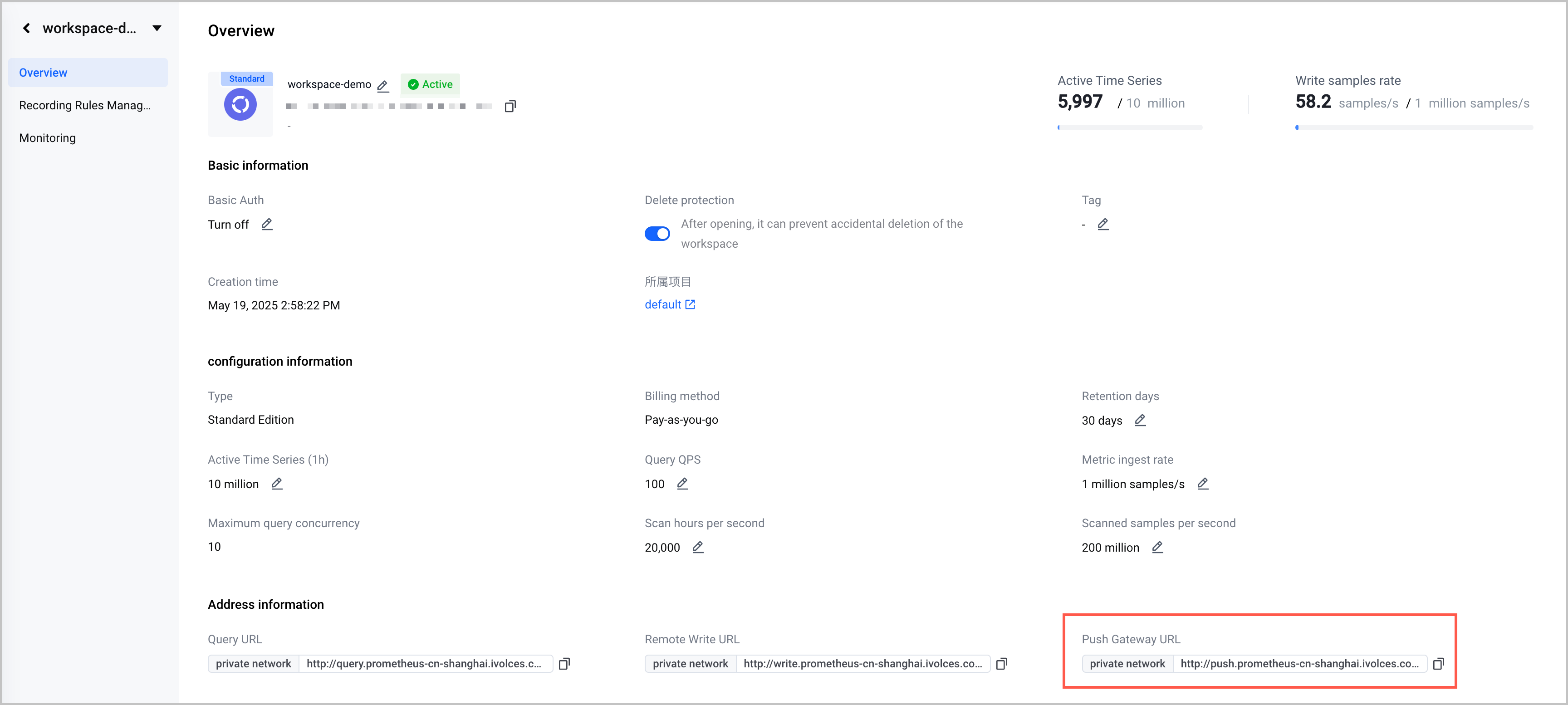
- Obtain the Pushgateway URL: Obtain the Pushgateway URL by using the VMP console.
- Report data: Run the curl command or the open source SDK to push data.
- Query data: Query the reported results in the VMP console.
Prerequisites
A Volcengine Managed Service for Prometheus (VMP) workspace has been created. For more details, refer to Creating workspaces.
Step 1: Obtain the Pushgateway URL
- Log in to the VMP console.
- Click Workspace in the left navigation pane to go to the workspace list page.
- Click the name of the target workspace.
-
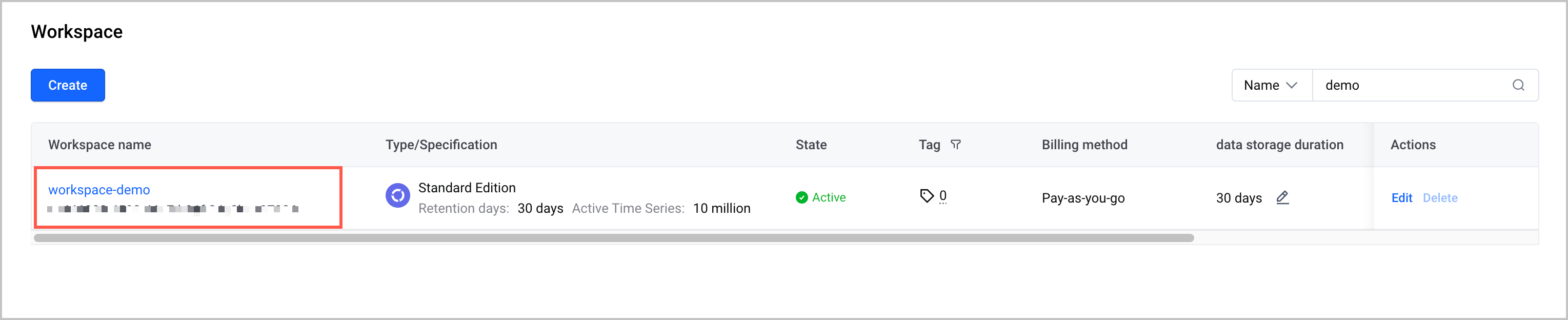
- Click Overview in the left navigation pane. Then, obtain the PushGateway URL in the Address information section.
-
Step 2: Report data
The open-source Prometheus SDK provided by the community reports data by using the Pushgateway protocol. The following section provides examples on how to use Golang, Java, and curl commands to report data. For more details about using other languages, refer to the community documentation.
warning
Only the Text Format and Protobuf Delimited specifications are supported. The Protobuf Text, Protobuf Compact Text, and OpenMetrics specifications are not supported. By default, the open source SDK is used with Protobuf Delimited.
Step 3: Query data
Log in to the VMP console to query the reported results. After the data is written successfully, wait 30 seconds before you query the latest data.
Last updated: 2026.10.10 11:04:51
All rights reserved © Beijing Volcano Engine Technology Co., Ltd2024
