Volcengine Managed Service for Prometheus
Volcengine Managed Service for Prometheus


Document

- Documentation
 Volcengine Managed Service for PrometheusUser guideWorkspaceWorkspace monitoring
 Copy page
 Download PDF
Workspace
Workspace monitoring
Copy pageDownload PDFWorkspace monitoring
On the Monitoring page, you can view the trends of write, query, and storage metrics of a workspace within a specified time range. The self-monitoring capabilities of the workspace help you identify issues such as rate limiting and invalid metrics during self-troubleshooting.
Prerequisites
- The Cloud Monitor service has been activated. For details, see What is Cloud Monitor?
- A Volcengine Managed Service for Prometheus (VMP) workspace has been created. For details, see Creating workspaces.
Monitoring dashboard
- Log in to the VMP console.
- Click Workspace in the left navigation pane, find the target workspace in the workspace list, and then click the workspace name to go to the Overview page of the workspace.
- Click Monitoring in the left navigation pane to view the monitoring dashboard of the workspace.
warning
We recommend that you enable preset Cloud Monitor alert rules. You can enable preset alert rules by following on-screen instructions displayed at the top of the console.
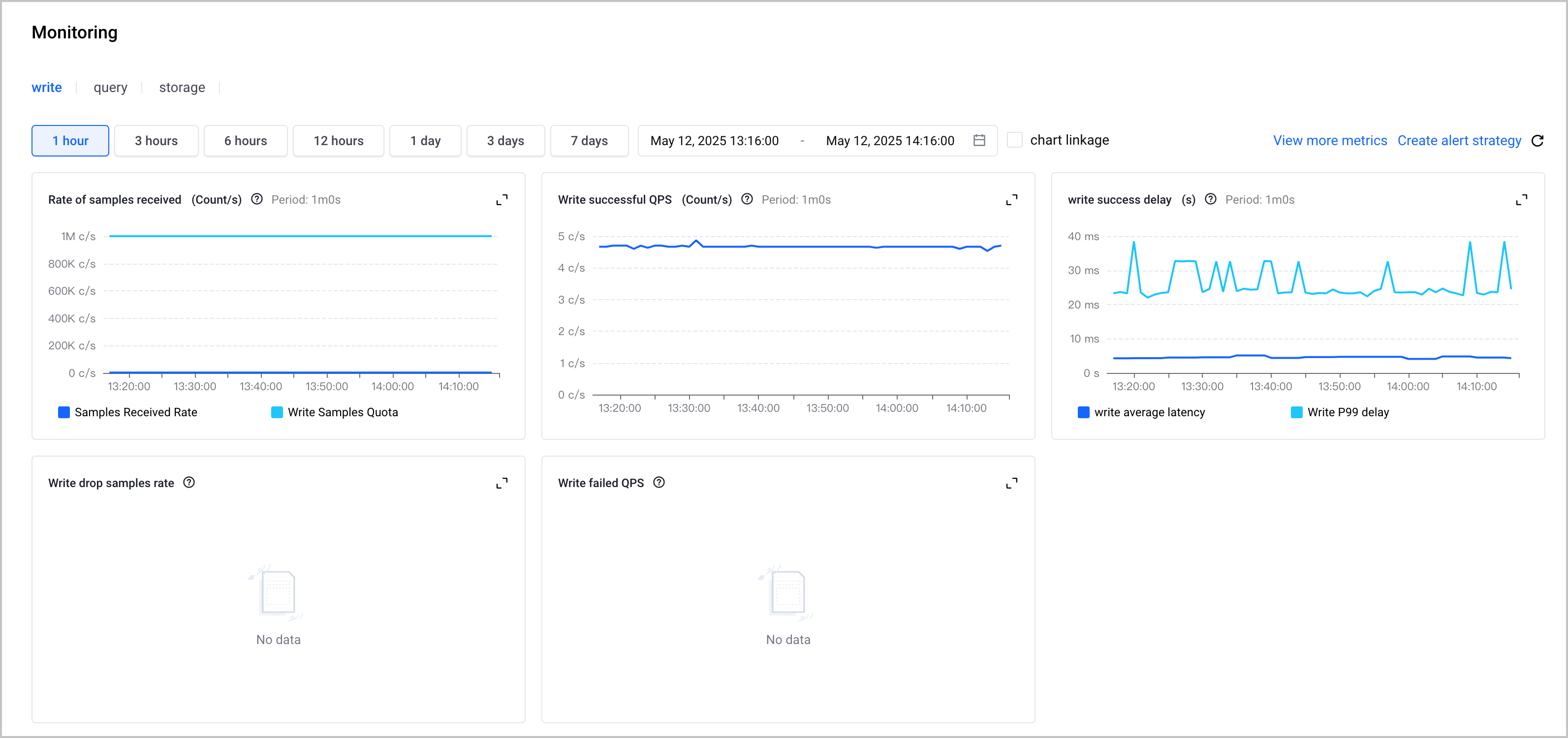
- Monitoring Dashboard: includes write, query and storage dashboards. You can view monitoring data within the last day by default.
- Time configuration: You can configure the time range for queries, which can be accurate to the minute. You can query data in the last 30 days at most, with the maximum query time range being 15 days each time.
- Chart linkage: After you select chart linkage, you can quickly view the metrics and values at the same time point of all charts.
- View more data: The Cloud Monitor metrics page opens. You can view details on the monitoring dashboard.
- Create alert strategy: The Create alert strategy page opens. You can configure alerting as needed.
Metrics
The metrics of the VMP workspace include write, query, and storage metrics. For more details on the metrics, refer to Metric query.
Last updated: 2026.07.10 11:37:25
All rights reserved © Beijing Volcano Engine Technology Co., Ltd2024
