Volcengine Managed Service for Prometheus
Volcengine Managed Service for Prometheus


Document

- Documentation
 Volcengine Managed Service for PrometheusUser guideAlert centerAlerting aggregation policyCreating an alerting aggregation policy
 Copy page
 Download PDF
Alerting aggregation policy
Creating an alerting aggregation policy
Copy pageDownload PDFCreating an alerting aggregation policy
To prevent alert storms, where alerts are triggered frequently and a large number of alert notifications are generated in a short period, you need to configure an alert aggregation policy to define the aggregation interval and notification interval.
tip
The new Alert Center is available. It provides comprehensive upgrades and optimizations for features such as notification policies, notification templates, aggregation policies, and suppression policies. We recommend configuring aggregation policies in the new Alert Center.
Background
The system has the default alert aggregation policy named default. The following table shows aggregation parameters for alerts at different levels.
Alert Level | Aggregation interval | Repeat interval |
P0 | 1 minute | 1 hour |
P1 | 3 minutes | 2 hours |
P2 | 5 minutes | 4 hours |
Limits
A root account and its IAM users can create up to five alert aggregation policies in total.
Procedure
- Log in to VMP console.
- In the top navigation bar, select the target region.
- On the left navigation bar, click Alert center > Alerting aggregation policy.
-
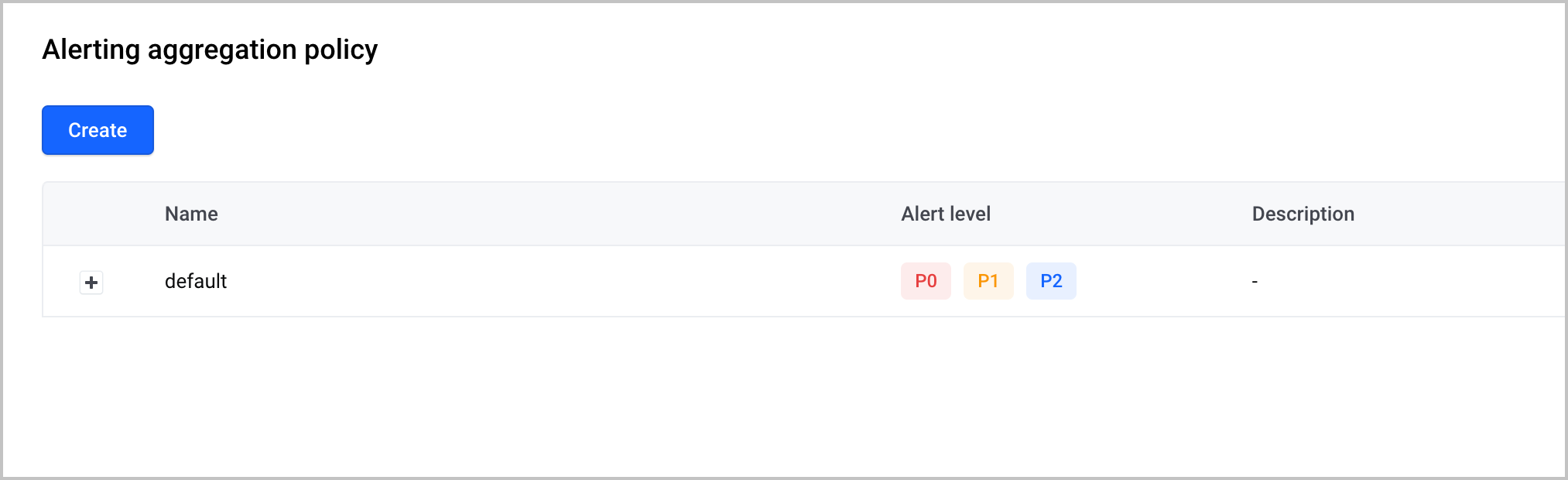
- Click Create to configure an alert aggregation policy.
-
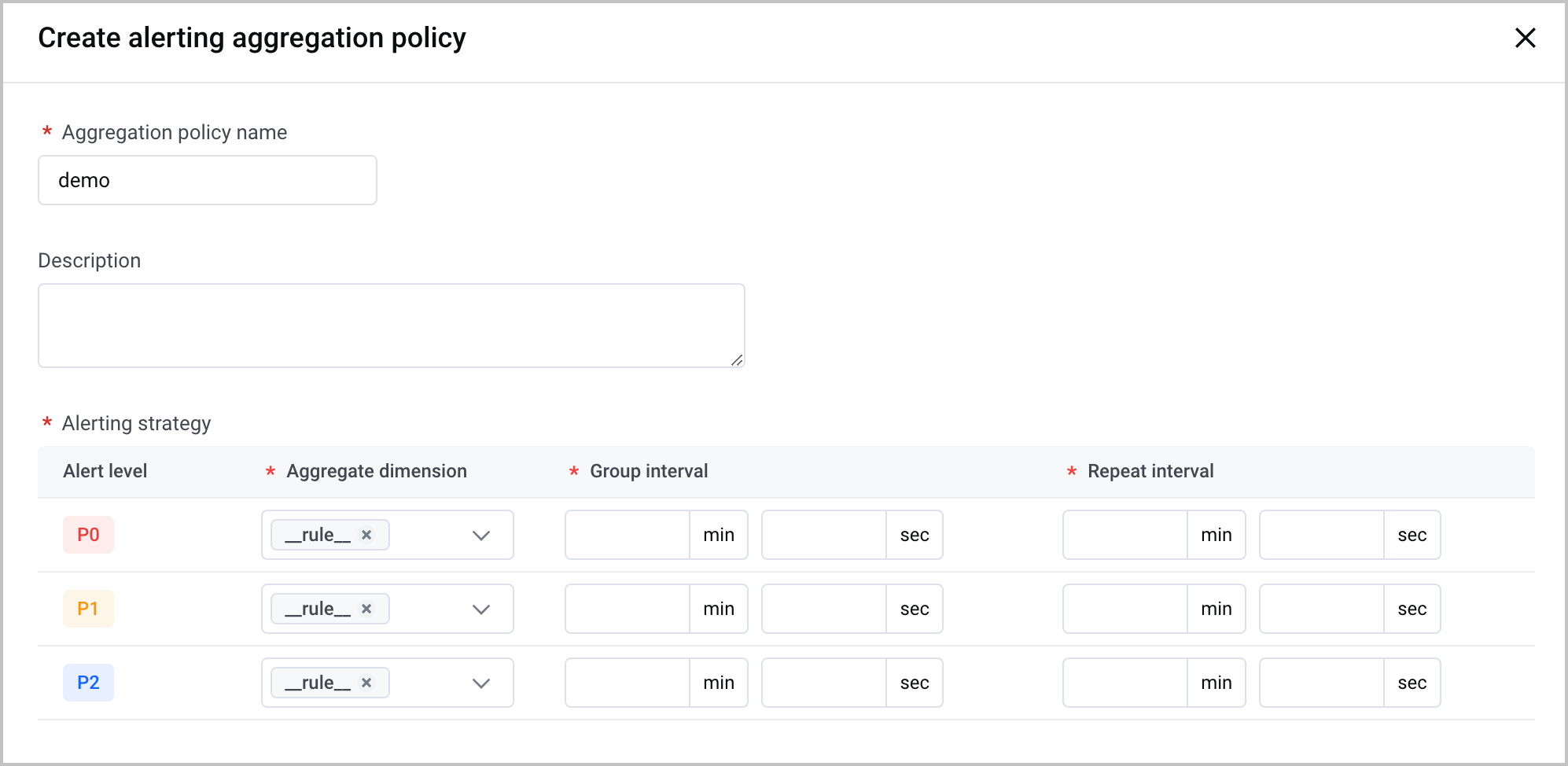
- ParameterDescriptionsAggregation policy nameSpecify the name of the alert aggregation policy.DescriptionSpecify the description of the alert aggregation policy.Alert policyConfigure the aggregation and notification intervals for alerts at different levels (P0, P1, and P2).
- Aggregate dimension: the dimension of alert aggregation. Only __rule__ is available, which indicates aggregation by rule.
- Group interval: the policy check interval. The value is an integer. You can specify minutes and seconds of the aggregation interval.
- If a new alert is triggered during the aggregation interval, all alert notifications will be sent. Otherwise, no alert notification will be sent.
- Repeat interval: the interval between successive alert notifications after a rule is triggered. The value is an integer. You can specify the interval in minutes and seconds.
warning- The aggregation interval must be less than or equal to the notification interval.
- The aggregation interval and notification interval must be equal to or greater than 1 minute.
For example, if an alert rule specifies that a P1 alert will be triggered if the metric has exceeded the threshold for 2 minutes, and an alert aggregation policy specifies the P1 level alert, an aggregation interval of 5 minutes, and a notification interval of 30 minutes,after an alert rule triggers an alert notification for the first time, the alert aggregation policy checks whether a new alert at the P1 level is triggered every 5 minutes within the current interval.- The time when the first alert notification is triggered = The time when the first alert is triggered + Waiting time for VMP maintenance (30 seconds for P0 and 60 seconds for P1 and P2).
- If a new alert is triggered, an alert notification will be sent.
- If no new alert is triggered, no alert notification will be sent.
- If no new alert is triggered for 30 consecutive minutes but unresolved alerts still exist, an alert notification will be sent.
- Click Create to complete the configuration.
Last updated: 2026.07.10 11:37:26
All rights reserved © Beijing Volcano Engine Technology Co., Ltd2024
