Torch Log Service
Torch Log Service


Document

- Documentation
 Torch Log ServiceBest practicesAlarmCommon methods for controlling the time window for sending alert notifications
 Copy page
 Download PDF
Alarm
Common methods for controlling the time window for sending alert notifications
Copy pageDownload PDFCommon methods for controlling the time window for sending alert notifications
In monitoring and alerting systems, alert notifications are a critical component. Excessive or untimely alert notifications can disrupt recipients and reduce the effectiveness and reliability of alerts. This article introduces common methods and application scenarios for controlling the periods during which alert notifications are sent.
Application scenarios
In the following application scenarios, you can control the time period during which alert notifications are sent by configuring relevant settings.
- Alert notifications are not sent for expected alerts triggered during maintenance periods such as system upgrades or configuration changes.
- Alert notifications are sent only during working hours.
- Similar alerts are first merged, and then alert notifications are sent.
Method comparison
You can restrict the alarm notification period by methods such as setting the monitoring task execution cycle, setting the alarm sending cycle, temporarily disabling the alarm policy, limiting the notification period, and more. The comparison items for each method are explained in the following table.
Set the execution cycle for monitoring tasks
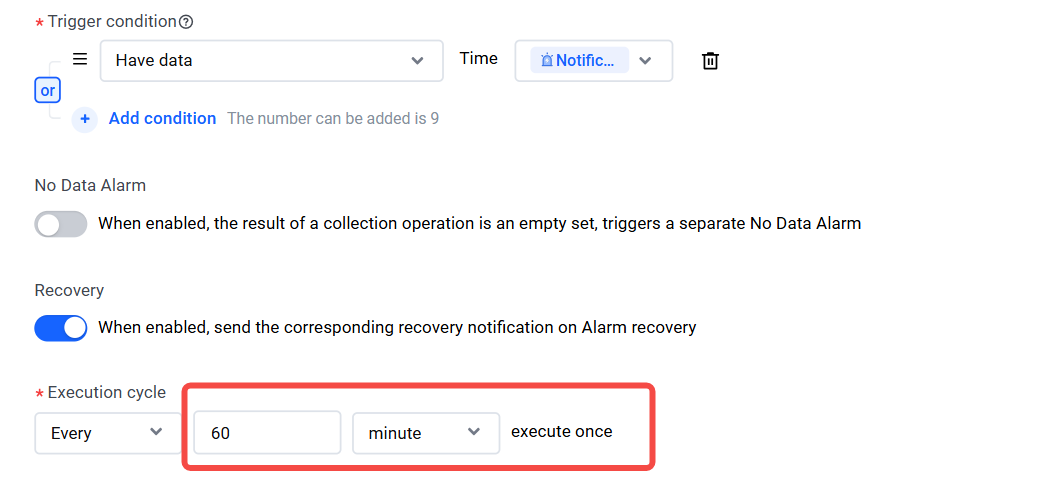
When configuring an alarm policy, set the execution cycle to control the frequency of monitoring task execution. For specific configuration, refer to Create alarm policy.
For example, if it is set to execute every 60 minutes, the monitoring task will check the query and analysis results every 60 minutes.
You can also use Cron expressions to set more flexible alert time restrictions. For example:
- Set the Cron expression to 0/30 9-17 * * *, which means that the monitoring task will be executed every 30 minutes between 09:00 and 17:00 each day.
- Set the Cron expression to */10 9-12,14-17 * * 1-5, which means that the monitoring task will be executed every 10 minutes between 09:00 and 12:00 and between 14:00 and 17:00 from Monday to Friday.
Set the alert sending interval
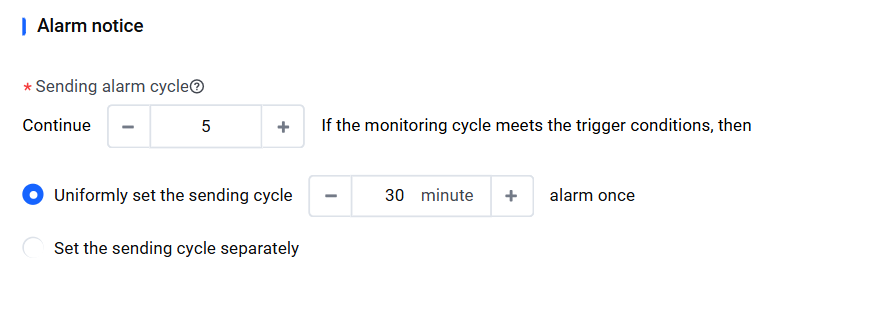
When configuring an alarm policy, set the alarm notification interval to control how often alarms are sent. For configuration details, refer to Create an alarm policy.
For example, if the trigger conditions are met continuously for 5 monitoring cycles, an alert will be sent every 30 minutes. In other words, after a total of 5 alerts have been triggered, notifications will continue to be sent at 30-minute intervals.
Temporarily disable the alarm policy
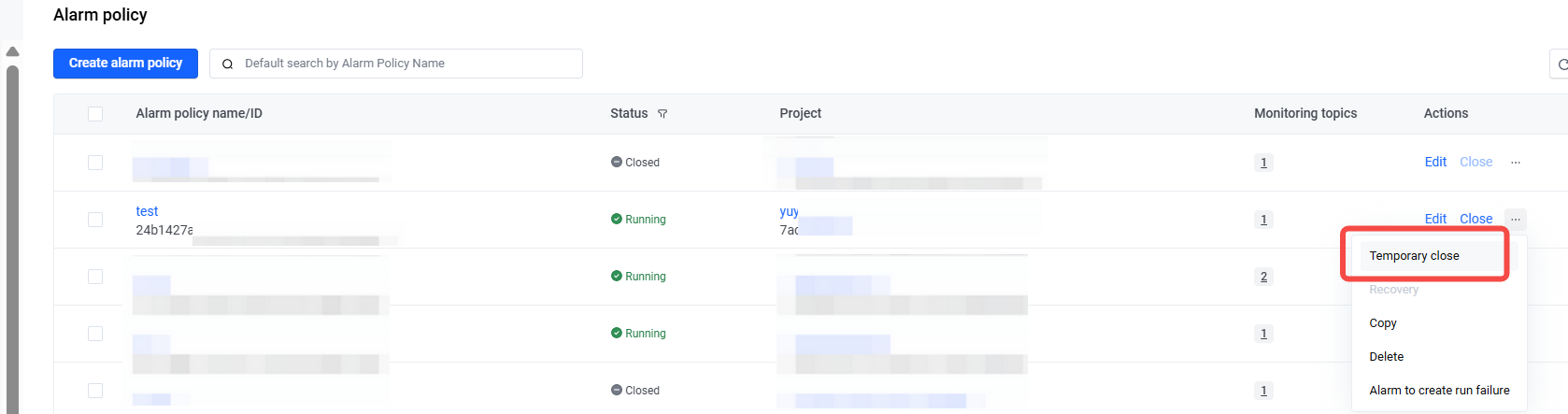
For planned alarms, such as those triggered by system upgrades, configuration changes, and similar operations, you can temporarily disable the alarm policy. During the period when the alarm policy is disabled, it no longer runs and does not trigger alarms. After the shutdown period ends, the alarm policy returns to normal. For detailed configuration, please refer to Temporarily disable alarm policy.
Set a notification period
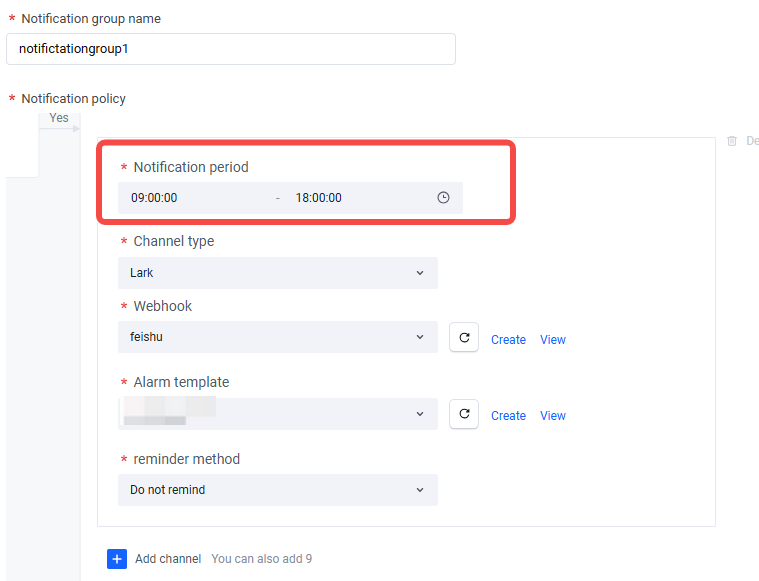
You can set the notification period in the notification group to restrict the alert notification period. For example, if you set the time range to 09:00:00–18:00:00, TLS will only send alert notifications during this period. For configuration details, please refer to Create notification group.
Last updated: 2025.10.11 17:07:35
All rights reserved © Beijing Volcano Engine Technology Co., Ltd2024
