Elastic Compute Service
Elastic Compute Service


Document

- Documentation
 Elastic Compute ServiceElastic Compute ServiceBest PracticesSecurityChecking and verifying TDX features
 Copy page
 Download PDF
Security
Checking and verifying TDX features
Copy pageDownload PDFChecking and verifying TDX features
This topic describes how to check and verify the TDX features of an ECS instance equipped with Intel® TDX (Trust Domain Extensions) technology (hereinafter referred to as TDX instances), as well as certain feature limits of the TDX instance.
Overview
Instances of the Security Enhanced General-purpose g3ilt/g4ilt type provide Intel® TDX confidential computing capabilities by default for protecting instance and application security. You can have your existing applications protected by TDX capabilities after migrating them to TDX instances directly, without the need to redevelop existing applications.
Intel® TDX overview
Intel® TDX (Trust Domain Extensions) is a CPU hardware-based protection technology for ECS instances. It enables confidential protection for the CPU registers, memory data, and interrupt handling of TDX instances. This prevents cloud vendors and external attackers from monitoring or tampering with the internal running operations of TDX instances (such as running processes and sensitive data being computed). For more information about Intel® TDX technology, see Intel® Trust Domain Extensions (Intel® TDX).
Key features of TDX
- Strong isolation: In processors, a new type of trust boundary, known as the "trust domain", is created. Each virtual machine is assigned a trust domain. This ensures strict isolation between virtual machines and between each virtual machine and host machine, preventing cross-domain attacks by malicious software.
- Memory encryption: Memory of each trust domain is encrypted. This means data both at the hypervisor layer and on hosts remains encrypted, significantly reducing the risk of data leakage.
- Remote attestation: TDX supports the remote attestation feature. This allows trust domain owners to verify whether their virtual machines are started in a trusted hardware environment and are not tampered with, enhancing trust in the infrastructure.
- Secure start: This feature makes sure that virtual machines are only started via signed and verified loaders, further strengthening the security of the start process.
- Compatibility and transparency: Despite the high-level security capabilities, Intel® TDX is designed to be as transparent as possible for operating systems and applications. Therefore, you can minimize modifications to existing workloads.
Prerequisites
You have created a Security Enhanced General-purpose g3ilt/g4ilt with TDX enabled. If not, create an instance of the corresponding instance type first.
tip
- This instance is currently in Beta in the China (Beijing) region. If you need a trial, please contact your account manager to apply.
- The platform provides the following public images for creating TDX instances. These images have an out-of-the-box TDX environment, with the TDX features enabled by default and TDX drivers preinstalled. You can use TDX capabilities and verify TDX features directly.
- Ubuntu 24.04
- Rocky Linux 9.5 (only supported by Security Enhanced General-purpose g3ilt)
- veLinux 2.0 for TDX
- veLinux 2.0 CentOS Compatible for TDX
Check TDX enablement status
Before using the TDX confidential computing environment, we recommend that you first check the TDX enablement status of the corresponding instance to ensure that the instance security is under protection.
- Execute the following command to check TDX enablement status.
-
- If the following output is displayed, TDX is correctly enabled.
-

- Execute the following command to check whether the TDX driver is installed.
-
- If the following output is displayed, the related installation is successful.
-

Verify TDX remote attestation
To verify whether the TDX instance is running in a trusted and secure TDX environment, you can use a remote attestation report (TD Quote) generated in the target instance and verify whether you can trust the TD Quote by using a validation tool.
tip
By using a TD Quote, you can verify whether the TDX instance you purchased has Intel® TDX protection enabled, which ensures that the data in the instance running environment is integrated, confidential, and authentic. Quote content includes a TD Report, an Attestation Key signature, and other key information. TD Report consists of data generated by the CPU hardware to identify a specified TDX instance. It contains key information of the TDX instance, such as attributes, initial measurement (MRTD), dynamic measurement (RTMR), and TCB SVN. Data integrity is protected through cryptographic methods.
Step 1: Generate a remote attestation report
tip
Typically, the TDX instance you purchased has the tools required for remote attestation installed and compiled. You can refer to Step 4 to check. If tools are not installed, follow the steps below to install and compile.
- (Optional) Execute the following commands in sequence to install the tools required for remote attestation.
-
- (Optional) Compile the tools for generating the remote attestation report.
- Enter the "tdx-quote-generation-sample" working directory.
-
- Execute the following commands in sequence to compile the tools for generating the remote attestation report.
-
- Run the compiled executable file.
-
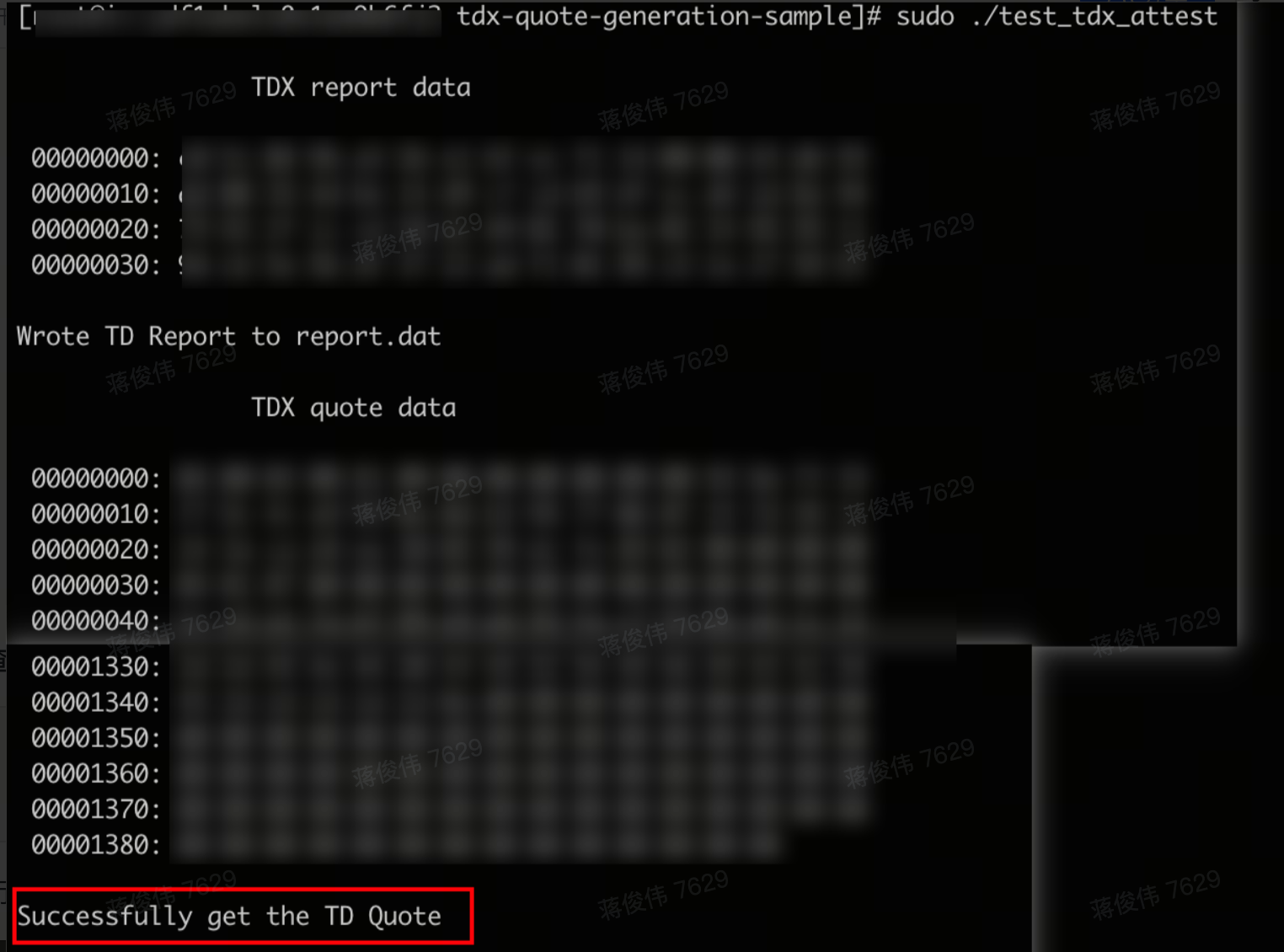
- If "Successfully get the TD Quote" is returned as follows, the TD Quote is generated.
-
- Execute the following command to view the generated files.
-
-
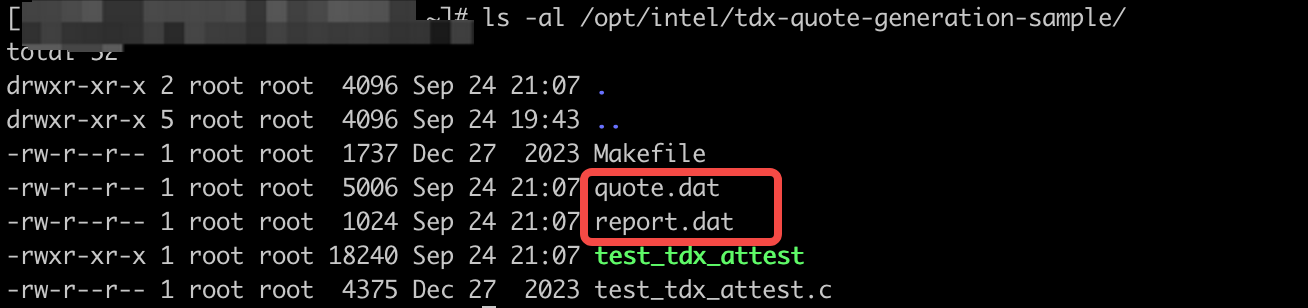
- As shown above, two new files, named "quote.dat" and "report.dat" respectively, are generated under the tdx-quote-generation-sample working directory. "quote.dat" is the remote attestation report (TD Quote), and "report.dat" is the TD Report. Generating a TD Report requires a 64-byte hexadecimal string (randomly generated in this topic). The hexadecimal string is contained in the generated TD Report and typically serves as a hash value in practice. For example, it can be the hash value of a public key. After successfully validating the remote attestation report, the verifier can extract and then use this hash value in subsequent key agreement processes.
tip
To configure "report.dat" manually, refer to the file provided below, manually modify the test_tdx_attest.c file, execute the sudo make command again for compilation, and then run the compiled file via the sudo ./test_tdx_attest -d <report_data> command. In the command, <report_data> indicates the 64-byte hexadecimal string you have specified, for example, sudo ./test_tdx_attest -d 1234567890abcdef1234567890abcdef1234567890abcdef1234567890abcdef.
Step 2: Verify the remote attestation report
To verify whether the purchased TDX instance is running in a trusted environment, you can use the remote attestation verification tool for TD Quote contents.
- Execute the following commands to install the tool and its dependent software packages.
-
- Configure TDX remote attestation services.
- Configure PCCS_URL in the /etc/sgx_default_qcnl.conf file. For example, specify PCCS_URL as the URL of PCCS (Provisioning Certificate Cache Service) in China (Beijing).
-
- Enter the tdx-quote-appraisal-sample directory and then compile the tool accordingly.
-
- The following output is displayed:
-

- Generate a security assessment policy (in JSON format).
- Method 1: Use the default policy provided by the verification tool (path: /opt/intel/tdx-quote-appraisal-sample/Policies/default_enclave.json).
-
- Method 2: Create a custom policy.
- For detailed information on security assessment policies (Appraisal Policy), see Intel DCAP Appraisal Engine Developer Guide.
- Method 3: Generate a security assessment policy based on the TD Report generated in Step 1.
-
tip
- Replace <report_path> with the actual path of the TD Report. In this topic, /opt/intel/tdx-quote-generation-sample/report.dat is used as an example.
- Replace <td_identity_policy> with the actual name of the security assessment policy to be created. In this topic, payload.json is used as an example.
- Sign the security assessment policy.
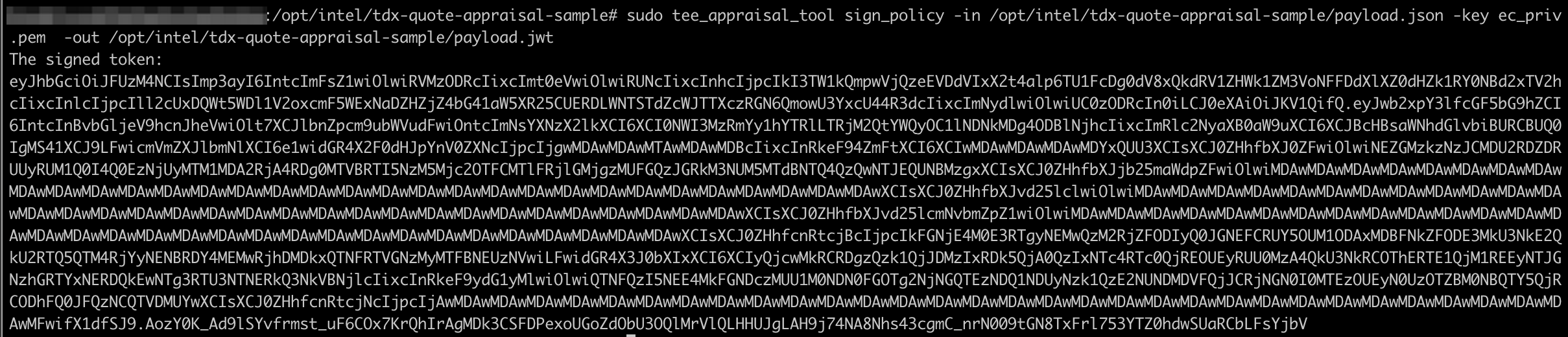
- After the security assessment policy is generated, operations of signing the policy and converting it to the JWT (JSON Web Token) format are required. The generated JWT file can be transferred to any environment that involves verifying remote attestation reports and then used as the security policy for remote assessment in subsequent verification processes.
- Method 1: Use the default security assessment policy.
- For the default security assessment policy, a signature is automatically generated during compilation, which requires no manual operations. The file is stored at /opt/intel/tdx-quote-appraisal-sample/Policies/default_enclave.jwt.
-

- Method 2: Sign for the custom policy (including the TD Report-based security assessment policy).
-
tip
- Replace <td_identity_policy> with the actual file path of the policy file to be signed. In this topic, /opt/intel/tdx-quote-appraisal-sample/payload.json is used as an example.
- Replace <signed_td_identity_policy> with the actual name of the signed policy (ending with ".jwt"). In this topic, /opt/intel/tdx-quote-appraisal-sample/payload.jwt is used as an example.
- If the following output is displayed, the security policy file in JWT format is generated.
-
- Verify the remote attestation report.
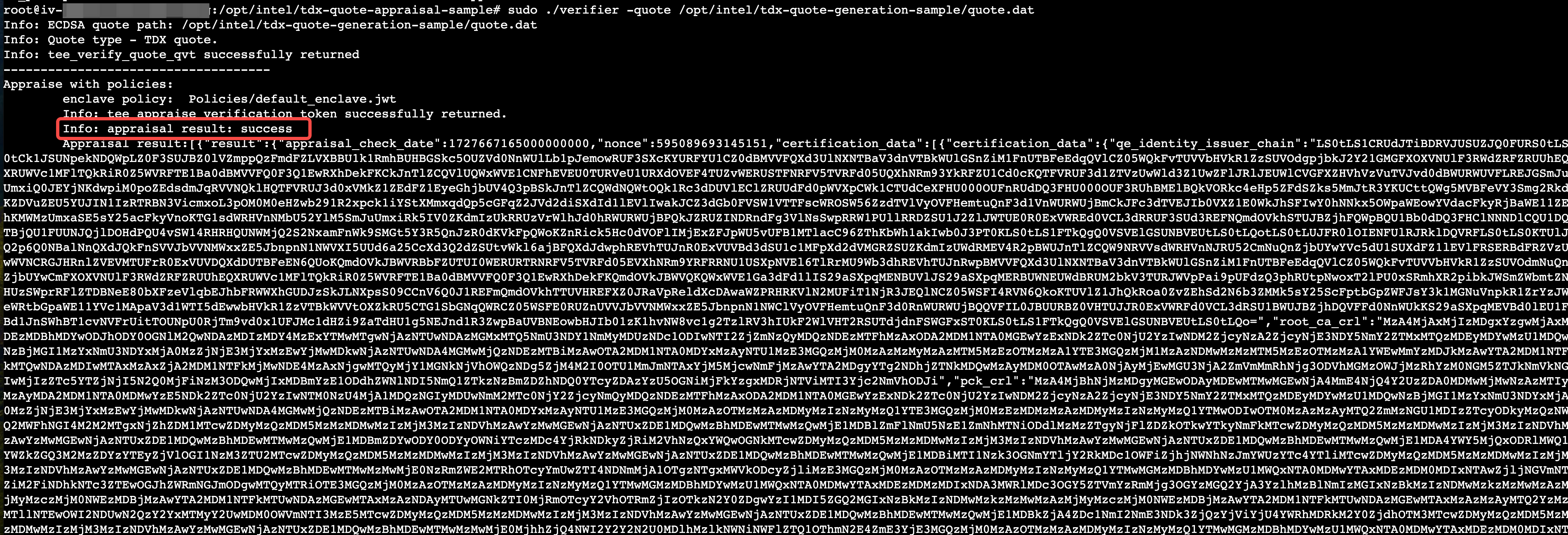
- Method 1: Use the default security assessment policy provided by the verification tool to verify the Quote generated by remote attestation.
-
Replace <quote_path> with the actual path of the Quote to be verified. In this topic, /opt/intel/tdx-quote-generation-sample/quote.dat is used as an example.
- The following output is displayed:
-
-

- Method 2: Use your signed custom policy (including the TD Report-based security assessment policy).
-
tip
- Replace <quote_path> with the actual path of the Quote to be verified. In this topic, /opt/intel/tdx-quote-generation-sample/quote.dat is used as an example.
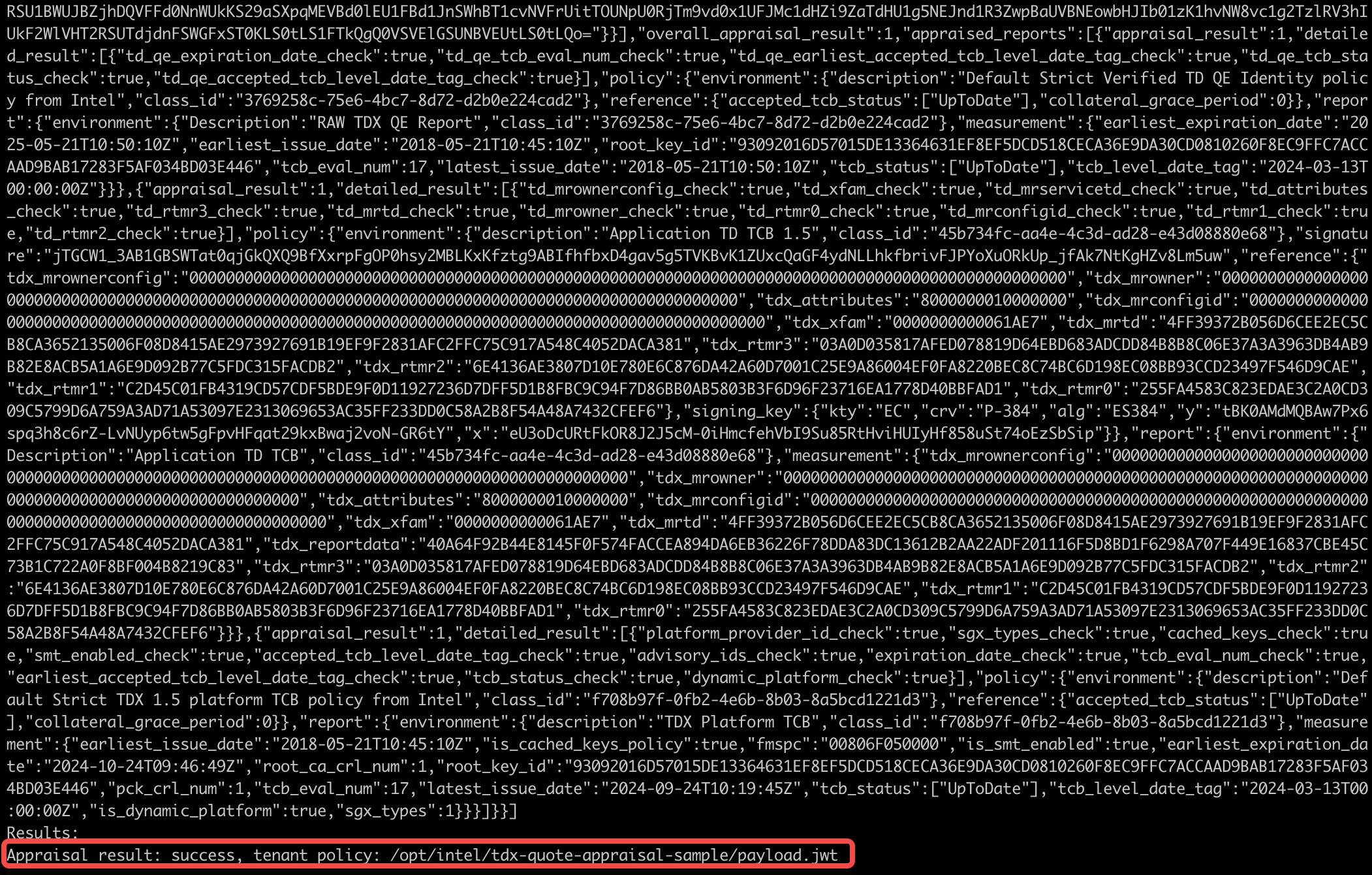
- Replace <td_identity_policy> with the actual file path of your custom policy. In this topic, /opt/intel/tdx-quote-appraisal-sample/payload.jwt is used as an example.
- The following output is displayed:
-
Limit descriptions of TDX instances
- Currently, you cannot log in to TDX instances via VNC.
- Compared to regular ECS instances,TDX instances may experience some performance overhead, since their CPU registers and in-memory data are encrypted and protected by CPU hardware.
- To create TDX instances, only the following images are currently supported: general public image of Ubuntu 24.04 and custom public images for TDX, including Rocky Linux 9.5 (only supported by Security Enhanced General-purpose g3ilt) for TDX and veLinux 2.0 CentOS Compatible for TDX. If you create a TDX instance based on a custom image, the created instance may become unusable.
- Known issues of SWIOTLB in the Linux kernel:
SWIOTLB: Software Input Output Translation Lookaside Buffer, a software-implemented I/O transfer backup buffer.
- An ECS instance with TDX enabled uses part of non-encrypted memory (SWIOTLB) for peripheral communication, and thus has a smaller visible memory than that of a regular instance. By default, this memory region occupies 6% of the available memory (but no more than 1 GiB) of the ECS instance.
- For a large TDX instance type, multiple associated elastic network interfaces may cause the instance to hang. This is because memory allocation fails due to insufficient SWIOTLB memory under the network interface multiqueue. To solve the startup failure, shut down the instance in the console and unassociate the elastic network interfaces accordingly.
- If your instance workload involves heavy I/O communications, the instance performance may degrade due to insufficient SWIOTLB. You can execute the following command to check if this issue exists:
-
warning
If you configure the SWIOTLB parameter incorrectly, your instance may fail to start. We recommend creating a disk snapshot first to roll back when an error occurs. For more information, see Creating snapshots.
- If this exception occurs, specify a larger value of SWIOTLB to improve your ECS instance performance as follows:
- Open the /etc/default/grub file.
-
- Add SWIOTLB-related parameters after the GRUB_CMDLINE_LINUX field. For example, you can specify the SWIOTLB size to 1 GiB by modifying GRUB_CMDLINE_LINUX to GRUB_CMDLINE_LINUX=".... swiotlb=524288".
The calculation method for a SWIOTLB parameter value is: Target size (in MiB) * 512. For more information, see The kernel's command-line parameters.
- Execute the following commands to modify the grub.cfg configuration file, and make the configuration take effect.
-
Last updated: 2026.10.19 19:41:44
All rights reserved © Beijing Volcano Engine Technology Co., Ltd2024
