Elastic Compute Service
Elastic Compute Service
Elastic Compute Service


Document
Elastic Compute Service
What's New
Announcement
OpenAPI related
Pricing and quotas are related
About products and plugins
Feature discontinuation
Overview
Billing
Billable items
Billing methods
Billing methods change
Getting Started
User Guide
Instances
Instance types
X86 Computing
Elastic Bare Metal Server
Heterogeneous Computing
Select instance billing method
Spot instance
Elastic Scheduled Instance
Offsetting Resources
Reserved Instances
Buying ECS instances
Logging in to an instance
Logging in to a Linux instance
Managing instance status
Modifying instance types
Using instance user data and metadata
Instance metadata
Images
Public images
veLinux images
Custom images
Importing custom images
Creating custom images
Image detection
End of life (EOL) of image
Elastic Block Storage
Basic volume operations
Partitioning and formatting a volume
Extending a volume
EBS Agent
Snapshots
Basic snapshot operations
Auto snapshot policies
DataInsights
Network
Network interface and IP address
IP Address
IPv4 address
Security group
Security
Passwords and key pairs
Deployment and scaling
Monitoring
Monitoring metrics
Event monitoring
Local volume event O&M
Method 1: Solve the local volume failure by replacing the faulty volume
O&M
Cloud assistant
Managing agents
Process choreography
Common operation and maintenance tasks
Batch operations on instances
Batch operations on EBS Volumes
Batch operations on images
Temporary upgrade of bandwidth
Managing application updates
orchestration plan
Patch management
Managing patch plans
Managing patch baselines
IAM
Tags and projects
Best Practices
AI applications
OpenClaw (formerly Moltbot)
Quickly deploying OpenClaw via application templates
Quickly deploying OpenClaw via marketplace images
Manually deploying OpenClaw
Self-service website creation
Building environments
Building a Web environment (Windows)
Building applications
Building FTP site
Deploying databases
Building game servers
Building websites
Building a WordPress blog
Building multiple websites
Manage software sources for Linux instances
AIGC practices
Performance test
Network performance test
Instance configuration
Setting up AD Domain Services on Windows OS
Windows Multi - User Login
Changing screen resolution
Instance data
Uploading or downloading files
Data restoration
ECS instance local time synchronization
Volume
Monitoring
Security
Images
Kernel fine-tuning
O&M
Troubleshooting
Remote log in issue
Linux operating system issue
Windows operating system issue
SSH log in issue
Operating system issue
veLinux operating system issue
Linux operating system issue
Windows operating system issue
Instance status issue
Instance unable to start issue
High instance load issue
GPU instances issue
Network connection issue
Network configuration issue
Storage classes issue
EBS Volume issue
Local Disk issue
Logs and monitoring issue
Third - party software issue
API Reference
Regions and availability zones
Instances
Images
HPC clusters
Key pairs
Tags
Volumes
Reserved storage capacity
Snapshot
Auto snapshot policy
Monitoring
Deployment sets
Launch templates
Cloud assistant
Patch management
SDK reference
CLI Reference
FAQ
Dedicated Host DDH
What's New
Billing
User Guide
Manage Dedicated Host
Manage Dedicated Host Cluster
Manage ECS instances
Monitoring and O&M
API reference
proprietary host
- Documentation
 Elastic Compute ServiceElastic Compute ServiceBest PracticesPerformance testBaseline performance test for ECS instances
 Copy page
 Download PDF
Performance test
Baseline performance test for ECS instances
Copy pageDownload PDFBaseline performance test for ECS instances
This topic describes how to use tools to test the performance of the ECS instance CPU, memory, network, and volume. This allows you to learn the ECS instance performance based on the data from test results.
Test principles
For the smooth operation of your business, you need to comprehensively test the performance of your ECS instance that hosts the services. Make sure that you follow the principles below during performance tests:
- Objective: Clearly specify the specifications of the ECS instances to be tested (of CPU cores, CPU frequency, memory, storage, network bandwidth, operating system, and other components) and testing methods (such as deployment plans, instance numbers, and service load). This helps generate a fair and objective test result.
- Reasonable: Run the tests based on your needs and actual scenarios.
- Accurate: Select mature, stable, and authoritative testing tools and test cases. This allows the test results to reflect the ECS instance performance accurately.
Testing tools and key metrics
Type | Test tool | Test metrics |
Type | Test tool | Test metrics |
CPU | UnixBench | Single-core benchmark score |
| | Multi-core benchmark score |
| SuperPI | Calculation duration |
| Sysbench | Average number of events completed per second |
Memory | Stream | Bandwidth |
| MLC | Latency |
| Sysbench | Bandwidth |
Network | iPerfs | bps, pps |
| Pktgen | |
| Netperf | |
Volume | FIO | I/O latency |
| | IOPS |
| dd | Bandwidth |
| Sysbench | IOPS, bandwidth |
Test environment
Prepare the environment
- Create a VPC. Recommended region: China (Beijing).
- In the created VPC, create two ECS instances with the same specification. Then, associate an EIP with one of the instances and mount a data volume to it (recommended capacity: at least 2 TB).
tip
The test environment and methods provided in this topic are for reference only and do not represent the actual optimal performance of the instance.
Software version
ECS Instance operating system: In the example provided in this topic, CentOS 8.3 is used.
Test CPU performance
CPU single-core/multi-core performance testing via UnixBench
Calculation duration testing via SuperPI
CPU load testing via Sysbench
Test description
UnixBench is an open-source tool for testing the basic performance of UNIX systems. It is also commonly used for testing ECS instance performance. You can run various tests via UnixBench to assess system performance from different aspects. Each test result is compared against a baseline value to generate an index score. Then, the index scores of all test items are combined to generate an overall test score.
Procedure
- Execute the following commands to download and install UnixBench.
- wget https://github.com/kdlucas/byte-unixbench/archive/v5.1.3.tar.gztar -zxvf v5.1.3.tar.gzcd byte-unixbench-5.1.3/UnixBenchmake
- Execute the following command to run the single-core test.
- ./Run -c 1
- The execution process may take longer, so please wait patiently. The test score will be displayed as shown in the following picture. Refer to the values of "INDEX" for the result. The higher the values, the better the performance.
-
- Execute the following commands to run the multi-core test.
- # Obtain the number of CPU threads (core)cat /proc/cpuinfo| grep "processor"| wc -l./Run -c {core}
- The execution process may take longer, so please wait patiently. The test score will be displayed as shown in the following picture. Refer to the values of "INDEX" for the result. The higher the values, the better the performance.
-
Test description
SuperPI is a computer program for calculating pi (π). It can achieve a maximum precision of 32,000,000 digits after the decimal point. It is a fast baseline test and is often used for overclocking or comparing configurations between different CPUs and hardware.
Procedure
Execute the following commands to install SuperPI and start testing.
git clone https://github.com/Fibonacci43/SuperPI.git
cd ./SuperPI
gcc -O -funroll-loops -fomit-frame-pointer pi_fftcs.c fftsg_h.c -lm -o pi_css5
# Test the CPU computational capability by calculating the value of pi to a precision of 1<<22=4194304
./pi_css5 $((1<<22))
If prompted that Git is not installed, execute the following commands to install Git.
# Install Git on CentOS
yum install git -y
# Install Git on Ubuntu/Debian
apt-get install git -y
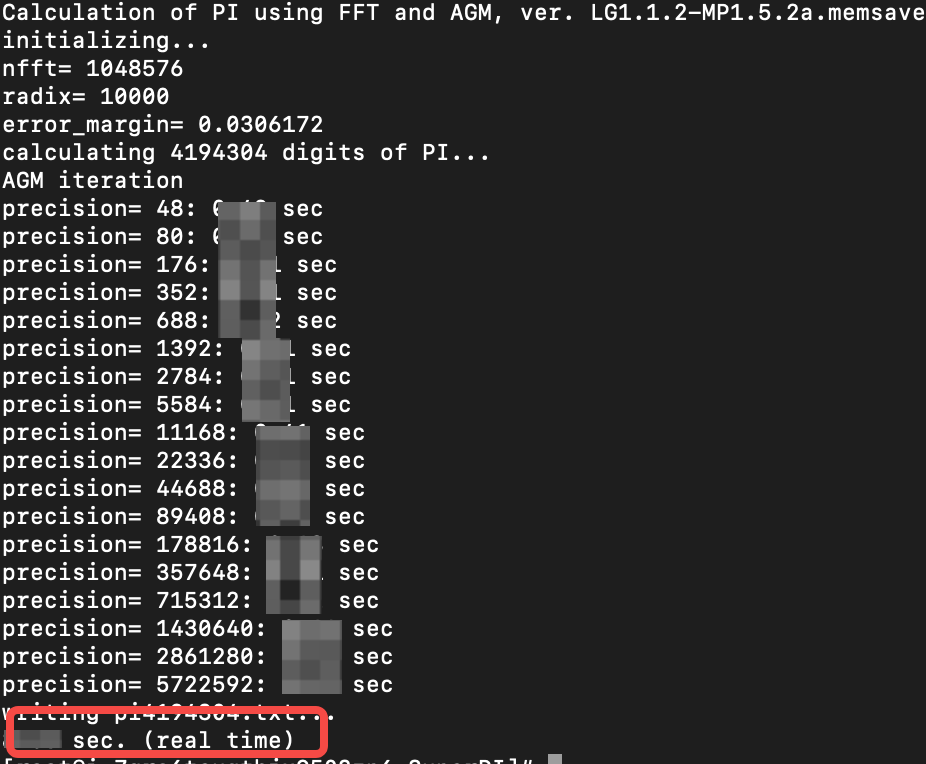
After the above commands are executed, the calculation time will be displayed as shown in the picture below. The smaller the value, the shorter the time and the stronger the computing power.
Test memory performance
Test bandwidth via Stream
Test latency via MLC
Test Memory load via Sysbench
Test description
Stream is an industry-recognized tool for testing memory performance comprehensively. Supported operations include Copy, Scale, Add, and Triad.
Procedure
- Execute the following commands to download and install Stream.
- wget https://www.cs.virginia.edu/stream/FTP/Code/stream.cyum -y install gcc
- Edit the test script.
- gcc -O -fopenmp -mcmodel=medium -DSTREAM_ARRAY_SIZE=200000000 -DNTIMES=100 stream.c -o stream_omp_exe
- ParameterDescriptionParameterDescriptionSTREAM_ARRAY_SIZESpecifies the array size used for testing.Default value: 10,000,000. Stream creates three arrays of the size value specified in the STREAM_ARRAY_SIZE parameter. Default element type: double.For reference, the memory used in the script above is 3 × STREAM_ARRAY_SIZE × sizeof(double) = 4.5 GiB. You can modify the value based on your needs.NTIMESSpecifies the number of runs for the test case. The final result will be the best one among all runs.Default value: 10. Typically, you do not need to change this value.
- Execute the following commands to run the bandwidth test.
- # On the same NUMA nodenumactl -N 0 -m 0 ./stream_omp_exe # Cross-NUMA nodesnumactl -N 1 -m 0 ./stream_omp_exe
- ParameterDescriptionParameterDescriptionnumactlSpecifies the NUMA policy for process and memory allocation.For example, -N 0 -m 0 means using the CPU and the memory of NUMA node 0; -N 1 -m 0 means using the CPU of NUMA node 1 and the memory of NUMA node 0.
- After execution, the final result score will be displayed as shown below. Refer to the values of "Best Rate MB/s". The higher the values, the better the performance.
-
Test description
MLC (Memory Latency Checker) is a memory testing tool developed by Intel. It can effectively and conveniently test memory latency and bandwidth. The tool also supports a series of fine-grained tests for specific processor cores, caches, and memory.
Procedure
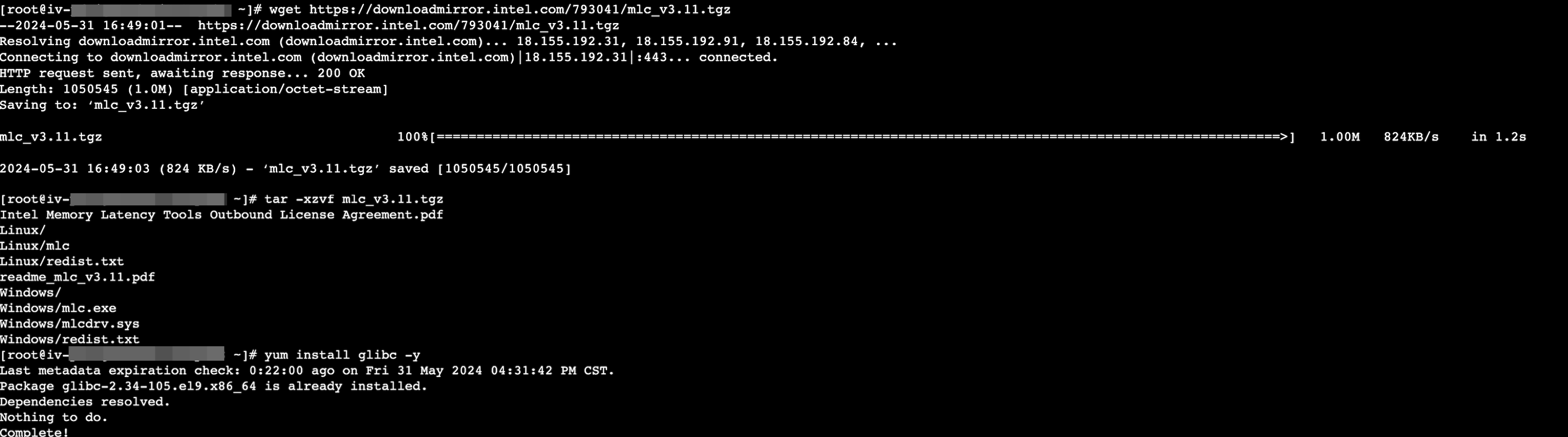
- Execute the following commands to download and install MLC.
- wget https://downloadmirror.intel.com/793041/mlc_v3.11.tgztar -xzvf mlc_v3.11.tgzyum install glibc -y
-
- Execute the following commands to run the latency test.
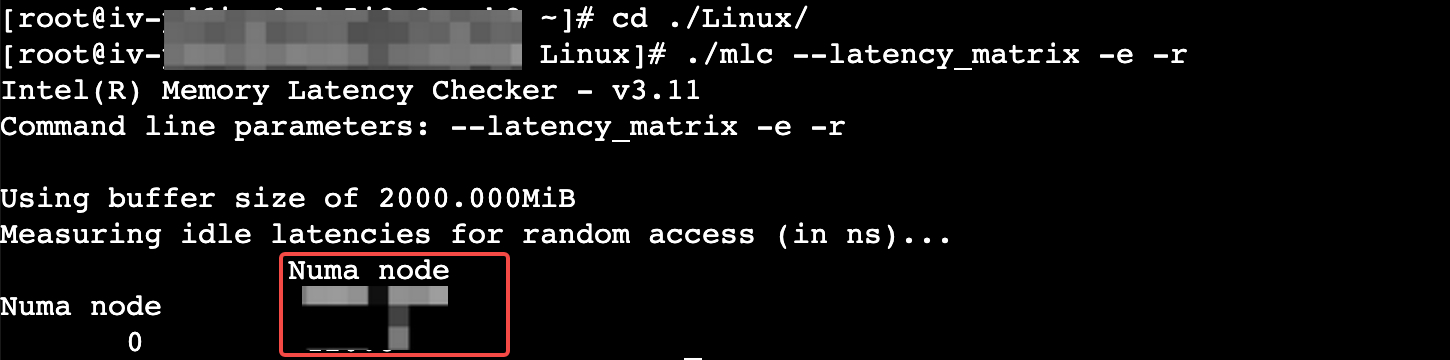
- cd ./Linux/./mlc --latency_matrix -e -r
- ParameterDescriptionParameterDescription--latency_matrixPrints the matrix of intra-NUMA and cross-NUMA memory latencies-eOutputs test results based on original prefetcher settings-rOutputs the latency result obtained from random accesses
- After the above commands are executed, a matrix of local and cross-socket memory latencies will be displayed. The lower the values, the lower the latency.
-
Test network performance
Test volume performance
Last updated: 2026.06.24 17:17:26
All rights reserved © Beijing Volcano Engine Technology Co., Ltd2024
